
The Quality Inspection App Built for Construction Teams
Quality inspectors capture findings through photos, voice notes, and measurements as they walk the site. Sitemate drafts the inspection report automatically, linking photos to specific checkpoints and non-conformances. Complete documentation without the desk time.

Trusted by companies, projects and teams of all sizes















Why Quality Inspection management Is Harder than It Should Be

Manual documentation delays reports
Quality managers spend hours manually typing up inspection findings after returning from site visits, when details are already becoming fuzzy.

Photos get lost or mislinked
Inspection photos taken on personal devices or cameras often get separated from their corresponding findings or lost entirely.

Paper measurements need retyping
Measurements recorded on paper forms during inspections must be manually transferred to formal reports, introducing transcription errors.

Non-conformance reports come too late
Critical quality issues don’t get formally documented until days after discovery, delaying corrective actions and client notifications.
A Smarter Way to Manage Quality Inspection

Real-time inspection capture
Record observations via voice while walking the site. AI extracts each finding and maps it to the correct form fields including location, specification requirements, and severity.

Automatic photo linking
Photos automatically tag to their corresponding findings with GPS stamps and metadata, creating an auditable trail from site to client handover.

Instant report generation
Inspection reports are drafted automatically before the inspector leaves the area, with all findings, photos, and measurements already populated.

Non-conformance reports come too late
Non-conformances get classified and assigned to responsible trades immediately, enabling faster corrective action and resolution tracking.


Understanding Quality Inspection Software
What is quality inspection in construction and manufacturing?
Quality inspection involves systematic examination of work against specifications, standards, and drawings to identify defects, non-conformances, and areas requiring corrective action. Inspectors document findings, take photographic evidence, record measurements, and create formal reports for client handover and regulatory compliance. Traditional inspection workflows rely on paper checklists, handheld cameras, and manual report writing that separates the inspection from the documentation, leading to incomplete records and delayed issue resolution.
Key elements of effective quality inspection include:
- Real-time documentation while observations are fresh
- Photographic evidence linked to specific findings
- Accurate location referencing and GPS tracking
- Immediate non-conformance classification
- Traceability from finding to corrective action
- Audit-ready records for compliance purposes
Quality inspection compliance requirements
Quality inspection records must meet strict documentation standards for ISO 9001:2015, industry codes, and client specifications. This includes maintaining version control of inspection templates, ensuring photographic evidence is properly timestamped and located, and creating audit trails that track every finding from identification through resolution. Digital systems provide the consistency and traceability that manual processes cannot achieve.
How To Set Up a Digital Quality Inspection Using Sitemate
Step 1:
Step 2:
Deploy mobile access. Install Sitemate mobile app on inspection devices. Configure QR codes for quick form access and ensure offline capability for areas with poor connectivity.
Step 3:
Train inspection teams. Train quality inspectors on voice recording techniques, photo capture best practices, and mobile form navigation. Set up user permissions and approval workflows.
Step 4:
Test AI form filling. Run pilot inspections to verify AI accurately extracts findings from voice notes and maps them to correct form fields. Refine templates and validation rules.
Step 5:
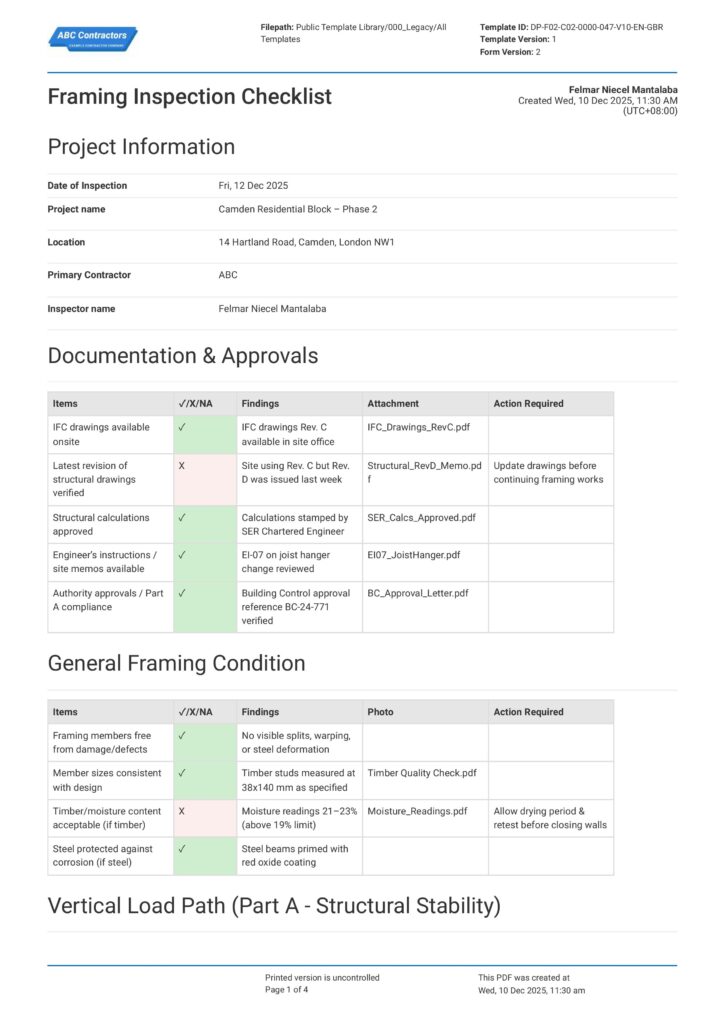
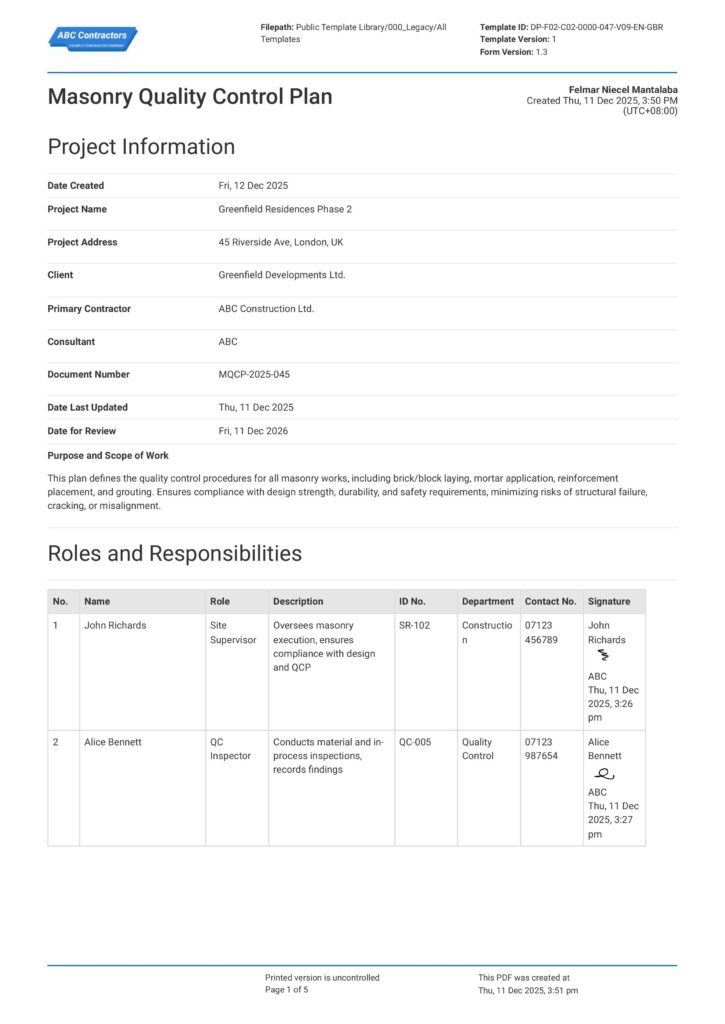
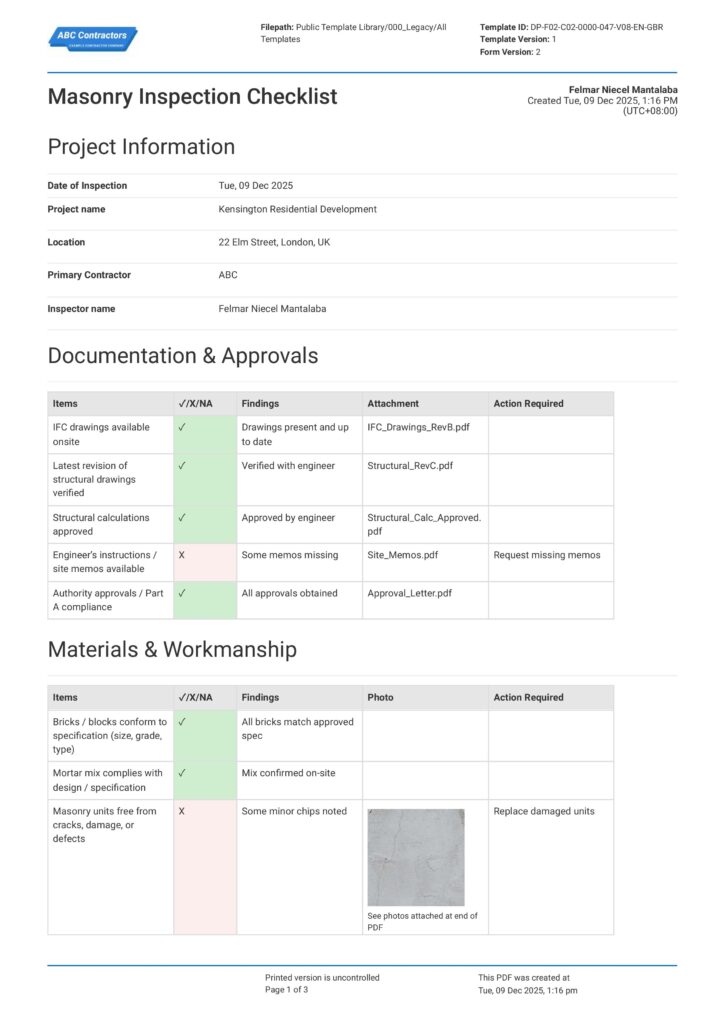
Start Faster With Built-In Quality Inspection Templates
See How Sitemate Has Already Helped Companies Like Yours
"Everything is in real-time. No longer do we need to print out forms or take out hard copies."
- Brian Mahon, COO
80%
Time saved on document handling
90%
Faster approvals
Quality reporting and compliance dashboards
Flowsite transforms inspection data into automated compliance reports, quality trend analysis, and real-time dashboards for clients and stakeholders, eliminating manual report compilation.
Comparison: Paper Quality Inspection vs Digital Quality Inspection
Most project teams already know paper and spreadsheets aren't cutting it. Here's what changes when you move your method statements to a digital system.
Real-time Finding Capture
Voice-to-text Documentation
Automatic Photo Linking
Versioning
Approvals
Audit Trail
Actions and Follow-ups
Searchability
Audit Evidence

Paper
Frequently asked questions about Quality Inspection
Will AI miss critical quality defects?

AI documents what the inspector observes and measures – it doesn’t replace the inspector’s expertise in identifying defects. The quality manager reviews every finding and non-conformance classification before approval, ensuring nothing critical is missed.
How accurate is voice-to-text for technical inspection terminology?
The AI is trained on construction and manufacturing terminology and improves over time. Inspectors can review and edit any transcribed text before final submission, and the system learns from corrections.
Can the system work offline in areas with poor connectivity?
Yes, the mobile app works offline and syncs data when connectivity returns. All photos, voice notes, and form data are stored locally until upload is possible.
How do photos get linked to specific inspection findings?
Photos are automatically tagged with GPS coordinates, timestamps, and linked to the active inspection point. The AI matches photos to corresponding voice observations based on timing and location data.
What happens if an inspector disagrees with AI-generated classifications?
Quality managers and inspectors can modify any AI-populated fields before approval. The system learns from these corrections to improve future accuracy while maintaining human oversight of all critical decisions.
How does this integrate with existing quality management systems?
Sitemate can export inspection data to most QMS platforms via API or standard formats. Flowsite also provides direct integration with reporting tools like Power BI for seamless workflow continuation.
Is the system suitable for regulatory compliance inspections?
Yes, the platform maintains audit trails with GPS stamps, photo metadata, and time logs that meet regulatory requirements. All records include digital signatures and approval workflows for compliance documentation.
 English (United States)
  English (Australia)
  English (UK)
  English (New Zealand)
  English (South Africa)
  German