Traffic Management Plan Template

Start with a free 30-day trial. No credit card required.
This Traffic Management Plan is a document engineers and site personnel use to plan how vehicles, mobile plant, workers, and pedestrians will move safely around a workplace or project site. You can use this plan to record traffic routes, site access points, pedestrian walkways, exclusion zones, signage, speed limits, control measures, and sign-offs.
Managing traffic risks on a construction site, roadwork project, or active workplace? Looking for a traffic management plan example to use for your own workplace? This Traffic Management Plan helps ensure vehicle and pedestrian movements are clearly planned before work starts, which helps support safer site access and traffic control. Then, when you're finished planning, you can even save and export the completed plan to PDF or CSV for easy sharing.
 100% fully editable Traffic Management Plan
Export your Traffic Management Plan to PDF or CSV
Access Transportation Management Plan on mobile, tablet or computer


Trusted by companies, projects and teams of all sizes















What is Traffic Management Plan?
A Traffic Management Plan is a document used by project management teams, site supervisors, and traffic control personnel to plan how vehicles, pedestrians, workers, and other machinery will move through and around a worksite. It usually identifies traffic routes, access points, pedestrian paths, signage, safety control methods, speed limits, and areas where people and moving vehicles may intersect.
Traffic Management Plans are widely used in industries like construction, roadworks, logistics, utilities, and other work environments with moving vehicles or public access. In these often-times hectic work environment, a Traffic Management Plan is essential to reduce traffic-related risks, keep work areas systematic, and provide clear instructions for workers, drivers, and visitors of your worksite.
Preview this Traffic Management Plan in comparison to legacy formats like Word or Excel
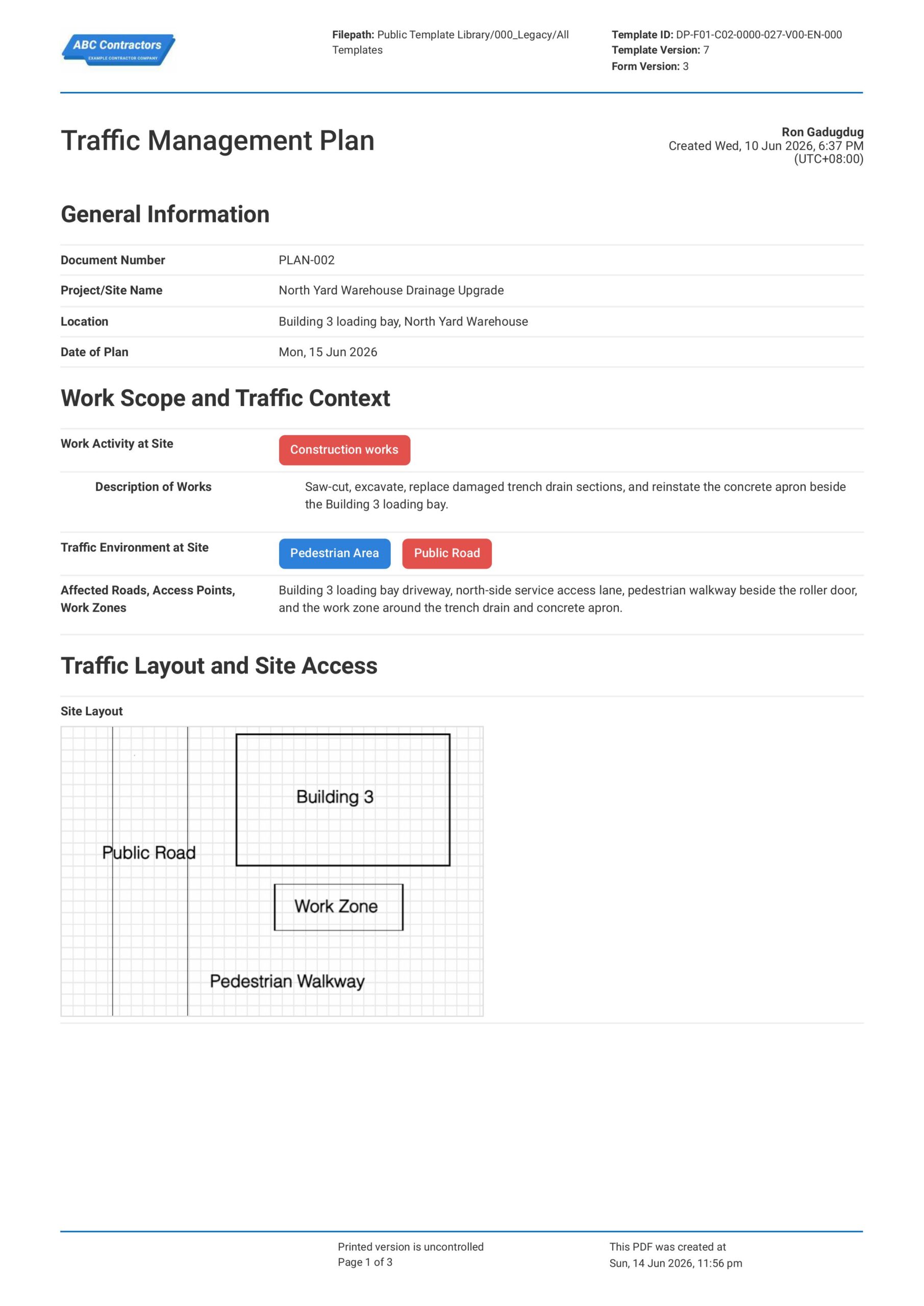
Preview this Traffic Management Plan below and see how it's so much easier to create and navigate the plan.
Wondering how this Transportation Management Plan stacks up against traditional formats? Check out the preview of our form below for free and see just how easy it is to use.
Use this Traffic Management Plan template for free

Generate this template automatically with Storm
You don't have to build the Traffic Management Process field by field. Let Storm, the AI Data Capture Agent inside Dashpivot, build the template for you in seconds.
Describe what you need
Tell Storm the form you want in plain language and it builds a structured digital template from scratch, with fields, tables, and signatures in place.
Upload what you already use
Drop in your existing PDF, Word, Excel, or even a photo of a paper form. Storm rebuilds it as a smart digital template with the structure intact.
 Storm
Storm
Generate a Traffic Management Process form template that I can use for my business
Applicable Standards and Policies for Traffic Management Plan
There are generally no specific universal requirements for formatting a Traffic Management Plan, but most road, construction, and workplace safety laws require businesses to assess traffic hazards and document controls before work begins. Here are examples of common regulations and guidance used around the world:
- MUTCD and OSHA guidance supports traffic control planning in the United States
- UK HSE regulations covers workplace transport and site traffic control
- Safe Work Australia requires traffic management around construction work
Staff Members and Parties that use Traffic Management Plan
A Traffic Management Plan is primarily used by parties or teams that manage vehicles, plant, pedestrians, or public road users around a worksite. Here are examples of common parties that you can expect to use a Traffic Management Plan:
- Site supervisors and project managers
- Traffic controllers and spotters
- Plant operators and delivery drivers
- Contractors and subcontractors working near traffic routes
Business Risks Reduced by Traffic Management Plan
Using a Traffic Management Plan primarily helps reduce the risk of hazards such as vehicle collisions, pedestrian strikes, reversing incidents, poor access control, and unsafe interaction between mobile plant and workers. Ultimately, this can help businesses to:
- Reduce risk of injury, fatality, or traffic-related incidents
- Avoid non-compliance with road, construction, and workplace safety requirements
- Lower exposure to legal claims, enforcement action, and incident-related costs
- Reduce project delays caused by traffic incidents, road closures, or access issues
Business Opportunities Created by Traffic Management Plan
A well-designed Traffic Management Plan helps businesses improve site access, vehicle movement, and coordination between workers, drivers, contractors, and public road users. With a streamlined workplace, businesses can:
- Strengthen contractor prequalification and tender-offer competitiveness
- Improve coordination between site teams, traffic controllers, drivers, and road authorities
- Build trust with clients, regulators, insurers, and project stakeholders
- Save time and resources due to less delays and a more efficient workplace
What Should be Included in a Traffic Management Plan?
A Traffic Management Plan should explain how vehicles, mobile plant, workers, pedestrians, and the public will move safely around a worksite or affected area. While requirements can vary across regions, here are some core elements any Traffic Management Plan should include:
- Site layout, access points, haul roads, exclusion zones, and pedestrian routes
- Vehicle and plant movement areas, including reversing and loading zones
- Signage, barriers, cones, lighting, and temporary traffic controls
- Roles and responsibilities for traffic controllers, spotters, supervisors, and drivers
- Emergency access, communication methods, and review requirements
Why are Traffic Management Plans Important?
Traffic Management Plans are important because moving vehicles and mobile plant can create serious risks for workers, visitors, pedestrians, and the public. On construction, civil, roadwork, logistics, and maintenance sites, poor traffic control can lead to collisions, struck-by incidents, blocked access, and delays in emergency response.
A clear Traffic Management Plan helps separate people from moving vehicles, guide drivers through the site, and keep access routes open for safe work and emergency situations. It also gives supervisors, traffic controllers, and workers a shared process for managing changes to site layout, work sequencing, deliveries, and public interfaces.
How to create your own Traffic Management Plan
Building a Traffic Management Plan can get overwhelming, especially when dealing with several variables that vehicular and pedestrian traffic presents. In this section, we take a deep dive into specific steps on how you can create your own Transportation Management Plan.
Before you create a Traffic Management Plan, make sure the following items have been verified.
- Site location and traffic conditions are required.
- Work zones, access points, and exclusion areas must be mapped.
- Vehicle, plant, cyclist, and pedestrian routes must be defined.
- Signage, barriers, lighting, and speed controls must be included.
- Traffic controller roles and communication methods must be stated.
- Emergency access and incident response needs must be planned.
- Approval, review, and update requirements must be set.
Start with Site and Traffic Management Information
Placing high-level general information at the beginning of the Traffic Management Plan helps establish where the works will take place, what type of traffic will be affected, and who is responsible for managing site movement. Here are some examples of core elements that you can use:
- Project name and site location
- Description of the work activity
- Traffic management plan reference number
- Planned work dates and work hours
- Names and roles of responsible personnel
Assess the Site Traffic Hazards
It is important that traffic hazards and potential risks are identified before the work starts so the appropriate safety control measures can be implemented. This helps determine how vehicles, mobile plant, workers, pedestrians, and members of the public may be affected by the work area.
- Vehicle and mobile plant movement
- Pedestrian interaction with vehicles or equipment
- Reversing, turning, or blind spot hazards
- Nearby public roads, access points, or intersections
- Poor visibility, lighting, weather, or ground conditions
Plan Vehicle and Pedestrian Movement
After the hazards are identified, you will want to determine how traffic will move through or around the work area without creating unnecessary risks for workers or the public. For example, you will want to list the following information in your Traffic Management Plan:
- Vehicle entry and exit points
- Site access routes and delivery areas
- Pedestrian walkways and exclusion zones
- Parking, loading, and unloading areas
- One-way systems or designated travel paths
Set Out Traffic Control Measures
Traffic control measures help manage movement around the site and reduce the chance of incidents involving vehicles, plant, workers, or the public. Be sure to document the following information in your plan:
- Traffic signs, cones, barriers, and temporary fencing
- Speed limits and traffic calming measures
- Spotters, traffic controllers, or flaggers, where required
- Temporary road closures or lane changes
- Separation between workers, pedestrians, and moving vehicles
Complete Communication, Review, and Approval
Complete the Traffic Management Plan with communication, review, and approval details to confirm that the plan has been checked and communicated before work begins. This also helps show that workers, subcontractors, drivers, and relevant site personnel understand the traffic arrangements and safety control measures.
- Names and roles of reviewers and approvers
- Worker, driver, and subcontractor briefing records
- Emergency contact and incident reporting details
- Date of review and approval
- Next review date or trigger for plan review
Frequently asked questions
How to create Traffic Management Process in an App or Software System
A well-designed Traffic Management Process is essential at almost every modern construction, industrial, or manufacturing site, as it ensures the flow of vehicles and people in and around the jobsite is safe and efficient.
30
Easy difficulty
Start your Traffic Management Plan with General Information
It is important to begin your Traffic Management Plan with key project, site, and plan details so the document can be traced to the correct work location and traffic control activity. This section should use simple text and date fields for fields such as:
- Text field or Automatic Form Counter for Document Number
- Text fields for Project/Site Name and Location
- Date selector field for Date of Plan
- Text field for the person creating the plan
Create a Section for Work Scope and Traffic Context
Next, create a section where users can describe the work activity and the traffic areas affected by the works. For simplicity, we recommend using selector fields and long-form text fields such as:
- Dropdown field for Work Activity at Site
- Multi-line text field for Description of Works
- Multiple-choice selector field for Traffic Environment at Site
- Multi-line text field for Affected Roads, Access Points, and Work Zones
Create a Section for Traffic Layout and Site Access
Next, create a section where users can show the traffic layout, work zones, access points, and nearby pedestrian or vehicle routes. We highly recommend using a sketch or drawing field for this section so the site layout can be shown visually and kept with the plan.
- Sketch field for Site Layout
- Photo upload field for Site Plans & Photos
- Attachment upload field for supporting traffic drawings or access plans
- Text field for notes on site access, work zones, and pedestrian routes
Create a Table for Traffic Risk and Controls
Users will next need to list down traffic hazards, required controls, residual risks, and any key notes for the work area. We highly recommend using a table for this section, with the following formatting for the columns:
- First column for Possible Traffic Hazards
- Second column for Primary Controls Required
- Third column for Residual Risk Rating
- Fourth column for Notes and Remarks
Create a Section for Monitoring and Incident Response
After the traffic risk section, add fields that explain how the traffic setup will be checked and what response is required if an incident, near miss, or route change occurs. Be sure to add the following fields:
- Multiple-choice selector field for Inspection Frequency
- Multi-line text field for Incident / Near Miss Response
- Multi-line text field for Emergency Vehicle Access Route
- Pre-filled text field for any change to traffic routes, work staging, access points, pedestrian routes, or public road impacts needing review and approval before implementation
End your Traffic Management Plan with Acknowledgements and Approvals
Finally, complete the Traffic Management Plan with a certification statement and sign-off fields for the personnel preparing and approving the document. If your app or software allows, use automatic e-signature fields and include fields like:
- Pre-filled text field for Acknowledgements and Approvals Statement
- E-signature field for Prepared By
- E-signature field for Approved By
- Company field for each sign-off
- Automatic date and time stamp fields for each sign-off
About the author

Ron Gadugdug
Engineering Content Writer

Education:
Cebu Institute of Technology - University - Civil Engineering
Bio:
Ron is a Civil Engineer with 6 years of experience in the construction industry, primarily focused on quantity surveying, cost estimation, project management, quality control, contract administration, and property & engineering insurance. At Sitemate, he writes about practical applications of evolving technologies and digital solutions that support construction professionals in improving efficiency, compliance, and project delivery across the built world.
Project Details:
Quantity Surveying & Cost Engineering
Performed quantity take-offs of several high-rise and horizontal structures using sheets and applications like Revit and Bluebeam Revu, and spearheaded trials with Building Information Modeling (BIM) software.
Project Management & Consultancy
Coordinated with project management teams during the construction of local projects such as a 4-tower hotel & resort, a 22 storey condominium project, and a school dormitory project.
Contract Administration
Assisted during contract biddings and negotiations with general contractors and sub-contractors, and oversaw progress reporting, billings, and payment.
Property & Engineering Insurance
Dedicated non-life claims handler, overseeing property and contractor all-risk insurance claims, risk management, and bonds.
Version History:
Other popular templates you can use and edit for free

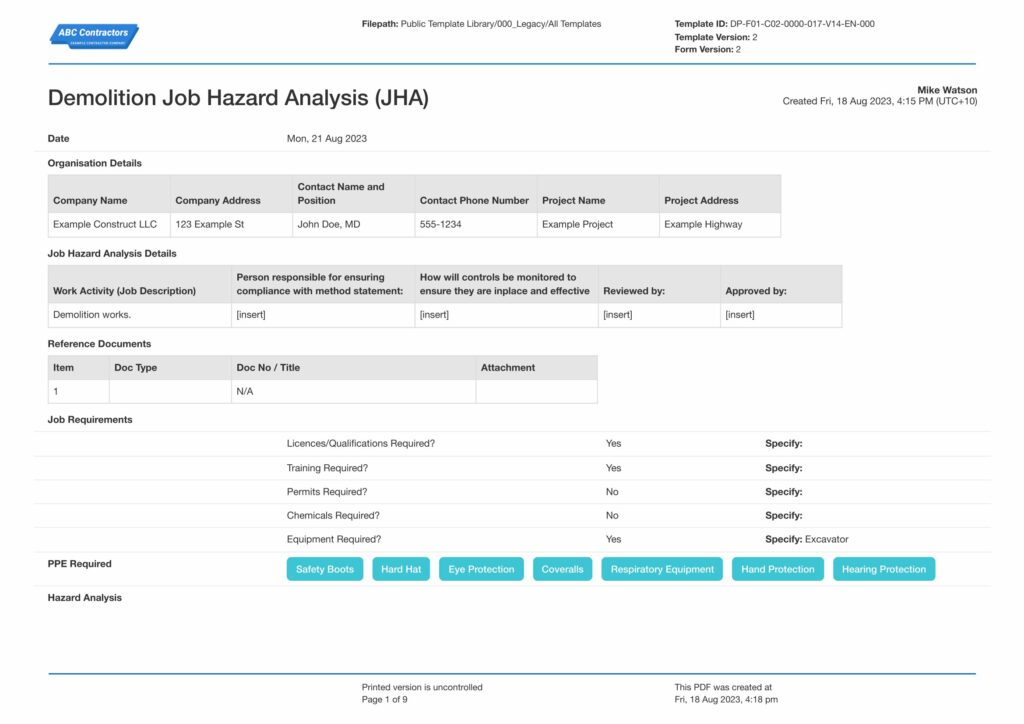
This plan was generated with Dashpivot software
- Access, edit and complete your Traffic Management Process from any device - mobile, tablet or computer.
- Print, download or send your Traffic Management Process as perfectly formatted PDF documents with your company logo.
- Store your Traffic Management Process securely online, where they can be searched and found in seconds
- Invite internal and external parties to see, edit and sign off on Traffic Management Process online.

 English (United States)
  English (Australia)
  English (UK)
  English (New Zealand)
  English (South Africa)
  German