The Risk Assessment Software Built for the Front Line
Stop conducting risk assessments from scratch. Sitemate’s Risk Assessment Software, powered by the Dashpivot platform, can boost the accuracy and efficiency of the risk assessment process by taking advantage of AI to pre-populate forms based on existing processes, hazard registries, and the nature of work.

Trusted by companies, projects and teams of all sizes















Why Risk Assessment management Is Harder than It Should Be

Wasted hours spent on transcribing
Safety officers and managers need to manually transcribe notes and photos from the field and spend a substantial amount of time making a formal risk assessment from scratch.

Needed safety measures are delayed
The delay in transcribing data from the field can postpone the necessary control measures, which in turn delays the activity.

Incomplete and inconsistent risk assessments
Safety officers rush to complete paper-based risk assessment forms to accommodate tight schedules, which greatly affects the quality and consistency of the forms.

Low-quality forms, low-quality controls
Rushed forms lead to low quality, which in turn results in inaccurate or inefficient safety control measures that could endanger personnel’s lives.
A Smarter Risk Assessment App

Automatically creating digital forms
The Dashpivot platform can easily create risk assessment templates. Users can directly describe the risk assessment form or upload existing forms to create a complete and regulatory-compliant digital form.

Risk findings converted from voice recordings
Dashpivot has a voice recording feature that allows supervisors to verbally record notes in the field. Sitemate’s AI assistant, Storm, can convert these voice recordings into the data needed for the risk assessment form.

Pre-populated risk assessment forms
The Risk Assessment Software can auto-populate fields in a risk assessment form based on existing processes, hazard registries, and the nature of work, thereby reducing manual data entry.

Low-quality forms, low-quality controls
After conducting the risk assessment, safety officers can directly notify relevant parties and stakeholders of the updated necessary safety measures.


Understanding Risk Assessment Software
What is Risk Assessment Software?
Sitemate's Risk Assessment Software is a modern tool that allows safety officers to conduct the risk assessment process in a much more streamlined manner. Powered by the Dashpivot platform, the software integrates an AI assistant called Storm to easily identify hazards based on site photos, voice notes, and existing procedures. The AI assistant can also immediately score the identified hazards and provide the appropriate measures needed to effectively manage them, which significantly reduces manual data entry and calculations.
Key elements of an effective risk assessment software template
- Systematic hazard identification and risk classification
- Immediate documentation of non-conformances with photo evidence
- GPS-tagged photos linked to specific risk findings
- Pre-populated corrective actions with assigned responsibility and due dates
- Compliance tracking against regulatory requirements and industry standards
- Complete audit trails with timestamps, location data, and digital signatures
Why are risk assessments important in construction?
A risk assessment is one of the most effective strategies for ensuring a safe working environment, particularly in high-risk industries such as construction. The risk assessment process reviews work methods and the environment, identifying all potential dangers. The risk score is calculated by scoring hazards based on their likelihood and severity. The risk score would determine what safety management measures are required to effectively manage each identified hazard. Without the risk assessment, proper actions would not be applied, thereby compromising the safety of personnel on the construction site.
How To Set Up a Digital Risk Assessment Using Sitemate
-
Step 1:
Configure risk assessment templates with hazard categories, risk matrices, and compliance fields specific to your sites and regulatory requirements. -
Step 2:
Train AI on your safety terminology, site locations, and equipment types so voice observations are accurately processed and sorted.
-
Step 3:
Define approval workflows, including escalation paths for high-risk findings and corrective action assignment rules.
-
Step 4:
Integrate with existing safety registers and compliance databases for seamless, unified recordkeeping.
-
Step 5:
Deploy mobile inspection tools to safety officers and supervisors so AI-assisted risk assessments begin immediately in the field.
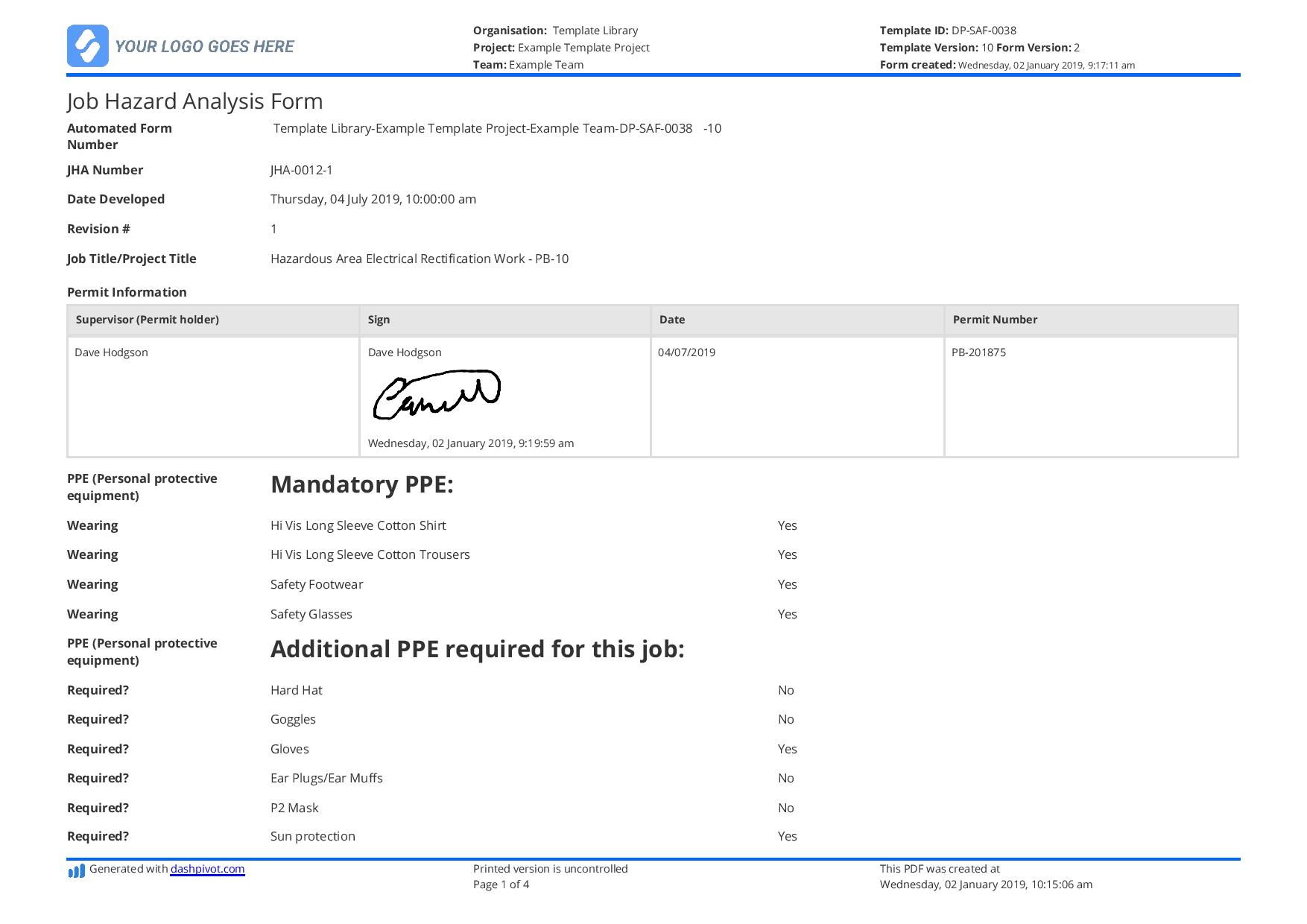
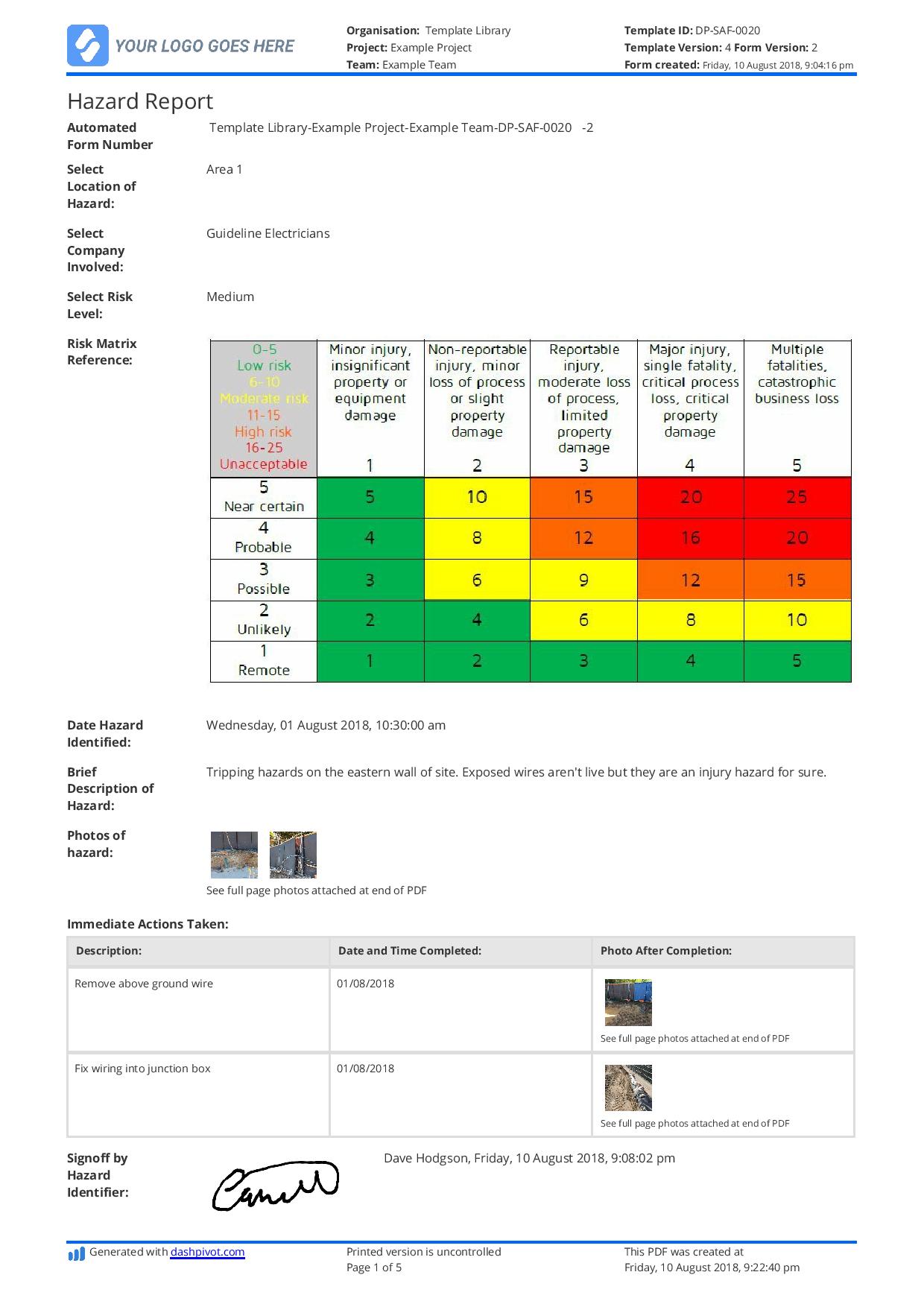
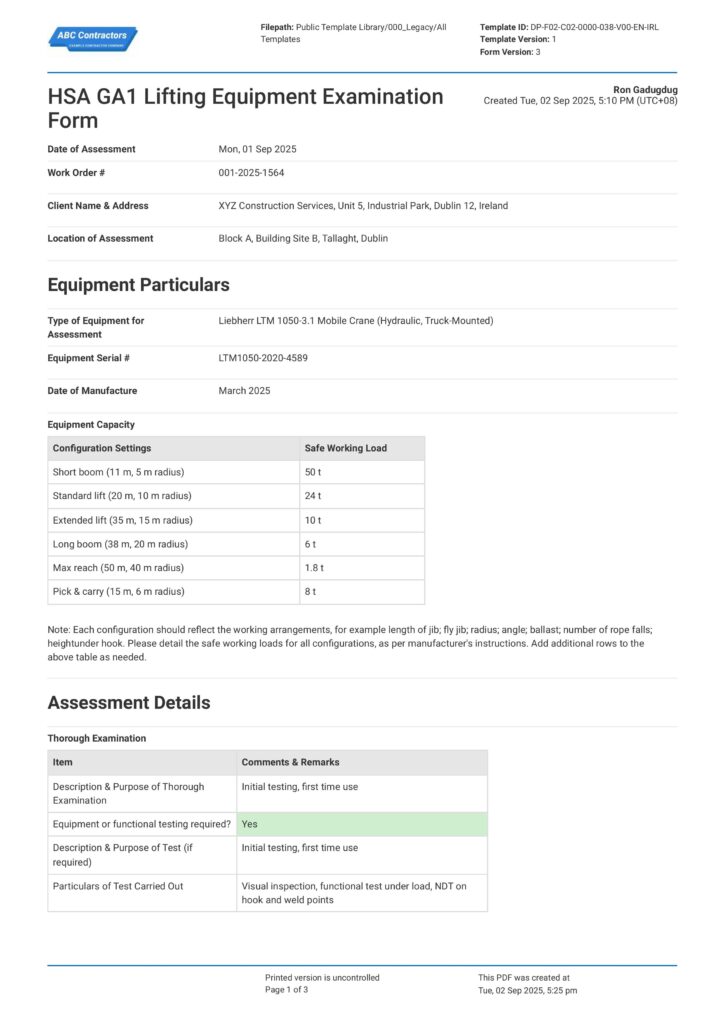
Start Faster With Built-In Risk Assessment Software Templates
See How Sitemate Has Already Helped Companies Like Yours
"Our process now is so much quicker, easier, and more efficient. It's improved tenfold."
- Shane Russo, Site Manager
500+ employees
Zero paperwork
6 regions
Site data unified across 6 regions
A safety analytics dashboard for risk assessments
Sitemate's Flowsite can swiftly compile risk assessment data and generate dashboards that display trends for recurring risks, the effectiveness of safety management measures, and any hazards that have not been addressed. Stakeholders can readily access this data in the software.
Comparison: Paper Risk Assessment vs Digital Risk Assessment
Most project teams already know paper and spreadsheets aren't cutting it. Here's what changes when you move your method statements to a digital system.
Voice-to-text inspection notes
Auto-sorted hazard types
GPS-tagged photo evidence
Pre-populated corrective actions
Same-day report completion
Compliance audit trails
Offline inspection capability
Follow-up action tracking
Historical data searchability

Paper
Frequently asked questions about Risk Assessment Software
What is included in a risk assessment template?

A risk assessment template includes a description of the activity or environment, identified hazards, risk scores, control measures, and required signatories for validation. Templates can be generated from existing hazard registers or from photos and voice notes recorded in the field.
Does Dashpivot work even if offline?
Yes, Dashpivot can work even without internet connectivity. It stores all collected data, like photos and hazard notes, in the phone and automatically syncs when connectivity returns.
How does AI help when completing a risk assessment form?
Sitemate’s AI assistant Storm can extract data from hazard registers, work procedures, and photos or voice recordings taken from the field and auto-fill the relevant fields on the risk assessment form. This process eliminates manual data entry, which significantly streamlines the risk assessment process.
Can I update an existing risk assessment template?
Yes, you can easily update the risk assessment template to align with your workflow and site-specific hazards by using the powerful drag-and-drop form builder in Dashpivot.
How do I inform relevant stakeholders when a risk assessment form is completed?
The Risk Assessment Software has a notification system that can be configured to automatically notify relevant stakeholders when a risk assessment form is completed, which eliminates the need for personal handoffs.
Can multiple people contribute to the same risk assessment form?
Yes, several team members can add notes, hazards, or sign-offs to the same risk assessment form. As long as they have the right permissions and save their work, the software saves and timestamps all edits made by contributors.
What happens if conditions change after a risk assessment form has already been completed?
Safety officers can use the software to update the risk assessment form and promptly notify the relevant team members. This keeps the risk assessment safety measures up to date, rather than leaving outdated information in circulation on site.
 English (United States)
  English (Australia)
  English (UK)
  English (New Zealand)
  English (South Africa)
  German