How to Use Copilot for Construction Meeting Minutes
Site meeting minutes usually get written up late, from notes only the note-taker can follow, and actions from three weeks ago quietly disappear. Copilot turns a meeting's notes into minutes you can send, and brings forward every action still open from earlier meetings on the same project. The chair checks the draft against the notes and signs it off before it goes out.

Trusted by companies, projects and teams of all sizes


The short answer
Copilot drafts construction meeting minutes in the chat by reading your site meeting form in Dashpivot over MCP, for one project and one date. It lists the decisions and each action with its owner and due date, then pulls in any actions still open from earlier meetings. The chair reads the draft against the notes, makes any corrections and signs it off before it's sent.
How to Get Copilot Drafting Your Site Meeting Minutes
Copilot can turn the notes from a site meeting into minutes you can send, and pull forward the actions still open from earlier meetings. It does that by reading your records over MCP, so most of the work happens before you connect anything. The notes need to sit on a consistent form, and there need to be enough meetings recorded to read back over. Connecting Copilot comes after that.
-
Step 1
Get meeting notes onto digital forms
Record each site meeting on a digital form with the same fields every time: date, project, attendees, agenda items, decisions, and each action with an owner and a due date. Copilot reads fields, so typed notes in a consistent structure are something it can work with. A photo of handwritten notes or a whiteboard is a picture, and it can't reliably pull an owner or a due date out of it. Pick lists for owners and status help most, because free text ends up spelling the same name several ways.
-
Step 2
Build up enough history to read back over
One meeting's notes answer almost nothing. The value shows up once there are several weeks of meetings against the same project, because that's when Copilot can tell you which actions keep rolling over and what was decided about a delay back in March. Keep recording every meeting on the same form, including the short ones, so the history doesn't have gaps you'll trip over later. A month of weekly site meetings is a sensible place to start.
-
Step 3
Connect Copilot over MCP
With the records in place, your assistant needs a way to reach them. That's what MCP does: it lets an assistant query a system it doesn't own, using the permissions you already have. Depending on which system you use, the process may vary. We cover Sitemate MCP later in this article.
-
Step 4
Ask Copilot for the minutes by naming the form and the meeting date for that project. Then ask it to list every action from earlier meetings on the same job that's still open. It drafts both in the chat from the entries it can read, ready for you to check.
-
Step 5
Read the draft against the notes before it goes anywhere. Check that every action has the right owner and date, and that nothing said in the meeting has been softened or dropped. The person who chaired the meeting signs off, and then the minutes go out.
Prompt guidance for writing meeting minutes
Prompts that work name the form template and the exact dates for one project. Ask for last month's open actions on a named job and Copilot has something specific to read. A request to write up the meeting leaves it guessing which one, then filling the gaps with general wording that sounds right. Say who the minutes are for, too, because a client copy reads differently from the internal one.
- "Draft minutes from the Site Meeting form, [project], [date]"
- "List open actions on [project] since [date]"
- "Which actions rolled over more than twice?"
- "Who owns most open actions on [project]?"
Troubleshooting prompts for writing meeting minutes
When the minutes Copilot drafts come back thin, look at the form first. Actions need their own fields for the owner and the due date, so each one can be read on its own and followed from one meeting to the next. Attendees work better picked from a list than typed. And a meeting that never got recorded leaves a hole Copilot can't fill, however good the prompt is. Keeping the same form across projects means the same questions work on every job.
- Actions with no owner: owner was free text, so make it a pick list
- Same person counted twice: names typed differently, so use a list of people
- Open actions missing: no status field, so add one that closes off
- Gaps between meetings: some weren't recorded, so record every one
- Decisions buried in notes: add a separate decisions field
Limitations when writing meeting minutes with Copilot
Copilot helps with two things: turning meeting notes into minutes, and tracking actions across weeks of meetings on a project. Both depend on what's written on the form. If the note-taker captured every decision and gave each action an owner and date, the draft will be close to finished. If the notes are patchy, the draft will be too, and Copilot can't flag what it doesn't know is missing.
It reads your records over MCP and drafts in the chat. Anything that changes a record, like closing an action or fixing a name, still has to be done by a person in Dashpivot.
Minutes carry weight later on. When a variation or delay claim depends on what was agreed in week six, the minutes are what everyone looks at. Sending an unchecked draft puts Copilot's reading of the notes on the record, so the chair's review matters.
What Copilot Does Well When Drafting Meeting Minutes
Copilot reads your meeting form fields over MCP and drafts the minutes from the date, attendees, decisions and actions recorded. Because it can read every earlier meeting on the project, it can carry forward open actions and show how long each one has been sitting there. You can also ask who has the most open actions on a job, or what was agreed about an issue weeks ago. It works from what's on the form, so the draft is only as complete as the notes.
- Drafts minutes from a single meeting's form fields
- Lists open actions carried over from earlier meetings
- Shows how many times an action has rolled over
- Finds who owns the most open actions on a project
What Copilot Leaves to You When Drafting Minutes
Copilot can't hear the meeting. It only knows what's written on the form, so if a decision wasn't recorded, it won't be in the minutes, and Copilot can't tell whether a note was accurate. It also can't change your records. The MCP connection is read-only, so an action marked done in the chat stays open until someone updates it in Dashpivot. Nothing it drafts is final until the chair reads and signs it.
- Hearing the meeting or filling in what wasn't written down
- Checking whether a note matches what was said
- Closing or changing actions in your records
- Signing off the minutes for the chair
What This Assumes You Already Do
This assumes you already hold regular site meetings, weekly or fortnightly, and someone takes notes at each one. It also assumes actions get handed out in the meeting with a name against them, even if they're scribbled. Copilot can't read a meeting that was never recorded, so the habit of writing it down matters more than how neat the notes are. If your minutes currently go out late or not at all, that's the part this helps with.
- You hold site meetings on a regular weekly cycle
- Someone takes notes at every meeting
- Actions get a named owner before people leave
- Last meeting's actions get checked at the next one
- The people in the meeting are the ones reading the minutes
Why Use Copilot for Construction Meeting Minutes
Without minutes anyone can find, last month's actions live in someone's notebook. Nobody follows them up, so the same items keep coming back. When there's a dispute about what was agreed, all you've got is memory. And in a busy week, writing up minutes properly is the first thing that slips.
What Good Construction Meeting Minutes Contain
Good minutes from Copilot read like the person who chaired the meeting wrote them. Every action has a named owner and a due date, carried straight from the form, and each decision says what was agreed and who agreed it. Open items from earlier meetings show up with how long they've been open. A generic draft gives itself away with vague owners like "the team" or due dates nobody entered on the form.
- Date, project and everyone who attended
- Each decision stated in one plain line
- Every action with a named owner and a due date
- Open actions carried over from earlier meetings, with their age
- Nothing added that wasn't in the meeting notes
What people use AI assistants for inside Sitemate
Once access is sorted, site records lead the questions
Users and access takes the biggest share. Past that, the jobs people bring to an assistant are site records, with diaries and timesheets out in front. Meeting minutes aren't a category of their own, so the pattern to take from this is that people ask about records their crews already keep on forms.
Connecting Sitemate MCP
Copilot reaches your Dashpivot records through the Sitemate agent for Microsoft Copilot, which connects over Sitemate MCP. It's read-only: Copilot can read your forms and lists, but it can't create, modify or delete anything in Dashpivot. If MCP Access is off, only an Org Controller can turn it on. The steps below follow the helpdesk guide at help.sitemate.com, which is the place to check if anything on your screen looks different.
-
Step 1
Turn on MCP Access in Dashpivot
An Org Controller turns on MCP Access in Dashpivot. Until that's done, Copilot has nothing to connect to, whatever you set up on the Copilot side.
-
Step 2
Add the Sitemate agent to Copilot
In Copilot, search for the Sitemate agent for Microsoft Copilot by its exact name, add it, then connect your Sitemate account to link the two.
-
Step 3
Ask a first question to test it
Ask for something you can check, like last week's site meeting on one project. Copilot reads it back, and it can't change anything in Dashpivot.
If the Sitemate agent will not appear in Copilot
Most failed connections come down to two things. MCP Access hasn't been turned on by an Org Controller, or the agent was searched for under the wrong name. Check both before anything else, and ask your Org Controller first, since they're the ones who can change the setting.
- Nothing connects: MCP Access is still off in Dashpivot
- Sitemate agent not in the list: search for its exact name
How the minutes get captured
Copilot drafts in the chat and reads your records, and that's all it does in Dashpivot. Building the minutes form and filling it in at the meeting is down to Storm and the person running the meeting. Dashpivot holds the record, and Sitemate MCP lets Copilot read it back.
-
Storm Imports the Minutes Format into Dashpivot
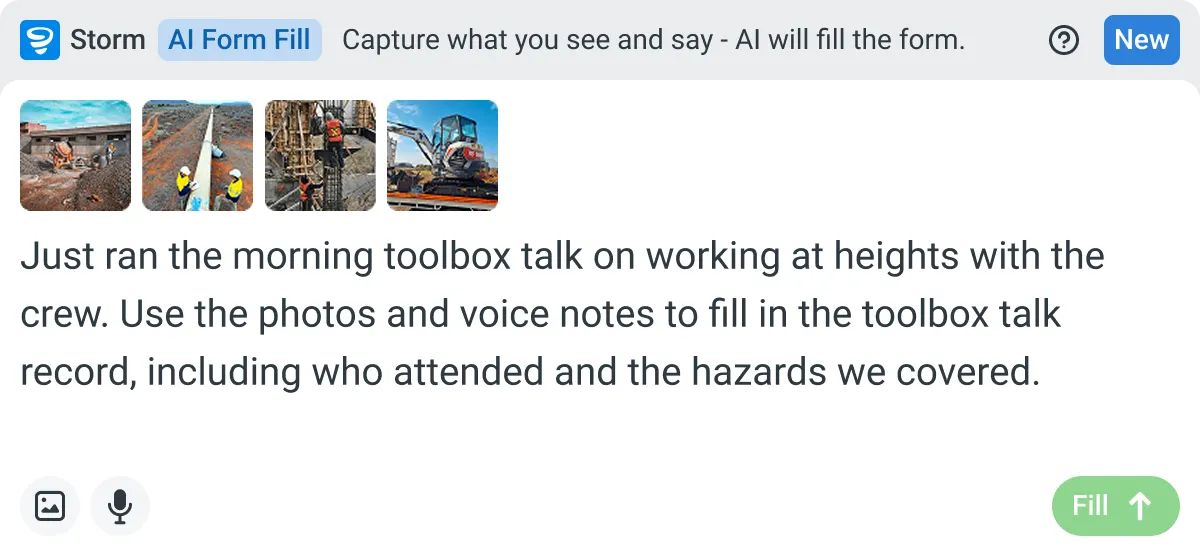
Save the minutes format out of Copilot as a PDF, Word or Excel file, and Storm rebuilds it as a Dashpivot template with AI Templates. At the meeting, Storm fills it in from a voice note or photos with AI Form Fill, and the chair reviews it.
-
Dashpivot Holds the Signed Minutes
Dashpivot holds each set of minutes as a signed record against the project, with every action, owner and due date kept in its own field. Next week's meeting starts from that record instead of from someone's notebook.
-
Sitemate MCP Reads the Minutes Back
Sitemate MCP lets Copilot read those minutes back, so you can ask which actions are still open across a project or what was agreed weeks ago. It only reads, so any change to a record is made in Dashpivot by a person.

Storm Captures the Minutes Copilot Drafts
Storm fills in the minutes form from a voice note or photos while the meeting's still running, so nothing waits to be typed up later. The chair reads it through and signs, and every action keeps its owner and due date.

AI Form Fill
Capture what you see and say, and Storm drafts the form for you. The details land in the right fields, so there is a record to check the moment the work is done, and you review and submit it yourself.


Listens to the work
Captures voice cleanly through machinery, wind, and movement. Accents and trade language understood. No headset needed.

Sees the site
Photos read as primary data, not attachments. Equipment, defects, PPE, and conditions are all interpreted directly from what's in frame.

Knows the context
Location, time, crew, plant, and materials pulled automatically. Critical for inspections, incidents, and time entries.
Frequently Asked Questions
Can Copilot write minutes from a recording of the meeting?

Copilot reads what’s on the meeting form over Sitemate MCP. It doesn’t listen to the meeting, so the draft depends on the notes. If you want the form filled in from a voice note or photos during the meeting, Storm can do that in Dashpivot, and Copilot reads the result afterwards.
Are the minutes Copilot drafts ready to send?
No, they’re a first draft. Copilot lays out the decisions and actions from the form, and the chair checks every owner and due date against the notes. Once anything missing or watered down is fixed, they sign it off and send it.
Can Copilot keep track of actions from earlier meetings?
Yes, as long as every meeting on the project uses the same form. Give each action its own fields for owner, due date and status, and Copilot can show what’s still open and how many meetings it’s rolled over.
Can Copilot close or update an action in Dashpivot?
No. Sitemate MCP is read-only, so Copilot can read your minutes and actions but can’t create, change or delete them. When an action is done, someone updates it in Dashpivot and Copilot picks up the change next time.
Where do the signed minutes end up?
The minutes are filled in at the meeting with Storm, Sitemate’s data capture agent, and stored in Dashpivot as a signed record against the project. Each action, owner and due date has its own field, so the next meeting starts from that record.