HandsHQ alternative for RAMS
Need an alternative for HandsHQ to produce and manage your risk assessment method statement (RAMS)? While HandsHQ helps you create branded construction risk assessments and method statements, Sitemate's Dashpivot provides a broader approach in managing safety documentation. Dashpivot also has an AI assistant that can help users create and complete forms more efficiently.

Trusted by companies, projects and teams of all sizes


The short answer
Use HandsHQ if you just want to efficiently generate a UK-compliant RAMS. However, if you want a whole safety system that is flexible to your workflow, Dashpivot would be the perfect fit. Dashpivot can generate, complete, compile, edit, and send RAMS all in one software.
What HandsHQ Is Built For
HSI HandsHQ is a UK-based software provider focused on streamlining health and safety processes for high-risk industries. The RAMS software enables teams to create, manage, and share risk assessments and method statements (RAMS) quickly and consistently, using intelligent workflows and real-time collaboration tools.
- RAMS and method statements from a content library
- Library maintained and trade-specific
- COSHH assessments with legislation-backed controls
- Multi-user approval workflow
- Digital signatures
- Procore integration for RAMS data
Why Teams Look for an Alternative
The scope of HandsHQ is only limited to RAMS and COSHH. While these two documents are critical for creating an effective safety management system, there are more safety documents that need to be integrated into the whole safety management process in order for it to become fully effective.
- HandsHQ document types: RAMS and COSHH only
- Other safety and field records sit in a different system
- No shared register across job types
- RAMS stored separately from everything else
- Cost: HandsHQ plus separate tools adds up
- Separate tools for inspections, timesheets, diaries
- No first RAMS draft from the work scope in HandsHQ
It's 6am, the job starts at seven, and the RAMS is a Word file nobody can find on SharePoint. The client wants it signed and emailed before anyone's on site.
What Dashpivot by Sitemate Is Built For
Dashpivot by Sitemate is a field system for building, running and signing off safety documents like RAMS, then keeping the record. You build the RAMS once, run it on any device, and every version stays filed against the job.
- RAMS and method statements built from a reusable template, not retyped for every job
- Sign-on on site so the crew is recorded against the RAMS they were actually briefed on
- One register of every RAMS, across every job and every subcontractor


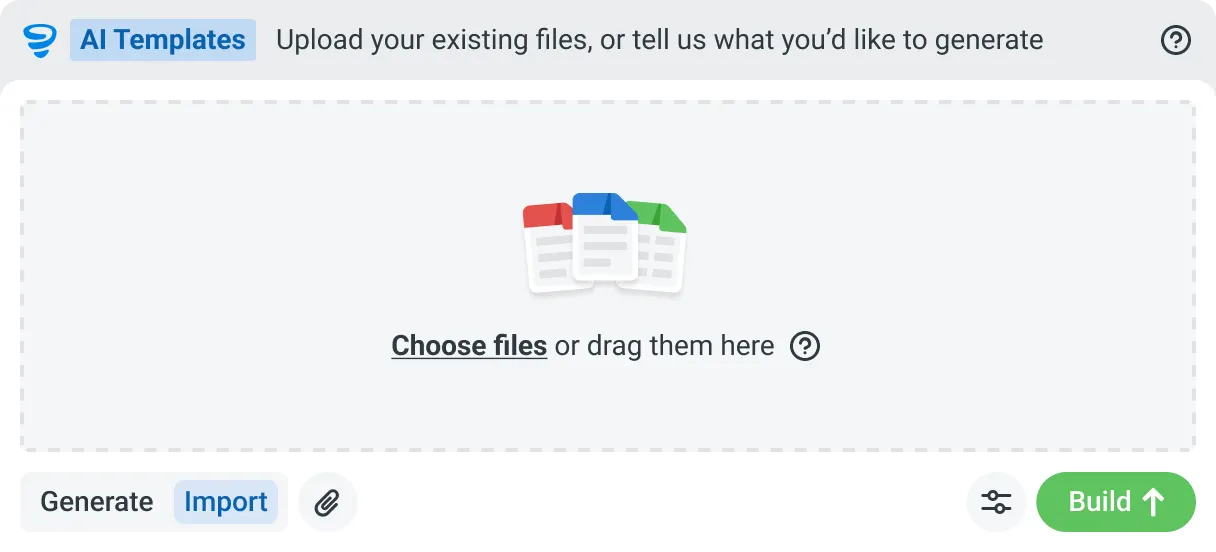
AI Templates
Describe the template you need in plain language, or upload an existing PDF, Word or Excel document. Storm builds the structure, with the right fields, sections, columns and workflow attached, and you review and refine it before you save.

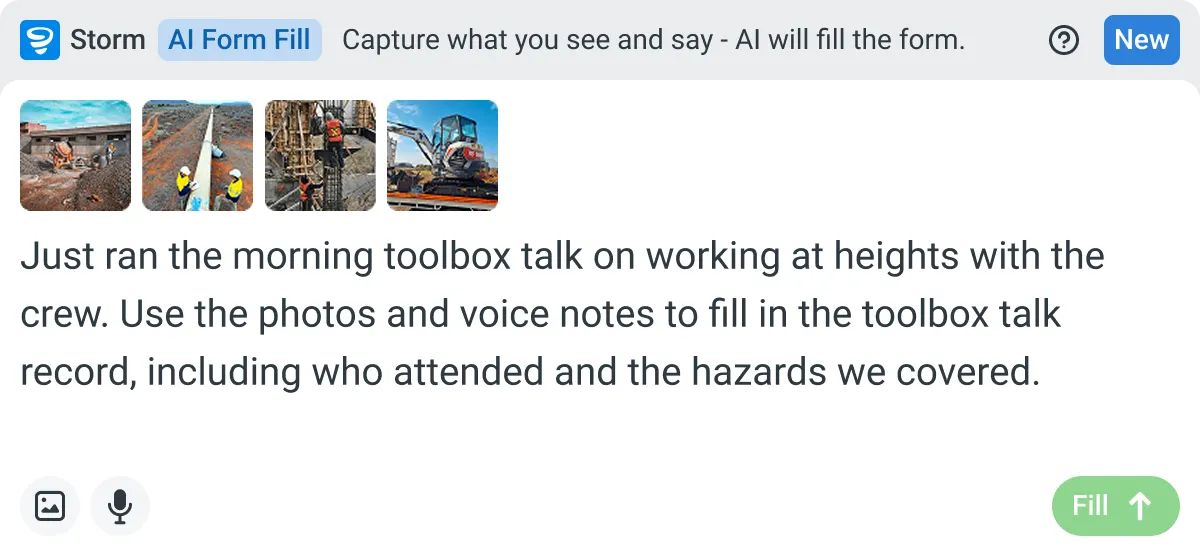
AI Form Fill
Capture what you see and say, and Storm drafts the form for you. The details land in the right fields, so there is a record to check the moment the work is done, and you review and submit it yourself.

Works on site
Built for gloves, cabs, and screen protectors. Captures inputs offline and processes in the background. No waiting on the field.

You stay in control
Storm never commits a record on its own. Every output is a draft for human review. Admins control what Storm can write to.
How Dashpivot does [the job]
Three steps, and you own the record at the end of all of them. Set the RAMS up once, run and sign it on site, and keep every version filed against the job it belongs to.
-
Step 1
Set the RAMS Up Once
Build your RAMS with the hazards, risk scores, controls and method steps your work needs, or start from a free template and adjust it. It becomes the form every job runs from.
-
Step 2
Run and Sign It On Site
Fill it on any device, offline if the site has no signal. Storm can draft the first version from the work scope, and the crew signs onto it before the job starts.
-
Step 3
Keep the Signed Record
Every RAMS is filed against its job and date, versioned and audit ready. Export it to PDF, email it to the client, and it stays yours after the job closes.
What Dashpivot Does Not Replace
While the use of Dashpivot can help manage safety, it has limitations on what it can do.
What Dashpivot Does for RAMS Today
Here are the things that Dashpivot is capable of and can do without any problem:
- RAMS and method statement templates, reusable across jobs
- Templates carry hazards, risk scoring and controls
- Storm drafts the first version from the work scope
- First draft fully editable after Storm drafts it
- Crew reviews the draft before signing on
- Crew sign-on to the RAMS on site
- Signing on any device, works offline
- Single register for every RAMS
- Register versioned and audit ready
- PDF export
- Email to the client or principal contractor
Where Dashpivot Stops
These are the limitations of Dashpivot and what users need to be aware of:
- No decisions on control adequacy
- Competent person owns the adequacy call
- Not a legal or regulatory RAMS sign-off
- No maintained UK legislative content library, HandsHQ has one
- Not replacing estimating tools
- Not replacing accounting tools
- Not replacing design tools
Dashpivot by Sitemate vs HandsHQ for RAMS
Dashpivot and HandsHQ both provide users an easier time in creating a RAMS. Here is a side-by-side comparison of the two software options.
| Dashpivot by Sitemate | HandsHQ | |
|---|---|---|
| RAMS / method statement authoring | Yes, reusable template | Yes, core strength |
| COSHH assessments | Yes | Yes, legislation-maintained library |
| Digital signatures and approval workflow | Yes | Yes |
| Other safety records (inspections, permits, diaries) | Yes | No, RAMS and COSHH only |
| One register across every job and subcontractor | Yes | Within RAMS and COSHH only |
| First draft from the work scope | Yes, Storm drafts it, crew reviews | No equivalent |
Where the Two Actually Differ
Here are the gaps and overlaps of HandsHQ and Dashpivot:
- Scope: HandsHQ covers RAMS and COSHH
- Scope: Dashpivot covers RAMS plus inspections, permits, diaries
- Dashpivot: other safety and field records in the same system
- Content: HandsHQ has a maintained UK legislative content library
- Content: Dashpivot has a reusable template builder instead
- First draft: Storm drafts from the work scope, crew reviews
- Register: HandsHQ holds RAMS and COSHH only
- Register: Dashpivot holds every document type, job, subcontractor
- Pricing model: HandsHQ named individual and team tiers
- HandsHQ billed annually
- Pricing model: Dashpivot priced as full system, not one document type
Where HandsHQ Is the Better Choice
HandsHQ already contains legislation-backed documents that assist in speedy compliance. Users that want an instant and compliant RAMS document can use HandsHQ.
- UK-based work
- RAMS and COSHH creation is the whole job
- No wider field reporting need
- Want a pre-built, trade-specific content library
- Library maintained against UK legislation
- No need to build your own templates
- Approval workflow covers RAMS only
- No other safety or field records needed in the same system
How Teams Move From HandsHQ
Nobody moves every RAMS at once. You decide whether it's worth it, bring one job across, then widen out once a crew has signed onto a live one.
-
Step 1
Decide
If HandsHQ already turns out RAMS fast and COSHH is all you need beside it, staying put is reasonable. Move when your RAMS, inspections and sign-offs live in separate tools and nobody owns the whole safety record.
-
Step 2
Convert
Bring one job's RAMS across. Rebuild it as a Dashpivot form, or start from the free RAMS template and add your hazards and method steps. Word and PDF documents can ride along while you switch.
-
Step 3
Pilot
Run it live on one job. The crew signs onto the RAMS on site, and you keep exporting the PDF you send the client, so nothing you depend on switches off while you test it.
-
Step 4
Roll Out
Once one crew has run a live RAMS end to end, add the rest of your jobs and subcontractors. Every RAMS lands in one register, and the visibility gap closes.
Frequently Asked Questions
How does HandsHQ complete a RAMS?

The software includes over 300 ready-made risk assessments for hazards in your work area or unique to your activities. You can select, review, and edit existing assessments, as well as create your own. If some of the controls are not applicable, simply remove or edit the text.
How do users create a RAMS template in Dashpivot?
Dashpivot has a template library for prebuilt templates for RAMS, like construction RAMS or scaffolding RAMS. These templates are easily editable to match the users’ workflow. If users want to start from scratch, they can make use of the AI assistant to help them structure their template.
Does HandsHQ require the internet to work?
Yes. HandsHQ requires an internet connection; Ideally 3G as a minimum is required to connect to the app.
Can I complete a RAMS document even when offline in Dashpivot?
Yes. Dashpivot can still function even when offline. Dashpivot allows users to still record or upload data in the RAMS form even without internet connectivity. The app just automatically syncs recorded data when connectivity returns.
What happens with the final document in HandsHQ?
The completed document can be downloaded and saved on your computer/laptop, etc., or emailed directly to your client straight from the system using our internal email software. All of your completed documents are stored locally for access at any time.
What happens with the final document in Dashpivot?
The RAMS is stored in a cloud storage location and will also be distributed directly to personnel who need to be notified.