Eye Protection Toolbox Talk Template

Start with a free 30-day trial. No credit card required.
Looking for a ready-to-use Eye Protection Toolbox Talk that still fits how your team works? This template already includes the key discussion points your team needs to cover before starting work that puts eyes at risk, including flying particles, dust, chemical splashes, sparks, UV exposure, equipment under pressure, eyewear selection, lens and strap inspection, face shield requirements, and eyewash station access. Every section is pre-written so your supervisor or safety manager can run a focused, consistent safety meeting without building anything from scratch, and you can edit any part of it to reflect your site conditions, company procedures, or the specific PPE your workers are required to wear, while the completed record still holds up against the safety regulations and audit requirements your organisation is measured against.
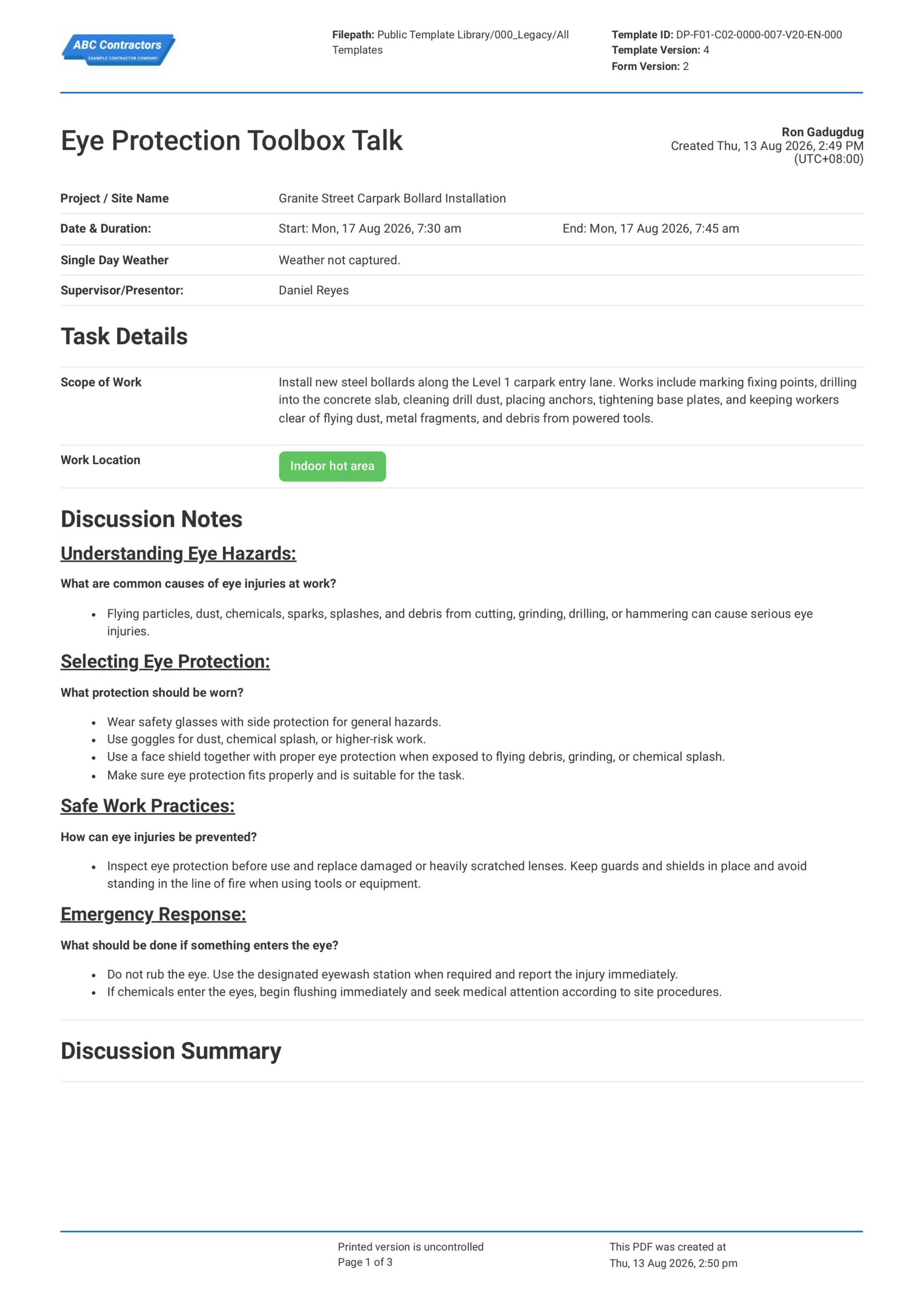
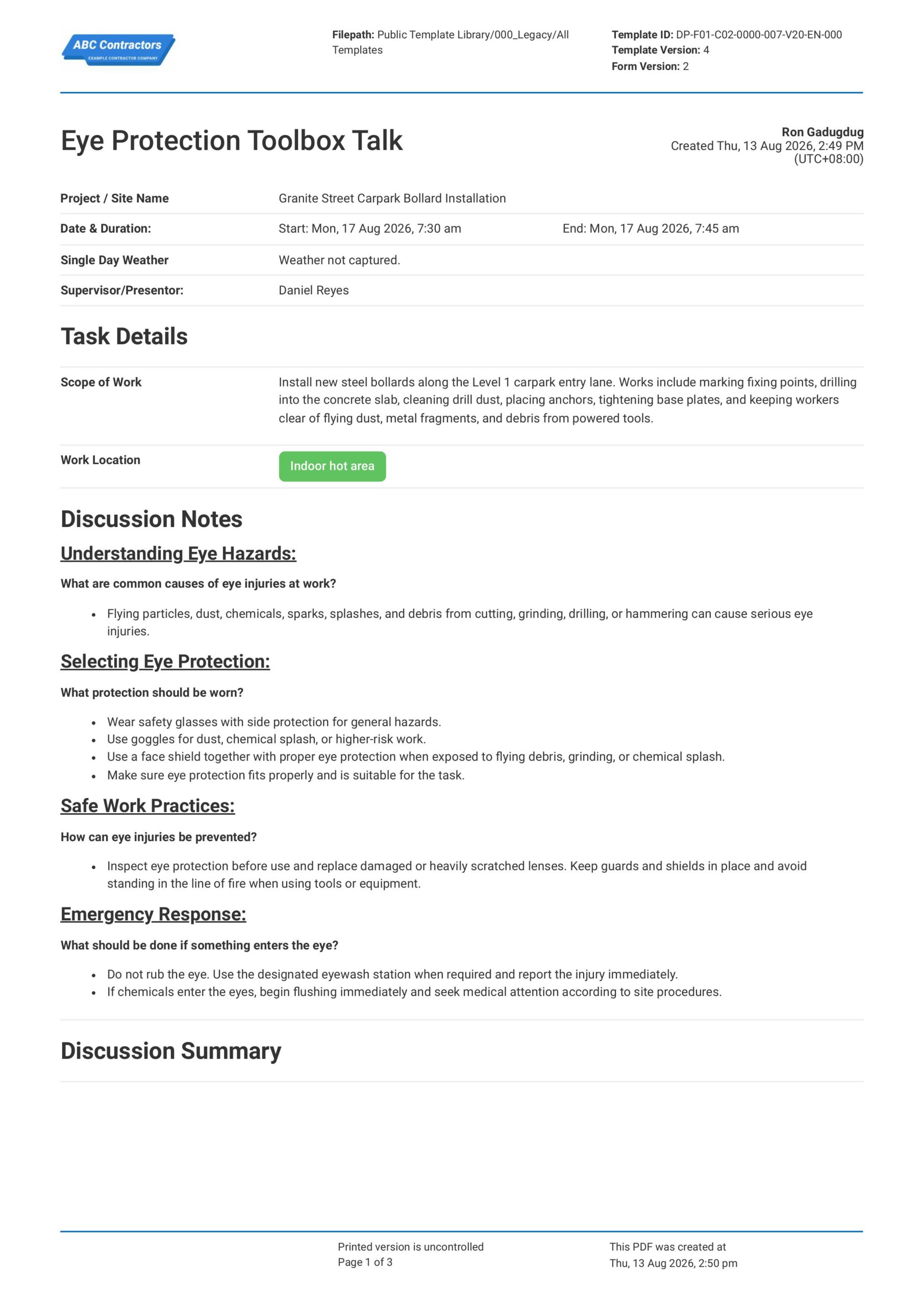
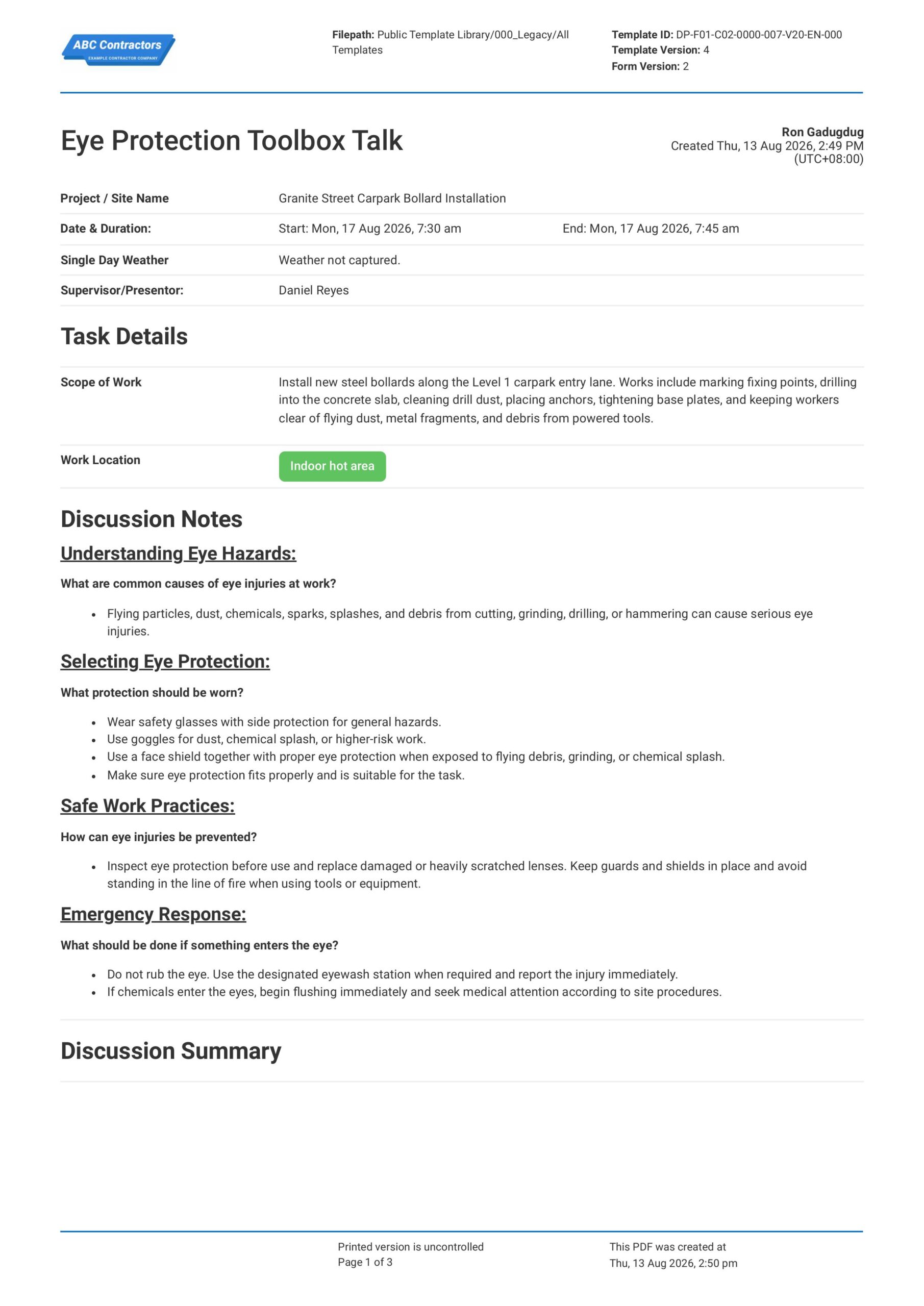
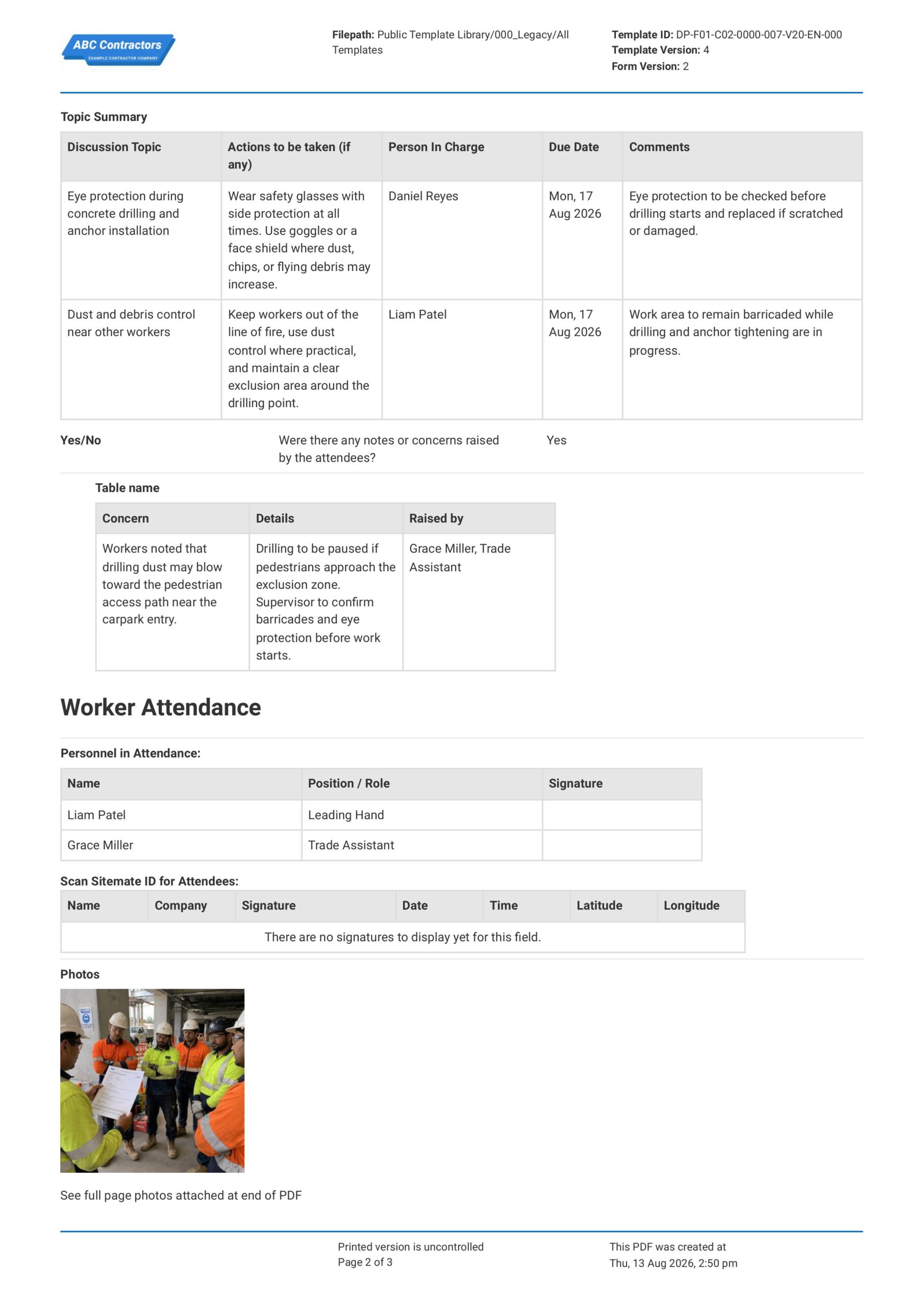
This Eye Protection Toolbox Talk, or eye protection TBT, is an easy-to-use form that your workers can use to guide and record short safety discussions about eye injury hazards and protective eyewear before beginning work involving cutting tools, grinders, welding, chemicals, dust, or other eye hazard exposures. The form lets teams document the work activity being discussed, the hazards identified, the correct type of eye protection required, pre-use eyewear inspection checks, worker questions and responses, attendance, and sign-offs, then share the completed record with supervisors, safety managers, and other stakeholders by exporting it as a PDF or CSV.
 100% fully editable Eye Protection Toolbox Talk
Export your Eye Protection Toolbox Talk to PDF or CSV
Access your Eye Protection Toolbox Talk on mobile, tablet or computer
Trusted by companies, projects and teams of all sizes















What is Eye Protection Toolbox Talk?
An Eye Protection Toolbox Talk is a document used by supervisors, safety managers, and site teams to guide short safety discussions about eye injury risks and protective eyewear. This toolbox talk usually includes discussion points on flying debris, dust, chemicals, sparks, radiation, equipment under pressure, safety glasses, goggles, face shields, eyewash access, and worker responsibilities.
Due to the serious injuries that can happen when workers are exposed to particles, splashes, sparks, dust, or bright light, workers need to understand when eye protection is required and what type should be used. This makes Eye Protection Toolbox Talks highly relevant in construction, manufacturing, mining, laboratories, utilities, welding, maintenance, and industrial work, where eye hazards are common.
Compare this Eye Protection Toolbox Talk against spreadsheets, PDFs, and email-based workflows
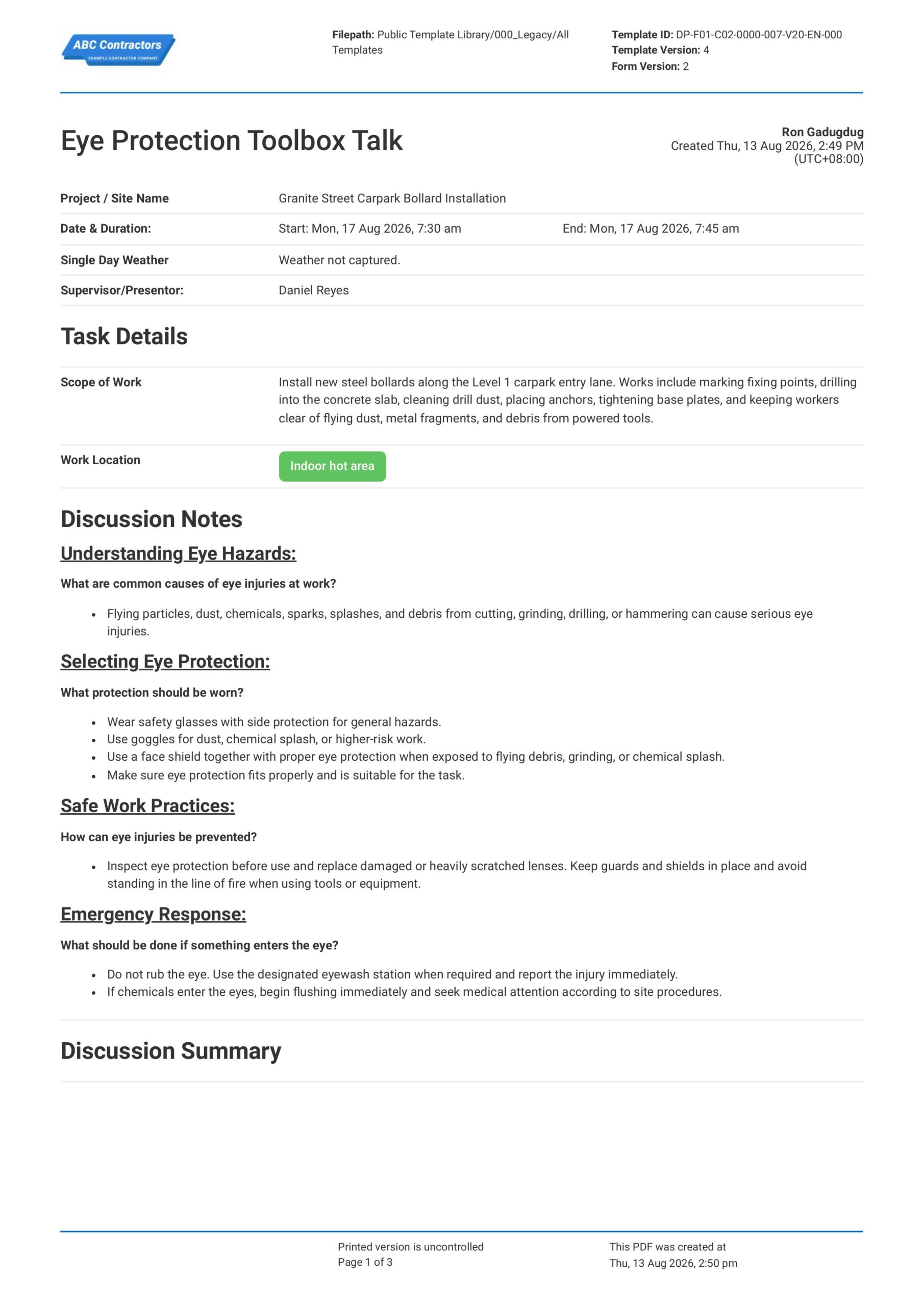
Curious how this Eye Protection Toolbox Talk works? Check out the example below to see exactly what comes included in the template, from eye hazard discussion points through to attendance and sign-off sections. You can generate your own version, fill in your site details, and export it as a custom form in just a few minutes, giving your team a ready-to-use eye protection toolbox talk document without any of the setup work.
Use this Eye Protection Toolbox Talk template for free

Generate this template automatically with Storm
You don't have to build the Eye Protection Toolbox Talk field by field. Let Storm, the AI Data Capture Agent inside Dashpivot, build the template for you in seconds.
Describe what you need
Tell Storm the form you want in plain language and it builds a structured digital template from scratch, with fields, tables, and signatures in place.
Upload what you already use
Drop in your existing PDF, Word, Excel, or even a photo of a paper form. Storm rebuilds it as a smart digital template with the structure intact.
 Storm
Storm
Generate a Eye Protection Toolbox Talk form template that I can use for my business
Applicable Standards and Policies for Eye Protection Toolbox Talk
There are generally no explicit formatting requirements for an Eye Protection Toolbox Talk. However, most construction and workplace safety laws require employers to train workers on eye injury hazards, PPE requirements, flying particles, chemicals, dust, sparks, and safe use of safety glasses, goggles, or face shields. An Eye Protection Toolbox Talk is a good document to support compliance with this.
- OSHA 29 CFR 1926.102 covers eye and face protection in construction work in the USA
- OSHA 29 CFR 1910.133 covers eye and face protection in general industry in the USA
- ANSI/ISEA Z87.1 covers eye and face protection standards in the USA
- UK Personal Protective Equipment at Work Regulations 1992 require suitable PPE for workplace hazards
- Safe Work Australia guidance covers PPE duties and eye protection requirements
Staff Members and Parties that use Eye Protection Toolbox Talk
An Eye Protection Toolbox Talk is primarily used by project teams that manage work involving flying particles, chemicals, dust, sparks, grinding, cutting, drilling, or other eye injury hazards. Here are examples of other common parties that use an Eye Protection Toolbox Talk:
- Site supervisors and project managers
- Workers exposed to eye hazards
- Health and safety teams
- Welders, grinders, cutters, and drillers
- Contractors and subcontractors working on site
Business Risks Reduced by Eye Protection Toolbox Talk
Using an Eye Protection Toolbox Talk helps reduce the risk of hazards such as flying debris, chemical splashes, dust, sparks, UV exposure, and poor PPE use. Ultimately, this can help businesses to:
- Reduce risk of eye injury, burns, irritation, or vision loss
- Avoid non-compliance with PPE and workplace safety requirements
- Prevent unsafe work caused by missing, damaged, or incorrect eye protection
- Lower exposure to legal claims, enforcement action, and incident-related costs
- Reduce project delays caused by injuries, inspections, or shutdowns
Business Opportunities Created by Eye Protection Toolbox Talk
A well-prepared Eye Protection Toolbox Talk helps businesses improve worker awareness and control over eye injury hazards on site. Here are some ways a well-designed Eye Protection Toolbox Talk can help businesses:
- Improve worker confidence around eye hazards and PPE use
- Strengthen contractor prequalification and tender competitiveness
- Improve coordination between supervisors, safety teams, workers, and subcontractors
- Build trust with clients, regulators, insurers, and project stakeholders
What Should be Included in an Eye Protection Toolbox Talk?
There are no single global requirements that cover the exact format of an Eye Protection Toolbox Talk. Rather, requirements can vary across regions, industries, project types, and PPE standards. However, there are some core topics that are typically included that you should know about:
- Common eye hazards such as dust, flying particles, sparks, chemicals, concrete, welding light, and fluids under pressure
- PPE requirements such as safety glasses, goggles, face shields, welding helmets, and task-specific eye protection
- Inspection checks for scratched lenses, cracked frames, poor fit, missing side shields, and dirty eyewear
- Safe work controls such as guarding, dust control, splash protection, exclusion zones, and correct tool use
- Worker responsibilities for wearing approved eye protection, cleaning eyewear, and reporting damaged PPE
Why are Eye Protection Toolbox Talks Important?
Eye Protection Toolbox Talks are important because eye injuries can happen quickly during common site tasks such as cutting, grinding, drilling, welding, chemical handling, concrete work, and pressure washing. This is critically important on construction, civil, industrial, and maintenance sites where dust, fragments, sparks, splashes, and bright light may be present.
Essentially, an Eye Protection Toolbox Talk helps remind workers when eye protection is required, what type of PPE should be used, and how to check that it is suitable for the task. Additionally, it gives supervisors and project management teams clear documentation that eye injury risks were discussed, supporting due diligence and compliance with relevant workplace safety requirements.
How to Build an Eye Protection Toolbox Talk
Creating your own Eye Protection Toolbox Talk forms doesn’t have to be complicated. In this section, we break down the process step by step.
Before starting your Eye Protection Toolbox Talk, the following pre-requisites should be ready.
- Project or site details are required.
- Eye injury hazards must be clearly covered.
- Required safety glasses, goggles, or face shields must be stated.
- Inspection and correct fit requirements must be included.
- Chemical, dust, impact, and splash controls must be noted.
- Emergency eyewash and first aid steps must be covered.
- Attendee names and signatures must be recorded.
-
Start with Toolbox Talk and Worksite Information
First, you need to place high-level general information at the beginning of your Eye Protection Toolbox Talk to help establish context for the discussion. Here are some examples of core elements that you can use:
- Project name and site location
- Date and time of the toolbox talk
- Work activity being discussed
- Eye protection topic being covered
- Name and role of the person leading the talk
-
Identify Eye Injury Hazards
It is important that potential eye injury hazards are identified before work starts so the appropriate safety control measures can be implemented. Common hazards that you should look out for include:
- Flying particles, dust, chips, or debris
- Chemical splashes from fuels, solvents, concrete, or cleaning products
- Sparks, heat, or molten material from hot works
- UV, glare, or bright light from welding or cutting activities
- Wind, dust, or other airborne materials in the work area
-
Discuss the Right Eye Protection for the Task
After the hazards are identified, you will want to confirm that workers are using eye protection suited to the work being done. For example, you will want to cover the following information in your Eye Protection Toolbox Talk:
- Safety glasses for general impact protection
- Goggles for dust, splash, or sealed eye protection
- Face shields used with safety glasses or goggles
- Welding helmets or filtered lenses for welding and cutting work
- Prescription safety glasses where required
-
Record Inspection, Fit, and Use Requirements
Next, you will want to explain how eye protection should be checked, fitted, and used during the work. Be sure to document the following information in your toolbox talk:
- Checks for cracked, scratched, or damaged lenses
- Proper fit around the eyes and face
- Clean lenses for clear vision during the task
- Correct storage to prevent damage when not in use
- Replacement process for damaged or unsuitable eye protection
-
Complete Attendance, Questions, and Sign-Off
Complete your toolbox talk with attendance, worker questions, and a sign-off section to confirm that the eye protection discussion was delivered and understood. Here are some examples of fields you can include:
- Names and signatures of attendees
- Questions or concerns raised by workers
- Actions assigned after the discussion
- Supervisor or facilitator sign-off
- Date and time of completion
Frequently asked questions
How to create your Eye Protection Toolbox Talk in an App or Software System
A well-designed Eye Protection Toolbox Talk ensures that workers are well-informed and well-equipped to deal with possible risks at the job site, and that your team can easily document and share outcomes of the talks.
15 minutes
Easy difficulty
-
Start your Toolbox Talk with General Information and Task Details
It is important to begin your Eye Protection Toolbox Talk with key project, timing, supervisor, and work activity details so the talk can be traced to the correct site and crew. This section should use simple text, date, and location selector fields for fields such as:
- Text field for Project / Site Name
- Date and time selector fields for Date & Duration Start and End
- Automatic weather capture for Single Day Weather
- Text field for Supervisor/Presenter
- Multi-line text field for Scope of Work, with a multiple-choice selector field for Work Location
-
Create a Section for Eye Protection Discussion Notes
Next, create a section where users can input discussion points they can use on all their eye protection toolbox talks. Presenters can use these notes to guide the talks, so be sure to add pre-filled text fields for:
- Understanding Eye Hazards and common causes of eye injuries at work
- Selecting Eye Protection, including safety glasses with side protection, goggles, and face shields
- Eye protection fit and task suitability checks
- Safe Work Practices, including inspecting eye protection, replacing damaged lenses, keeping guards in place, and staying out of the line of fire
- Emergency Response steps for eye injuries, eyewash use, chemical exposure, and reporting requirements
-
Create a Table for the Topic Summary
Users will next need to list the main discussion topics that were discussed during the toolbox talk. We highly recommend using a table for this section, with the following formatting for the columns:
- First column for Discussion Topic
- Second column for Actions to be taken
- Third column for Person In Charge
- Fourth column for Due Date
- Fifth column for Comments
-
Create a Section for Notes or Concerns Raised by Attendees
After the topic summary, add fields where users can record whether workers raised any notes or concerns during the toolbox talk. If your software or app allows, we highly recommend using a Yes/No selector field with conditional logic so the concern table only appears when attendees raise a concern.
- Yes/No field for if there were any notes or concerns raised by the attendees
- Conditional table for attendee concerns when Yes is selected
- First column for Concern
- Second column for Details
- Third column for Name of the attendee who raised the concern
-
Create a Section for Worker Attendance and Photos
Next, create an attendance section so the toolbox talk can record who attended, what role they had on site, and any photo evidence from the talk. We highly recommend using an automatic scan-to-sign-on table so each attendee can confirm their attendance in the same form, but alternatively have a manual sign-on table as well.
- Scan ID Sign-on table for Attendees
- Alternate Manual Sign-on Table for Personnel in Attendance with columns for Name, Position / Role, and Signature
- Company field for each attendee sign-on
- Photo upload field for Photos
-
End your Toolbox Talk with Supervisor Sign-offs
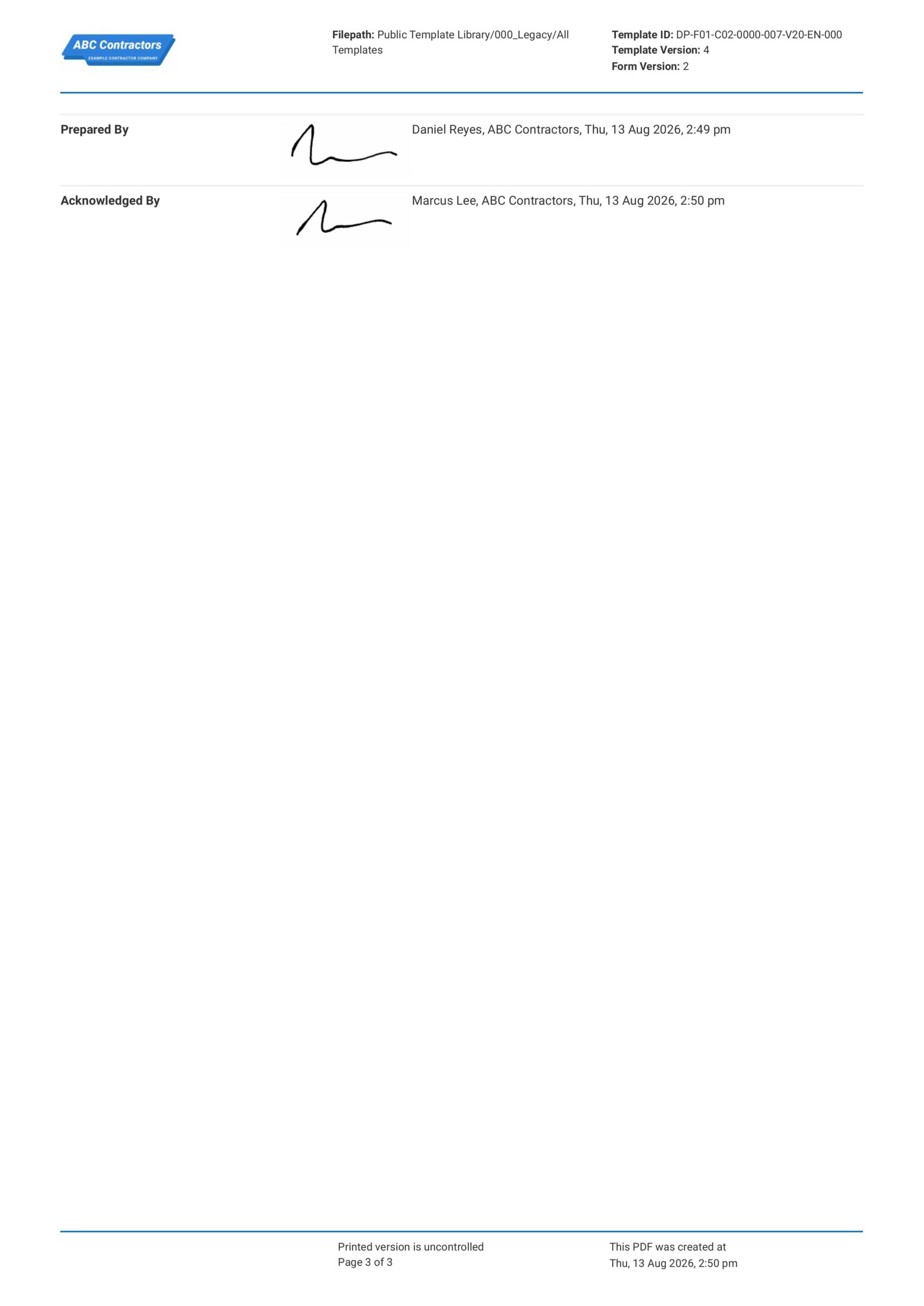
Finally, complete the Eye Protection Toolbox Talk with sign-off fields for the personnel preparing and acknowledging the talk. If your app or software allows, use automatic e-signature fields and include fields like:
- E-signature field for the team Supervisor or toolbox talk Presenter
- E-signature field for the Approver or Manager
- Automatic date and time stamp fields for each sign-off
About the author

Ron Gadugdug
Content Engineer
 LinkedIn
Education
Cebu Institute of Technology - University - Civil Engineering
Bio
Ron is a Civil Engineer with 6 years of experience in the construction industry, primarily focused on quantity surveying, cost estimation, project management, quality control, contract administration, and property & engineering insurance. At Sitemate, he writes about practical applications of evolving technologies and digital solutions that support construction professionals in improving efficiency, compliance, and project delivery across the built world.
Past Projects
Quantity Surveying & Cost EngineeringPerformed quantity take-offs of several high-rise and horizontal structures using sheets and applications like Revit and Bluebeam Revu, and spearheaded trials with Building Information Modeling (BIM) software.
Project Management & ConsultancyCoordinated with project management teams during the construction of local projects such as a 4-tower hotel & resort, a 22 storey condominium project, and a school dormitory project.
Contract AdministrationAssisted during contract biddings and negotiations with general contractors and sub-contractors, and oversaw progress reporting, billings, and payment.
Property & Engineering InsuranceDedicated non-life claims handler, overseeing property and contractor all-risk insurance claims, risk management, and bonds.
Version History:
Related apps and templates
Toolbox Talk App
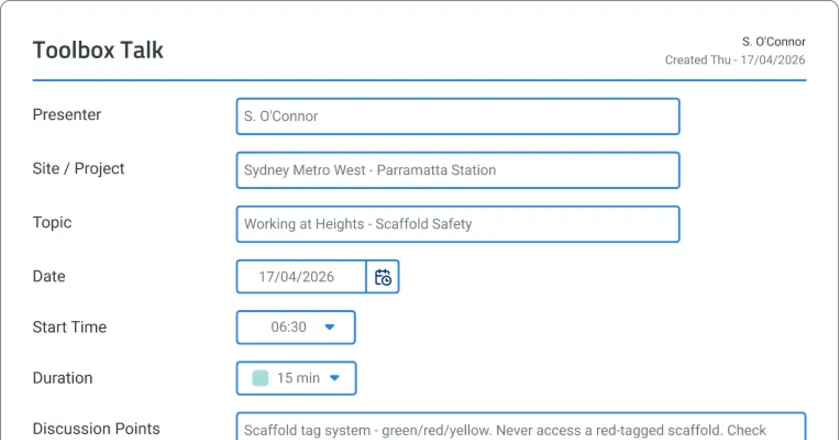
Toolbox Talk App by Sitemate captures digital attendance, voice-recorded safety discussions, and audit-ready records as the briefing happens. Try
View app
Head Protection Toolbox Talk
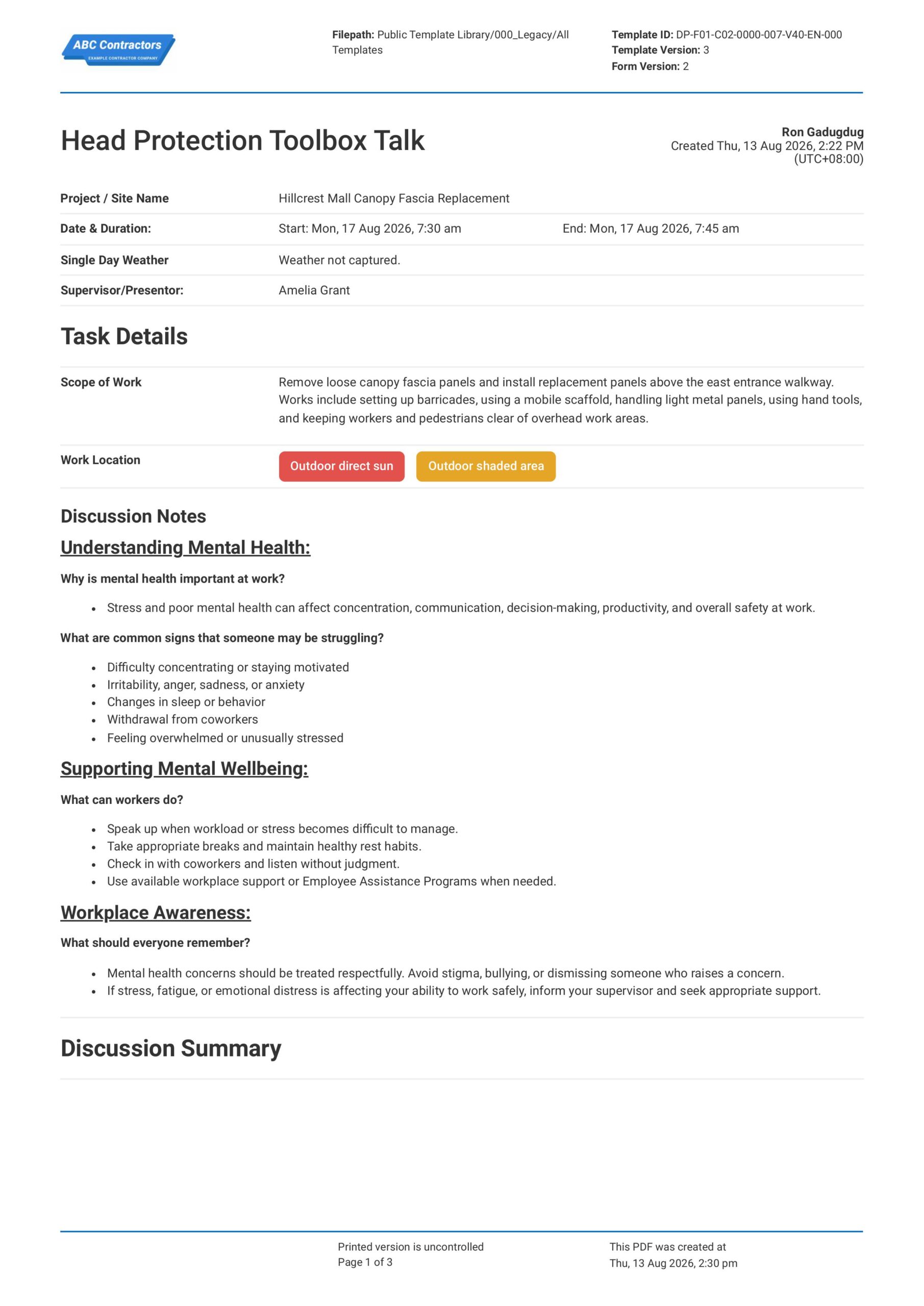
This Head Protection Toolbox Talk is an easy-to-use form that your workers can use to discuss head injury hazards, hard hat requirements, and safe work practices before starting work around overhead risks. Record
View template
Toolbox Talk Hearing Protection
This free Toolbox Talk Hearing Protection template is readily available to download. The template already contains the necessary fields to help supervisors discuss the safety measures needed to shield the ears from
View templateThis toolbox talk form was generated with Dashpivot software
- Access, edit and complete your Eye Protection Toolbox Talk from any device - mobile, tablet or computer.
- Print, download or send your Eye Protection Toolbox Talk as perfectly formatted PDF documents with your company logo.
- Store your Eye Protection Toolbox Talk securely online, where they can be searched and found in seconds
- Invite internal and external parties to see, edit and sign off on Eye Protection Toolbox Talk online.
