The Heavy Equipment Inspection App Built for the Front Line
Streamline your heavy equipment inspections. Sitemate’s Heavy Equipment Inspection App helps inspectors conduct inspections more efficiently without compromising quality. Powered by the Dashpivot platform, the app makes use of modern approaches, such as integrating AI, to accurately auto-fill fields in the inspection form, completing the process in no time.

Trusted by companies, projects and teams of all sizes















Why Heavy Equipment Inspections management Is Harder than It Should Be

Manually conducting inspections takes time
Inspectors using paper-based forms will need to manually fill every checkbox in the inspection form, which consumes a substantial amount of time.

Manual transfer of photos and attachments
Users will need to transfer photos taken from the field into the actual report in the office, which delays reporting to relevant stakeholders.

Delayed actions from delayed reports
Paper-based forms are passed around physically until they reach the final signatories, which is inefficient, especially for critical items that require immediate action.

No real-time visibility of action items
Supervisors will need to manually compile reports and create separate dashboards, creating delays and providing no real-time visibility on action items.
A Smarter Heavy Equipment Inspections App

Convenience using QR codes
Workers can directly open an inspection form by scanning the provided QR code for each piece of heavy equipment, eliminating the need to bring bulky paper-based forms.

Pre-populated forms using field data
Sitemate’s Heavy Equipment Inspection App uses AI to auto-populate the fields in the inspection form based on captured photos, recorded voice notes, and logged issues.

Automatic generation of action items
Any identified defects or failures are immediately provided with appropriate action items. Inspectors will only need to review these action items and add more context if needed.

No real-time visibility of action items
The Heavy Equipment Inspection App can immediately create dashboards and analytics based on completed heavy equipment inspections, providing real-time visibility into the needed metrics.


Understanding Heavy Equipment Inspections Software
What is a Heavy Equipment Inspection App?
Sitemate's Heavy Equipment Inspection App is one of the most dependable solutions for workers and businesses to prevent the operation of defective and unsafe heavy equipment that compromises safety and health. Powered by the Dashpivot platform, inspectors use this app to streamline the inspection process and keep heavy equipment operations running smoothly.
Key elements of a successful heavy equipment inspection checklist template
- QR code or asset tagging for instant equipment identification
- Mobile-first forms that work offline on any device
- Photo capture with automatic linking to the specific asset record
- Real-time fault flagging with priority setting for maintenance teams
- Automatic integration with maintenance schedules and work order creation
- Complete audit trail from inspection through to repair completion
Connecting heavy equipment inspections to maintenance workflows
Asset inspections only deliver value when they connect directly to maintenance action. Every failed item in the Heavy Equipment Inspection App should automatically create a maintenance issue with the correct priority, photos, and operator notes. This integration removes the manual transcription step that delays repairs. Maintenance teams need instant visibility into which assets require attention, while stakeholders need real-time dashboards showing inspection compliance and outstanding issues across their entire operation to make scheduling and resourcing decisions with accurate data.
How To Set Up a Digital Heavy Equipment Inspections Using Sitemate
-
Create the QR codes for each piece of heavy equipment
Generate QR codes for each piece of heavy equipment and structure the necessary inspection checklist for each. -
Build the inspection checklists
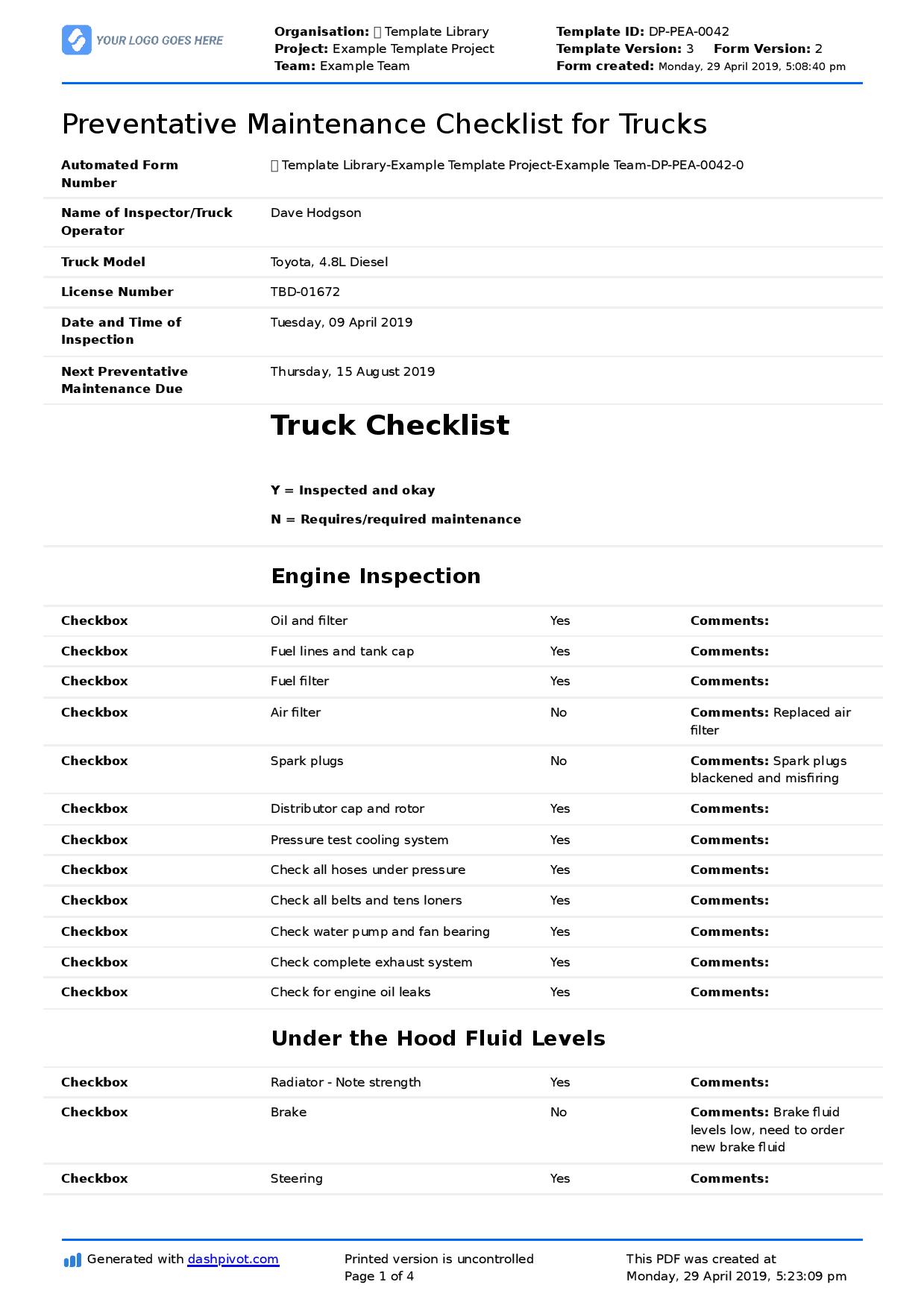
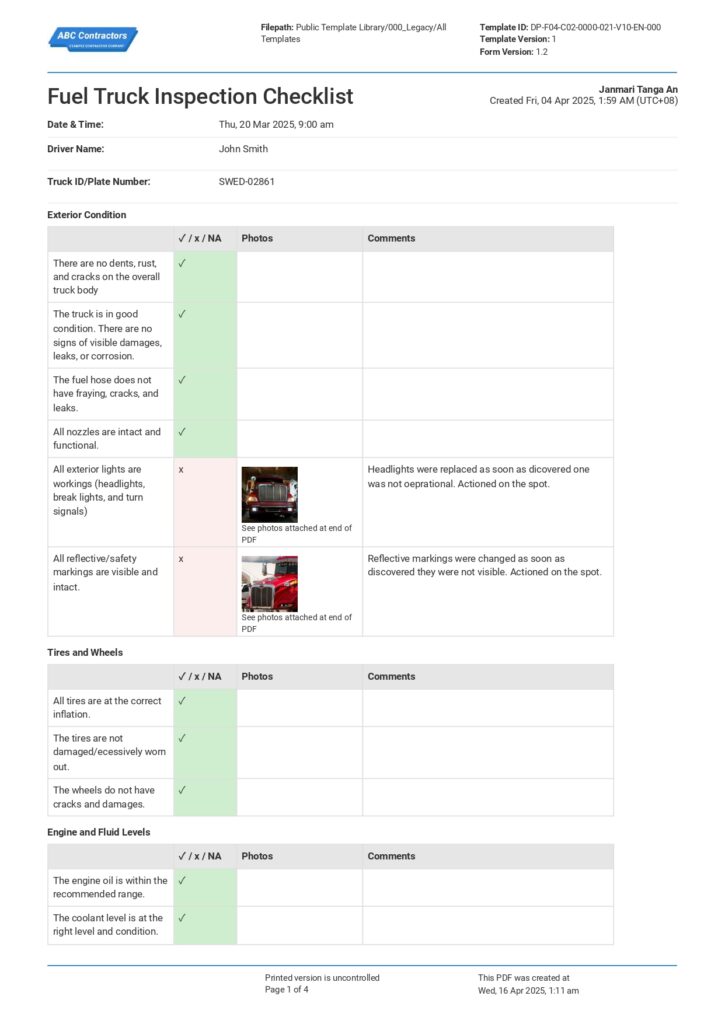
Create all the required inspection checklists for each piece of heavy equipment using Dashpivot’s powerful drag-and-drop builder or simply generate forms using Storm. Make sure to add fields that fit the business’s workflow and local regulations.
-
Set up notification routes and escalation rules
Configure in the app who gets notified after the inspection is conducted. Additionally, include escalation rules to prioritize critical findings.
-
Train personnel
Provide thorough training for personnel who use the app, especially in scanning, using Storm, and escalating.
-
Deploy QR codes and go live
Tag all heavy equipment with the appropriate QR code and start conducting quality, compliant heavy equipment inspections.
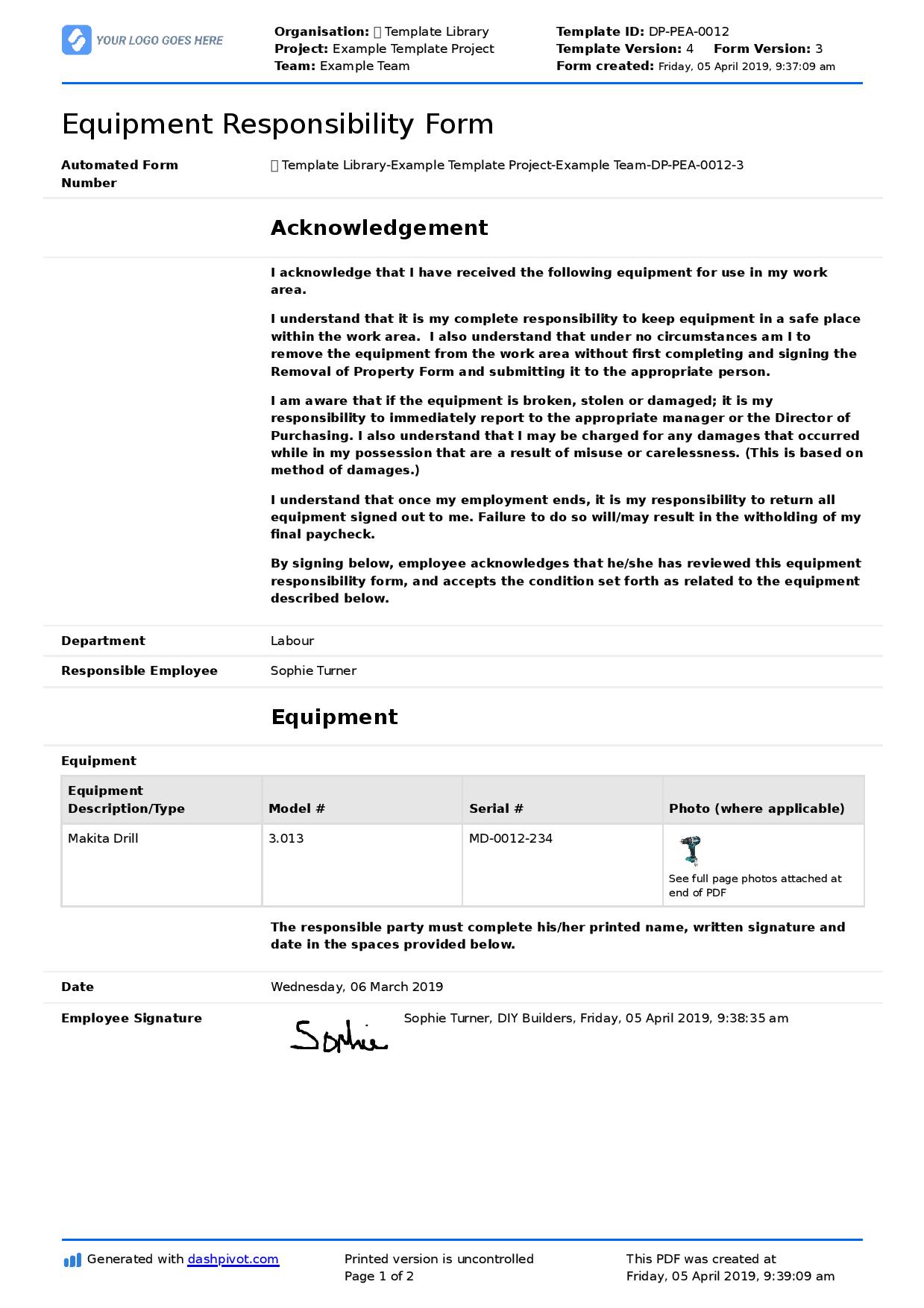
Start Faster With Built-In Heavy Equipment Inspection App Templates
See How Sitemate Has Already Helped Companies Like Yours

"Instead of spending 5 days on data entry, it's now just ad hoc time checking the data coming in electronically."
- Rhys Thomas, CFO
95% time saved
On manual HR data entry tasks
0 lost forms
Thanks to digital submission
Automate inspection workflows with Flowsite
Flowsite has the capability to automate hand-offs between the inspection team and supervisors, which ensures that heavy equipment stays out of service unless the supervisor provides clearance.
Comparison: Paper Heavy Equipment Inspections vs Digital Heavy Equipment Inspections
Most project teams already know paper and spreadsheets aren't cutting it. Here's what changes when you move your method statements to a digital system.
QR Code Asset Identification
Offline Access
Photo Capture with Asset Linking
Real-time Fault Flagging
Automatic Work Order Creation
Audit Trail
Searchability
Fleet Manager Visibility
Audit Evidence

Paper
Frequently asked questions about the Heavy Equipment Inspection App
Does Dashpivot work even if offline?

Yes, the Heavy Equipment Inspection App can work even without internet connectivity. It stores all collected data, like photos and voice recordings, in the phone and automatically syncs when connectivity returns.
How does AI help during inspections?
Sitemate’s AI assistant Storm can extract data from the photos and voice recordings and auto-fill the fields of inspection forms. This process eliminates manual data entry, which significantly streamlines the inspection process.
How does QR code scanning work?
Each piece of heavy equipment is tagged with a unique QR code. Upon scanning the code, the Heavy Equipment Inspection App immediately displays all relevant inspection forms for the heavy equipment.
Can I update existing inspection forms in the Heavy Equipment Inspection App?
Yes, you can easily update inspection forms in the Heavy Equipment Inspection App to align with your workflow and local standards by using the powerful drag-and-drop form builder in Dashpivot.
Can I generate dashboards in the Heavy Equipment Inspection App?
Yes, the Heavy Equipment Inspection App can generate dashboards based on collected data from completed inspection forms. Supervisors and managers can easily track key performance metrics without the need to manually compile inspection forms.
How is safety maintained by using the Heavy Equipment Inspection App?
The Heavy Equipment Inspection App provides structured inspection forms that streamline the needed corrective action for each piece of heavy equipment that needs repair, ensuring the continuous and safe use of the heavy equipment.
What happens if a critical defect is identified?
Using the automated notification system, supervisors are immediately informed of critical defects and can take the needed actions to address the issue.
 English (United States)
  English (Australia)
  English (UK)
  English (New Zealand)
  English (South Africa)
  German