Construction Phase Plan Template

Start with a free 30-day trial. No credit card required.
Looking for a complete Construction Phase Plan that still fits the way you run your projects? This template comes pre-built with the standard fields and sections you need to capture the scope of work, project plans, how teams will work together, and how your team will be managed, all in a user-friendly layout. You can edit any part of it to match your company's processes and site arrangements, and the document will still hold up against the regulations you would be audited on.
This Construction Phase Plan is an easy-to-use form that your workers can use to set out how construction work will be planned, managed, and carried out safely. They can also upload relevant attachments such as procedures, method statements, maps, and instructions directly into the plan, so it is complete and the site manages safety effectively.
 100% fully editable Construction Phase Plan
Export your Construction Phase Plan to PDF or CSV
Access your Construction Phase Plan on mobile, tablet or computer


Trusted by companies, projects and teams of all sizes















What is Construction Phase Plan?
A Construction Phase Plan (CPP) is an important document that details the health and safety risks connected with a given building project. The plan should include the site policies and procedures that will help reduce or eliminate hazards. Using a Construction Phase Plan helps ensure the safety of the workforce and assets on the construction site.
Preview this free Construction Phase Plan
Curious how this Construction Phase Plan works? Check out the example below to see what a completed plan looks like, from the scope of work through to attached procedures and method statements. You can generate your own version, export it as a custom form with your company details, and fill in your details to have a ready-to-use Construction Phase Plan in minutes.
Use this Construction Phase Plan template for free

Generate this template automatically with Storm
You don't have to build the Construction Phase Plan field by field. Let Storm, the AI Data Capture Agent inside Dashpivot, build the template for you in seconds.
Describe what you need
Tell Storm the form you want in plain language and it builds a structured digital template from scratch, with fields, tables, and signatures in place.
Upload what you already use
Drop in your existing PDF, Word, Excel, or even a photo of a paper form. Storm rebuilds it as a smart digital template with the structure intact.
 Storm
Storm
Generate a Construction Phase Plan form template that I can use for my business
Applicable Standards and Policies for Construction Phase Plan
We have already observed the wonders the construction industry has gifted humanity with. These wonders range from renovated historic monuments that define cultures to futuristic skyscrapers that decorate a city’s skyline. However, careful planning, especially regarding safety, made it possible to build these structures. Safety is a key item that needs to be established to successfully construct a building, which is why safety regulations in the UK require construction companies to have an effective management plan for construction safety—hence, the Construction Phase Plan. Here are different mandates in the UK that necessitate the need for a Construction Phase Plan:
- Construction (Design and Management) Regulations 2015 (CDM 2015): Regulation 12 of CDM 2015 states that a Construction Phase Plan must be present before starting any construction activity.
- Health and Safety at Work etc. Act 1974: This act defines and enforces the duty of employers to ensure a safe and healthy workplace, especially in construction.
- Management of Health and Safety at Work Regulations 1999: This mandate requires employers to conduct risk assessments and provide safety controls to manage hazards in the construction workplace.
- Control of Substances Hazardous to Health (COSHH) 2002: It is sometimes inevitable that construction activities will use hazardous substances. This regulation requires employers to provide appropriate controls for these hazardous substances.
- Working at Heights Regulations 2005: Falling from heights is considered to be one of the leading causes of workplace injuries on construction sites. This regulation requires employers to provide a concrete plan on managing fall-related risks in the workplace.
Staff Members and Parties that use Construction Phase Plan
Creating an effective Construction Phase Plan requires multiple heads. This ensures that the team defines all construction targets and milestones, identifies hazards, and provides the appropriate control measures. To achieve these goals, the following staff are required to join the planning sessions:
- Client or Owner: Their role is to establish project requirements, expectations, timelines, and the vital resources needed to construct the building and provide a safe and healthy environment.
- Project Managers: They oversee the construction progress, which includes budgeting, scheduling, planning, and communication between the contractor and stakeholders.
- Principal Contractor: They are the workforce of the construction industry. The contractor is primarily responsible for initiating the Construction Phase Plan.
- Health and Safety Managers: These personnel are experts when it comes to workplace health and safety. They can contribute by suggesting appropriate control measures for identified hazards.
- Project Engineers or Supervisors: They guide and lead the workers in completing targets, installing control measures, and managing operational risks in the workplace.
- Environmental Officers: These personnel are experts when it comes to identifying risks that pose a negative and lasting impact on the environment. They can contribute by suggesting appropriate control measures for identified environmental risks.
Business Risks Reduced by Construction Phase Plan
Construction companies are required to create and complete detailed documents like the Construction Phase Plan. Using AI tools, like Sitemate’s AI assistant, Storm, helps streamline the document creation and completion process and ensures that safety control measures are effective, all personnel are aligned, and compliance with safety regulations is maintained. Integrating these modern tools in the business can significantly improve the plan and process quality and prevent the following business risks:
- Incomplete forms that could lead to uncontained hazards.
- Low-quality or ineffective safety control measures due to errors caused by manual data entry.
- Inconsistency across compiled plans.
- Non-compliance caused by overlooked information.
- Low productivity caused by spending time creating and completing plans manually.
- Multiple audit findings, corrective actions, and contractual disputes, which increase costs, delays, and injuries.
Companies using Storm as a go-to tool can ensure businesses are protected from both physical and business-related hazards. Integrating this AI tool streamlines and formulates plans while managing safety systems and control measures efficiently.
Business Opportunities Created by Construction Phase Plan
Producing and implementing the contents of the Construction Phase Plan not only shields personnel and company assets from hazards and harm but also provides businesses opportunities and benefits. To effectively achieve this, Storm can help complete the document using voice notes, photos, and site data. Users won’t have to type up paperwork after the work is done or rely on incomplete records from memory. With a streamlined process in place, companies can gain the following business advantages:
- Streamlined decision-making due to faster completion of plans.
- Better record keeping, which helps with compliance audits.
- Reduced rework and delays because of the implementation of effective control measures.
- Greater visibility due to real-time information on site conditions, control measures, and project risks.
- Better communication between contractors and stakeholders.
- Continuous improvement, which helps build reputation.
Creating effective and efficient plans shouldn’t be a hassle anymore now that Storm can help structure and complete documents like the Construction Phase Plan. This modern approach guarantees plans that can effectively manage hazards in the construction workplace, ensure the safety of personnel, and help businesses grow continuously.
Important sections in a Construction Phase Plan
These are the vital sections needed inside a Construction Phase Plan:
- Project Details
- Project Overview
- Project Team
- Construction Programme
- Site Management
- Safety and Environmental Risk Assessment
- Emergency Response
- Handover
- Approvals
Tips for Writing a Construction Phase Plan
Learning how to write a Construction Phase Plan is an important part of project planning and execution in the construction business. A well-crafted plan not only assures legal compliance but also lays the groundwork for a construction project that is safe, efficient, and environmentally friendly. By following regulatory standards, processes, and best practices, project managers and construction experts can create a CPP that meets legal requirements and makes a major contribution to the successful and safe completion of projects.
Steps in creating a Construction Phase Plan
This is a step-by-step procedure for creating a complete and effective construction phase plan.
What to prepare before creating a CPP?
- Completed inspection records
- Building design plans and records
- Understanding of legal requirements
- Appointed roles and responsibilities
- Construction progress monitoring procedures
- Emergency Procedures
- Training
-
Include a Project Details Section
This section lays out critical information about the project. It should include the following:
- Start and completion date of the project
- Project name
- Site Address
- Project manager
- Site supervisor
- Plan revision number
-
Add a project overview section
This section provides the description, scope, and key milestones of the construction project. It should include the following:
- Project description
- Key phases of the construction
- Specific activities involved in each phase
- Add a description and scope of each phase of the activity
-
Add a project team section
This section presents the relevant staff who are involved in the construction activity. It should have the following items:
- Names of staff
- ID number
- Roles
- Staff contact number
- Staff email
-
Add a construction programme section
This section provides the plans and procedures for executing the construction activity. This section should have the following key items:
- Project milestones
- Construction activities schedule
- Key constraints and dependencies
-
Add a section for construction site management
This section provides and defines key areas in the construction site. It should have the following items:
- Important site locations
- Person responsible for each location
- Description of location
- Map of each location
-
Add a safety and environmental risk assessment section
This section identifies hazards and environmental risks and provides them with appropriate measures. This section should have the following:
- Identified hazards and environmental risks
- Potential impact
- Likelihood score
- Consequence score
- Risk rating
- Relevant control measures
-
Add an emergency response section
This section provides a guide on the actions needed in case of an emergency. The section should contain the following:
- Emergency Contacts
- Emergency Procedures
- Responsible person for each emergency procedure
-
Add a handover section
This presents the closeout requirements in the project. This section should have the following items:
- Relevant closeout requirements
- Description of each requirement
- Responsible person for each requirement
- Status of requirement
Frequently asked questions
How to create your Construction Phase Plan in an App or Software System
Construction sites vitally need a Construction Phase Plan to ensure efficiency and provide effective measures to control hazards. Dashpivot’s platform provides real-time data capture, automatic risk calculations, and integrated corrective action tracking, ensuring that the platform addresses identified hazards immediately. The system’s mobile features allow for immediate inspections at sites, including rapid photo capturing, while cloud-based storage ensures that critical safety information is available to all relevant workers, regardless of physical location. This digital technology also allows for trend analysis across multiple plans, which helps businesses locate systemic safety issues and improve the needed control measures across the whole site.
45 minutes
Medium difficulty
-
How to create a Construction Phase Plan in an app?
Creating a template in an app can vastly accelerate the process of preparing and filling out the Construction Phase Plan Template. An app can be used to perform the following:
- Creates a more professional and structured template.
- Reduces the amount of handwritten data entry.
- Creates a single entry point for all created plans.
- Allows simple reformatting to meet new protocols or updated requirements.
- Allows simple formula integration.
-
Creating the project details section
These are the fields required in this section. All fields in this section are required.
- A date range field for start and completion date
- Text fields for the following:
- Project Name
- Client
- Site Address
- Project Manager
- Site Supervisor
- Plan revision number
-
Creating the project overview section
These are the steps to create this section in the app. All the fields in this section are required.
- Add a multiple-text field to allow users to input the project description.
- Add a prefilled table with 3 columns.
- The first column should present the key phases of the activity. Provide a prefilled text field for the following standard items:
- Mobilisation
- Earthworks
- Main construction
- Services
- Completion
- The second column should present the activity involved in each key phase. Format this column into a text field.
- The third column should allow users to briefly describe the phase or input notes. Format the last column into a text field.
-
Creating the project team section
These are the steps in creating this section in an app. All the fields in this section are required.
- Add a default table element with 5 columns. This allows users to add more rows when needed.
- The first column of the table should present the name of the staff. Format this column into a text field.
- The second column should present the staff ID number. Format this column into a text field.
- The third column should present the role of each staff member. Format this column into a text field.
- The fourth column should present the contact number for each staff member. Format this column into a text field.
- The last column should allow users to input their email. Format this column into a text field.
-
Creating the construction programme section
This section is divided into 3 key items, which are the project milestones, the construction activities schedule, and key constraints and dependencies. All the fields in this section are required. These are the steps for creating all key items in this section of the app.
Creating the project milestones table- Add a prefilled table element. The table should have 5 columns and 6 rows. The first row is for the table headings.
- The first column should present the standard project milestones. Format this column into a prefilled text field with the following contents per row:
- Mobilisation
- Foundation completion
- Structural works completion
- Practical completion
- Final completion
- Format the second column as a text field to allow users to provide a description of each milestone.
- Format the third column as a date field to allow users to provide the target completion date.
- Format the fourth column as a text field to allow users to input the responsible person.
- Format the last column as a list field to allow users to select the status of the project. The list items can be integrated with colours to make the form more visually appealing. Here are the list items included in this column and the colour associated with them.
- Not started—grey
- Ongoing—orange
- Completed—green
- Delayed—red
Creating the construction activities schedule
- Add a default table element with 5 columns. This allows users to input all relevant planned activities for the project.
- Format the first and second columns as text fields to allow users to input the activity and activity description, respectively.
- Format the third and fourth columns as date fields to allow users to input planned start and finish dates.
- Format the last column as a text field to allow users to input additional comments.
Creating the key constraints and dependencies table
- Add a default table element with 4 columns. This allows users to input all the key dependencies needed for the project.
- All columns in this table should be formatted as text fields to allow users to input the following:
- Constraint or dependency
- Impact
- Mitigation measures
- Responsible person
-
Creating the site management section
These are the steps in creating this section in an app. All the fields in this section are required.
- Add a prefilled table element. The table should have 4 columns and 6 rows. The first row is for the table headings.
- The first column should present the important site location. Format this column into a prefilled text field with the following contents per row:
- Site access points
- Material storage areas
- Traffic management controls
- Pedestrian access
- Site amenities location
- Format the second and third columns as text fields to input the responsible person and location description, respectively.
- Format the last column as an attachment field to allow users to upload PDF files of maps and procedures directly.
-
Creating the safety and environmental risk assessment section
These are the steps in creating this section in an app. All the fields in this section are required.
- Add a prefilled text field and upload a photo of a legend for the risk assessment matrix.
- Provide 2 default table elements with 6 columns. One table is for safety risk assessment, and the other is for environmental risk assessment. This allows users to add more rows to accommodate all identified hazards and environmental risks.
- For each table, the first and second columns should present the identified hazard and potential impact, respectively. Format these columns into text fields.
- For each table, the third and fourth columns should present the likelihood and consequence score, respectively. Format these columns into list fields with the following selections (format: score: likelihood—consequence):
- 1: rare—insignificant
- 2: unlikely—minor
- 3: possible—moderate
- 4: likely—major
- 5: almost certain—catastrophic
- For each table, the fifth column should present the equivalent risk rating. Format this column into a formula field, which multiplies the likelihood score by the consequence score. Risk Rating = likelihood score * consequence score. The equivalent risk scores are as follows:
- 1-3: Low Risk—Acceptable, monitor, and review.
- 4-6: Medium Risk—Manage and reduce where possible.
- 8-12 High Risk—Action required to reduce risk.
- 15-25 Extreme Risk—Urgent action required. Do not proceed until risk is eliminated or reduced.
- For each table, the last column should present the needed control measures. Format this column into a text field.
-
Creating the emergency response section
This section has two key parts, namely the emergency contacts and procedures. These are the steps in creating this section in an app. All the fields in this section are required.
Creating the emergency contacts table- Add a prefilled table element. The table should have 4 columns and 7 rows. The first row is for the table headings.
- The first column should present the important emergency roles. Format this column into a prefilled text field with the following contents per row:
- Emergency services
- Site supervisor
- First aid officer
- Nearest medical facility
- Nearest fire station
- Nearest police station
- Format the second, third, and last columns as text fields to input the name, contact number, and notes, respectively.
Creating the emergency procedures table
- Add a prefilled table element. The table should have 4 columns and 7 rows. The first row is for the table headings.
- The first column should present the procedures and different emergency scenarios. Format this column into a prefilled text field with the following contents per row:
- Medical emergency
- Fire or explosion
- First aid procedures
- Site evacuation procedures
- Environmental Incident
- Utility strike incident
- Format the second column as a text field to input the relevant document number of the procedure.
- Format the third column as an attachment field to allow users to upload the PDF file of the procedures directly.
- Format the last column as a text field for entering the name of the responsible person.
-
Creating the handover section
This section has two key parts, namely, the closeout requirements and the outstanding items risk register. These are the steps in creating this section in an app. All the fields in this section are required.
Creating the closeout requirements table- Add a prefilled table element. The table should have 5 columns and 8 rows. The first row is for the table headings.
- The first column should present the closeout requirements. Format this column into a prefilled text field with the following contents per row:
- Final inspection
- Defect closeout
- As-built documentation
- O&M manuals
- Testing and commissioning
- Client training
- Handover certificates
- The second and third columns should be formatted as text fields to input the description and responsible person, respectively.
- The fourth column should be formatted as a list field to allow users to select the status of the requirements. Colours can be integrated into each selection item to make the plan more appealing. Here are the selection items and their associated colours:
- Done—Green
- Not Done—Red
- Format the last column as an attachment field to allow users to upload files related to the requirement.
Creating the outstanding items register
- Add a default table element with 5 columns. This allows users to input all the outstanding items in the project.
- Format the first two columns as text fields to allow users to input the outstanding item and responsible person.
- Format the third column as a date field to input the deadline.
- The fourth column should be formatted as a list field to allow users to select the status of the outstanding items. Colours can be integrated into each selection item to make the plan more appealing. Here are the selection items and their associated colours:
- Done—Green
- Not Done—Red
- Format the last column as an attachment field to allow users to upload files related to the outstanding item.
-
Creating the approval section
These are the steps in creating this section in an app. All the fields in this section are required.
- Provide signature fields for the following plan approvers:
- Site supervisor
- Project Manager
- Client
About the author

Felmar Mantalaba
Content Engineer
 LinkedIn
Education
Cebu Institute of Technology - University - Mechanical Engineering with Mechatronics
Bio
Felmar is a mechanical engineer, whose four years of experience in the mining industry inspired him to write and share stories to progress the revolution of new technologies and create smarter, smoother ways of living.
Past Projects
Safety, Health, and Environment Management System (SHEMS) CoordinationSHEMS Coordinator at Atlas Consolidated Mining, ensuring organizational compliance with ISO 14001 and ISO 45001 standards, performing risk assessments, developing policies, and conducting audits and inspections to maintain a safe and environmentally responsible workplace.
Maintenance Management and OptimizationSenior Maintenance Manager (OIC) leading equipment maintenance and operational efficiency initiatives, reducing downtime by 10%, improving Mean Time Between Failure (MTBF) and Mean Time To Repair (MTTR) for major equipment, and managing maintenance schedules, manpower, and materials, while overseeing capital project optimization.
Inspection Engineering and Equipment ReliabilityInspection Engineer responsible for technical blueprint interpretation, vendor collaboration, preventive maintenance scheduling, and data collection for vibration and temperature readings, delivering actionable recommendations and comprehensive reports to improve equipment reliability and operational performance.
End-to-End Operational Oversight in Mining EngineeringContributed to multiple facets of operational management, including SHEMS compliance, maintenance optimization, inspections, and capital project evaluation, integrating safety, reliability, and efficiency improvements across all stages of copper production operations.
Version History:
Related apps and templates
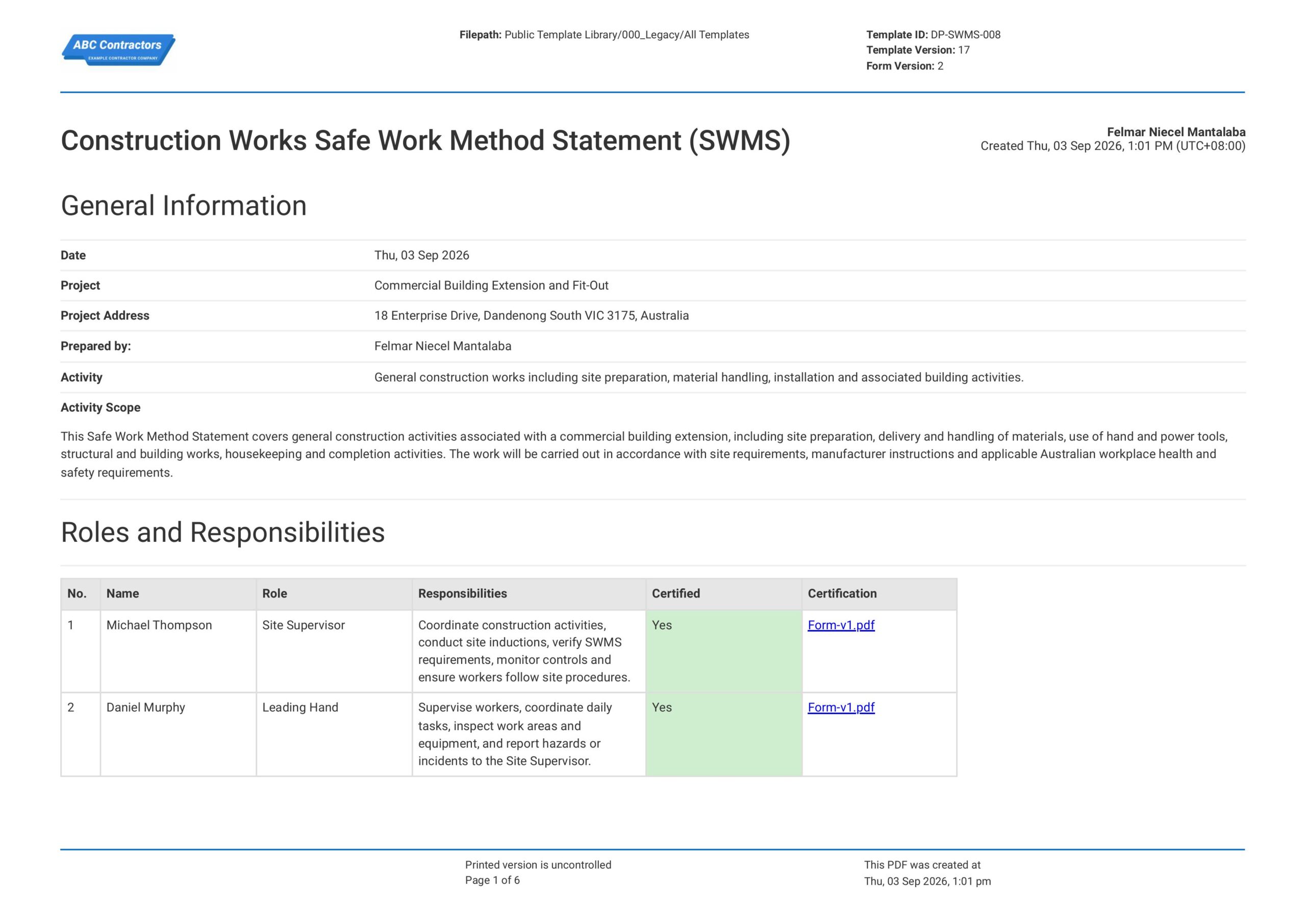
Construction Safe Work Method Statement
You can use, edit, and modify this free Construction Safe Work Method Statement for your construction works. The template is cloud-based, so it can be accessed using your mobile, tablet, or computer to sign off
View template
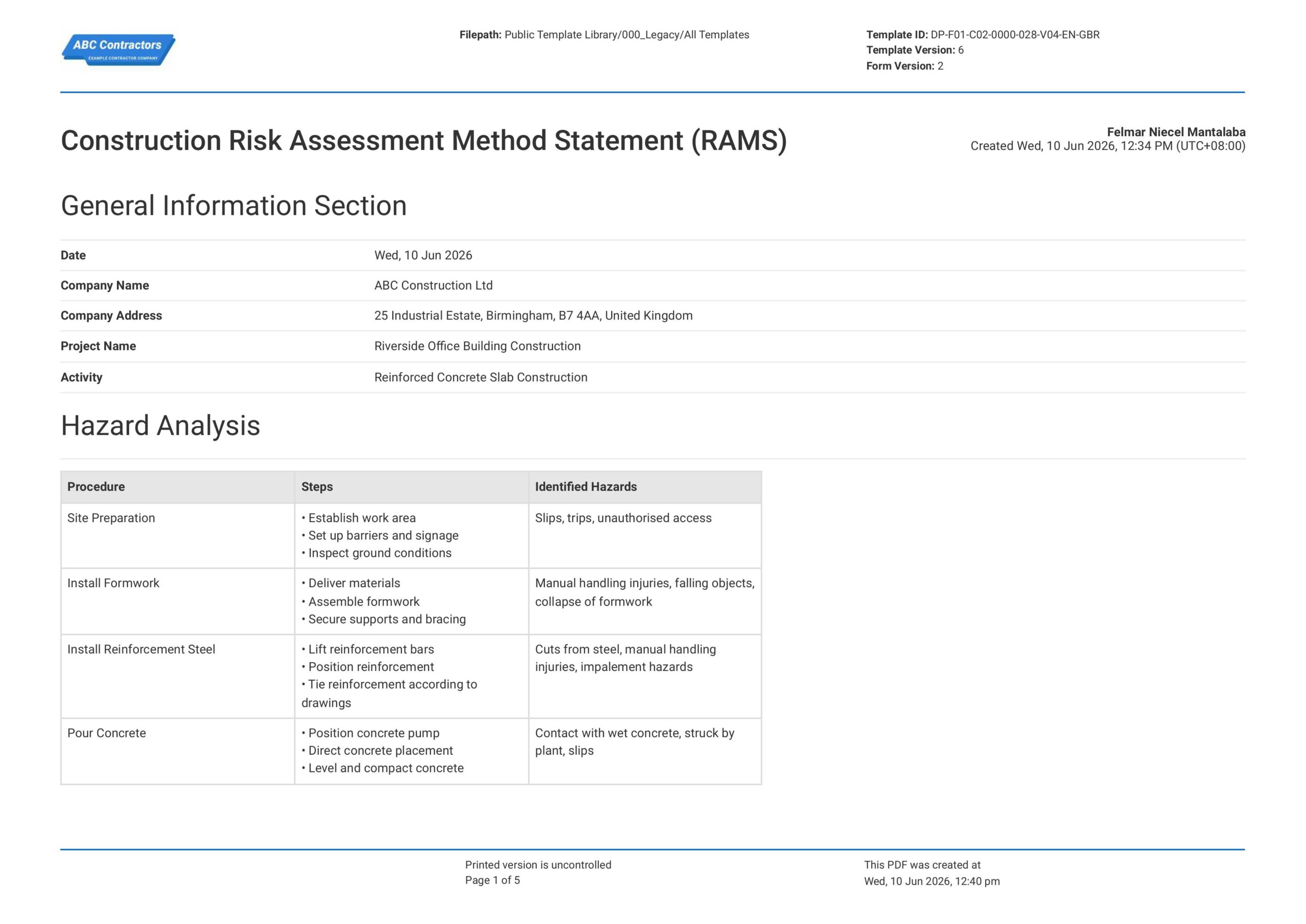
Construction RAMS
This free Construction RAMS is readily available to ensure your construction projects and activities will run safely and are in compliance with safety and health regulations in the UK. The form is designed to make it
View template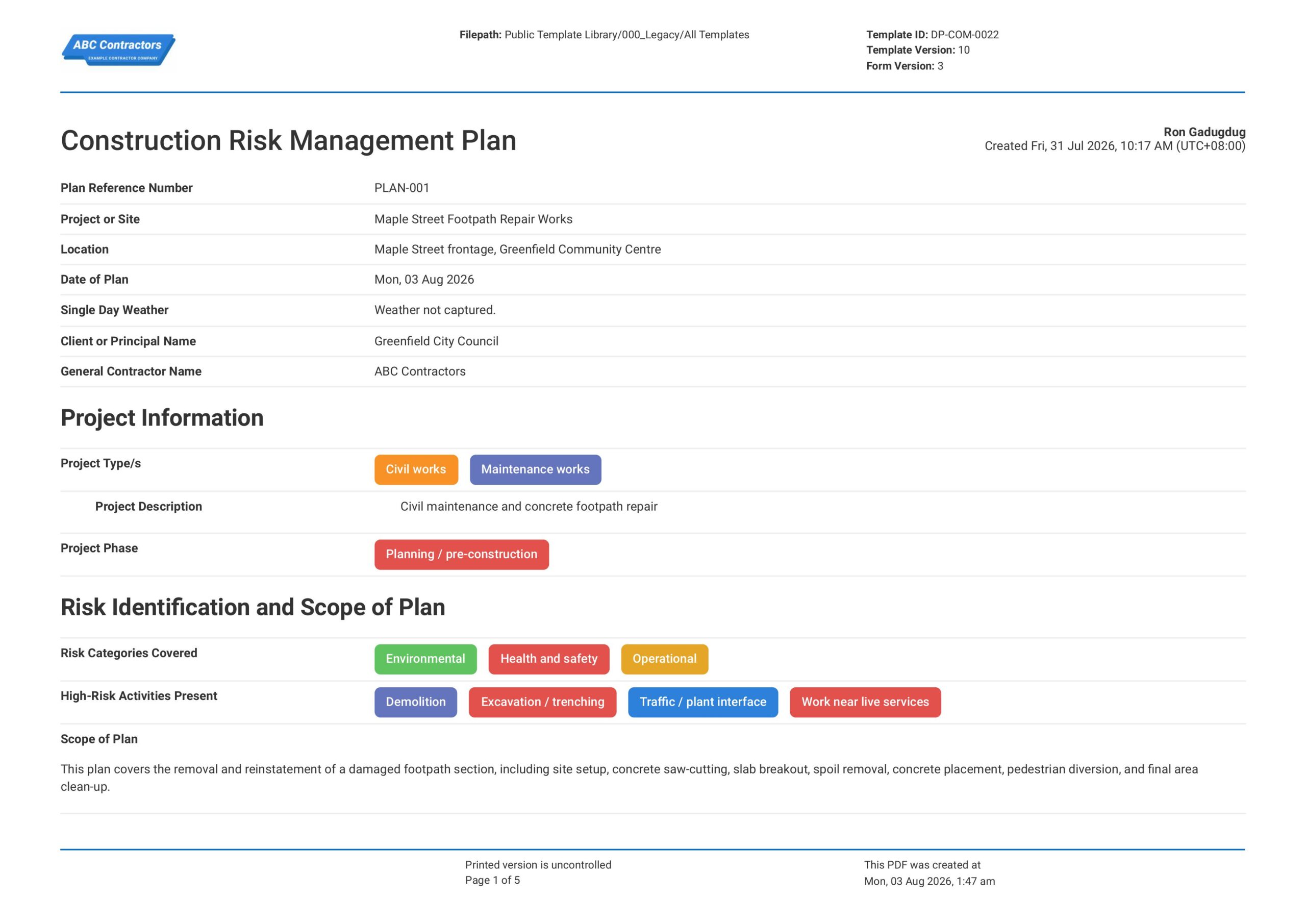
Construction Risk Management Plan
This Construction Risk Management Plan is an easy-to-use form that your workers can use to identify, assess, and manage project risks before and during construction work. Record important risk management details such as
View templateThis plan was generated with Dashpivot software
- Access, edit and complete your Construction Phase Plan from any device - mobile, tablet or computer.
- Print, download or send your Construction Phase Plan as perfectly formatted PDF documents with your company logo.
- Store your Construction Phase Plan securely online, where they can be searched and found in seconds
- Invite internal and external parties to see, edit and sign off on Construction Phase Plan online.
