Free Field Level Risk Assessment form Template

Start with a free 30-day trial. No credit card required.
Need a complete Field Level Risk Assessment you can still make your own? This template comes pre-built with fields that capture the full project information, the work to be done, and the risks that need to be planned for, along with space to record the control measures that eliminate or reduce each hazard. You can edit any part of it to match how your company runs its pre-job checks, and the assessment will still hold up against the regulations you'd be audited on.
This Field Level Risk Assessment, or FLRA, is an easy-to-use form that your workers can use to quickly assess risks on site before a task begins, with less manual data entry, more accurate information, and control measures targeted at the hazards that matter most.
 100% fully editable Free Field Level Risk Assessment form
Export your Free Field Level Risk Assessment form to PDF or CSV
Access your Free Field Level Risk Assessment form on mobile, tablet or computer


Trusted by companies, projects and teams of all sizes















What is Free Field Level Risk Assessment form?
A Field Level Risk Assessment is the distinct terminology used in Canada to describe the country's professional hazard management and risk assessment process. This process identifies hazards and risks on a construction site caused by environmental or equipment conditions. This form gathers information from all accessible sources about the current conditions at the time and location. It is created to assess operational and procedural systems on a daily basis to discover hazards and provide them with appropriate safety control measures. An FLRA should be completed before beginning any work on the job site. They are meant to examine procedures, identify potential hazards and risks, and propose strategies to mitigate those risks.
Check out this free Field Level Risk Assessment form
Curious how this Field Level Risk Assessment works? Check out the example below to see how project details, task information, hazards, and control measures are captured in one place. You can generate your own version, export it as a custom form with your company details, and fill in your information to have a ready-to-use Field Level Risk Assessment in minutes.
Use this Free Field Level Risk Assessment form template for free

Generate this template automatically with Storm
You don't have to build the Free Field Level Risk Assessment form field by field. Let Storm, the AI Data Capture Agent inside Dashpivot, build the template for you in seconds.
Describe what you need
Tell Storm the form you want in plain language and it builds a structured digital template from scratch, with fields, tables, and signatures in place.
Upload what you already use
Drop in your existing PDF, Word, Excel, or even a photo of a paper form. Storm rebuilds it as a smart digital template with the structure intact.
 Storm
Storm
Generate a Free Field Level Risk Assessment form form template that I can use for my business
Applicable Standards and Policies for Free Field Level Risk Assessment form
The Field Level Risk Assessment form is evidence of due diligence that companies operating in Canada are complying with the country’s safety laws and regulations. Practicing the risk assessment serves not just as a simple company practice but as a moral and legal obligation for companies. Legal implications will be raised against any company that does not follow these safety mandates in Canada:
- Criminal Code Sec. 217.1—This mandate requires companies to provide reasonable steps in a workplace to prevent injury.
- Canada Labour Code Part II—This regulation provides standards and a guide on dynamic hazard identification that adapts well with a non-static environment.
- OHS Code, Part 2, Section 7—This provision states that if there’s a change in work environment, a risk assessment must always be conducted.
Staff Members and Parties that use Free Field Level Risk Assessment form
The Field Level Risk Assessment method necessitates many inputs from various workers to ensure that all dangers are identified and the most effective controls are implemented. These are the people who need to be involved in the risk assessment process:
- Field Supervisors: These experts are responsible for supervising daily tasks and activities. One of their obligations as leaders in the field is to ensure that all employees are safe and healthy. Supervisors must spearhead the risk assessments and securely implement suitable safety controls to ensure worker safety.
- Safety officers: Their primary role is to fully implement safe work practices in the workplace. They set the standards for what is safe and what is not. They assess the safety measures for crucial operations, especially those high-risk activities. To conduct their reviews, safety officers will most likely require the risk assessment to determine the current measures in place. These evaluations are crucial since they determine how effective the controls are.
- Field Workers: These employees are most aware of the hazards. These personnel can provide numerous critical inputs during a risk assessment because they are directly exposed to the risks. Furthermore, they are familiar with proper safety regulations and measures.
Business Risks Reduced by Free Field Level Risk Assessment form
The Field Level Risk Assessment is not just another document that firms keep on file. It serves a more important purpose than simply being a record and compliance document. The form also protects businesses and establishments from any business risks that may influence critical assets, their overall financial structure, and reputation. Regularly carrying out the risk assessment process helps avoid the following business risks:
- High costs for equipment or structural damage.
- High expenditures associated with accidents and fatalities.
- High costs for reworks.
- High costs for fees acquired by noncompliance with regulatory agencies.
- Project delays
- Damaged the company’s reputation due to a lack of safety responsibility.
- Negative effects on employer-employee relationships
Business Opportunities Created by Free Field Level Risk Assessment form
Implementing the Field Level Risk Assessment protects people and other assets while also providing benefits to businesses. Meeting their moral and legal responsibility to keep everyone safe in the workplace would undoubtedly result in commercial prospects for employers, allowing them to preserve a good reputation and financial standing. Here are the economic advantages generated by conducting regular risk assessments.
- Better opportunity to win projects
- Low operating expenses.
- Lesser insurance rates
- Improved productivity owing to consistent and better safety measures.
- Better relationships with clients and stakeholders.
- Stronger relationships with employees
- Good brand reputation and trust.
Field Level Risk Assessment Preparation Checklist
Pre-Assessment Requirements
- Site visit completed by qualified safety personnel
- Current site plans and construction drawings reviewed
- Weather conditions and environmental factors assessed
- Previous incident reports and lessons learned documented
Assessment Team Preparation
- Competent person assigned with appropriate training credentials
- Field level hazard assessment forms customized for specific project
- Safety equipment and measuring devices calibrated and available
- Communication protocols established with project management
Documentation and Follow-up
- Digital or fillable risk assessment form loaded on mobile devices
- Approval workflow configured for safety risk assessment form review
- Corrective action tracking system activated for identified hazards
- Distribution list confirmed for assessment results and recommendations
Field Level Risk Assessment hazard identification
This is the most important aspect of the Field Level Risk Assessment. Personnel must review each method associated with a specific activity and identify any potential hazards. Let us use a simple example to clarify the process. Consider a simple domestic job, such as mowing the lawn, which requires only three steps: starting the lawnmower, mowing the lawn, and turning off the lawnmower. When spotting hazards, one must interrogate each procedure of the activity. So, when starting the lawnmower, one of the potential hazards is poor handling when inserting the plug. When mowing the grass, you could identify the following hazards: debris on the lawn, lawnmower wire all over the area, and poor lawnmower operation. Finally, the hazard for the last procedure of turning off the lawnmower may be the same as the first: improper unplugging. Using this thorough approach to identifying hazards can help avoid missing any potential accidents and ensure that all hazards have adequate controls to prevent or mitigate them.
How to Create a Field Level Risk Assessment form?
This is a comprehensive instruction on how to create a complete and compliant Field Level Risk Assessment form
Prerequisites for making a Field Level Risk Assessment
- Building plans and architectural drawings
- Previous Field Level Risk Assessments and inspection reports
- Occupancy schedules and maximum capacity data
- Emergency evacuation procedures
- Safety equipment inventory
- Relevant fire risk assessment regulations and standards
- Building permits and fire safety certificates
-
Building the needed information
A general information section is vital for understanding the scope of the activity and for easily tracing and comprehending the context of the assessment. Here are some core elements that you should always include:
- Activity Information
- Client / Owner Information
- Date of Assessment
- Location
-
Define the site conditions and risks.
The next step is to define the site conditions and associated dangers. This provides crucial context for all subsequent assessments and control measures. Make sure you write down the following:
- Site Environment (urban, remote, constrained space)
- Weather and Seasonal Conditions.
- Nearby hazards (traffic, utilities, public access)
- Existing Structures or ongoing Works
- Access and egress points
-
Risk assessment section
The most important aspect of this approach is to conduct and document your risk assessment. You’ll want to collect all of the relevant risk data so that you can make informed decisions about the best safety control solutions. For example, you should list the following:
- Identification of Hazards (physical, environmental, and operational)
- Assessment of risk severity and likelihood
- Existing control measures are in place, but additional mitigation actions are needed. Responsibility for controls should be assigned.
-
Provision of Sign-offs
As previously stated, it is crucial to prioritize relevant, high-level information at the top of your Site Risk Assessment. Please be sure you include the following fields:
- Date field or selection for the assessment date.
- Text area for the Assessment Form Number.
- Multiple-choice fields for environmental and site conditions.
- Text box for identifying the company departments involved.
- Multi-line text area for descriptions of activities on site.
Frequently asked questions
How to create your Free Field Level Risk Assessment form in an App or Software System
Digital Field Level Risk Assessment processes eliminate the inefficiencies and data gaps common with paper-based systems. Dashpivot’s real-time data capture enables immediate hazard communication and rapid deployment of control measures, while automated workflows ensure consistent application of safety standards across all project sites. Integration capabilities allow assessment findings to automatically update safety plans, trigger equipment inspections, and generate compliance reports, transforming reactive safety management into proactive risk prevention.
45 minutes
Medium difficulty
-
How to create a Field Risk Assessment in an app.
Designing templates in an app can substantially speed up the process of designing and completing the Field Level Risk Assessment. An app can do the following:
- Generates a more professional and structured template.
- Reduces the number of handwritten data entries.
- Provides a single point of access for all created forms.
- Providing simple reformatting to conform with new protocols or updated requirements.
- Enables simple formula integration.
-
Creating the information section
This section contains the crucial information about the activity. The following fields should be present:
- Date field for date of assessment
- Multiple text field for description of task
- Text field for Location
-
Creating the considerations section
This section allows form users to review whether all the needed prerequisites for the activity are present. These are the steps to creating this section:
- Include a prefilled table element with three columns.
- The first column should include prefilled text fields to input the considerations needed before the activity starts.
- The second column should integrate a list field with “yes,” “no,” or “NA” as options. Each selection can be integrated with colors to better guide the users and make the form more professional. Green for yes, red for no, and gray for NA.
- The third column should allow users to provide notes on each consideration. Placing a text field for this column would be appropriate.
-
Creating the risk Assessment matrix
This will serve as the look-up table, which the risk assessment section will reference. Here are the steps to creating this default table:
- Add a default table element with 6 rows and columns. This table will be designed like a multiplication table, where values in column 1 and row 1 are intersected to determine the equivalent risk score.
- Using a prefilled text, input “Likelihood/Impact” in the first cell of the first column.
- Add formula fields to all the remaining cells.
- Column 1, after the “Likelihood/Impact” cell, should denote the likelihood of the hazard. The formula of each row should follow the syntax: =”level of likelihood.” example: =”Likely”
- Row 1, after the “Likelihood/Impact” cell, should denote the impact of the hazard. The formula of each row should follow the syntax: =”level of impact.” example: =”Moderate”
- The rest of the cells should denote the risk score of the hazard. it should have the following formulas: where C-Column and R-Row:
- Formula=”Low”: C2R3, C2R4, C2R5, C2R6, C3R6
- Formula=”Low med”: C2R2, C3R3, C3R4, C3R5, C4R5, C4R6
- Formula=”Medium”: C3R2, C4R3, C4R4, C5R5, C5R6, C6R6
- Formula=”Med hi”: C4R2, C5R3, C5R4, C6R4, C6R5
- Formula=”High”: C5R2, C6R2, C6R3
-
Creating the risk assessment section
The risk assessment section is the section that records and scores the hazard. This section also defines the safety control measures needed for the activity. To complete this section, here is what you must do:
- Add a default table element with 5 columns. This allows users to add more rows if they intend to.
- The first column should be a text field that allows users to add the identified hazard
- The second column should be a list field that scores the likelihood of the hazard, which includes the following selections: very likely, likely, possible, unlikely, and very unlikely. colors can be integrated into each selection to make the form more professional.
- The third column should be a list field that scores the impact of the hazard, which includes the following selections: negligible, minor, moderate, significant, and severe. colors can be integrated into each selection to make the form more professional.
- The fourth column should denote the equivalent risk score of the hazard. Use a formula field to call on the values placed on the risk matrix lookup table.
- The last column should be a text field that allows users to input the necessary control measures for the hazards.
-
End your Field Level Risk Assessment with Acknowledgements
Finish your Field Level Risk Assessment form with a section where approvers can sign off on the results. Please include the following fields in your sign-offs section:
- Signature or automated E-signature fields, if your app or software enables them.
- Date of signature,
- Signatory name and role
About the author

Felmar Mantalaba
Content Engineer
 LinkedIn
Education
Cebu Institute of Technology - University - Mechanical Engineering with Mechatronics
Bio
Felmar is a mechanical engineer, whose four years of experience in the mining industry inspired him to write and share stories to progress the revolution of new technologies and create smarter, smoother ways of living.
Past Projects
Safety, Health, and Environment Management System (SHEMS) CoordinationSHEMS Coordinator at Atlas Consolidated Mining, ensuring organizational compliance with ISO 14001 and ISO 45001 standards, performing risk assessments, developing policies, and conducting audits and inspections to maintain a safe and environmentally responsible workplace.
Maintenance Management and OptimizationSenior Maintenance Manager (OIC) leading equipment maintenance and operational efficiency initiatives, reducing downtime by 10%, improving Mean Time Between Failure (MTBF) and Mean Time To Repair (MTTR) for major equipment, and managing maintenance schedules, manpower, and materials, while overseeing capital project optimization.
Inspection Engineering and Equipment ReliabilityInspection Engineer responsible for technical blueprint interpretation, vendor collaboration, preventive maintenance scheduling, and data collection for vibration and temperature readings, delivering actionable recommendations and comprehensive reports to improve equipment reliability and operational performance.
End-to-End Operational Oversight in Mining EngineeringContributed to multiple facets of operational management, including SHEMS compliance, maintenance optimization, inspections, and capital project evaluation, integrating safety, reliability, and efficiency improvements across all stages of copper production operations.
Version History:
Related apps and templates
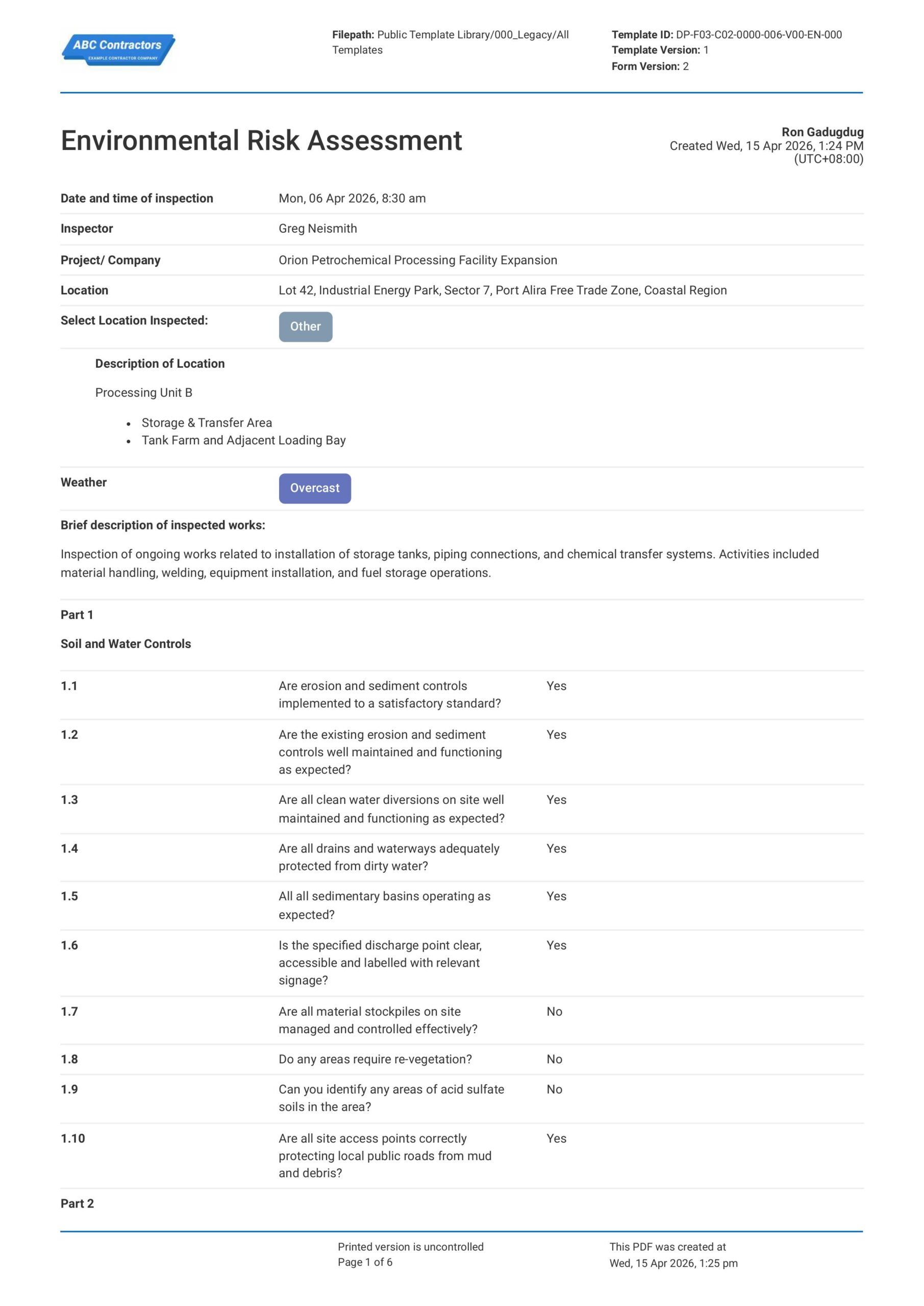
Environmental Risk Assessment
This Environmental Risk Assessment is used by engineers to streamline identification, evaluation, and management of environmental hazards that arise out of construction and industrial projects. Whether your team is
View template

Risk Assessment for Plant and Equipment
This Plant and Equipment Risk Assessment is freely available to help streamline your safety management plan. This document includes all the essential elements needed for a compliant risk assessment form that effectively
View template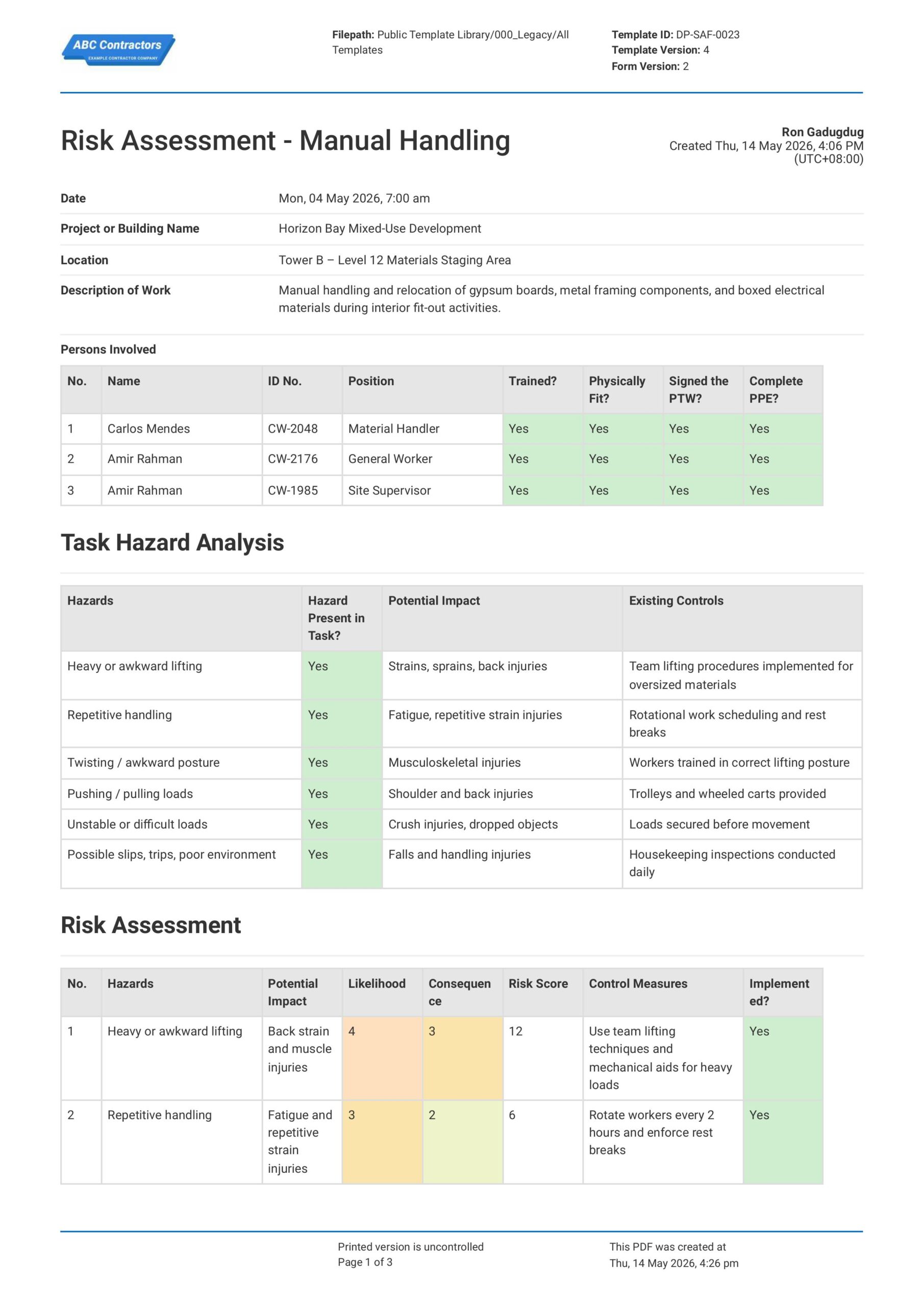
Free Manual Handling Risk Assessment
This Manual Handling Risk Assessment is free to use and ensures the safest possible manual handling jobs and outcomes. Ensure workplace safety by using this assessment to break down the task or activity into steps, and
View template