
The Tool and Equipment Inspection App Built for Construction Teams
Equipment starts each shift with full safety documentation. Operators inspect tools and equipment by scanning QR codes, running through mobile checklists, and capturing photos. Every inspection is traceable and audit-ready from the moment it’s signed off.

Trusted by companies, projects and teams of all sizes















Why Tool and Equipment Inspection management Is Harder than It Should Be

Manual paper checklists slow operations
Operators fill out paper forms while standing next to running machinery, creating delays and safety risks during pre-shift inspections.

Missing inspections create compliance gaps
Rushed or skipped equipment checks leave safety holes that become problems when auditors arrive or equipment fails.

Inspection records get lost
Paper checklists go missing or become illegible, making it impossible to track equipment history or prove compliance.

No connection to asset history
Inspection data exists in isolation, disconnected from maintenance records and equipment service history.
A Smarter Way to Manage Tool and Equipment Inspection

QR code inspections from assets
Workers scan the equipment QR code and the right inspection form opens instantly on mobile, eliminating paperwork delays.

Mobile checklists with photo capture
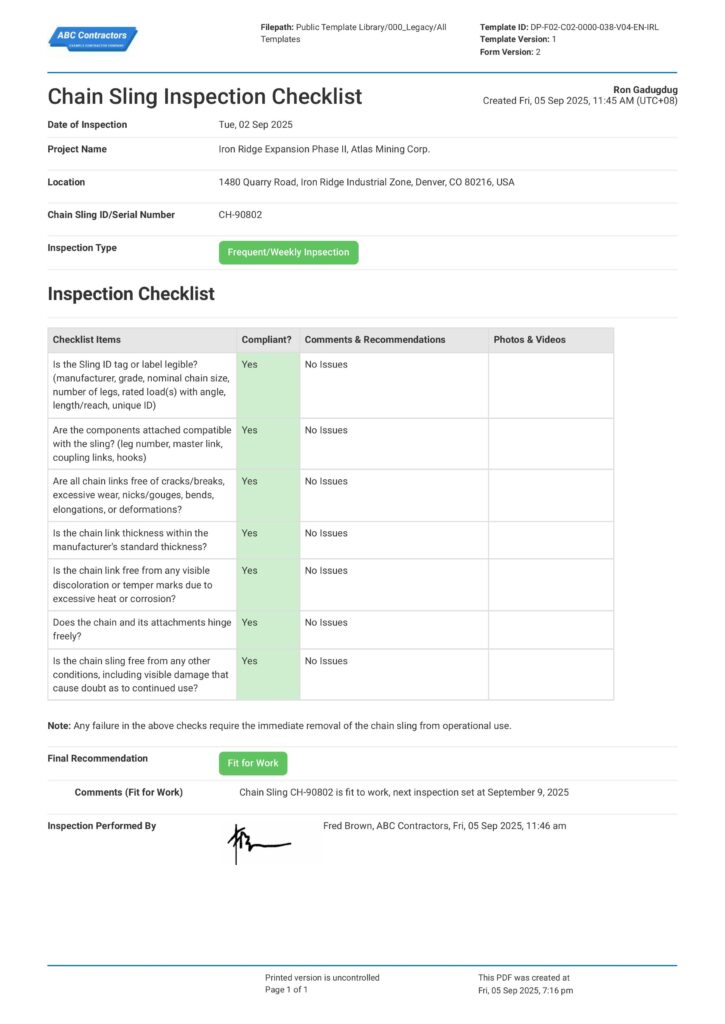
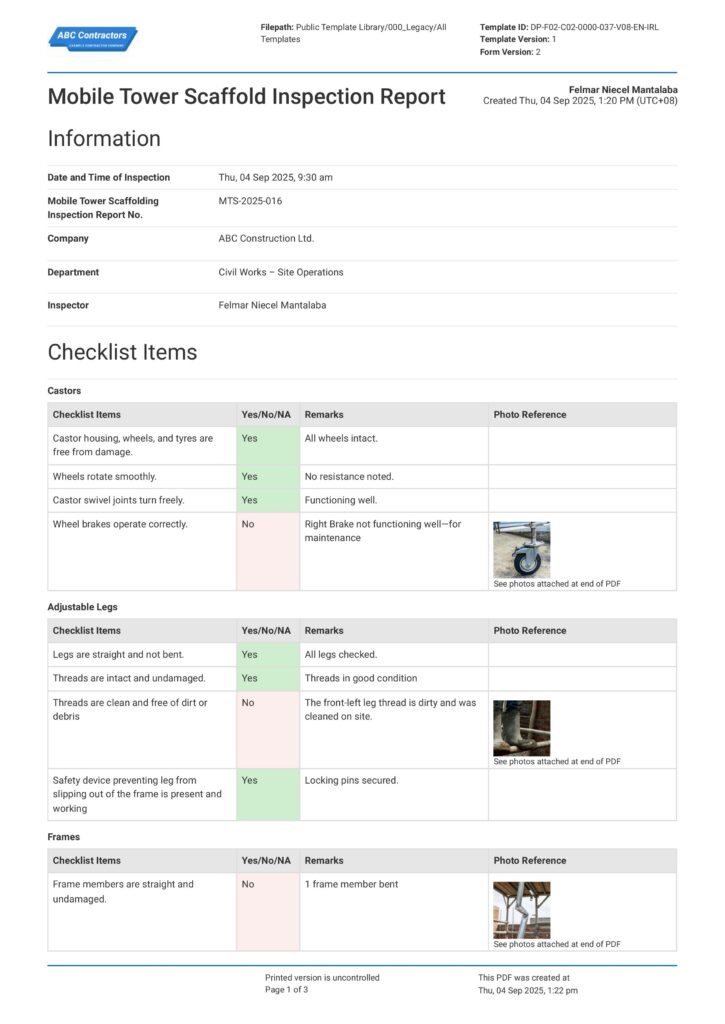
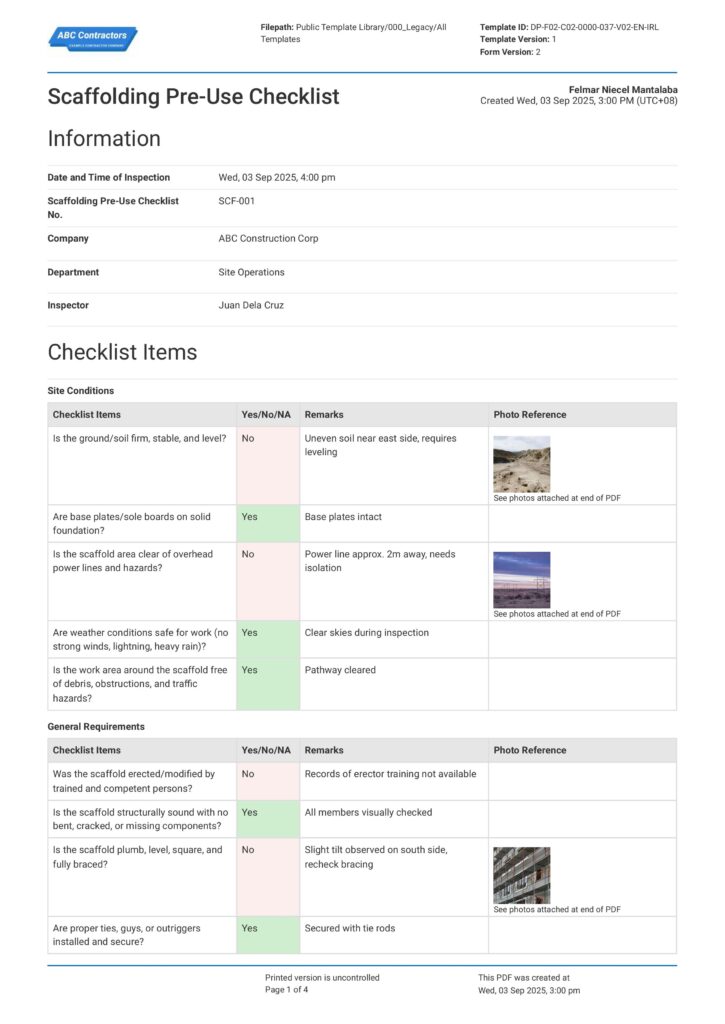
Operators complete safety checks on mobile, capture photos of defects, and flag issues that automatically create maintenance tasks.

Supervisor review before operation
All flagged issues route to supervisors for review and sign-off before equipment goes back into service.

No connection to asset history
Every inspection connects to equipment service records, creating complete audit trails and enabling preventative maintenance.


Understanding Tool and Equipment Inspection Software
What is tool and equipment inspection?
Tool and equipment inspection is the systematic safety check performed on machinery, tools, and equipment before each shift or job. Operators verify that equipment is safe to operate, identify potential defects, and document the asset condition. These pre-start inspections are required by safety regulations and help prevent equipment failures that could cause injuries or project delays.
Key elements of effective equipment inspection include:
- Pre-shift safety checks for all machinery
- Photo documentation of defects or wear
- Clear pass/fail criteria for operation
- Immediate flagging of safety issues
- Traceable records linked to asset history
- Supervisor approval before equipment restart
Why mobile-first inspection matters
Traditional paper-based inspections create delays and compliance gaps because workers must complete forms away from the equipment they're checking. Mobile inspection allows operators to document findings in real-time while standing next to the asset, capture photos instantly, and ensure nothing gets lost between the field and the office.
How To Set Up a Digital Tool and Equipment Inspection Using Sitemate
Step 1:
Step 2:
Design inspection forms. Build mobile-optimized checklists in Dashpivot with pass/fail criteria, photo requirements, and automatic issue escalation rules.
Step 3:
Train operators on mobile workflow. Show workers how to scan QR codes, complete checklists on mobile, and capture photos of defects or safety concerns.
Step 4:
Set supervisor approval workflows. Configure Flowsite to route failed inspections to the right supervisors and ensure equipment can’t restart without sign-off.
Step 5:
Start Faster With Built-In Tool and Equipment Inspection Templates
See How Sitemate Has Already Helped Companies Like Yours
"Not having a piece of paper correct can be the difference between a legal claim or a $300,000 loss."
- Clint Logan, Senior Project Manager
$300,000
Risk avoided by eliminating missing documentation
100% of reports
Completed, signed, and stored digitally
Automate inspection workflows with Flowsite
Flowsite automates the handoffs between inspection teams, maintenance crews, and supervisors, ensuring failed equipment doesn't return to service until properly cleared and approved.
Comparison: Paper Tool and Equipment Inspection vs Digital Tool and Equipment Inspection
Most project teams already know paper and spreadsheets aren't cutting it. Here's what changes when you move your method statements to a digital system.
QR Code Asset Access
Mobile Photo Capture
Automatic Issue Escalation
Linked Maintenance History
Supervisor Approval Workflow
Audit-Ready Records
Offline Access
Actions and Follow-ups
Searchability

Paper
Frequently asked questions about Tool and Equipment Inspection
Will AI miss critical safety defects that operators would catch?

AI captures what operators observe and report – it doesn’t replace their expertise. The AI processes voice notes and photos to auto-fill descriptions, but supervisors review every defect and safety item before approving equipment for operation. No equipment starts without human sign-off on safety decisions.
How do QR codes work in dusty or outdoor construction environments?
QR codes are printed on durable, weather-resistant labels designed for construction environments. Even if partially obscured, most smartphones can still scan them. Workers can also manually enter asset numbers if scanning fails.
What happens if equipment fails inspection during a critical project phase?
Failed inspections immediately flag the equipment as out-of-service and route issues to supervisors for review. The system helps rank repairs based on project criticality and can suggest alternative equipment from your fleet.
How does mobile inspection work without internet connectivity?
Dashpivot works offline, so operators can complete inspections in remote locations. Data syncs automatically when connectivity returns, ensuring no inspection records are lost.
Can the system handle different inspection requirements for different equipment types?
Yes, you can create custom inspection checklists for each equipment type – excavators, generators, hand tools, etc. The QR code automatically opens the correct form based on the specific asset being inspected.
How does this integrate with our existing maintenance management system?
Flowsite can integrate with most CMMS platforms to sync asset data, maintenance schedules, and work orders. This ensures inspection findings automatically feed into your existing maintenance workflows.
What audit trail does the system provide for safety compliance?
Every inspection creates a timestamped, GPS-located record with operator identification, photos, and supervisor approvals. This provides complete audit trails that satisfy safety regulations and insurance requirements.
 English (United States)
  English (Australia)
  English (UK)
  English (New Zealand)
  English (South Africa)
  German