Site-Specific Risk Assessment Template

Start with a free 30-day trial. No credit card required.
Need a complete Site-Specific Risk Assessment you can still adapt to each job? This template comes pre-built with a task hazard analysis and a risk scoring system that are easy to fill out, helping site managers identify and manage hazards across different sites and industries. It also has space to attach photos and capture sign-offs, so every assessment is fully documented. You can edit any part of it to match your company's safety processes and the conditions on each site, and the assessment will still hold up against the regulations you'd be audited on.
This Site-Specific Risk Assessment is an easy-to-use form that your workers can use to carry out task hazard analyses, score and control risks, check that people are fit for an activity, and attach photos and sign-offs. When they're finished, they can export the completed assessment as an XLS or PDF file.
 100% fully editable Site-Specific Risk Assessment
Export your Site-Specific Risk Assessment to PDF or CSV
Access your Site-Specific Risk Assessment on mobile, tablet or computer
Trusted by companies, projects and teams of all sizes















What is Site-Specific Risk Assessment?
A Site-Specific Risk Assessment (SSRA) is a more targeted risk assessment to manage hazards better. It looks at the specific dangers at each site by taking into account the local environment and the activities happening there, aiming to determine ways to completely remove or greatly reduce those dangers. With fit-for-purpose safety control measures, establishments can both preserve safety in the workplace and comply with regulations.
Most, if not all, industrial sites now make heavy use of modern technology. However, this new tech also introduces hazards that are specific to each equipment or material. Adding a Site-Specific Risk Assessment (SSRA) to your safety management system can help you create specific safety measures for the unique dangers at your site, protecting your employees and company property.
Compare this Site-Specific Risk Assessment with Word or PDF formats
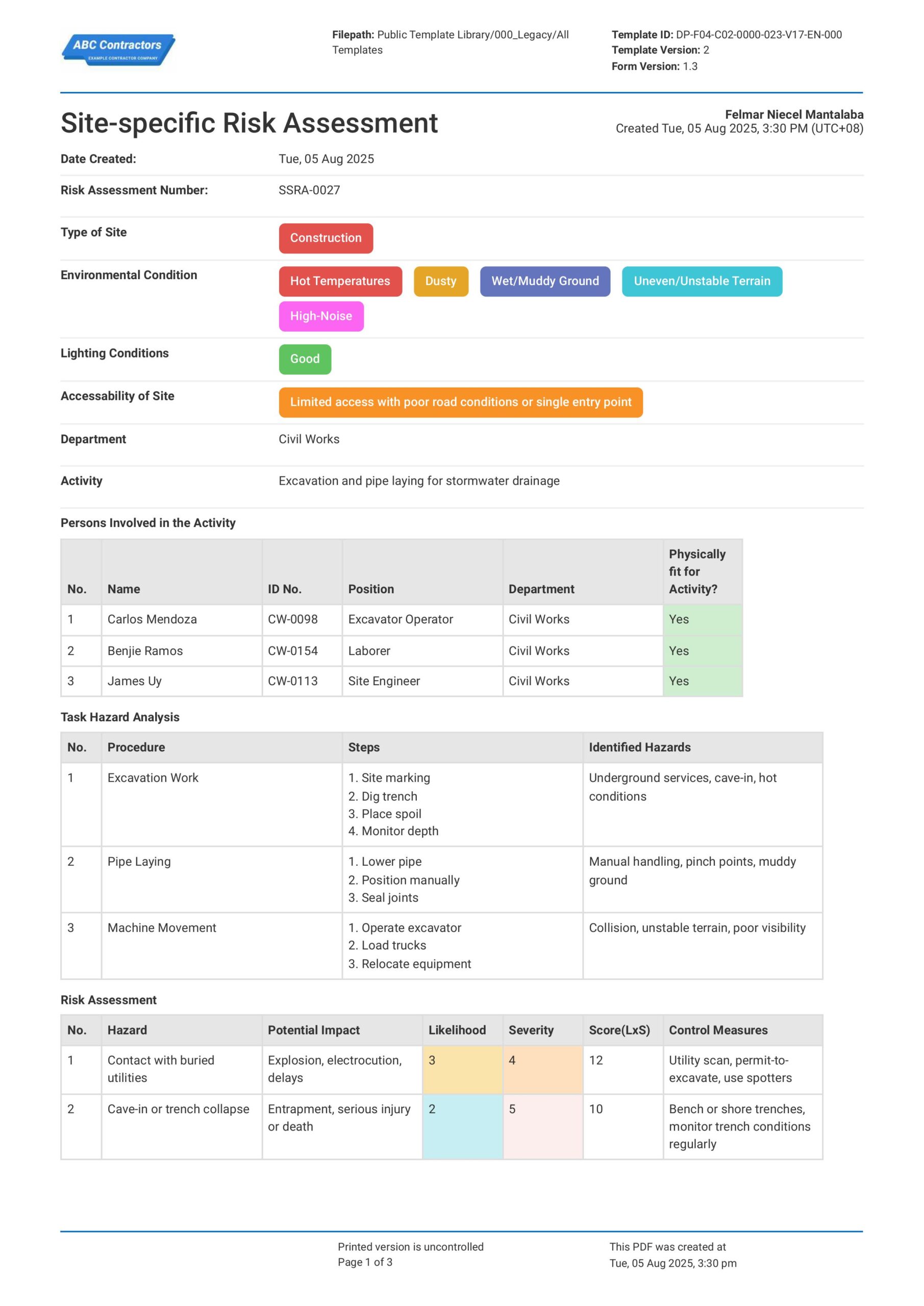
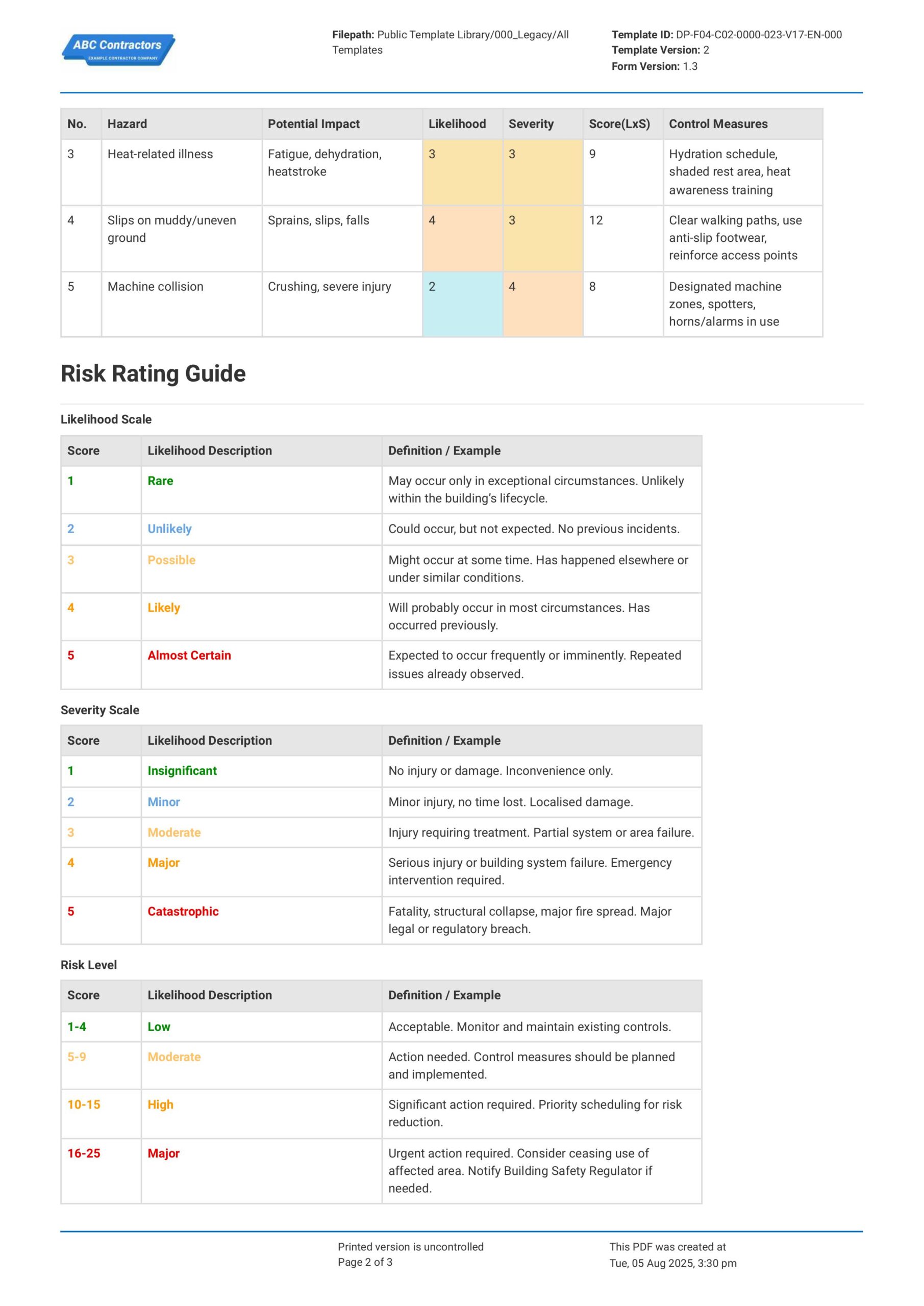
Curious how this Site-Specific Risk Assessment works? Check out the example below to see exactly what a completed assessment looks like, from the task hazard analysis through to risk scoring and sign-offs. You can generate your own version in a few clicks, export it as a custom form with your company details, and fill in the relevant information to have a ready-to-use Site-Specific Risk Assessment in a matter of minutes.
Use this Site-Specific Risk Assessment template for free

Generate this template automatically with Storm
You don't have to build the Site-Specific Risk Assessment field by field. Let Storm, the AI Data Capture Agent inside Dashpivot, build the template for you in seconds.
Describe what you need
Tell Storm the form you want in plain language and it builds a structured digital template from scratch, with fields, tables, and signatures in place.
Upload what you already use
Drop in your existing PDF, Word, Excel, or even a photo of a paper form. Storm rebuilds it as a smart digital template with the structure intact.
 Storm
Storm
Generate a Site-Specific Risk Assessment form template that I can use for my business
Applicable Standards and Policies for Site-Specific Risk Assessment
In the UK, Australia, and New Zealand, Site-Specific Risk Assessments are generally required as part of broader workplace health and safety laws that require risks to be identified, assessed, and controlled. These frameworks highlight adapting risk management to actual site conditions rather than relying only on generic assessments, especially in construction and high-risk environments.
- UK: Health and Safety at Work etc. Act 1974 establishes overall duty of care for safety.
- UK: Management of Health and Safety at Work Regulations 1999 require suitable and sufficient risk assessments.
- UK: Construction (Design and Management) Regulations 2015 require planning and managing site-specific risks.
- Australia: WHS Acts and Regulations require employers to identify hazards, assess risks, and implement controls.
- New Zealand: Health and Safety at Work Act 2015 and related regulations require ongoing risk identification and management.
Staff Members and Parties that use Site-Specific Risk Assessment
A Site-Specific Risk Assessment is used by all parties involved in planning and executing work on a particular site where actual conditions may differ from projections or assumptions. Here are some examples of the most common parties that review Site-Specific Risk Assessments:
- Clients and asset owners who want to determine if risks are managed appropriately.
- Principal contractors and site managers coordinating site operations.
- Subcontractors and supervisors applying safety control measures to their tasks.
- Health and safety officers who review and inspect the work task and area.
Business Risks Reduced by Site-Specific Risk Assessment
Using a Site-Specific Risk Assessment primarily reduces the risk of overlooking hazards that are unique to a location, layout, or work activity. It supports further assessment and decision-making when it comes to the implementation of safety control measures and emergency preparedness. For example, here are some specific risks that you can avoid with a Site-Specific Risk Assessment:
- Risk of injuries, fatalities, and unsafe work practices.
- Unnecessary regulatory enforcement actions, fines, or shutdowns.
- Delays caused by site constraints or hazards.
- Any other unnecessary loss to time and resources when resolving issues that arise from incidents.
Business Opportunities Created by Site-Specific Risk Assessment
A well-implemented Site-Specific Risk Assessment supports better planning and coordination, leading to more efficient and predictable project delivery. It also demonstrates a proactive safety culture, which can enhance reputation and create advantages in competitive environments.
- Improves success in tenders and prequalification processes requiring strong safety systems.
- Enhances coordination between different trades and stakeholders on site.
- Supports more accurate scheduling and resource planning.
- Enables adoption of digital safety tools and standard processes.
- Builds trust with clients, regulators, and the workforce through visible risk management practices.
Site-Specific Risk Assessment Template Components
A Site-Specific Risk Assessment (SSRA) is critical to identify the risks and the appropriate safety controls for a particular job task at a specific location. While requirements across regions may differ, assessment forms would normally include the following core components:
- Project & scope: location, tasks, sequencing, responsible parties
- Hazards & risks: site-specific hazards, who’s at risk, initial rating
- Controls: measures using hierarchy (eliminate → PPE), permits, safe systems
- Residual risk & site factors: updated risk, access, ground, nearby services
- Plant & competency: equipment, licences, training, PPE
- Emergency & environment: first aid, fire/rescue, waste, dust, spills
- Consultation & sign-off: worker input, approvals, review triggers
Why is it Important to Review and Update Site-Specific Risk Assessments?
Work sites are dynamic – this means that activities and risks can change depending on the environmental conditions and the procedural approach of the activity. Because of this, the site-specific risk assessment template also needs to be dynamic to effectively address hazards found in new environments and procedures.
Essentially, Site-Specific Risk Assessments are important to adapt to site changes, help keep workers and other stakeholders safe, better respond and adjust to near-misses and incidents, and comply with legal requirements.
How to Create a Site-Specific Risk Assessment
Creating an effective Site-Specific Risk Assessment requires systematic evaluation of workplace hazards and implementation of appropriate control measures. Follow this structured approach to ensure comprehensive coverage of site-specific risks.
Before creating a Site-Specific Risk Assessment, you will want to have some documents to provide context and guide the assessment process. Be sure to review and have these documents at the ready:
- Detailed site plans and layout drawings
- Work activity descriptions and procedures
- Applicable safety regulations and standards
- Environmental conditions and constraints
- Personnel qualifications and training records
- Emergency response procedures and contacts
-
Begin your Site-Specific Risk Assessment with Generic Information
It is important to place high-level information at the very start of your Site-Specific Risk Assessment. These information provide readers and users of your assessment with important context, so be sure to include:
- Date of Assessment
- Project Information
- Site Conditions (environment, weather conditions, etc.)
- Names of relevant Site Personnel
-
Define Site Conditions and Risks
Next, you will need to define site conditions and associated risks. This serves as critical context that will inform all subsequent assessments and control measures. Make sure you list down the following:
- Site Environment (urban, remote, confined space, etc.)
- Weather and Seasonal Conditions
- Nearby Hazards (traffic, utilities, public access)
- Existing Structures or Ongoing Works
- Access and Egress Points
-
Perform Risk Assessment
Performing and documenting your Risk Assessment is the core element to this entire process. You will want to capture all the necessary risk data to make well-informed decisions on the appropriate safety control measures. For example, you will want to list the:
- Identification of Hazards (physical, environmental, operational)
- Assessment of Risk Severity and Likelihood
- Existing Control Measures in Place
- Additional Mitigation Actions Required
- Assignment of Responsibility for Controls
-
Add Sections for Supporting Documentation
Including dedicated sections for supporting documentation ensures that all relevant evidence and supporting information are properly recorded. Here are some examples of supporting documentation that you will want to attach to the assessment:
- Photos of Site Conditions and Hazards
- Permits and Approvals
- Inspection Checklists
- Equipment Certifications
-
End your Site-Specific Risk Assessment with Sign-offs
Ending the assessment with acknowledgments and sign-off is important for accountability and confirms that all parties understand the risks and the controls implemented. Be sure to include:
- Names and Roles of Responsible Personnel
- Signatures of Assessors and Approvers
- Date of Review and Approval
- Confirmation of Understanding by Site Team
- Next Reassessment Date
Frequently asked questions
How to create your Site-Specific Risk Assessment in an App or Software System
A well-designed Site-Specific Risk Assessment ensures that risks and hazards are identified for each job site, and control measures for each of those hazards are identified and documented. This helps site personnel make more accurate and informed decisions around safety management and risk control on the ground.
45 minutes
Medium difficulty
-
Begin your Site-Specific Risk Assessment with Generic Information
As previously stated, it is critical to place important, high-level information at the very top of your Site-Specific Risk Assessment. Be sure to include the following fields:
- Date field or selector for the Date of Assessment
- Text field for Assessment Form Number
- Multiple-choice fields for environmental and site conditions
- Text field to identify the company departments involved
- Multi-line text field for descriptions of activities at site
-
Next, Add a Table to Enumerate Site Personnel
We highly recommend using a table to list personnel data, as it neatly houses the data in your Site-Specific Risk Assessment. Make sure to use the following column headers in your table:
- First column for Worker Name
- Second column for Worker ID number
- Third column for Worker Role or Position
- Fourth column to identify which department the Worker is in
- Final column for a Status Check (i.e., is the worker fit for work?)
-
Add a Table for Task Hazard Analysis
A table fits perfectly for this section as well, as you will need to list down tasks and site hazards for further analysis and risk assessment. We recommend using the following format:
- First column for Task Description
- Second column for Task Steps
- Third column for Risk Identified for that Task
-
Consider Using a Table for Risk Assessment
Taking insights from the Task Hazard Analysis and using it to create a Risk Assessment is the core of this process. We highly recommend using a table for this section as well, as you will need to add several types of data, such as:
- First column for Hazard/s Identified
- Second column for Potential Impact of Hazard
- Third column for Likelihood of Occurrence Rating
- Fourth column for Severity Scale
- Fifth column for Total Risk Level
- Final column for recommended Control Measures
-
Include a Section for a Risk Rating Guide
To complete a comprehensive Site-Specific Risk Assessment, we will need to include a quick guide for users who are not familiar with the rating mechanics used for Risk Assessment. Be sure to include the following:
- Pre-filled table for the Likelihood Rating Guide
- Pre-filled table for the Severity Scale Guide
- Pre-filled table for the Total Risk Level Guide
-
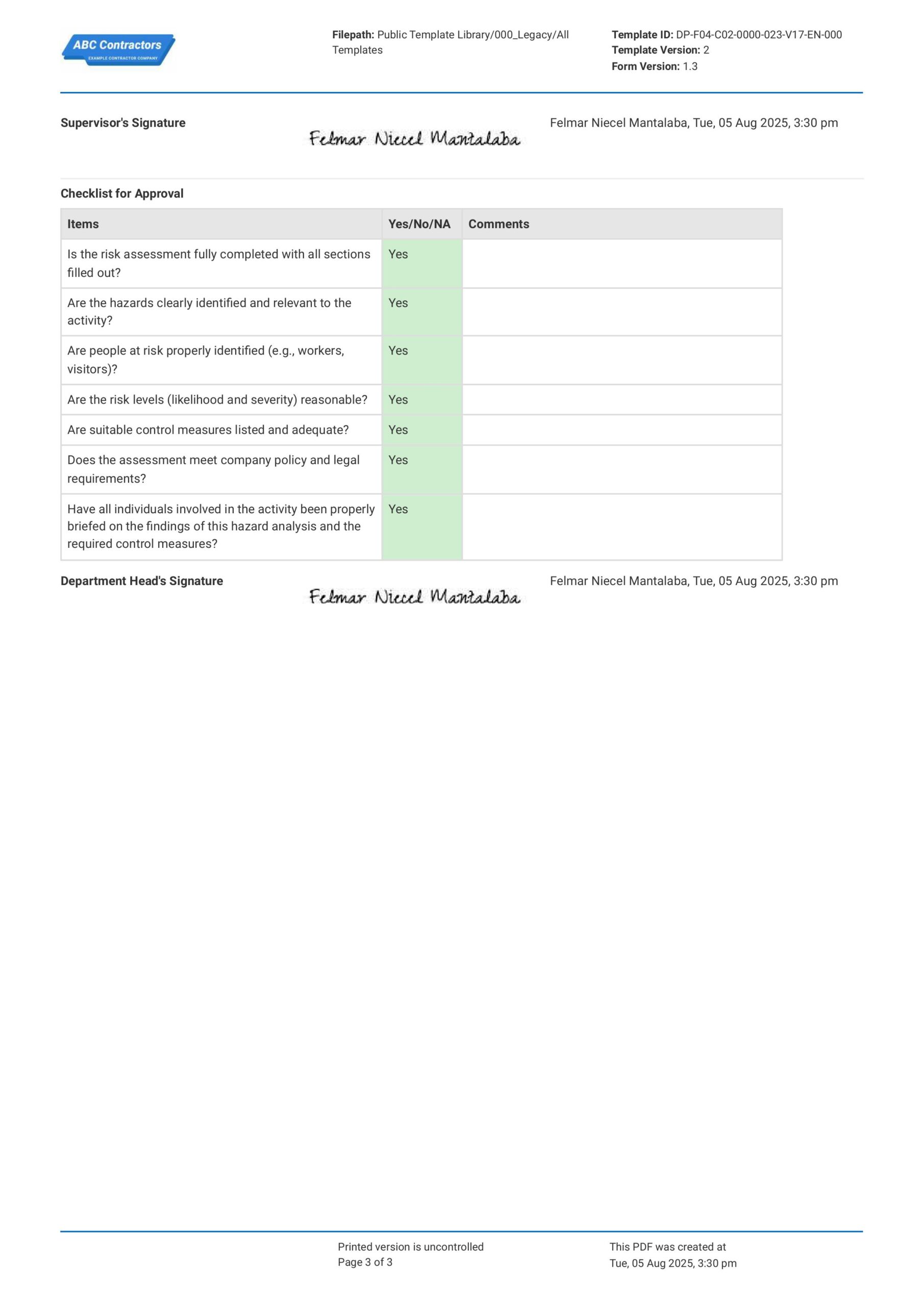
Optional: Use a Checklist for Approver's Use
As a plus, you can also add a checklist section for approvers to use before they sign-off on any future Site-Specific Risk Assessment. This can help them better gauge whether the assessment is acceptable, or if they need to recommend further action or implement safety control measures. We recommend using a table for this as well, with the columns arranged as the following:
- First column for the checklist item
- Second column for a compliance Yes/No ticker
- Third column for any comments or remarks
-
End your Site-Specific Risk Assessment with Acknowledgements
Close out your Site-Specific Risk Assessment form with a section where approvers can sign-off on the assessment. Be sure to include these fields in your sign-offs section:
- Signature or automatic E-signature fields, if your app or software allows
- Date of Signature
- Name and Role of the signatory
About the author

Ron Gadugdug
Content Engineer
 LinkedIn
Education
Cebu Institute of Technology - University - Civil Engineering
Bio
Ron is a Civil Engineer with 6 years of experience in the construction industry, primarily focused on quantity surveying, cost estimation, project management, quality control, contract administration, and property & engineering insurance. At Sitemate, he writes about practical applications of evolving technologies and digital solutions that support construction professionals in improving efficiency, compliance, and project delivery across the built world.
Past Projects
Quantity Surveying & Cost EngineeringPerformed quantity take-offs of several high-rise and horizontal structures using sheets and applications like Revit and Bluebeam Revu, and spearheaded trials with Building Information Modeling (BIM) software.
Project Management & ConsultancyCoordinated with project management teams during the construction of local projects such as a 4-tower hotel & resort, a 22 storey condominium project, and a school dormitory project.
Contract AdministrationAssisted during contract biddings and negotiations with general contractors and sub-contractors, and oversaw progress reporting, billings, and payment.
Property & Engineering InsuranceDedicated non-life claims handler, overseeing property and contractor all-risk insurance claims, risk management, and bonds.
Version History:
Related apps and templates
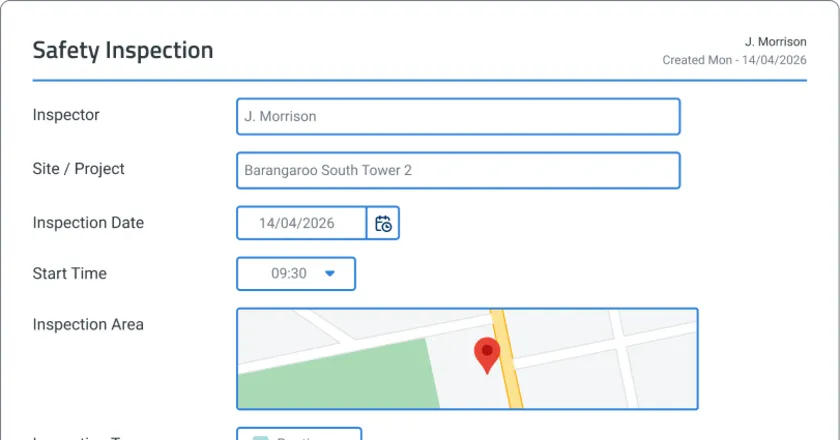
Safety Inspections App
Safety inspections app template that turns voice notes and photos into completed compliance reports on-site. GPS tagging, AI drafting, corrective
View app
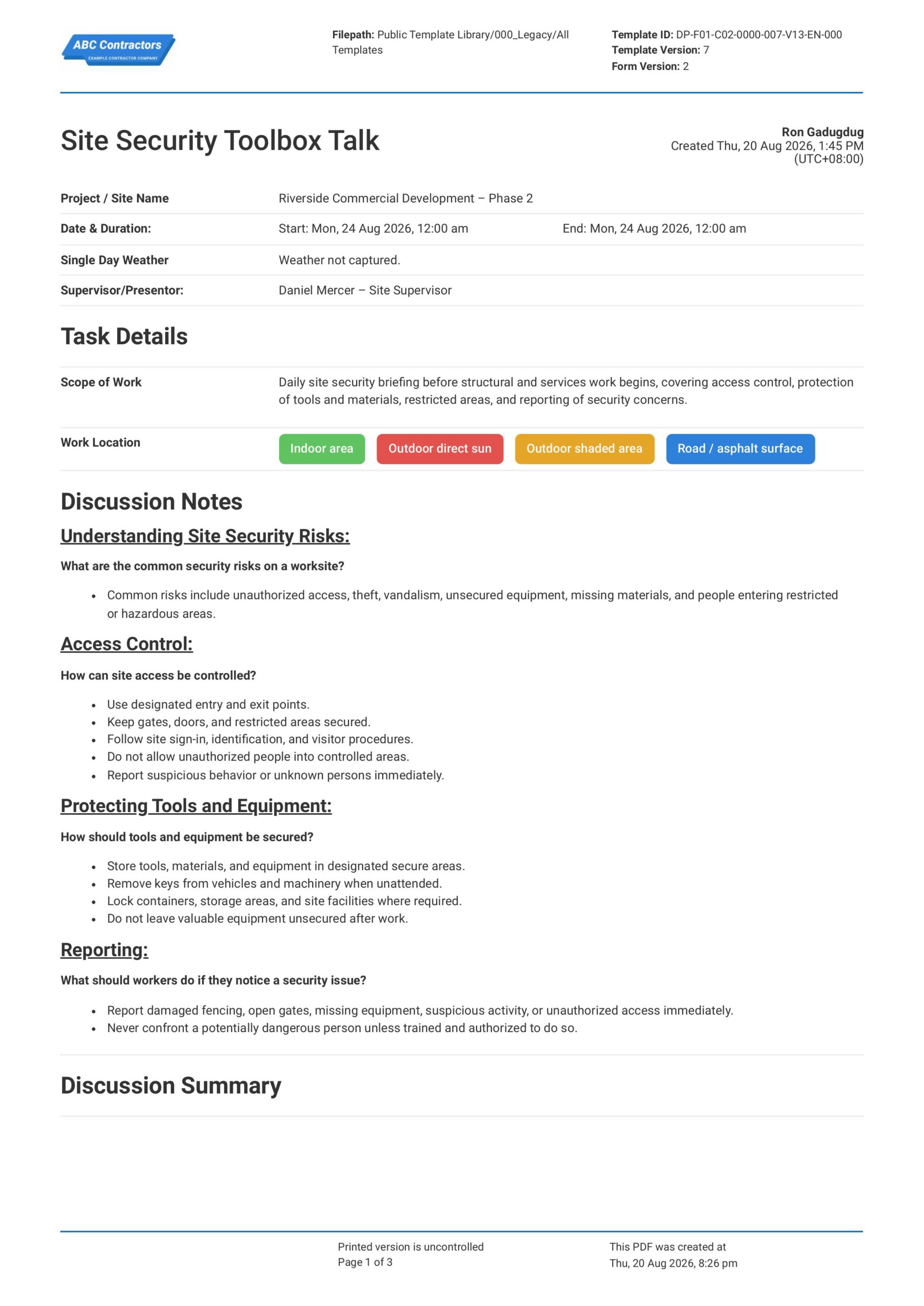
Site Security Toolbox Talk
This Site Security Toolbox Talk is an easy-to-use form that your workers can use to discuss site access, security risks, and worker responsibilities before starting work on a project or workplace. Record important
View template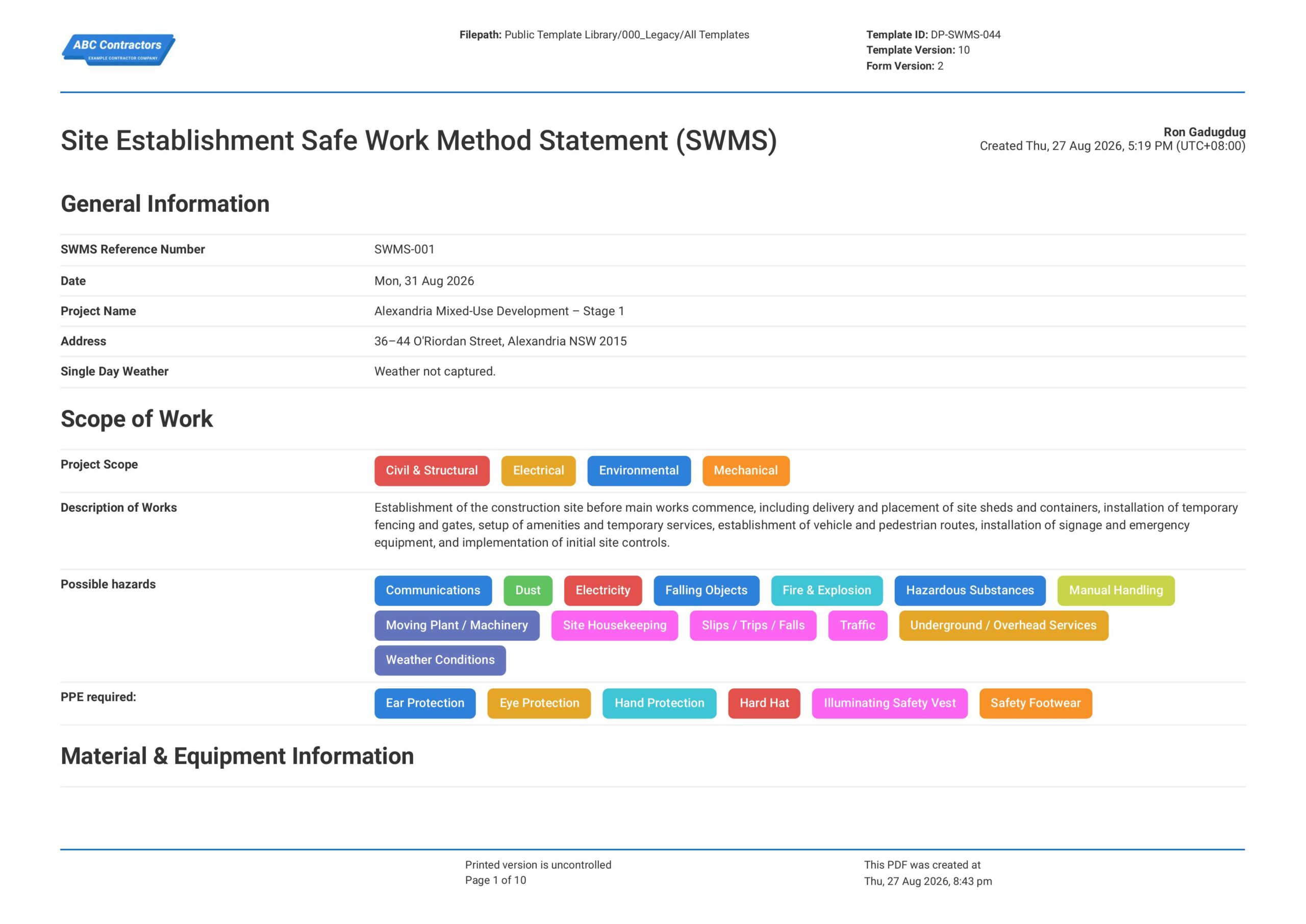
Site Establishment Safe Work Method Statement (SWMS)
This Site Establishment Safe Work Method Statement, or Site Establishment SWMS, is an easy-to-use form that your workers can use to plan and manage site set-up risks before construction or project activities begin.
View templateThis risk assessment was generated with Dashpivot software
- Access, edit and complete your Site-Specific Risk Assessment from any device - mobile, tablet or computer.
- Print, download or send your Site-Specific Risk Assessment as perfectly formatted PDF documents with your company logo.
- Store your Site-Specific Risk Assessment securely online, where they can be searched and found in seconds
- Invite internal and external parties to see, edit and sign off on Site-Specific Risk Assessment online.
