Gearbelt Fleet

End-to-end fleet management for the built world

Track, inspect, schedule, and maintain everything from tools to heavy machinery in one mobile-first system. Built specifically for built world fleets, not bolted on from another industry.

Built for the built world

Purpose-built for fleet operators in the built world. Mobile-first by design, not a generic asset tool.

Built in Gearbelt

One mobile-first system for vehicles, plant, machinery, tools, and equipment across your fleet.

Mobile-first via QR

Operators scan a QR code on any asset to open the right form. No clipboard hunting.

Works offline

Capture pre-starts, faults, and services on-site, even without internet.

Trusted by companies, projects and teams of all sizes

Phoenix Offshore Solutions
Burton
Tesmec
Snowy Hydro
Great Southwestern Construction
JVS Industries
Stonebond
Mack Civil
The APP Group
AJC
Cherrie
AM1 Projects
Ward

What is a Fleet Management System?

A fleet management system tracks, inspects, schedules, and maintains every asset, from hand tools to heavy machinery.

A Gearbelt maintenance dashboard showing upcoming servicing, new faults, faults by asset and a faults summary

Why use Gearbelt to manage your fleet and assets

Switch from reactive to proactive maintenance. Catch issues before they become breakdowns.

Book a quick call

Easy fleet checks for operators

Instant access to forms

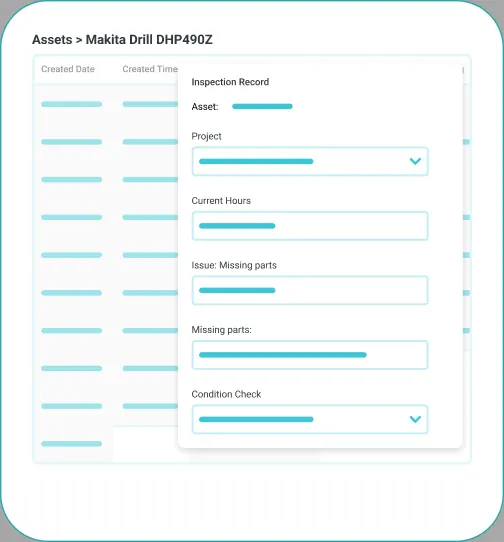
Workers can scan a QR code on any vehicle or piece of equipment to open inspection forms in the Sitemate Mobile App.

Everything linked to the asset

Each submission is tied to the correct asset automatically, so workers can see relevant information without sorting through piles of paperwork.

Enterprise-ready fleet management

Set guardrails at the workspace, asset register, and template level. Control who can build templates, edit records, and approve work orders.

Workspace-level controls

Set guardrails at the workspace, asset register, and template level. Control who can build templates, edit records, and approve work orders.

Full audit trail

Every inspection, fault, service, and sign-off is timestamped, signed, and traceable. Complete chain of custody for every asset.

Central oversight, local execution

Align inspection forms and service schedules across regions while local teams adapt to site conditions. Roll up to enterprise-wide visibility.

Integration into existing systems

Push fleet data into Excel, Power BI, and Power Platform with Flowsite, or build your own integrations with the Open API.

Access controls and permissions

Role-based permissions at every level. Control who can raise work orders, approve services, and access compliance records.

Scalable rollout

Deploy to one yard or one thousand. Mobile-first design means operators are productive on day one.

Burton Contractors Gearbelt
“This automated fleet management program has reduced my admin time by a good 80%.”

Glenn Sedwell, Plant Manager at Burton Contractors

View customer story

Less time on fleet admin, more time on fleet uptime

Fleet teams shouldn't have to choose between keeping equipment running and keeping their paperwork in order. Gearbelt captures pre-starts, services, and fault reports at the asset, so operators stay at the machine while mechanics and plant managers get the records they need.

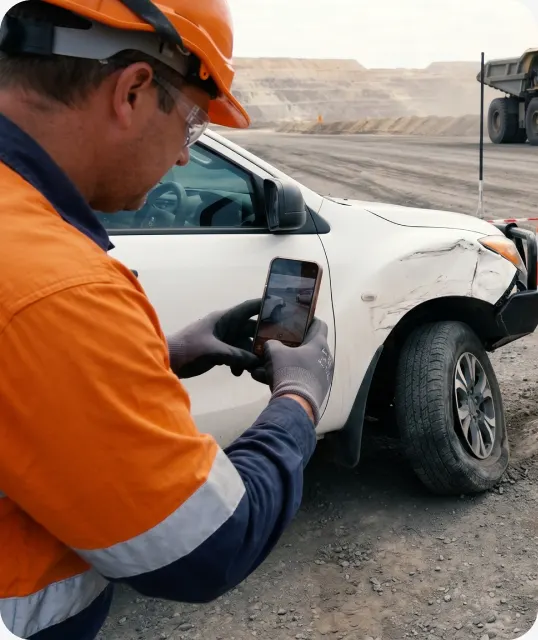
An operator photographing damage on a work vehicle with a phone

Photo capture

Add photos to inspection records for clarity and accountability.

Asset history

Store all service records, inspections, and documents in one fleet management system.

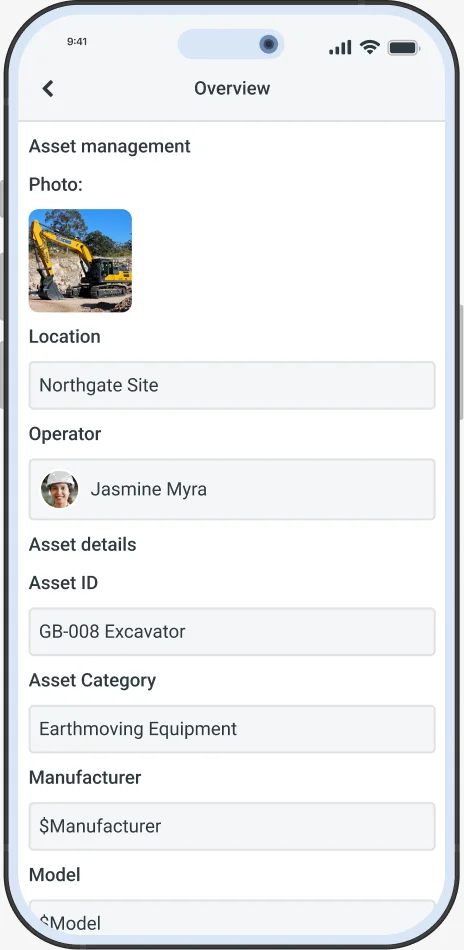
An excavator's overview in the Gearbelt app, with its photo, location, operator and asset details
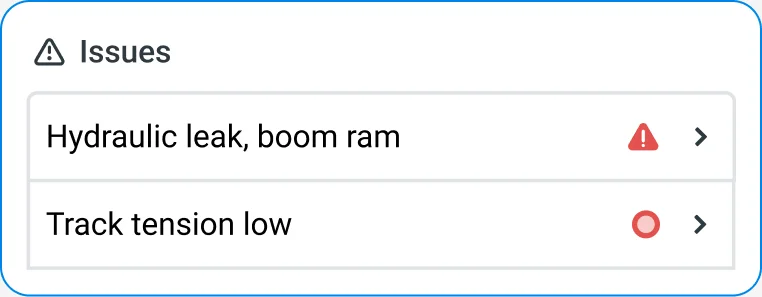
An issues list showing a hydraulic leak on the boom ram and low track tension

Issue reporting

Raise and track all issues in one place, broken down by severity and asset.

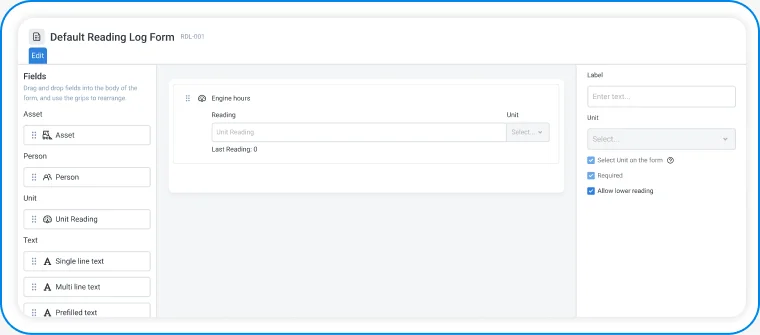
Custom templates

Adapt inspection or maintenance forms to suit any asset type.

The Gearbelt form editor building a reading log form with an engine hours field
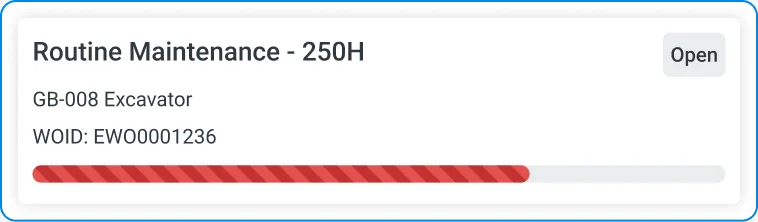
An overdue routine maintenance work order for an excavator

Scheduled maintenance alerts

Automatically remind teams when servicing is due based on usage or time.

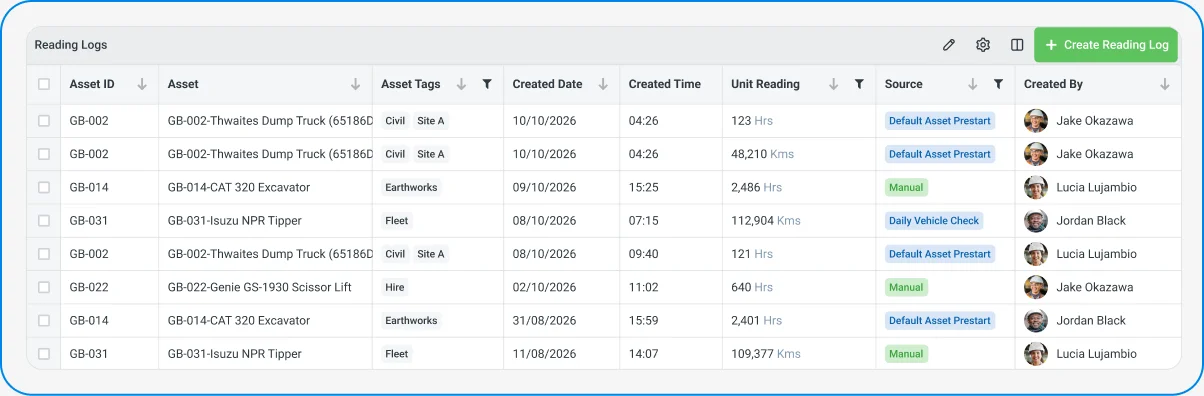
The Reading Logs register listing hours and kilometre readings for each asset

Usage tracking

Monitor hours, mileage, or other usage metrics for preventative maintenance planning.

Mobile-first inspections

Complete inspections in the field. Scan the QR code on the asset to open the correct form.

An operator in a wide-brim hat checking a phone beside a machine
ISO 9001, ISO 14001 and AS/NZS 4801 compliance badges

Compliance made easy

Meet legal and industry inspection requirements without extra paperwork. Every check is timestamped, signed, and audit-ready.

Connect your fleet data to the rest of your business

Asset records shouldn't live in a silo. Flowsite lets you connect Gearbelt to the tools your business already runs on, from plug-and-play integrations to full programmatic access.

Flowsite integrations

Push fleet data from Gearbelt into Excel, Power BI, and Power Platform with no-code integrations.

Open API

Build custom integrations that pull asset data into your own systems or push records back into Gearbelt. Full programmatic access for teams that want complete control over how data moves.

GET /v1/assets/EX-204  200 OK

{
  "asset": "EX-204 Excavator",
  "location": "North Yard",
  "status": "in_service",
  "engine_hours": 3495,
  "open_issues": 1,
  "next_service": "2026-11-28"
}
Sitemate MCP connecting your data to AI tools

Sitemate MCP (Model Context Protocol)

Connect your fleet data to AI tools and workflows outside of Sitemate. MCP gives external systems structured read access to your Gearbelt data with proper authentication and permissions.

How to set up a fleet management system using Gearbelt

  1. Build your asset register

    Load every vehicle, machine, tool, and piece of plant into Gearbelt with serial numbers, categories, and ownership tags.

    • Asset categories
    • Serial numbers
    • Ownership and location tags
    • Custom asset fields
  2. Create inspection and check templates

    Configure pre-start checks, periodic inspections, and condition reports for each asset type.

    • Pre-start fields
    • Severity tags
    • Required photos
    • Signature points
  3. Configure maintenance schedules

    Set servicing intervals against hours, mileage, calendar, or custom usage units.

    • Service intervals
    • Usage triggers
    • Assignee rules
    • Reminder lead times
  4. Roll out QR codes and mobile access

    Print QR labels for every asset and onboard operators to the Sitemate Mobile App.

    • QR labels
    • Mobile app onboarding
    • Offline mode
    • Short training sessions
  5. Set up work orders and approvals

    Configure routing, approval chains, and sign-off requirements for repairs and services.

    • Routing rules
    • Approval chains
    • Parts and cost fields
    • Sign-off logic
  6. Connect to other systems

    Send fleet data to Excel, Power BI, or Power Platform with Flowsite, or connect your own systems through the Open API.

    • Flowsite connections
    • Data exports
    • API documentation
    • Downstream workflows

Comparison: digital system vs legacy systems

Legacy
Asset registerLive mobile register with full asset historyOutdated lists, missing serials and history
Pre-starts and inspectionsQR-scanned forms with photos and signaturesPaper checklists, lost photos and signatures
Maintenance schedulingAuto alerts by hours, mileage, or calendarManual calendars, missed services, reactive fixes
Work ordersDigital orders linked to assets and crewsPaper or whiteboard, lost in the workshop
Issue and fault reportingLogged at the asset, flow to work ordersMentioned verbally, lost in shift handovers
Compliance and auditsEvery record timestamped, signed, asset-linkedHunt through files, days to prepare

Frequently asked questions

What does the Fleet Management System cover?

The Fleet Management System covers the full fleet asset lifecycle. It includes asset inspections (pre-starts, daily checks), issue reporting (fault reports, breakdowns), maintenance schedules (preventative servicing), work orders (repair task management), and workshop management (job tracking, technician allocation). It applies to light vehicles, heavy machinery, and stationary equipment.

Is the Fleet Management System standalone, or does it work alongside other Sitemate components?

The Fleet Management System sits inside Gearbelt and works alongside the Sitemate Mobile App for front line worker access. The Tools and Equipment Management System runs on the same Gearbelt platform for smaller assets like hand tools.

What does a typical fleet workflow look like?

A typical fleet workflow starts with operators doing pre-start inspections on the asset itself by scanning the QR code. Failed checklist items become issues raised against the asset. Issues are reviewed and grouped into work orders, assigned to mechanics, and closed out from mobile or with a PDF invoice for external repairs. Maintenance schedules trigger based on hours, mileage, or calendar intervals.

Are there variations of common fleet documents by industry?

Yes. Pre-start checks vary by asset type (heavy equipment, light vehicles, stationary plant). Service intervals differ by manufacturer and operating environment. Templates can be tailored per asset type to match your specific requirements.

Does the Fleet Management System currently use Storm for AI form filling or template generation?

Not yet. Storm is currently available in Dashpivot but not in Gearbelt. AI capabilities for fleet workflows are on the roadmap. In the meantime, fleet documentation is captured through mobile-first forms accessed by scanning QR codes on assets.

How does the human stay in control of fleet records?

Fleet managers and maintenance supervisors review and approve all records before they're committed. Operators sign off on inspections, mechanics close out work orders, and every change has a traceable owner.

Does the Fleet Management System support compliance audit requirements?

Yes. Pre-start records, service histories, and work orders are timestamped and signed off, creating a full audit trail per asset. Records are exportable as PDFs for compliance reporting and inspections.

How does the system handle audit trails and traceability?

Every record is linked to the asset it belongs to. Inspections, issues, work orders, and service events build a complete history per asset. Records can be filtered, searched, and exported for compliance reviews.

How long does it take to set up the Fleet Management System?

Most teams are running their first inspections within days. Assets can be uploaded via CSV or set up individually with QR codes printed straight from the platform.

Can we tailor the system to match our existing fleet processes?

Yes. Every template can be edited to match your terminology and asset types. You can build any inspection or repair workflow without writing code.

Keep your fleet running, not your paperwork

Watch demo