iAuditor alternative for RAMS
iAuditor is one of the most widely used inspection apps in safety, and plenty of teams already run their safety checklists inside it, so reaching for it when RAMS comes up is a natural move. This page is a straight comparison to help you decide whether it's the right tool for that job, or whether a purpose-built alternative is worth the switch.

Trusted by companies, projects and teams of all sizes















The short answer
The iAuditor alternative for RAMS is Dashpivot by Sitemate. If your team needs structured method statements with hazards, risk scoring, conditional logic and a single versioned register across jobs, it's worth switching. If you're already running simple safety checklists and RAMS is occasional, staying on iAuditor is defensible.
What iAuditor Is Built For
iAuditor is a mobile-first inspection and audit app with a very large install base. It's built around templated checklists that field teams can fill out on a phone or tablet, with a free tier that makes it easy to get started.
- - Mobile safety and quality inspections
- - Templated checklists and audit forms
- - Incident reporting and observation capture
- - Inspection sign-off and PDF output
Why Teams Look for an Alternative
iAuditor works well as an inspection tool, but RAMS isn't an inspection. It's a structured document with hazard identification, risk scoring, method steps and crew sign-on, and that's where teams hit the edges of what iAuditor was designed to do.
- - No conditional logic, so long RAMS documents can't adapt based on the work scope or risk level, every section shows regardless
- - Output is locked to PDF, which engineers and principal contractors often reject when they need structured or editable layouts
- - Per-seat licensing adds up quickly when you need every site supervisor and subcontractor to have access
- - Feature requests from the field don't get acted on, so the gaps that matter to RAMS users stay gaps
It's 6am, the job starts at seven, and the RAMS is a Word file nobody can find on SharePoint. The client wants it signed and emailed before anyone's on site.
What Dashpivot by Sitemate Is Built For
Dashpivot by Sitemate is a field system for building, running and signing off safety documents like RAMS, then keeping the record. You build the RAMS once, run it on any device, and every version stays filed against the job.
- RAMS and method statements built from a reusable template, not retyped for every job
- Sign-on on site so the crew is recorded against the RAMS they were actually briefed on
- One register of every RAMS, across every job and every subcontractor


AI Form Generation
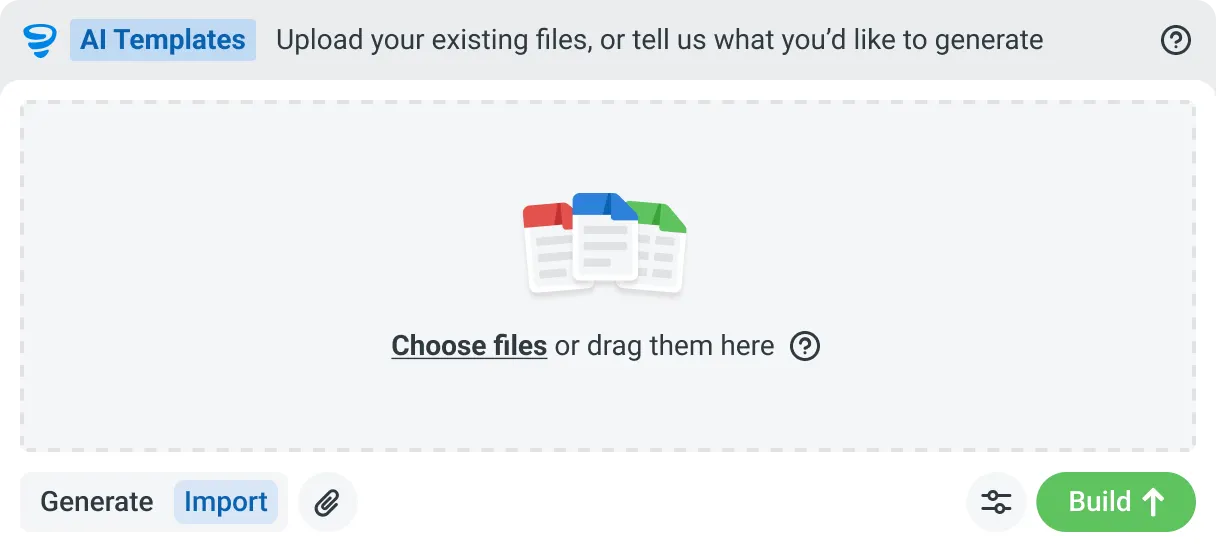
Describe the form you need in plain language, or upload an existing PDF, Word or Excel document. Storm builds it as a structured digital template with the right fields, sections and workflow attached, and you edit it before you publish.

AI Form Fill
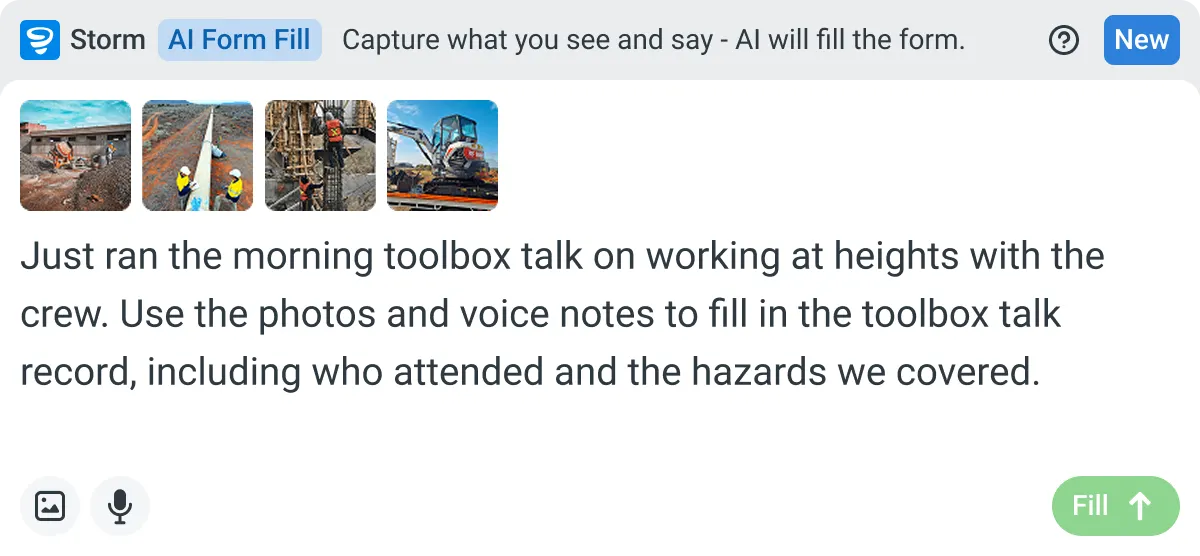
Capture what you see and say, and Storm fills the form for you. The details land in the right fields automatically, so a complete record exists the moment the work is done.

Works on site
Built for gloves, cabs, and screen protectors. Captures inputs offline and processes in the background. No waiting on the field.

You stay in control
Storm never commits a record on its own. Every output is a draft for human review. Admins control what Storm can write to.
How Dashpivot does [the job]
Three steps, and you own the record at the end of all of them. Set the RAMS up once, run and sign it on site, and keep every version filed against the job it belongs to.
-
Step 1
Set the RAMS Up Once
Build your RAMS with the hazards, risk scores, controls and method steps your work needs, or start from a free template and adjust it. It becomes the form every job runs from.
- [Optional. The routes in, one per line, if there is more than one way. Bold the route, then a short qualifier. Delete if there is only one path.]
-
Step 2
Run and Sign It On Site
Fill it on any device, offline if the site has no signal. Storm can draft the first version from the work scope, and the crew signs onto it before the job starts.
- [Optional. What gets captured, one per line. Storm is a line in this list, never the heading.]
-
Step 3
Keep the Signed Record
Every RAMS is filed against its job and date, versioned and audit ready. Export it to PDF, email it to the client, and it stays yours after the job closes.
- [Optional. What the record carries, one per line.]
What Dashpivot Does Not Replace
Dashpivot runs the RAMS process and holds the record. It doesn't decide whether your controls are adequate, and it isn't a legal sign-off. A competent person still reviews the hazards and signs the method as safe for the job in front of them.
What Dashpivot Does for RAMS Today
What ships today, and nothing that doesn't:
- Build RAMS and method statement templates with hazards, risk scoring and controls
- Draft the first version with Storm from the work scope, then edit it
- Sign the crew onto the RAMS on site, on any device, offline
- Keep every RAMS in one register, versioned and audit ready
- Export to PDF and email it to the client or principal contractor
Where Dashpivot Stops
The honest gaps, and we'd rather you know them now:
- Decide whether a control is adequate. A competent person owns that call
- Act as legal or regulatory sign-off on your RAMS
- Replace a dedicated estimating, accounting or design tool
iAuditor is an inspection and audit app. A RAMS is a structured method statement, and building one is a different job from running a checklist, which is what this comparison sets out.
- Columns: Capability | Dashpivot | iAuditor
- Structured RAMS with hazards, risk scoring and method steps | Yes, purpose-built | Inspection and audit templates, not a method statement
- Conditional logic across a long document | Yes | Limited
- Output beyond a flat PDF | Yes, live records and exports | PDF-focused
- On-site crew sign-on to the RAMS | Yes | Inspection sign-off
- One register of RAMS across jobs and subcontractors | Yes | Inspection-oriented
- Storm drafts the first version from the work scope | Yes | No
Where the Two Actually Differ
The differences that matter for RAMS come down to document structure, output format and how the register is kept. These aren't marginal gaps, they're the reason teams end up with a RAMS that's technically completed but practically rejected.
- - Dashpivot is purpose-built for method statements with hazards, risk scoring and controls; iAuditor uses inspection and audit templates that weren't designed for that structure
- - Dashpivot lets Storm draft the first version of a RAMS from the work scope; iAuditor has no equivalent for method statement drafting
- - Dashpivot keeps every RAMS in one register, versioned and filed against the job across sites and subcontractors; iAuditor is oriented around individual inspection records
- - Dashpivot exports to formats beyond a flat PDF; iAuditor's output is PDF-focused, which creates friction when engineers need structured data
Where iAuditor Is the Better Choice
iAuditor has a genuinely strong free tier, a huge install base and a simple setup for templated safety checklists. If RAMS is a small part of what you need and you're already running inspections in iAuditor, the switching cost may not be worth it.
- - Your team's primary need is mobile safety inspections and audits, and RAMS is occasional rather than a core workflow
- - You're a small team on a tight budget and the free tier covers what you need without hitting the per-seat cost wall
- - You need fast, familiar checklist deployment and your principal contractor accepts PDF output without question
How Teams Move From iAuditor
Nobody moves every RAMS at once. You decide whether it's worth it, bring one job across, then widen out once a crew has signed onto a live one.
-
Step 1
Decide
If your team mostly runs inspections and audits and rarely writes a full RAMS, iAuditor may be enough. Move when you need a structured method statement with hazards, controls and on-site sign-on, not an inspection checklist that exports to PDF.
-
Step 2
Convert
Bring one job's RAMS across. Rebuild it as a Dashpivot form, or start from the free RAMS template and add your hazards and method steps. Word and PDF documents can ride along while you switch.
-
Step 3
Pilot
Run it live on one job. The crew signs onto the RAMS on site, and you keep exporting the PDF you send the client, so nothing you depend on switches off while you test it.
-
Step 4
Roll Out
Once one crew has run a live RAMS end to end, add the rest of your jobs and subcontractors. Every RAMS lands in one register, and the visibility gap closes.
Frequently Asked Questions

 English (United States)
  English (Australia)
  English (UK)
  English (New Zealand)
  English (South Africa)
  German