AI Tool for Creating SWMS
A Safe Work Method Statement (SWMS) is the document Australian safety laws require before high-risk construction work starts, and it only does its job if it describes the work actually happening on this site. Most are a copy of a master with the project name swapped. Describe the task, or walk the site and talk through what you see, and the SWMS comes back drafted with the job steps, hazards, risk ratings and controls in place, for you to check and sign off before anyone starts.

Trusted by companies, projects and teams of all sizes


The short answer
An AI tool for creating a SWMS writes the first draft. Describe the high-risk work, or walk the site and talk it through, and it sets out the job steps, the hazards at each one, the risk rating and the controls. A competent person checks it against the site, adjusts what's specific and signs it off before the crew starts.
How a SWMS Gets Made Today
Hardly anyone writes one from scratch. A job's starting Monday, the principal contractor won't let the crew on without a SWMS, and whatever's quickest wins. Every one of these produces a document. None of them produces one written for the job you're about to do.
- Pull last year's SWMS off the hard drive and change the project name and the date
- Grab a copy from another sub, or the one you used at your last employer
- Download a free SWMS template and hope it covers the high-risk work you've got
What an AI Tool for SWMS Does Instead
You describe the work the way you'd explain it to your supervisor, and it drafts the SWMS around that description. The job's broken into steps in the order the crew will do them, with the hazards, the risk rating and the controls against each step, written for the task you described rather than lifted from a master. You still check it and sign it.
How to Write a SWMS with AI
Three steps, from describing the high-risk work to a signed SWMS the crew can sign onto. The call stays with the person who signs it off.
-
Step 1
Describe the Work, or Bring Your Own Format
Type what the work involves, for example lifting precast panels into place with a mobile crane next to a live road. Or upload the SWMS format you already use and keep your risk matrix, job steps and sign-off fields.
-
Step 2
Walk the Site and Talk Through the Work
Record a voice walkthrough of the conditions on the day and add photos. Each observation lands in the right part of the SWMS: a job step, a hazard or a control. For each one, the draft records:
- The high-risk work involved, and who's exposed to it
- The control that brings the risk down
- The job step it belongs to
- Where on site it applies
-
Step 3
Review Every Step, Then Sign Off
The supervisor or safety officer checks each step, hazard and control against how the crew will actually work, adds anything specific to the site, and approves it before work starts. The draft saves the typing, not the decision.
Where to Make One
Three routes. Which one you want depends on whether you need a SWMS for one job today, a template your crews complete and sign every time, or both.
- swmsgenerator.ai is free and unlimited, with no sign-up. Describe the work, get a SWMS back and take it away as a document
- The SWMS app in Dashpivot by Sitemate turns that document into a template your crews complete and sign on site, filed against the project
- Build it with Storm, Sitemate's data capture agent, which drafts the SWMS and then fills it in the field as the work happens. Covered further down this page
How to Prompt an AI SWMS Generator
A SWMS you can sign usually starts with a longer prompt. Ten words gives it almost nothing to work from, and past twenty it gets usable. Spend the extra words on the site: the task, where it's happening, the plant you're using and the hazards you already know about.
- "SWMS for installing roof sheeting on a new warehouse, working from an EWP, with a fragile skylight section and power lines along the rear boundary."
- "SWMS for digging a trench deeper than 1.5 m along a council footpath to lay stormwater pipe, using a mini excavator, with live gas services marked out and pedestrians passing."
- "SWMS for demolishing an internal wall in an occupied office fit-out, possible asbestos in the old sheeting, working after hours with the floor below still in use."
- "SWMS for lifting precast concrete panels into place with a mobile crane next to a live road, traffic control in place and a dogger directing the lift."
When the Generated SWMS Misses the Mark
Most disappointing drafts trace back to one gap: the prompt named the task but not the setting. These are the fixes, in the order worth trying.
- It reads generic: you named the task but not where it's happening. Add the site conditions
- Obvious hazards are missing: name the plant and equipment, because the hazards follow from them
- The controls are vague: say who's exposed, and whether the public or other trades are nearby
- The job steps are thin: ask for the steps in the order the crew will do them
- It doesn't match your format: upload your existing SWMS so it keeps your risk matrix and sign-off fields
- It cites the wrong legislation: name your state or territory in the prompt
Limitations
Nothing is issued automatically. Every draft is for a person to review, and the competent person who signs it stays accountable for it.
On a document a crew relies on before high-risk work, that matters. It means your safety lead spends their time checking real risks on a real site, and less of it retyping a master at six in the morning.
What It Can Do
With the work described properly, the draft arrives structured and specific to the job.
- Draft the job steps, hazards and controls for the work you described
- Rate the risk at each step, before and after the controls
- Rebuild an existing SWMS from a PDF or a photo of a paper one
- Produce it in the language the crew reads
What It Can't Do
It's never been to your site, and its mistakes are the predictable ones that follow from that.
- Know about a hazard you didn't describe and it couldn't infer
- Replace the site walk, or the person who signs it off
- Tell you the ground conditions, the weather on the day, or which other trades are on site
What a Good SWMS Contains
The test is whether the crew understands the job in front of them when they read it, and whether the principal contractor accepts it.
- The high-risk construction work it covers, named plainly
- The job broken into steps in the order the work actually happens
- The hazards and a risk rating at each step, and the rating once the controls are applied
- Controls that follow the hierarchy of control, rather than defaulting to PPE
- How the controls get put in place and checked on the day
- The names of the people who prepared it, approved it and signed onto it
What to Look for in an AI Tool for SWMS
A SWMS carries more weight than a site note. A crew reads it before high-risk work starts, and if something goes wrong, a regulator will read it too. What matters is that it stays specific to the job and a person stays accountable for it.
- Output that follows your own risk matrix and SWMS format
- A required review and sign-off before the SWMS is issued
- Capture of the real site conditions, not just the task description
- Sign-on, so every worker is recorded against the version they're working to
- A record of who reviewed and approved it, and when
- Capture that works offline, because the site walk is where the detail is
What to Avoid
A SWMS that looks complete but that nobody really read is more dangerous than an obviously missing one, because the crew assumes somebody checked it.
- Anything that issues a SWMS without a person approving it
- Generic hazard libraries presented as if they were site-specific
- General business AI with no grasp of high-risk construction work
- Tools that can't take your existing SWMS format, forcing a parallel process
- Output with no record of who approved what
The crane's booked for seven, the principal contractor won't sign anyone on without a SWMS, and the quickest thing to hand is the last job's with the date changed.
How to Generate and Fill a SWMS with Storm
The generator gives you the document. Storm is where it gets used: completed on site by the crew doing the work, signed onto, and filed as a record rather than a file on someone's laptop.
-
Generate the SWMS
Describe the work, or upload the SWMS format you already use. Storm builds it with AI Templates, drafting the job steps, hazards, risk ratings and controls, and you edit anything that doesn't match the site.
-
Fill It Out and Sign On
The crew works through it on their phones and signs onto it. Photos attach to the step they belong to, and it works with no signal.
-
Sign It Off and File It
Signed, timestamped and filed against the project as soon as it's done, so it's there when a principal contractor or a regulator asks who assessed what, and the next crew starts from it rather than a blank page.

Build SWMS with Storm in Dashpivot
Storm is Sitemate's data capture agent for the front line of the built world. It's purpose-trained on real built-world documents, so it knows a SWMS from a JSA and a hazard from a control.

AI Templates
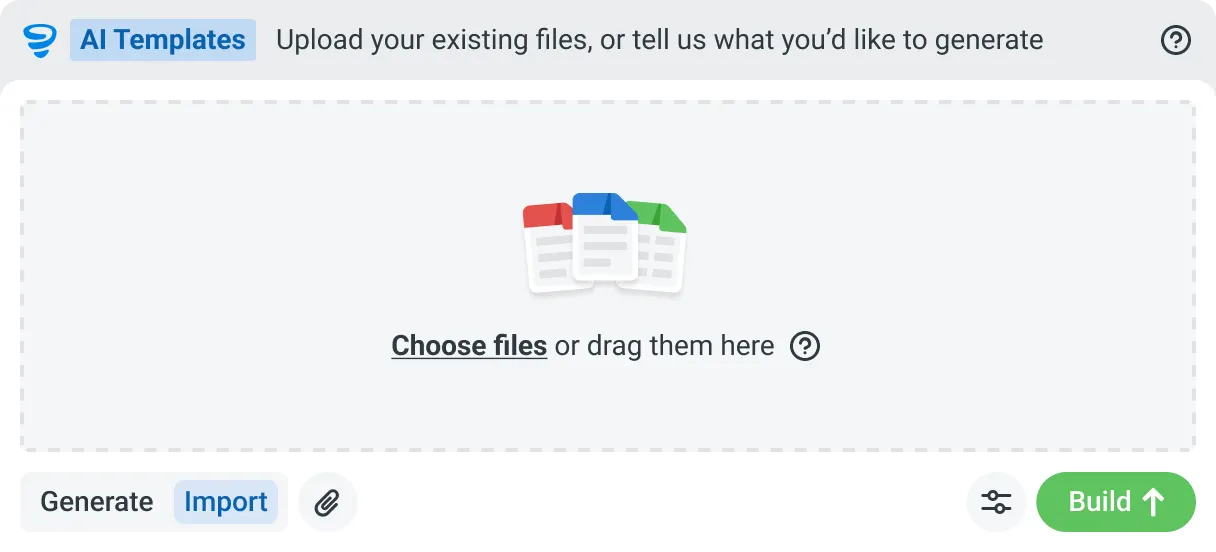
Describe the template you need in plain language, or upload an existing PDF, Word or Excel document. Storm builds the structure, with the right fields, sections, columns and workflow attached, and you review and refine it before you save.


Speaks built-world
Purpose-trained on real built-world documents. Knows a JSA from a method statement, an ITP from an inspection.

You stay in control
Storm never commits a record on its own. Every output is a draft for human review. Admins control what Storm can write to.

Works on site
Built for gloves, cabs, and screen protectors. Captures inputs offline and processes in the background. No waiting on the field.
Frequently Asked Questions
Is the SWMS it produces ready to use?

It’s a first draft, not the finished SWMS. It sets out the job steps, hazards, risk ratings and controls from what you describe, and a competent person reviews it, adjusts anything specific to the site and signs it off. The draft saves the typing, not the decision.
Can it use our own SWMS format?
Yes. Upload the format you already use and it keeps your risk matrix, job steps and sign-off fields, so the draft drops into the template your principal contractors already accept.
Is the free generator the same as doing it in Dashpivot?
No. swmsgenerator.ai hands you a static document, fast and free, and that’s where it stops. In Dashpivot the SWMS becomes a live form: the crew signs onto it on site, photos and conditions are captured against it, and it’s filed against the job as the record. A document versus a system.
Does it follow the WHS rules in my state?
Name your state or territory and the high-risk work in the prompt and it drafts to them, but treat that as a starting point. A competent person checks the SWMS against the WHS duties that actually apply before work starts.
Where does the signed SWMS end up?
Run and signed on site with Storm, Sitemate’s data capture agent, then filed against the project in Dashpivot as the record, versioned and audit-ready. The generated document is the start, and the signed record is the proof the work was planned.