Mobile Elevated Work Platform Risk Assessment Template

Start with a free 30-day trial. No credit card required.
Searching for a complete Mobile Elevated Work Platform Risk Assessment you can tailor to your sites? This template comes pre-written with all the standard fields, including the risk assessment and hazard analysis sections, that teams need to build a safe working environment around MEWP activities. You can edit any part of it to fit your company's specific needs and procedures, and the document will still hold up against the regulations you would be audited on.
This Mobile Elevated Work Platform Risk Assessment, or MEWP Risk Assessment, is an easy-to-use form that your workers can use to identify hazards linked to MEWP activities, analyse the risks involved, and record the controls required. With automated workflow notifications, they can notify the relevant parties in a few clicks when a form needs approval, so all necessary controls are in place before the activity begins.
 100% fully editable Mobile Elevated Work Platform Risk Assessment
Export your Mobile Elevated Work Platform Risk Assessment to PDF or CSV
Access your Mobile Elevated Work Platform Risk Assessment on mobile, tablet or computer
Trusted by companies, projects and teams of all sizes















What is Mobile Elevated Work Platform Risk Assessment?
A Mobile Elevated Work Platform Risk Assessment is an essential document that assesses the risks and hazards associated with the job being performed using a mobile elevated work platform such as scissor lifts, boom lifts, and cherry pickers, and identifies management actions to remove or mitigate the hazard. It also contains a rescue plan in case of a fall, the operator becomes ill or injured, or the MEWP malfunctions.
Having a Mobile Elevated Work Platform Risk Assessment in place for your risky elevated activities ensures that no hazard is overlooked and keeps all personnel safe and healthy. Although it might seem that it overlaps with other risk assessments, it covers the unique risks associated with working at heights, MEWP instability, overloading, collision, and electrical hazards.
Compare this Mobile Elevated Work Platform Risk Assessment example to PDF and Word traditional risk assessments
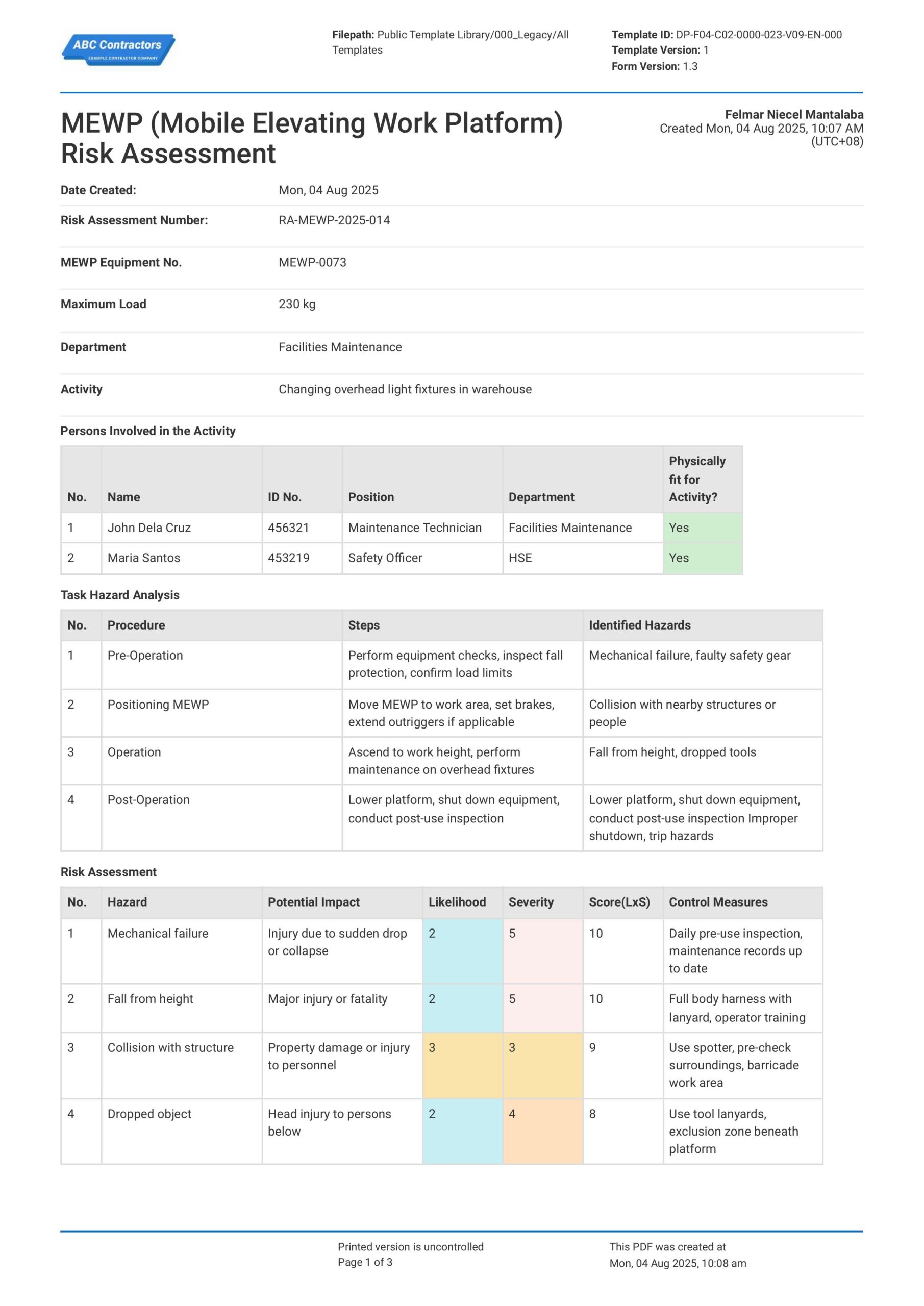
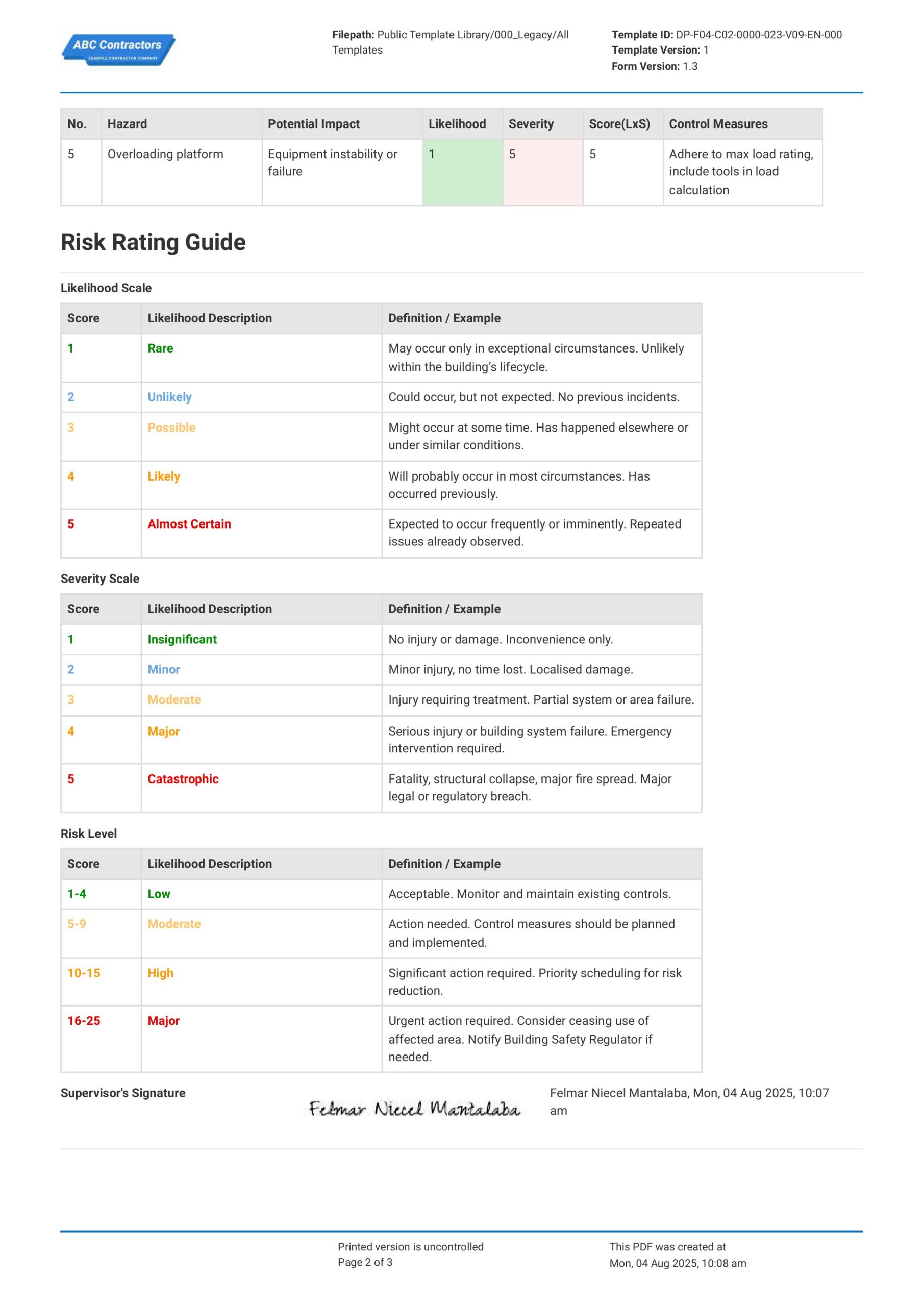
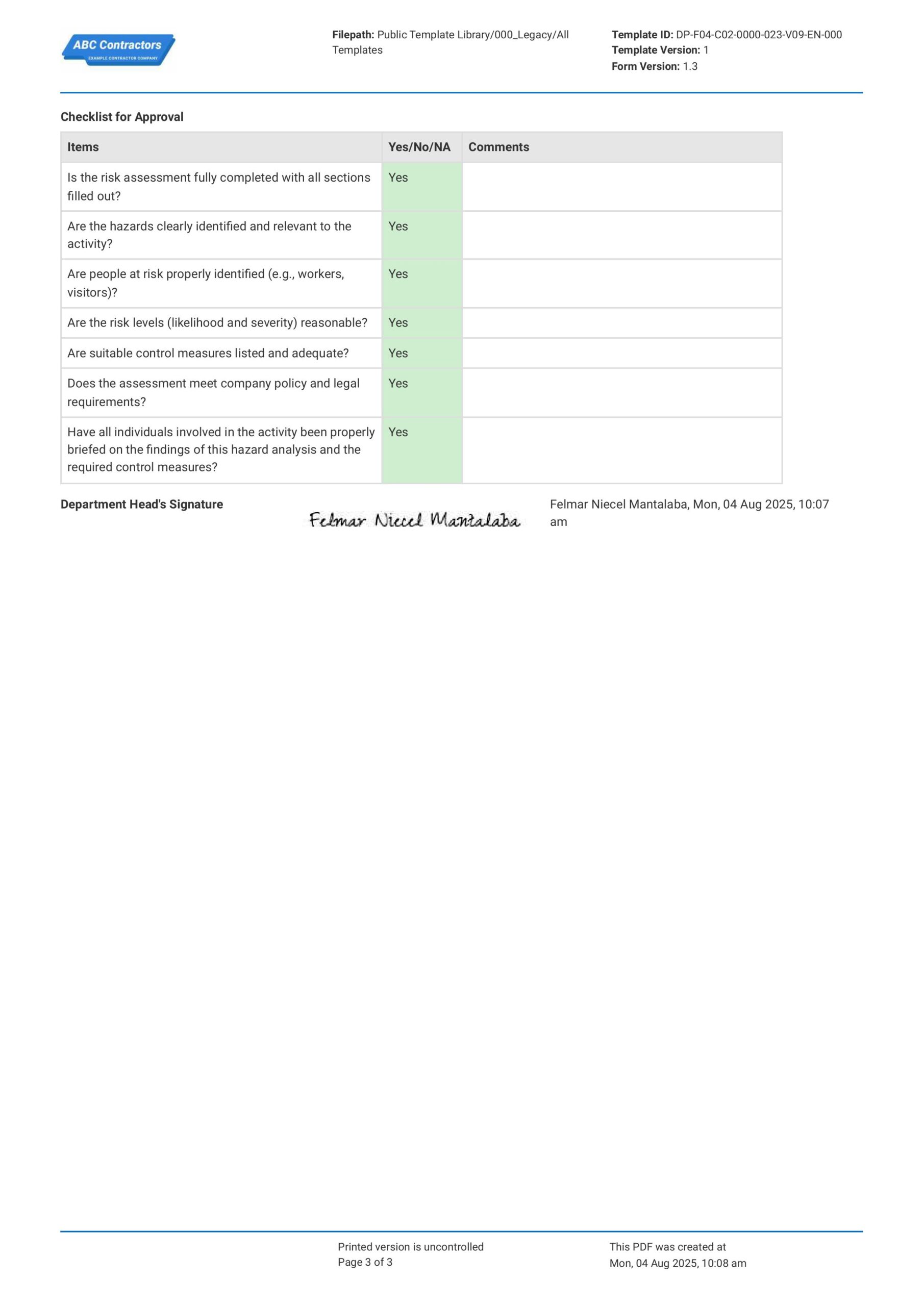
Curious how this Mobile Elevated Work Platform Risk Assessment works? Check out the example below to see what a completed assessment looks like, from hazard analysis through to approval. You can generate your own version, export it as a custom form with your company details, and fill in the relevant information to have a ready-to-use MEWP Risk Assessment in minutes.
Use this Mobile Elevated Work Platform Risk Assessment template for free

Generate this template automatically with Storm
You don't have to build the Mobile Elevated Work Platform Risk Assessment field by field. Let Storm, the AI Data Capture Agent inside Dashpivot, build the template for you in seconds.
Describe what you need
Tell Storm the form you want in plain language and it builds a structured digital template from scratch, with fields, tables, and signatures in place.
Upload what you already use
Drop in your existing PDF, Word, Excel, or even a photo of a paper form. Storm rebuilds it as a smart digital template with the structure intact.
 Storm
Storm
Generate a Mobile Elevated Work Platform Risk Assessment form template that I can use for my business
Applicable Standards and Policies for Mobile Elevated Work Platform Risk Assessment
Mobile Elevated Work Platform (MEWP) Risk Assessments are covered by general workplace safety laws and region-specific regulations for working at height and powered access equipment. For example, in the regions across the UK, USA, Australia, and New Zealand, the following standards apply:
- In the UK, Work at Height Regulations 2005 and Health and Safety at Work Act 1974 cover safe use of MEWPs.
- In the USA, OSHA standards (29 CFR 1926 Subpart L & ANSI A92 series) regulate MEWP safety.
- Meanwhile in Oceania, WHS Regulations and Safe Work Australia guidance require risk management for plant and working at height in Australia. The Health and Safety at Work Act 2015 and Best Practice Guidelines for MEWPs outline safe use requirements in New Zealand.
Staff Members and Parties that use Mobile Elevated Work Platform Risk Assessment
A Mobile Elevated Work Platform Risk Assessment is used by parties who are involved in planning, supervising, and operating elevated work platforms on site. Here is a list of interested parties that are involved with and use Mobile Elevated Work Platform Risk Assessments:
- Employers, contractors, and site managers responsible for safe work.
- MEWP operators and workers using the equipment at height.
- Safety officers and risk assessors who prepare and review assessments.
- Safety auditors and inspectors who verify compliance and safe practices.
Business Risks Reduced by Mobile Elevated Work Platform Risk Assessment
Using a Mobile Elevated Work Platform Risk Assessment reduces the likelihood of incidents associated with working at height and equipment misuse and significantly reduces risks of loss related to this. Here is a list of the primary hazards and risks a Mobile Elevated Work Platform Risk Assessment reduces.
- Reduces risk of falls from height and serious injury or fatality.
- Lessens incidents involving overturning, instability, or equipment failure.
- Lowers exposure to regulatory penalties, enforcement actions, and shutdowns.
- Reduces project delays caused by unsafe conditions or incidents.
Business Opportunities Created by Mobile Elevated Work Platform Risk Assessment
Using Mobile Elevated Work Platform Risk Assessment primarily enables businesses to foster safe work environments and work practices. As a result, these businesses demonstrate strong safety management practices, which can enhance reputation and competitiveness in regulated industries.
- Improves confidence in working at height operations.
- Strengthens tender submissions that require safety management systems.
- Encourages use of modern equipment and operator training programs.
- Builds trust with clients, regulators, and insurers through proactive risk control.
Common Hazards on a Mobile Elevated Work Platform
Getting to know the hazards in using a mobile elevated work platform in the workplace is the first step to effectively managing them since site employees, workers, and operators regularly use platforms for installations, inspections, maintenance, or even in construction. Being aware and hazard conscious ensure that all possibly known hazards are identified and controlled. Here are a few common hazards associated with the use of mobile elevated work platforms.
- Fall hazards: Risk of serious injury from working at height.
- Overloading and instability: Can cause tipping if limits are exceeded.
- Mechanical failures: Equipment issues (e.g., hydraulics) may lead to collapse.
- Crushing and collision risks: Platform movement can injure nearby workers.
Mobile Elevated Work Platform Safe Use and Requirements
Working with mobile elevated work platforms (MEWPs) is inherently dangerous due to risks such as instability, falls, mechanical failure, and electrical hazards. Because of this, personnel must follow proper safety precautions to reduce these risks. Implementing structured safety practices helps maintain a safer workplace.
Key measures include conducting pre-start inspections, performing risk assessments, carrying out regular audits, and providing proper training. Inspections ensure equipment is safe to use, while risk assessments identify and control hazards and meet legal requirements. Audits help improve existing controls, and training equips workers with the knowledge and skills to operate MEWPs safely.
How to Create a Mobile Elevated Work Platform Risk Assessment
Working with mobile elevated work platforms is inherently dangerous – platforms can be unstable, workers may fall, there could be mechanical failure and electrical hazards. In this section, we discuss how you can build Mobile Elevated Work Platform Risk Assessments to help your team lessen risks involved with these platforms.
Before you create a Mobile Elevated Work Platform Risk Assessment, ensure that you have the following items prepared and ready.
- Equipment details: Specifications, type, and load limits of the MEWP to be used
- Work scope: Clear description of tasks to be performed at height
- Site conditions: Ground stability, weather, obstacles, and surrounding hazards
- Personnel competency: Trained and certified operators and workers involved
- Inspection records: Pre-use checks and maintenance history of the equipment
- Safety controls: Required PPE, fall protection, and emergency procedures in place
-
Start with General Information
Begin with general information to establish the scope and context of the assessment. This ensures clarity and proper documentation from the outset, so include:
- Date of Assessment
- Project or Activity Name
- Location of MEWP Operations
- Type of MEWP (scissor lift, boom lift, etc.)
- Assessor’s Name and Role
- Applicable Standards or Procedures
-
Enumerate Persons Involved in the Activity
Enumerating all persons involved helps define responsibilities and ensures everyone is accounted for during operations. This improves coordination and safety, so capture:
- MEWP Operators
- Supervisors or Site Managers
- Banksmen or Spotters
- Maintenance Personnel
-
Perform a Task Hazard Analysis
Performing a task hazard analysis breaks down the activity into steps to identify where hazards may occur. This section is the core of any Mobile Elevated Work Platform Risk Assessment, so be sure to include:
- Task Name or Description
- Step-by-step description of task completion
- Tools and Equipment used per step, if any
- Hazards that arise from each step
-
Perform a Risk Assessment on the Hazards
A Risk Assessment ensures that the hazards identified are properly evaluated and appropriate safety control measures are implemented to reduce risks. Be sure to include:
- Hazard Identification and Description
- Assessment of Likelihood and Severity
- Risk Rating Score
- Safety Control Measures to Mitigate Risks
-
End with Acknowledgements and with Sign-offs
Ending with acknowledgements and sign-offs confirms that all parties understand the risks and safety controls. This supports compliance and safe execution, so include:
- Names and Roles of Responsible Personnel
- Signatures of Assessors and Approvers
- Date of Review and Approval
Frequently asked questions
How to create your Mobile Elevated Work Platform Risk Assessment in an App or Software System
Ensure your Mobile Elevated Work Platform Risk Assessment captures all the key information at site, allows for easy review of data, fosters quick response and corrective actions, and supports easy archiving and filing.
35 minutes
Medium difficulty
-
Begin your Mobile Elevated Work Platform Risk Assessment with General Information
Place high-level information at the start of your Mobile Elevated Work Platform Risk Assessment so users can easily track and understand the context of the assessment. Be sure to include the following information fields:
- Date and Time selector fields
- Text fields for document identifiers
- Text fields for Equipment Information
- Multi-line text field for Description of Work
-
Create a Table to List Persons Involved in the Activity
Next, your users will want to list the workers involved with the mobile elevated work platform in order to track usage. We recommend formatting the table as follows:
- First column for Worker Name
- Second column for Worker ID number
- Third column for Worker Position or Role
- Fourth column for Department the worker is assigned to
- Fifth column for Worker’s fit-to-work status
-
Identify the Hazards via Task Hazard Analysis
In this next section, users will need to identify the hazards in the work tasks to be done. We recommend using a table with the following headers:
- First column for the Work Task description
- Second column as a list of Steps to Complete the work task
- Third column to identify the Possible Hazards that arise from any of those steps
-
Perform Risk Assessment of the Hazards Identified
Next, add another table where users can perform risk assessments on the hazards that were identified in the previous section. Again, we recommend using a table for this, with the following format:
- First column for the Identified Hazard
- Second column for the Potential Impact of the Hazard
- Third column to rate the Likelihood of the Impact from happening
- Fourth column to rate the Severity of the Impact if it were to happen
- Fifth column for the Risk Assessment Score
- Final column for Recommended Safety Control Measure
-
Add a Risk Rating Guide
Including a guide for users to review when using your mobile elevated work platforms assessment can help them create more accurate assessments. We recommend adding the following information to your form:
- Likelihood Rating Guide
- Severity Rating Guide
- Risk Assessment Score Guide
-
Finish your Mobile Elevated Work Platform Risk Assessment with Sign-Offs
Finally, finish off your Mobile Elevated Work Platform Risk Assessment with a section where users can sign-off on the document. If the app or software you are using allows, we recommend using e-signature fields in order to speed-up this process. Be sure to add the following fields:
- E-signature field for the Assessor
- E-signature field for the Approving Officer
- Optional: An Approval Checklist for the Approving Officer
About the author

Ron Gadugdug
Content Engineer
 LinkedIn
Education
Cebu Institute of Technology - University - Civil Engineering
Bio
Ron is a Civil Engineer with 6 years of experience in the construction industry, primarily focused on quantity surveying, cost estimation, project management, quality control, contract administration, and property & engineering insurance. At Sitemate, he writes about practical applications of evolving technologies and digital solutions that support construction professionals in improving efficiency, compliance, and project delivery across the built world.
Past Projects
Quantity Surveying & Cost EngineeringPerformed quantity take-offs of several high-rise and horizontal structures using sheets and applications like Revit and Bluebeam Revu, and spearheaded trials with Building Information Modeling (BIM) software.
Project Management & ConsultancyCoordinated with project management teams during the construction of local projects such as a 4-tower hotel & resort, a 22 storey condominium project, and a school dormitory project.
Contract AdministrationAssisted during contract biddings and negotiations with general contractors and sub-contractors, and oversaw progress reporting, billings, and payment.
Property & Engineering InsuranceDedicated non-life claims handler, overseeing property and contractor all-risk insurance claims, risk management, and bonds.
Version History:
Related apps and templates
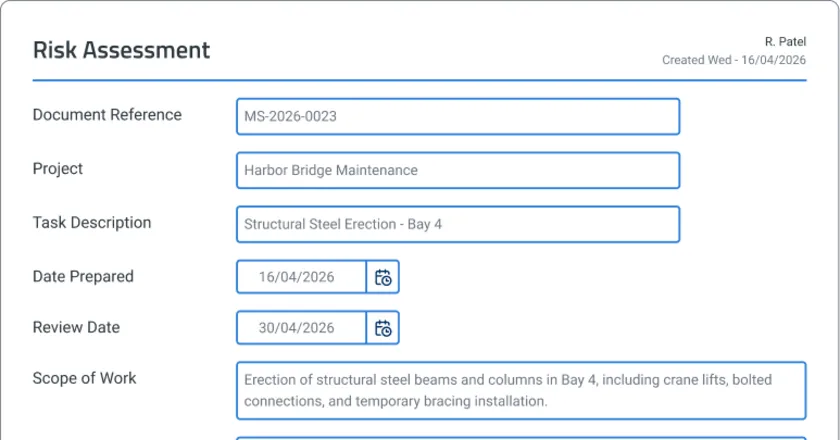
Risk Assessment Software
Risk assessment software template that captures voice notes and photos on-site, with AI drafting compliance reports instantly. Try Sitemate
View app
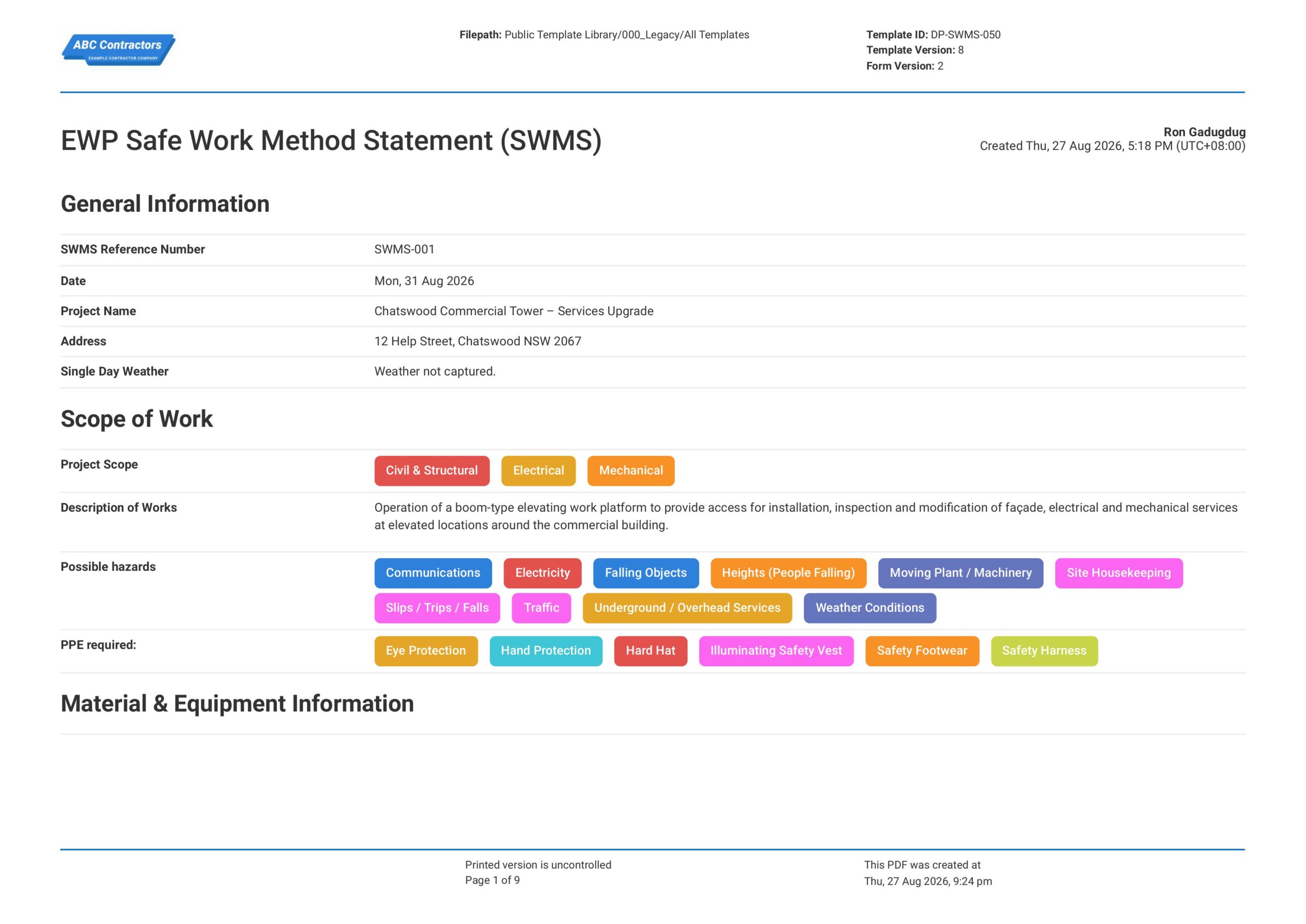
Elevated Work Platform (EWP) Safe Work Method Statement
This Elevated Work Platform Safe Work Method Statement, or EWP SWMS, is an easy-to-use form that your workers can use to plan and manage elevated work platform risks before working at height. Easily select the scope of
View template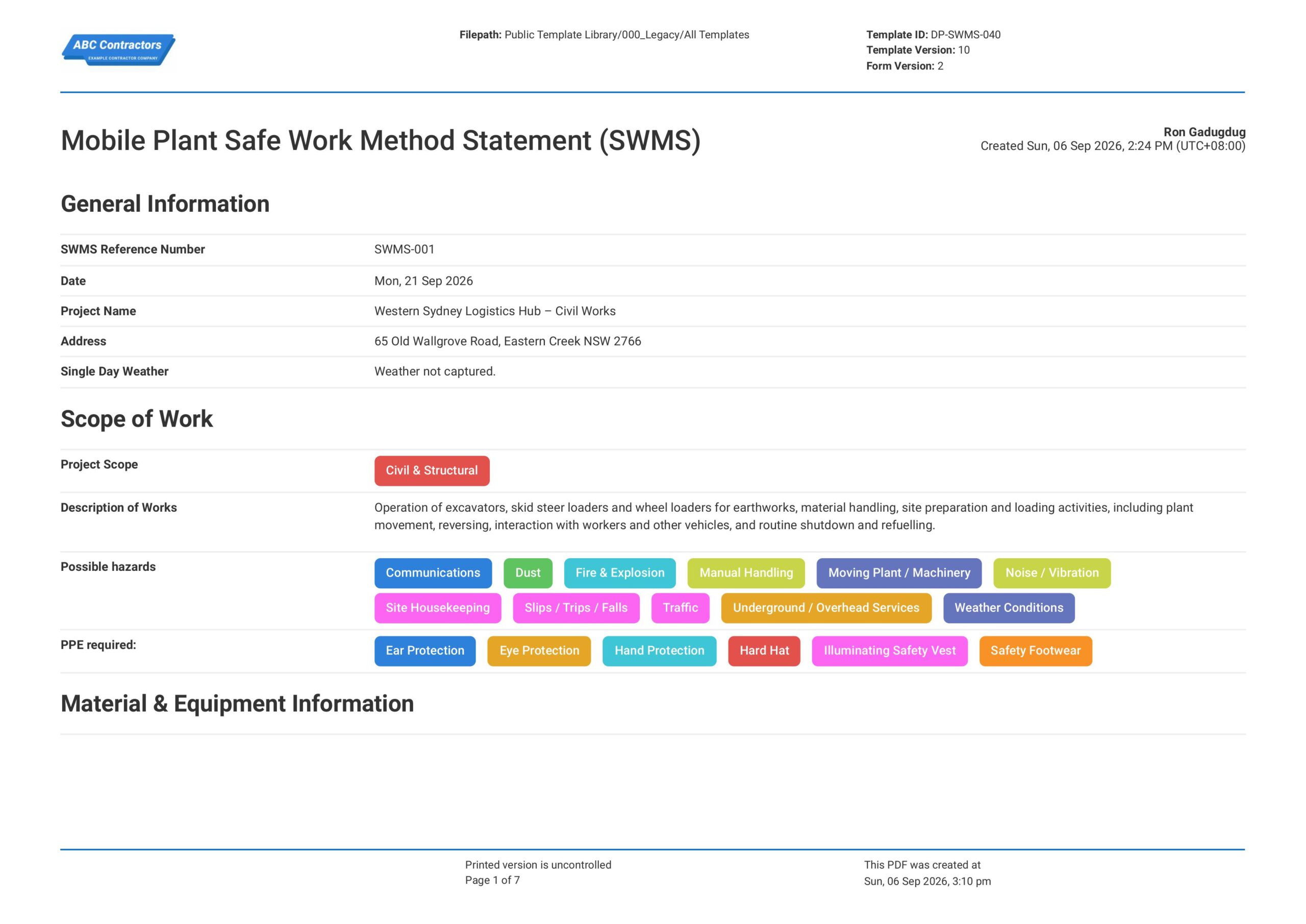
Mobile Plant Safe Work Method Statement (SWMS)
This Mobile Plant Safe Work Method Statement, or Mobile Plant SWMS, is an easy-to-use form that your workers can use to plan and manage mobile plant risks before operating powered plant and equipment. Easily select the
View templateThis assessment was generated with Dashpivot software
- Access, edit and complete your Mobile Elevated Work Platform Risk Assessment from any device - mobile, tablet or computer.
- Print, download or send your Mobile Elevated Work Platform Risk Assessment as perfectly formatted PDF documents with your company logo.
- Store your Mobile Elevated Work Platform Risk Assessment securely online, where they can be searched and found in seconds
- Invite internal and external parties to see, edit and sign off on Mobile Elevated Work Platform Risk Assessment online.