Toolbox Talk Welding Template

Start with a free 30-day trial. No credit card required.
Sitemate's Toolbox Talk Welding Template is a complete and compliant format for a toolbox talk on welding safety. The toolbox talk form is free and easily downloadable to jumpstart the needed safety talk on welding safety and to record attendance.
Want to edit your toolbox talk forms easily? This Toolbox Talk Welding Template can easily be edited by using the powerful drag-and-drop form builder. With a few taps and clicks, an updated form can be created and distributed almost immediately.
 100% fully editable Toolbox Talk Welding
Export your Toolbox Talk Welding to PDF or CSV
Access Welding Toolbox Talk on mobile, tablet or computer


Trusted by companies, projects and teams of all sizes















What is Toolbox Talk Welding?
A Toolbox Talk Welding Template is a form that serves both as a guide and a record when conducting Welding toolbox talks. The form provides a list of all possible hazards and the needed safety control measures for the welding activity, which is used as a guide for the supervisor. The toolbox talk form will also record any concerns raised and the attendance of employees who attended the toolbox talk.
Compare this Toolbox Talk Welding Template to paper-based forms created from Word, Excel or PDF
Visit the Toolbox Talk Welding Template example below and discover how quickly you can generate a toolbox talk that can be exported as your own company-tailored Toolbox Talk Welding Template.
Use this Toolbox Talk Welding template for free

Generate this template automatically with Storm
You don't have to build the Toolbox Talk Welding field by field. Let Storm, the AI Data Capture Agent inside Dashpivot, build the template for you in seconds.
Describe what you need
Tell Storm the form you want in plain language and it builds a structured digital template from scratch, with fields, tables, and signatures in place.
Upload what you already use
Drop in your existing PDF, Word, Excel, or even a photo of a paper form. Storm rebuilds it as a smart digital template with the structure intact.
 Storm
Storm
Generate a Toolbox Talk Welding form template that I can use for my business
Applicable Standards and Policies for Toolbox Talk Welding
Welding toolbox talks are not done just to provide refresher knowledge to employees about welding hazards and safety control measures. The toolbox talk also serves as a record that certifies high-risk industries are proactively establishing a safe and healthy environment, which regulatory bodies around the world require. Here are the applicable standards that require the need for a welding toolbox talk:
- United States of America: The Occupational Safety and Health Administration established 29 CFR Subpart Q—Welding, Cutting, and Brazing, which sets out the standards for welding, especially in fire prevention, welding in confined spaces, proper ventilation, and proper welding PPE.
- Australia: The main regulatory requirements for Australia are set out in AS 1674.1—Safety in Welding and Allied Processes: Fire Precautions and AS 1674.2—Safety in Welding and Allied Processes: Electrical. These safety standards are established to ensure prevention of any welding-related injuries.
- Canada: In Canada, they established the CSA W112.2—Safety in Welding, Cutting, and Allied Processes, which establishes the minimum safety requirements needed for all activities that involve welding and cutting.
- United Kingdom: The Health and Safety Executive of the UK created the legislation for welding safety. They established the Health and Safety at Work Act of 1974, which places a general duty on employers to provide a safe and healthy work environment for employees.
Staff Members and Parties that use Toolbox Talk Welding
A welding toolbox talk would only be successful if the right personnel are involved in conducting the talk. Here are the staff members and related parties who must be involved in creating the Toolbox Talk Welding Template:
- Supervisors: They lead the team, which includes managing the workforce in the field. They are the personnel who verify that the workforce has completely understood the hazards involved in the welding activity and has been provided with the proper and appropriate PPE before the welding activity.
- Safety Officer: A safety officer’s major responsibility is to completely implement safe work practices in the workplace. They establish the criteria for what is safe and what is not. They evaluate the control systems for tasks that entail high-risk activities, such as welding.
- Workforce: These employees directly face dangers while performing the welding activity. These people may provide various crucial inputs during the creation of a Toolbox Talk Welding Template because they are the ones who are exposed to the hazards while operating the equipment.
Business Risks Reduced by Toolbox Talk Welding
Safety must always be the top priority, especially in industries that involve high-risk activities, such as welding. Conducting a welding toolbox talk would not only protect the employees and assets of the company but also protect against other risks that could damage the company in various ways. To put it simply, the welding toolbox talk also acts as a shield to the following business risks:
- Financial losses due to high costs related to accidents, property damage, and delays
- Legal liabilities due to non-compliance with safety regulations
- Damaged relationships due to poor reputation and trust
- High insurance costs and compensation claims
- Discontinuation or suspension of operations
- Poor employee work morale
Business Opportunities Created by Toolbox Talk Welding
Choosing to commit to providing a safe and healthy environment has its merits. It not only shields employees and company property from hazards but also provides benefits and advantages for the company. Establishing concrete safety processes, like the welding toolbox talk, provides companies with business opportunities that help them gain more than what they have established. These are the business opportunities that can appear naturally when conducting a welding toolbox talk:
- Stable and solid client trust and relationship
- Greater competitive advantage on landing larger projects
- Achieving milestones on time or ahead of time
- Efficient operations
- Positive and a healthy workplace—both physical and mental
- Good reputational standing due to constant compliance with safety regulations
Essential sections in a Toolbox Talk Welding Template
- Common Hazards: Identifies specific welding-related risks such as fumes, burns, and electric shock.
- Implementing Controls: Details protective measures like ventilation, PPE, and safe work practices.
- Notes Raised by Attendees: Records unique safety concerns or observations shared during the talk.
- Actions Arising from the Meeting: Lists tasks and responsibilities assigned to address identified issues.
- Attendance Record: Logs attendees to keep all relevant personnel informed and involved.
Reinforce the importance of welding safety with welding safety toolbox talks
Welding safety is crucial to prevent severe injuries and accidents that can result from exposure to hazardous fumes, electrical shocks, and intense heat. Failing to follow proper safety protocols can lead to respiratory issues, burns, and even fatalities. Educating workers on welding safety reduces the risk of incidents and creates a safer work environment.
Using a template to record toolbox talks on welding safety allows any safety issues raised by team members and shared safety insights to be documented. When toolbox talks are compiled and reviewed, the information can be used to improve welding safety processes and protocols.
How to create a Toolbox Talk Welding Template
This is a comprehensive guide for creating an effective, complete, and compliant Toolbox Talk Welding Template.
Prerequisites in making a Toolbox Talk Welding Template
- Welding work permits
- Proper work procedures
- Risk Assessment
- Personal protective equipment (PPE)
- Records on personnel involved in welding activities
- Emergency response and procedures
-
Creating the information section
This section provides an overview of the details of the welding activity. The following fields must be present in this section:
- Toolbox title
- Date of activity
- Toolbox presenter
- Toolbox talk form number
-
Creating the hazard information section
The hazard information section is part of the Toolbox Talk Welding Template and should provide information on the hazards found in the welding activity. It should contain the following:
- Identified hazards
- The risks involved in the hazard
- Potential effect of the hazards
-
Creating the safety control information section
The safety information section is part of the Toolbox Talk Welding Template that should provide details on the necessary safety measures for the welding activity. It should contain the following:
- Control measures
- Description of safety measures
-
Creating the raised concerns section
This section should capture the concerns raised or notes added by the workers. The fields needed in this section are:
- Topic or concern
- Detail
- Person who raised the note or concern
-
Creating the needed actions section
This section presents all the actions required to address the raised note or concern. The following fields must be present in this section:
- Description of needed action
- Responsible person
- Due date
- Status of action
-
Creating the attendance section
This section should allow the supervisor to record all those who attended the toolbox meeting. It should have the following fields:
- Employee name
- Employee ID number
- Employee Signature
- Signature timestamp
Provide a signature field for the supervisor who conducted the welding toolbox talk
Frequently asked questions
How to create Toolbox Talk Welding in an App or Software System
A well-designed Toolbox Talk Welding Template helps supervisors educate workers on welding safety protocols and reduce the risk of accidents by addressing welding safety hazards. They promote a safer work environment by reinforcing the importance of proper equipment use and protective measures.
20 minutes
Easy difficulty
-
How to create a Toolbox Talk Welding Template in an app?
Using an app that uses digital forms instead of paper-based forms substantially improves the form by:
- Providing a single entry point for all completed toolbox talk forms
- Less manual data entry
- Simple reformatting to accommodate new protocols or updated standards
- Faster integration of relevant documents
- Creation of a more defined workflow
-
Formatting the Information section
- Add a date field to allow users to input welding activity date
- Provide a text field so users can input the welding toolbox presenter’s name
- Add a prefilled text field for the identified hazards information section. The purpose of this field is to ensure that all welding toolbox talks already have the identified hazards information in the form. This field should provide the following information about the hazard: identified hazards, the risks involved in the hazard, and potential effects of the hazards. Example: Burns and fire hazard—High temperatures during welding can cause thermal burns to the skin, and sparks can ignite flammable materials, leading to fires and explosions.
- Add a prefilled text field for the safety control information. The purpose of this field is to ensure that all welding toolbox talks already include the required safety control information in the form. This field should provide the following information about the hazard: control measures and a description of the control measures. Example: PPE and hygiene practices—Use personal protective equipment (PPE), including respiratory protection, welding helmets, hearing protection, and gloves. Practice good hygiene by washing hands and face thoroughly after welding to remove any residual fumes.
-
Formatting the raised concerns section
- Add a field where users can select a yes or no answer from this question: Are there notes or concerns raised by attendees?
- Provide logic that when a user selects “yes,” a 3-column table appears. Format this table to enable users to freely add rows.
- Provide the following headers for each column of this table: concern/notes, detail, raised by
- Format each field in the table as text fields
-
Formatting the actions arising section
- Add a field where users can select a yes or no answer from this question: Did any actions arise as a result of the meeting?
- Provide logic that when a user selects “yes,” a 4-column table appears. Format this table to enable users to freely add rows.
- Provide the following headers for each column of this table: action description, responsible, due date, status
- Format the first 2 columns of the table as text fields to enable users to input action description and responsible person
- Format the third column as a date field
- Format the last column as a selection field for the status of the action. Each selection item can be integrated with colors to make the form more professional. Selection items: open, closed, transferred
-
Formatting the attendance section
- Add a section where employees can have their IDs scanned to automatically record their attendance.
- Add a signature field for the welding toolbox talk presenter
About the author

Felmar Mantalaba
Content Engineer
 LinkedIn
Education
Cebu Institute of Technology - University - Mechanical Engineering with Mechatronics
Bio
Felmar is a mechanical engineer, whose four years of experience in the mining industry inspired him to write and share stories to progress the revolution of new technologies and create smarter, smoother ways of living.
Past Projects
Safety, Health, and Environment Management System (SHEMS) CoordinationSHEMS Coordinator at Atlas Consolidated Mining, ensuring organizational compliance with ISO 14001 and ISO 45001 standards, performing risk assessments, developing policies, and conducting audits and inspections to maintain a safe and environmentally responsible workplace.
Maintenance Management and OptimizationSenior Maintenance Manager (OIC) leading equipment maintenance and operational efficiency initiatives, reducing downtime by 10%, improving Mean Time Between Failure (MTBF) and Mean Time To Repair (MTTR) for major equipment, and managing maintenance schedules, manpower, and materials, while overseeing capital project optimization.
Inspection Engineering and Equipment ReliabilityInspection Engineer responsible for technical blueprint interpretation, vendor collaboration, preventive maintenance scheduling, and data collection for vibration and temperature readings, delivering actionable recommendations and comprehensive reports to improve equipment reliability and operational performance.
End-to-End Operational Oversight in Mining EngineeringContributed to multiple facets of operational management, including SHEMS compliance, maintenance optimization, inspections, and capital project evaluation, integrating safety, reliability, and efficiency improvements across all stages of copper production operations.
Version History:
Related apps and templates
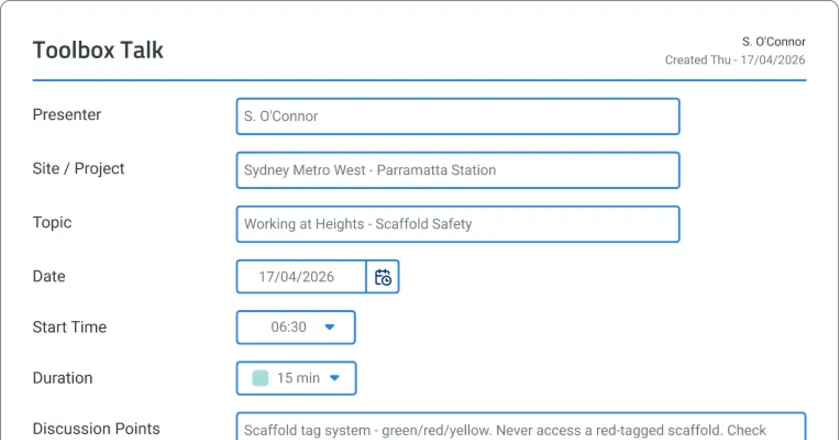
Toolbox Talk App
Toolbox Talk App by Sitemate captures digital attendance, voice-recorded safety discussions, and audit-ready records as the briefing happens. Try
View app
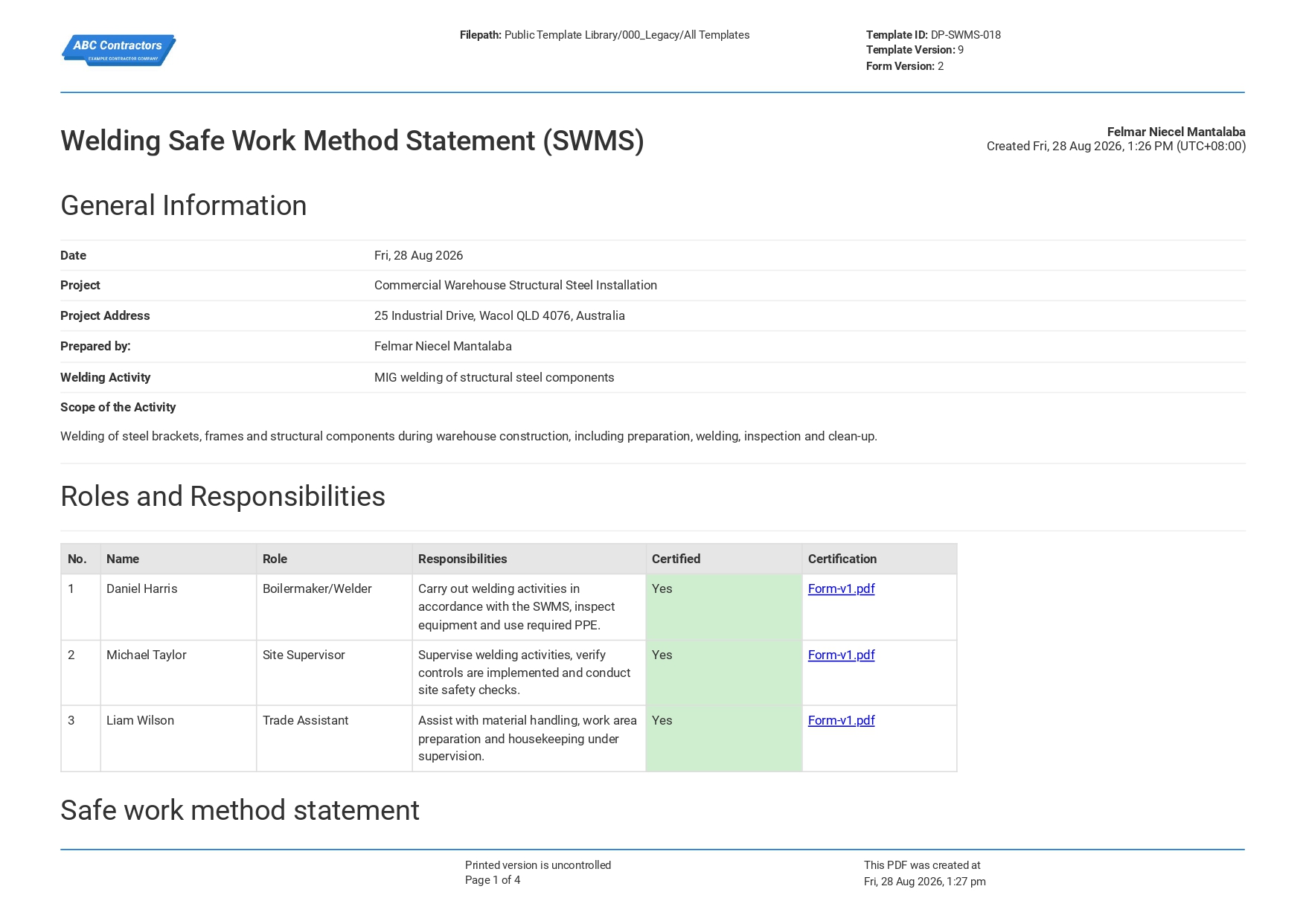
Welding Safe Work Method Statement
This editable Welding Safe Work Method Statement template gives you a reliable framework for documenting welding and hot works. It covers the tools and equipment involved, prompts you to identify each one and the
View template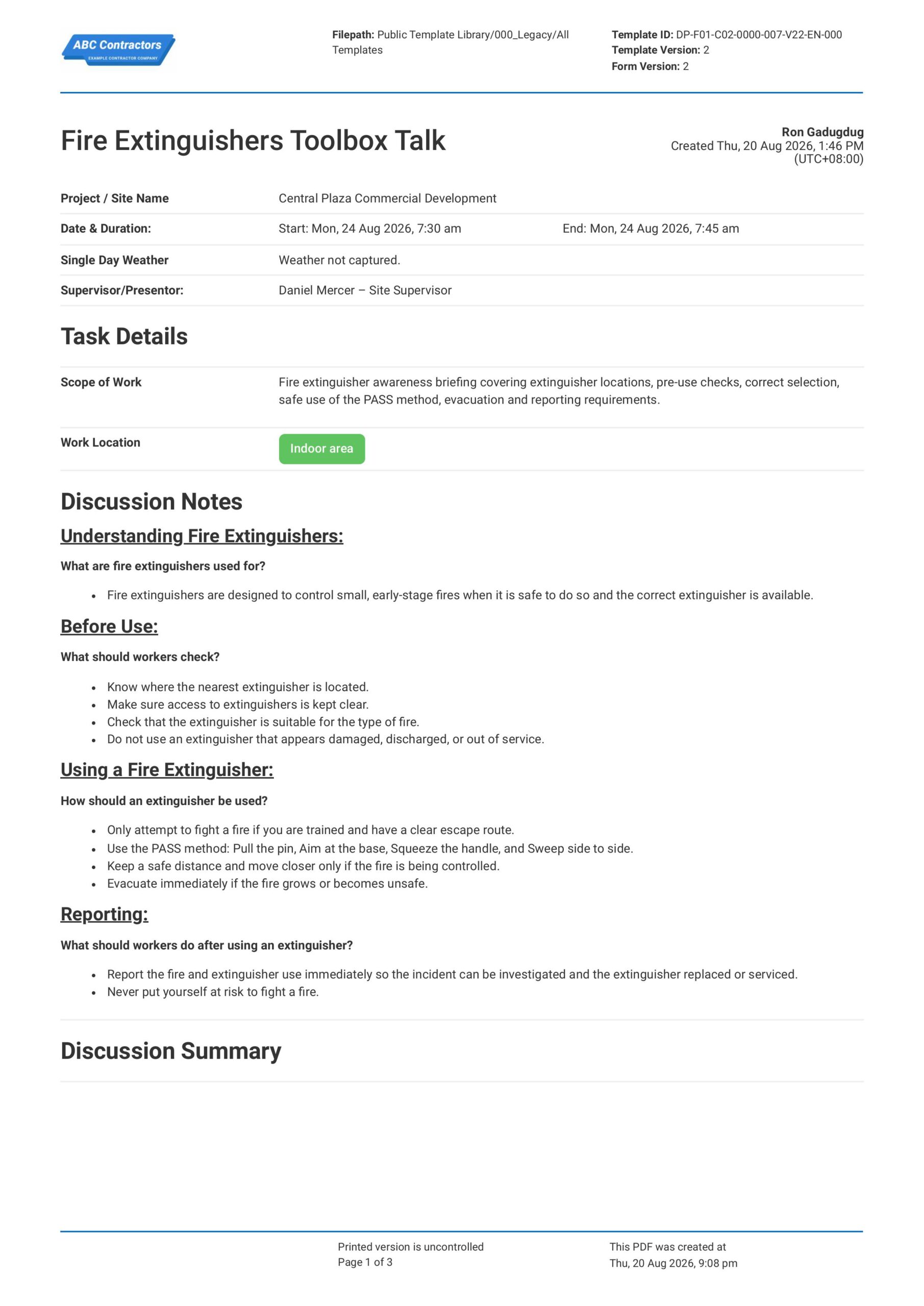
Fire Extinguishers Toolbox Talk
This Fire Extinguishers Toolbox Talk is an easy-to-use form that your workers can use to discuss fire extinguisher locations, basic use, inspection checks, and when to evacuate instead of trying to fight a fire. Record
View templateThis form was generated with Dashpivot software
- Access, edit and complete your Toolbox Talk Welding from any device - mobile, tablet or computer.
- Print, download or send your Toolbox Talk Welding as perfectly formatted PDF documents with your company logo.
- Store your Toolbox Talk Welding securely online, where they can be searched and found in seconds
- Invite internal and external parties to see, edit and sign off on Toolbox Talk Welding online.

 English (United States)
  English (Australia)
  English (UK)
  English (New Zealand)
  English (South Africa)
  German