
The Near Miss Reporting App Built for Construction Teams
Workers spot hazards every day, but complex forms mean critical near misses go unreported. Capture incidents instantly with voice notes and photos while details are fresh. Sitemate auto-drafts complete reports with location data, witness information, and hazard classification for immediate safety officer review.

Trusted by companies, projects and teams of all sizes















Why Near Miss Reporting management Is Harder than It Should Be

Workers avoid complex incident forms
20-minute paperwork discourages reporting, so dangerous conditions go undocumented until someone gets hurt.

Reports filed hours later lack detail
When incidents do get reported, critical details like witness names and exact conditions are forgotten or incomplete.

Hazard patterns remain invisible
Incomplete or missing reports prevent safety teams from identifying recurring risks across sites and work areas.

Safety culture suffers from friction
Complicated reporting processes make workers feel reporting is punishment rather than protection, reducing participation.
A Smarter Way to Manage Near Miss Reporting

30-second voice and photo capture
Workers describe what happened and snap photos on-site. No forms, no typing, no delays while hazards remain active.

Auto-populated incident reports ready for review
AI extracts incident details, location data, weather conditions, and witness information from voice recordings into complete reports.

Immediate safety officer notification and assignment
Populated reports trigger instant alerts to safety teams with priority classification and suggested corrective actions.

Safety culture suffers from friction
Complete incident data reveals recurring hazards across multiple sites, enabling proactive safety interventions.


Understanding Near Miss Reporting Software
What constitutes a near miss incident?
A near miss is any unplanned event that could have resulted in injury, illness, or property damage but didn't due to chance, early detection, or protective barriers. These include unsafe acts, unsafe conditions, equipment failures, and procedural violations that had the potential to cause harm. Near miss incidents are leading indicators of safety performance, occurring 300 times more frequently than actual injuries. Tracking and investigating these events prevents serious incidents by identifying and controlling hazards before they cause harm.
Essential elements of effective near miss reporting:
- Immediate capture while details are fresh and witnesses available
- Complete incident description including sequence of events
- Location data with GPS coordinates and work area identification
- Weather and environmental conditions at time of incident
- Personnel involved including witnesses and equipment operators
- Hazard classification and potential severity assessment
How near miss data drives safety improvements
Near miss reports feed directly into corrective action tracking, safety meeting agendas, and hazard trend analysis. Safety officers use this data to identify recurring risks, rank training topics, and allocate resources to high-risk activities. Cross-site pattern recognition reveals systemic issues that require procedural changes or additional controls.
How To Set Up a Digital Near Miss Reporting Using Sitemate
Step 1:
Step 2:
Tailor forms and notification workflows. Adapt incident report fields to match your safety management requirements. Set up automatic notifications to safety officers, supervisors, and investigation teams based on hazard severity.
Step 3:
Train workers on voice capture process. Demonstrate 30-second voice recording technique and photo documentation requirements. Show workers how to access the system and when immediate reporting is required.
Step 4:
Integrate with existing safety management systems. Connect near miss reports to corrective action tracking, safety meeting agendas, and incident investigation workflows. Set up trend reporting and cross-site analysis dashboards.
Step 5:
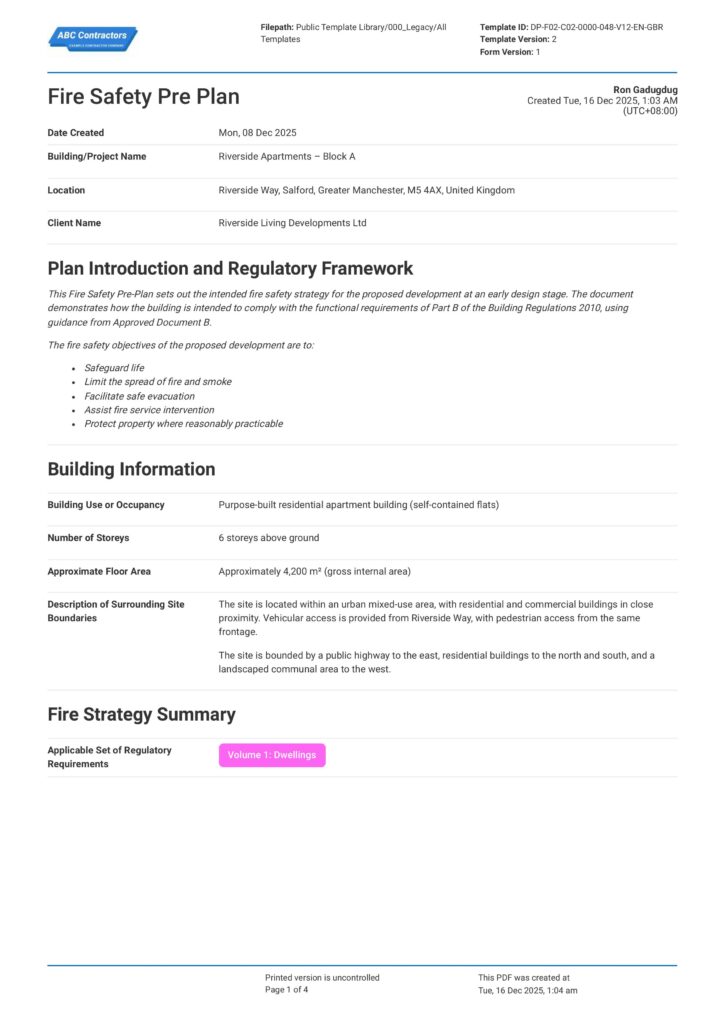
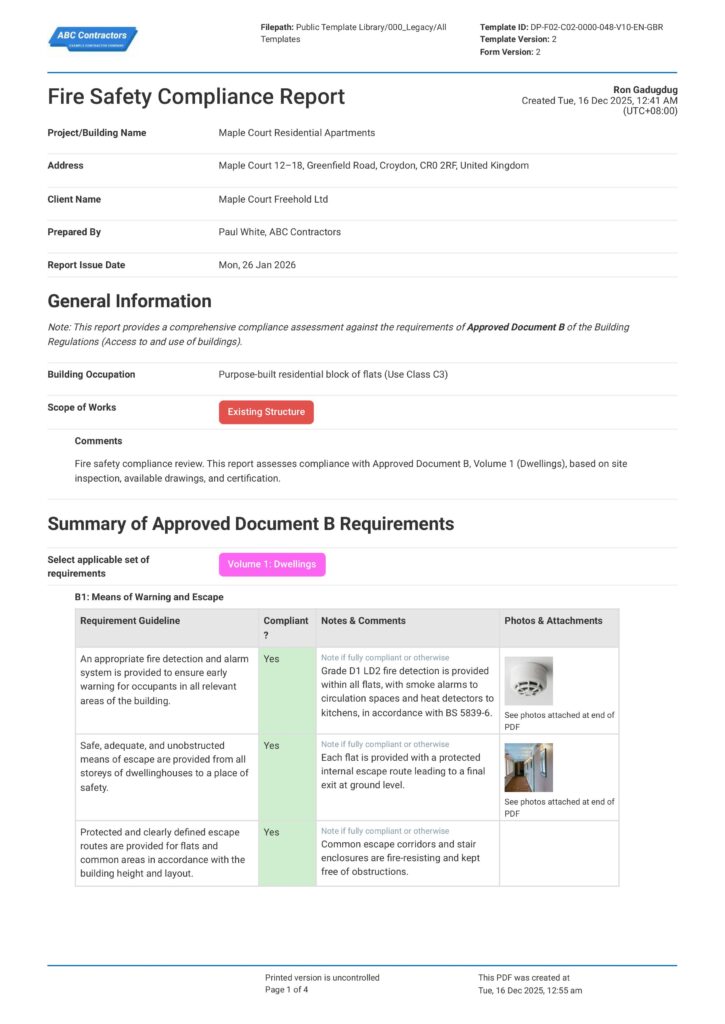
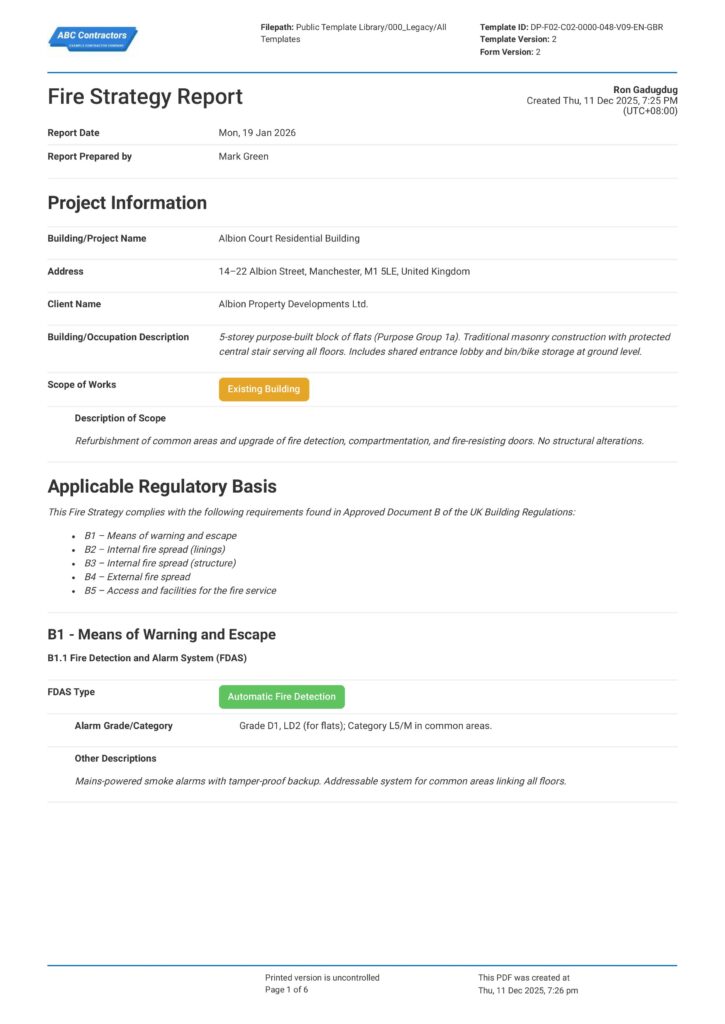
Start Faster With Built-In Near Miss Reporting Templates
See How Sitemate Has Already Helped Companies Like Yours
"Our process now is so much quicker, easier, and more efficient. It's improved tenfold."
- Shane Russo, Site Manager
500+ employees
Zero paperwork
6 regions
Site data unified across 6 regions
Extend reporting to subcontractors and visitors
QR code access allows external personnel to report near misses without account setup. Subcontractor and visitor reports integrate seamlessly with your safety management data.
Comparison: Paper Near Miss Reporting vs Digital Near Miss Reporting
Most project teams already know paper and spreadsheets aren't cutting it. Here's what changes when you move your method statements to a digital system.
Instant incident capture
Auto-populated location and weather data
Voice-to-text incident descriptions
Immediate safety officer notifications
Cross-site hazard pattern analysis
Integrated corrective action tracking
Audit trail
Searchable reporting
Role-based permissions

Paper
Frequently asked questions about Near Miss Reporting
Will workers actually use voice recording instead of avoiding reports?

Recording a 30-second voice note versus filling a 20-minute form dramatically increases participation. Workers can report immediately while continuing their tasks, making it feel less disruptive than traditional paperwork.
How accurate is AI extraction of incident details from voice recordings?
AI accurately extracts structured data like personnel names, equipment involved, and hazard types from natural speech. Safety officers review and validate all AI-generated content before finalizing reports, ensuring accuracy while saving time.
Can the system handle different languages and accents?
Yes, the voice processing adapts to various accents and can transcribe in multiple languages. Reports are generated in your workspace’s primary language regardless of the input language used by workers.
How does this integrate with existing safety management systems?
Near miss reports link directly to corrective action tracking, safety meeting agendas, and investigation workflows in Dashpivot. Data exports to external safety management systems through standard formats.
What happens if workers report the same incident multiple times?
The system flags potential duplicate reports based on location, time, and incident description. Safety officers can merge duplicate reports or clarify different perspectives of the same event.
How quickly do safety officers get notified of high-priority incidents?
Immediate notifications are sent based on AI-assessed severity and your configured priority rules. Critical incidents trigger instant alerts while routine hazards follow standard notification schedules.
Can subcontractors and visitors report near misses without system access?
Yes, Flowsite provides QR code access for external personnel to report incidents without creating accounts. These reports integrate seamlessly with your main safety management data.
 English (United States)
  English (Australia)
  English (UK)
  English (New Zealand)
  English (South Africa)
  German