Free Manual Handling Risk Assessment Template

Start with a free 30-day trial. No credit card required.
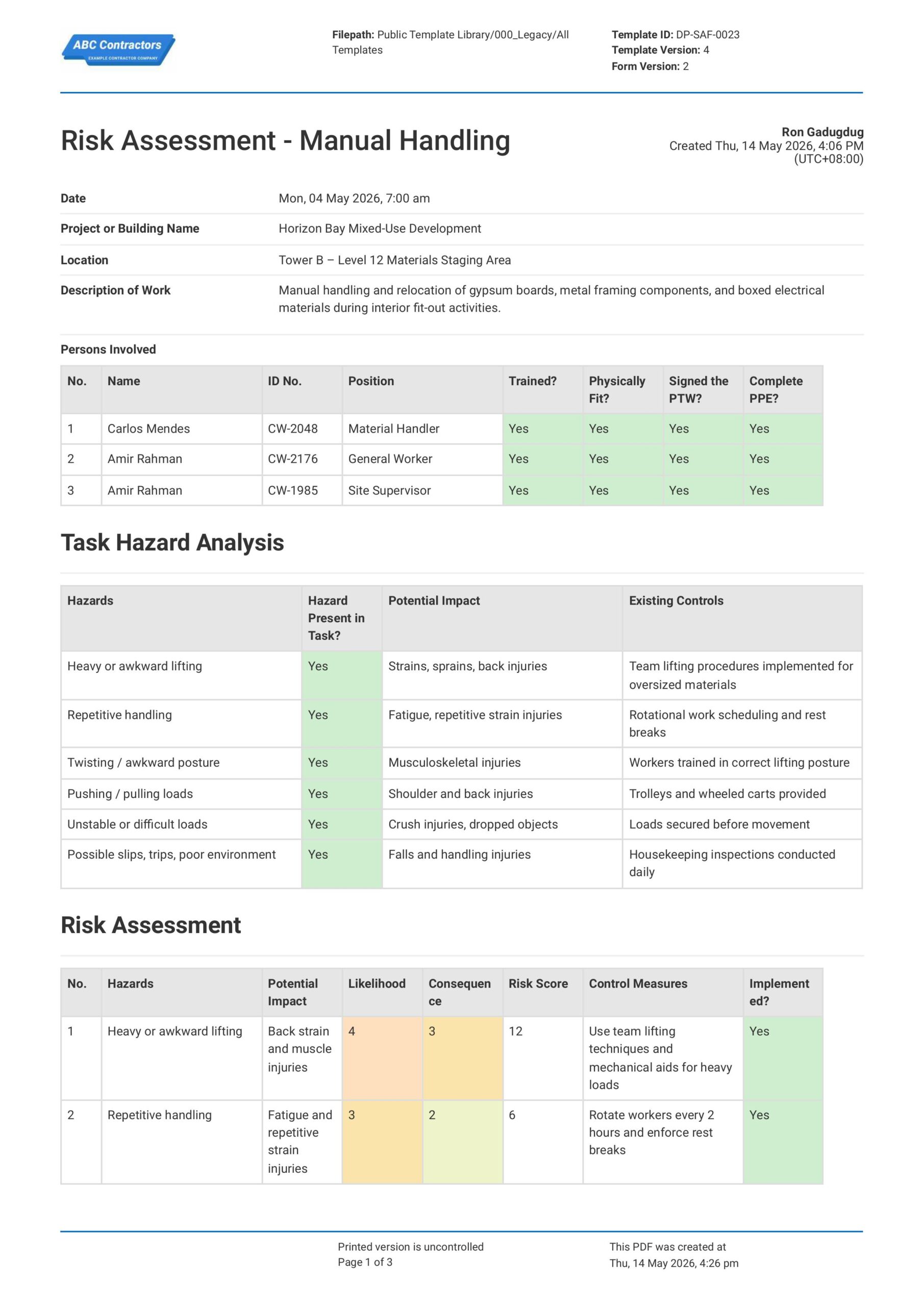
This Manual Handling Risk Assessment is free to use and ensures the safest possible manual handling jobs and outcomes. Ensure workplace safety by using this assessment to break down the task or activity into steps, and identify any movements or specific postures which could be harmful to the person performing the task.
Do you have workers doing heavy lifting and manual labor? Looking for a manual handling risk assessment example to help keep your workplace safe? This Manual Handling Assessment Form is simple, easy to fill-out, and makes the safety part of the job quick, easy and painless. Plus, when you're done, you can even export your assessments to PDF or CSV.
 100% fully editable Free Manual Handling Risk Assessment
Export your Free Manual Handling Risk Assessment to PDF or CSV
Access Manual Handling Assessment Form on mobile, tablet or computer


Trusted by companies, projects and teams of all sizes















What is Free Manual Handling Risk Assessment?
A Manual Handling Risk Assessment is a document that site personnel use to identify potential hazards associated with physical tasks and manual labor. Specifically, this involves movement of objects or materials by human effort. Ultimately, it helps determine whether a task could cause injuries such as strains, sprains, or back problems and what controls should be put in place to make the work safer.
A proper Manual Handling Risk Assessment should examine factors such as the load characteristics, individual worker training and capability, and actual workplace conditions to determine the likelihood and severity of injury from manual handling activities. Then, based on this analysis, employers can implement safer work methods and safety control measures to lessen risks of injury or long-term health detriments to their workers.
Compare this Manual Handling Assessment Form to traditional Word/Excel documents
Tired of the repetitive, manual paperwork required for safety audits? Check out this preview below for free and see just how easier it makes creating Manual Handling Risk Assessments.
Use this Free Manual Handling Risk Assessment template for free

Generate this template automatically with Storm
You don't have to build the Risk Assessment Process field by field. Let Storm, the AI Data Capture Agent inside Dashpivot, build the template for you in seconds.
Describe what you need
Tell Storm the form you want in plain language and it builds a structured digital template from scratch, with fields, tables, and signatures in place.
Upload what you already use
Drop in your existing PDF, Word, Excel, or even a photo of a paper form. Storm rebuilds it as a smart digital template with the structure intact.
 Storm
Storm
Generate a Risk Assessment Process form template that I can use for my business
Applicable Standards and Policies for Free Manual Handling Risk Assessment
Manual Handling Risk Assessments are usually covered by workplace safety laws that require employers to identify specific manual handling hazards and reduce the risk of injuries. Although there are no specific requirements on how to format a Manual Handling Risk Assessment form, there are some important standards that you will have to be familiar with:
- ISO 45001 provides a framework for occupational safety management that is applicable internationally.
- In the UK, the Manual Handling Operations Regulations 1992 establishes requirements for reducing manual handling risks.
- Meanwhile in the USA, OSHA ergonomic guidelines and General Duty Clause cover manual lifting hazards.
- In Australia and New Zealand, the WHS laws and Safe Work guidance covers manual handling tasks
Staff Members and Parties that use Free Manual Handling Risk Assessment
A Manual Handling Risk Assessment is used by businesses where workers lift, carry, push, pull, move, or support loads as part of their duties. Here are some examples of some relevant parties who use Manual Handling Risk Assessments:
- Employers and operations managers
- Health and safety officers
- The workers themselves
- Regulators, auditors, and insurers who review workplace safety measures
Business Risks Reduced by Free Manual Handling Risk Assessment
Using a Manual Handling Risk Assessment reduces the likelihood of injuries caused by repetitive movement, poor posture, overexertion, or unsafe lifting practices. While worker health and safety is the ultimate goal, here are some examples of how businesses also benefit from Manual Handling Assessment Forms.
- Lowers worker compensation claims and injury-related costs.
- Lessens lost productivity due to an injured or unfit workforce.
- Reduces regulatory penalties and non-compliance issues.
Business Opportunities Created by Free Manual Handling Risk Assessment
Performing Manual Handling Risk Assessments fosters safe workplace practices that improve both worker wellbeing and performance. Downstream, this creates new opportunities for employers and business owners as well, such as:
- Improves workforce productivity and employee wellbeing.
- Strengthens compliance performance during audits and client reviews.
- Supports long-term cost savings through injury prevention and task efficiency.
What Should be Included in a Manual Handling Risk Assessment?
A Manual Handling Risk Assessment does not have a set format required by any regulations. However, there are some core elements that are commonly used across regions and industries:
- Description of the task
- Worker information, capability, and training
- Workplace layout and environment
- Task Hazard Analysis and Risk Assessment
- Existing control measures and equipment
Why are Manual Handling Risk Assessments Important?
Manual handling risk assessments are important because they help identify tasks that could cause injuries such as strains, sprains, and back problems. By assessing these risks early, employers can take steps to make work safer and reduce workplace accidents.
These assessments also help businesses comply with workplace health and safety regulations and promote employee wellbeing. Implementing proper control measures, training, and equipment can improve productivity while lowering the costs associated with injuries and lost work time.
How to Create a Manual Handling Risk Assessment
Creating an effective Manual Handling Risk Assessment requires proper documentation and analysis of tasks, hazards, and control measures. In this section, we share a step-by-step process that you can use as a guide when creating your own assessment.
Before creating a Free Manual Handling Risk Assessment, gather the following information:
- Detailed job descriptions and task procedures for roles involving manual handling
- Previous incident reports and injury records related to manual handling
- Workplace layouts, floor plans, and equipment specifications
- Employee feedback and concerns about current manual handling practices
- Relevant safety regulations and industry guidelines
- Measuring tools for weights, distances, and dimensions
- Camera or mobile device for documenting work environments and postures
-
Highlight Important High-Level Information
Begin with general information to establish the scope and purpose of the assessment. This ensures the activity is clearly documented and easy to reference, so include:
- Date of Assessment
- Project or Work Activity Name
- Location of the Task
- Assessor’s Name and Role
- Description of the Manual Handling Activity
- Applicable Procedures or Guidelines
-
Identify the Workers Involved
Identifying the workers involved helps define responsibilities and ensures all affected personnel are considered during the assessment. This improves accountability and communication, so capture:
- Workers Performing the Task
- Supervisors or Team Leaders
- Personnel Assisting with Lifting or Carrying
- Nearby Workers Potentially Affected
- First Aiders or Emergency Contacts
- Training and Competency Records
-
Perform a Task Hazard Analysis
Performing a task hazard analysis allows the activity to be broken down into steps so risks can be identified more effectively. Here are some examples of common hazards involved with manual handling tasks:
- Heavy or Awkward Lifting
- Repetitive Handling
- Twisting/Awkward Posture
- Pushing or Pulling Loads
- Unstable or Difficult Loads
- Possible slips or trips from poor environment
-
Create a Risk Assessment on the Hazards Identified
Creating a risk assessment on the hazards identified ensures risks are properly evaluated and controlled. This supports safer work practices and injury prevention, so include:
- Description of Identified Hazards
- Likelihood and Severity Ratings
- Initial Risk Level
- Potential Injuries or Consequences
- Recommended Risk Control Measures
- Residual Risk Rating After Controls
-
Identify Exisiting Workplace Safety Controls
Identifying existing workplace safety controls helps evaluate current measures already in place to reduce manual handling risks. This highlights strengths and potential gaps, so include:
- Use of Mechanical Lifting Aids
- Safe Lifting Procedures and Guidelines
- Manual Handling Training Programs
- Housekeeping and Clear Access Routes
- PPE Requirements
- Supervision and Monitoring Arrangements
Frequently asked questions
How to create Risk Assessment Process in an App or Software System
Risk Assessment Processes that are well-designed ensure that engineers and site personnel stay on top of the hazards at the job site. They allow for better risk management, data-driven decision making, quicker emergency response, and ultimately, a safer work place.
35 minutes
Medium difficulty
-
Begin your Manual Handling Risk Assessment with General Information
First, it is important to place high-level, general information at the very beginning of your Manual Handling Risk Assessment so users can quickly track and understand the context behind the assessment. Be sure to include the following fields:
- Date & Time selector fields
- Text field for Project or Building Name
- Text field for Location of Job Site
- Multi-line text field for the Description of the Task
-
List Down Worker Information in a Table
Next, you will need to list down the workers and persons involved in the manual handling task. We recommend using a table for this portion so data can be easily inputted by the users of your assessment form. Make sure to use the following format:
- First column for Name of the Worker
- Second column for the ID or Employee Reference Number
- Third column for Worker Role or Position
- Succeeding columns as status tickers to indicate worker training, physical fitness, and other pre-task identifiers
-
Next, Create a Table for a Task Hazard Analysis
In this section, you will need to list common hazards that will arise from performing manual handling tasks and determine whether they are present in the specific task you are performing. We recommend using a table for this section as well, with the following columns in order:
- First column for the Possible Hazards
- Second column to determine whether Hazard is present in the Activity
- Third column for the Potential Impact of the Hazard if it were to happen
- Fourth column for Existing Safety Controls to reduce impact of hazard
-
Make Another Table for Risk Assessment
The next step is to perform a Risk Assessment for the hazards identified in the previous section. Again, we recommend using a table for this section to neatly house the risk assessment data. Be sure to use the following format:
- First column for the Identified Hazard
- Second column for the Possible Impact of the Hazard
- Third column for the Likelihood Rating of the Hazard
- Fourth column for the Severity Rating of the Hazard
- Fifth column for the Total Risk Rating of the Hazard
- Final column for the Safety Control Measures to reduce Hazard Risks (likelihood and severity)
-
Optional: Add a Risk Rating Guide
You can elect to add a Risk Rating Guide for users who might be unaware on how to rate Hazard Likelihood and Severity. Whether you add a photo or create the guide from scratch, you will want to include the following elements:
- Risk Rating Matrix table
- Risk Rating Guide
- Total Risk Rating = (Likelihood Rating) x (Severity Rating)
-
List down Emergency Management Procedures
For proper filing and documentation, you will want to highlight your company’s emergency response plan. Be sure to include the following fields:
- Bullet point list of internal emergency response plan
- A table to list emergency contact information
-
Complete your Manual Handling Risk Assessment with Sign-offs
Finally, you should add a section where users can add acknowledgements and perform sign-offs on your assessment. If your app or software allows, we highly recommend using automated e-signature fields in this section for the following fields:
- Signature field for the Risk Assessment Officer
- Signature field for Competent Reviewer
- Signature field for Supervisor or Approver
About the author

Ron Gadugdug
Content Engineer
 LinkedIn
Education
Cebu Institute of Technology - University - Civil Engineering
Bio
Ron is a Civil Engineer with 6 years of experience in the construction industry, primarily focused on quantity surveying, cost estimation, project management, quality control, contract administration, and property & engineering insurance. At Sitemate, he writes about practical applications of evolving technologies and digital solutions that support construction professionals in improving efficiency, compliance, and project delivery across the built world.
Past Projects
Quantity Surveying & Cost EngineeringPerformed quantity take-offs of several high-rise and horizontal structures using sheets and applications like Revit and Bluebeam Revu, and spearheaded trials with Building Information Modeling (BIM) software.
Project Management & ConsultancyCoordinated with project management teams during the construction of local projects such as a 4-tower hotel & resort, a 22 storey condominium project, and a school dormitory project.
Contract AdministrationAssisted during contract biddings and negotiations with general contractors and sub-contractors, and oversaw progress reporting, billings, and payment.
Property & Engineering InsuranceDedicated non-life claims handler, overseeing property and contractor all-risk insurance claims, risk management, and bonds.
Version History:
Related apps and templates
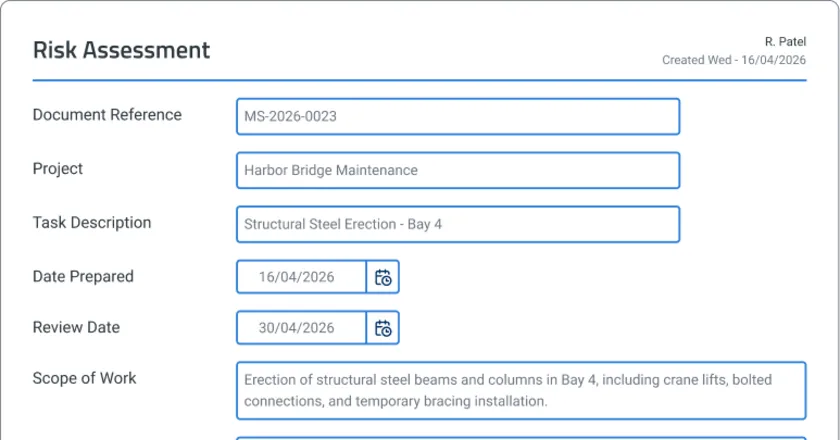
Risk Assessment Software
Risk assessment software template that captures voice notes and photos on-site, with AI drafting compliance reports instantly. Try Sitemate
View app
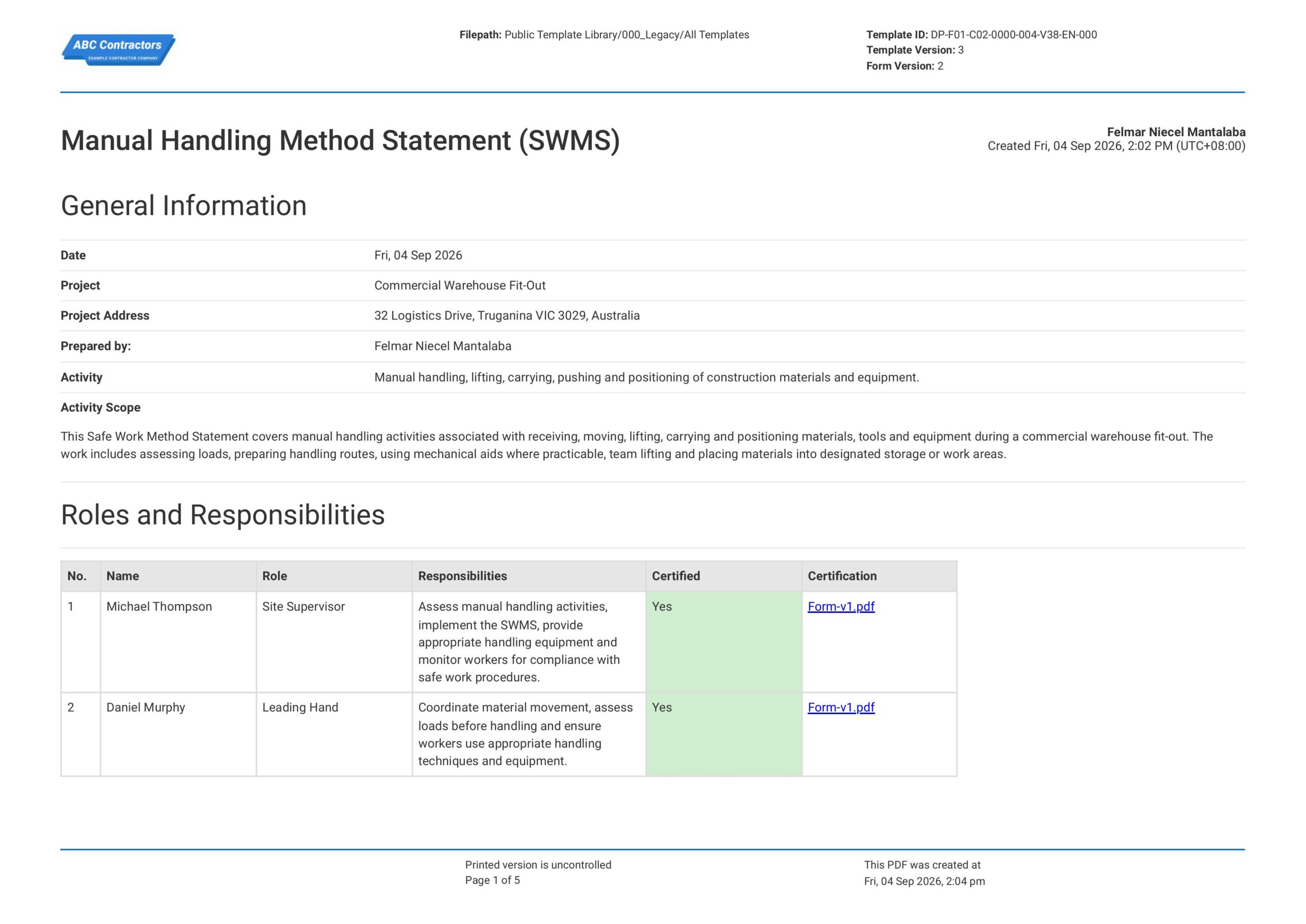
Manual Handling Safe Work Method Statement
This free Manual Handling Safe Work Method Statement contains all the standard-required sections and fields needed to comply with regulatory provisions in Australia. The template is also easily editable to match with
View template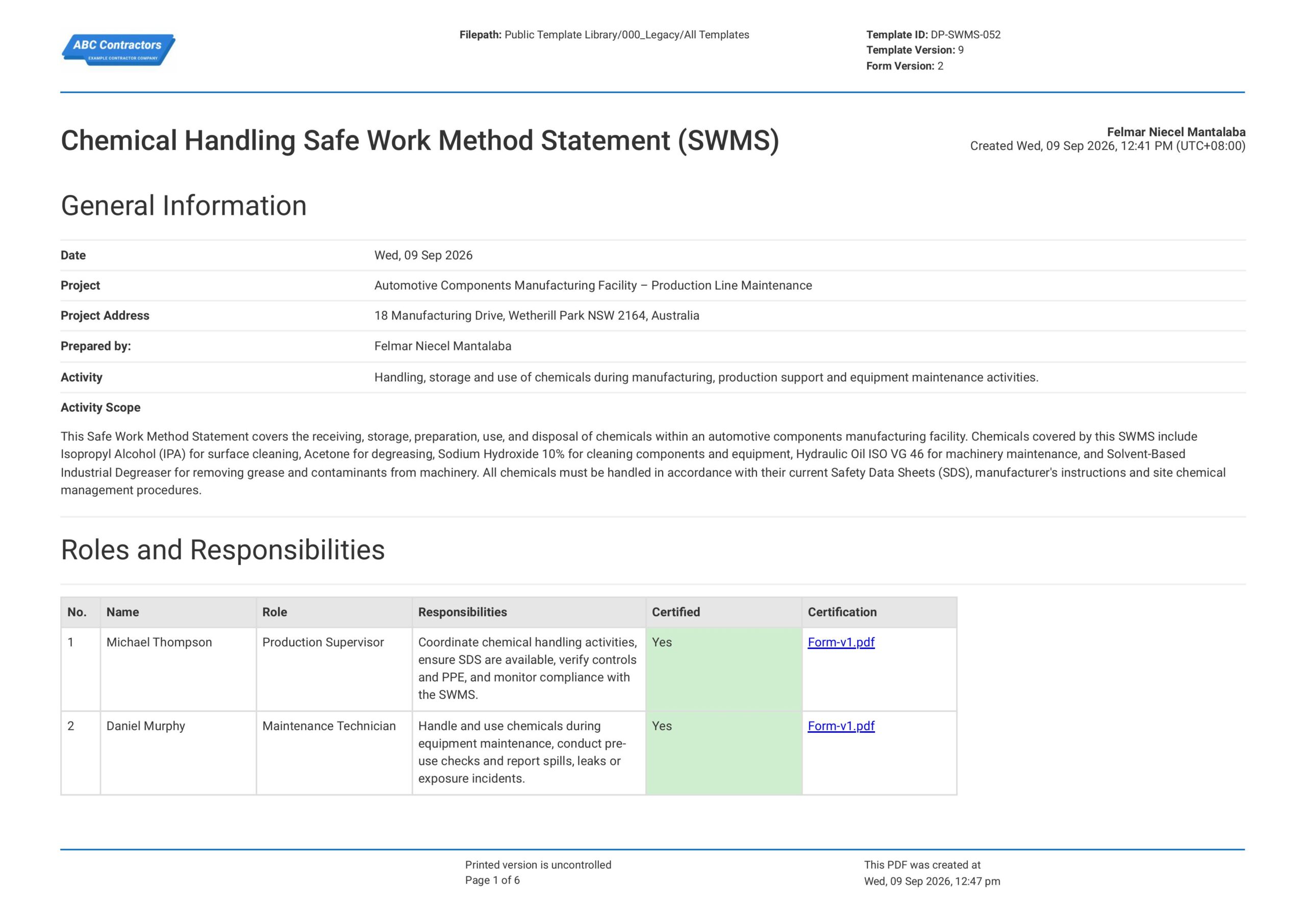
Chemical Handling Safe Work Method Statement
This free Chemical Handling Safe Work Method Statement (SWMS) template is easily usable to record identified hazards, implemented safety controls, and safety procedures for activities that involve chemical handling. The
View templateThis assessment was generated with Dashpivot software
- Access, edit and complete your Risk Assessment Process from any device - mobile, tablet or computer.
- Print, download or send your Risk Assessment Process as perfectly formatted PDF documents with your company logo.
- Store your Risk Assessment Process securely online, where they can be searched and found in seconds
- Invite internal and external parties to see, edit and sign off on Risk Assessment Process online.
 English (United States)
  English (Australia)
  English (UK)
  English (New Zealand)
  English (South Africa)
  German