The Daily Log App Built for the Front Line
Streamline your daily log process by using Sitemate’s Daily Log App. The app is powered by the Dashpivot platform to help supervisors complete a log more efficiently, without missing a single detail or piece of information.

Trusted by companies, projects and teams of all sizes















Why Daily Log management Is Harder than It Should Be

A lot of time is consumed
Paper-based daily logs require at least 30 to 60 minutes to complete one form that includes all necessary fields, which is inefficient and time-consuming.

Produces bottlenecks
The substantial amount of time needed to create a single log produces bottlenecks and lacks real-time visibility into ongoing activities.

Inaccurate details
Using paper-based daily logs requires the supervisor to write from memory, which affects the accuracy of the information provided in the log.

Compilation requires manual work
Compiling logs to generate reports would need the supervisor to manually compile logs and their supporting attachments, which is a laborious process for creating dashboards.
A Smarter Daily Log App

Auto-drafted logs
Essential data, like weather, crew check-ins, photos, and task status, are used to auto-generate a digital daily log. This ensures logs are automatically updated as work progresses.

Less manual data entry
Supervisors can use the voice recording feature to note all completed and ongoing tasks. The AI helper in the app uses these recordings to auto-populate fields in the log.

Easy review and submission
Supervisors will only need to review the generated daily log, add additional notes or context, and submit the log with a digital signature to verify that all logged information is correct.

Compilation requires manual work
The Daily Log App has an integrated notification system that can be configured to immediately notify relevant stakeholders that a daily log has been completed and submitted.


Understanding Daily Log Software
What is a Daily Log App?
Sitemate's Daily Log App, powered by the Dashpivot platform, automates the daily log procedure. The application employs modern technologies, such as digital templates and AI integration, to assist users in completing the daily logs more efficiently.
Essential components of an effective daily log app template
- Weather conditions and temperature ranges recorded throughout the day
- Crew attendance numbers broken down by trade and contractor
- Specific work completed structured by project area or activity
- Materials delivered, equipment on site, and resource status
- Safety observations, incidents, and hazard management notes
- Delays, causes, and schedule impact with timestamps
Daily reports as documentation and compliance records
Daily reports created through a daily log app template form the audit trail for progress billing, change order justification, and delay claims. Consistent formatting, timestamped entries, and linked supporting data — such as photos and automated weather records — strengthen the evidentiary value of each report and reduce the administrative burden on project managers chasing complete information from the field. Because these records are often referenced long after project completion, tamper-proof digital records with complete change history and digital signatures provide far stronger documentation than paper or standalone free daily log templates.
How To Set Up a Digital Daily Log Using Sitemate
-
Create the daily log templates
Configure the structure of the daily log sheet template. Include necessary fields like work for each trade or location, worker time, activity tracking, and materials used. -
Training
Train relevant supervisors or personnel who will be using the Daily Log app, especially on how to use Storm.
-
Integration of existing systems
Configure the app to link the daily log to the existing activity record system, worker lists, and material or equipment tracking.
-
Calibration
Perform a test run of the Daily Log app, and try to calibrate it to ensure accuracy and correctness.
-
Going live
Start making quality, complete, and compliant daily logs.
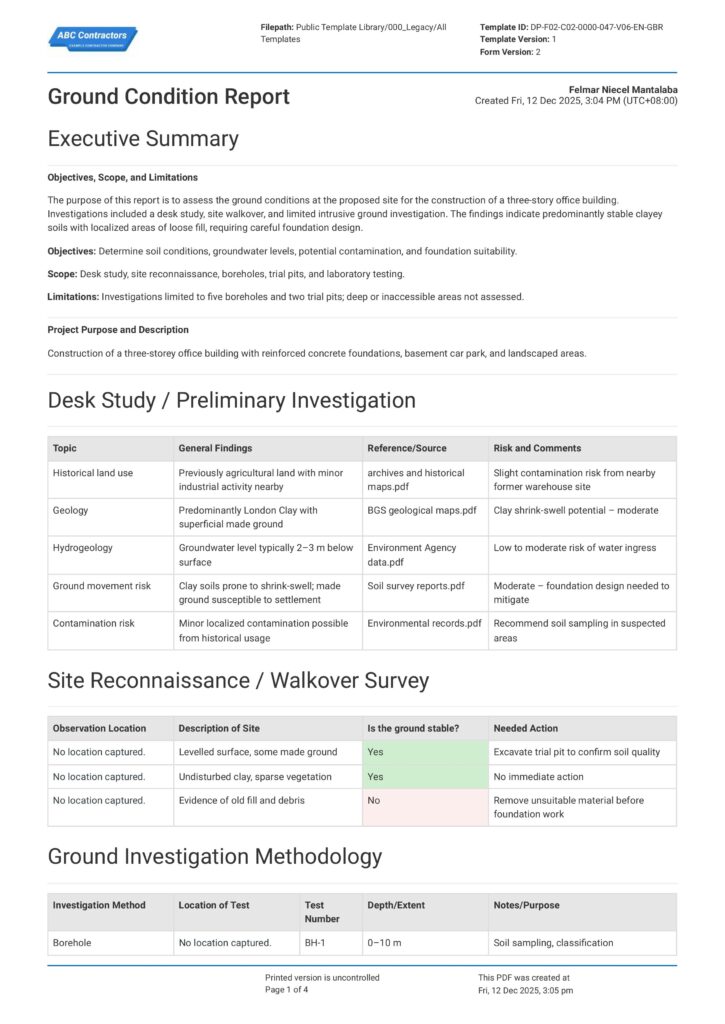
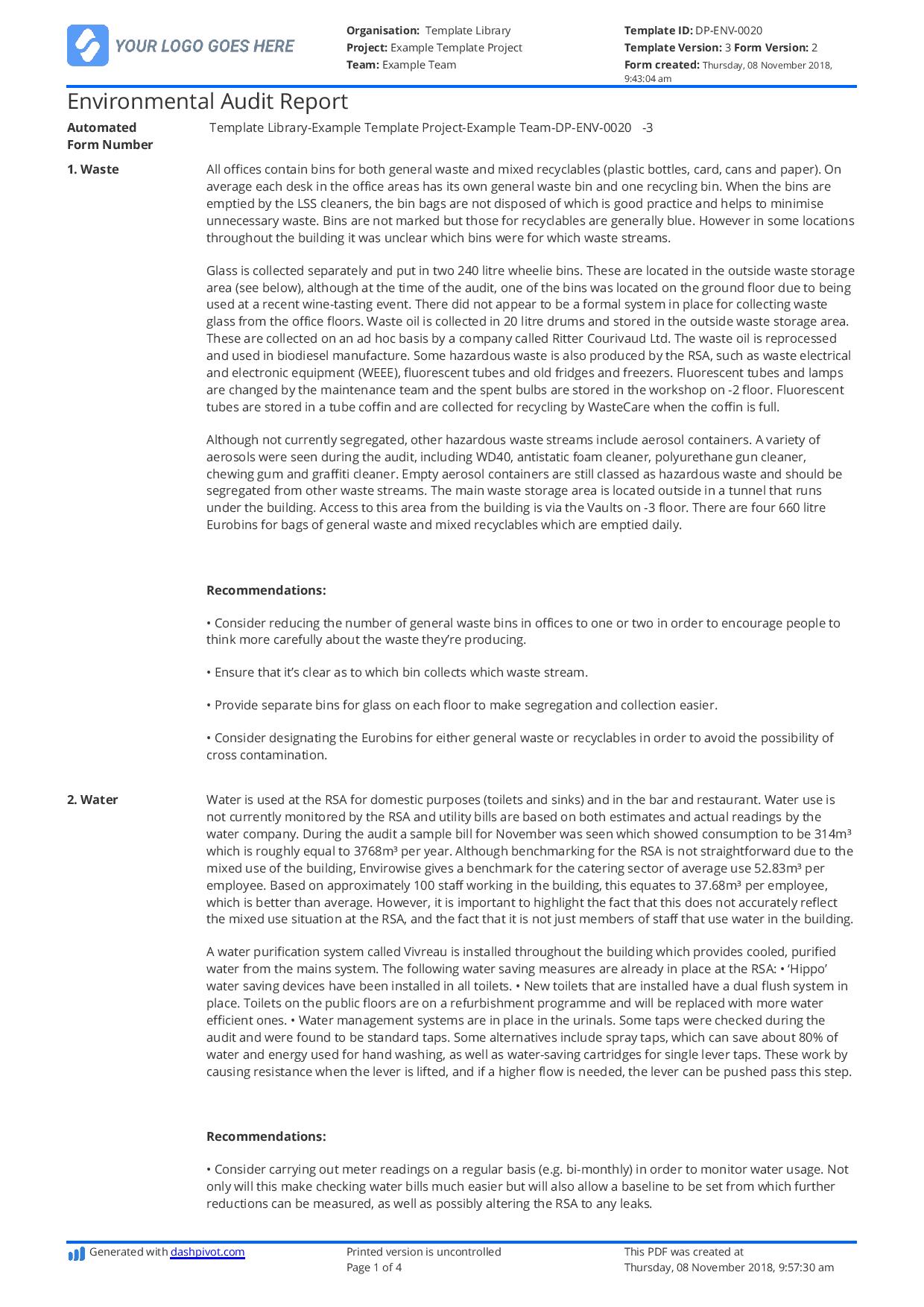
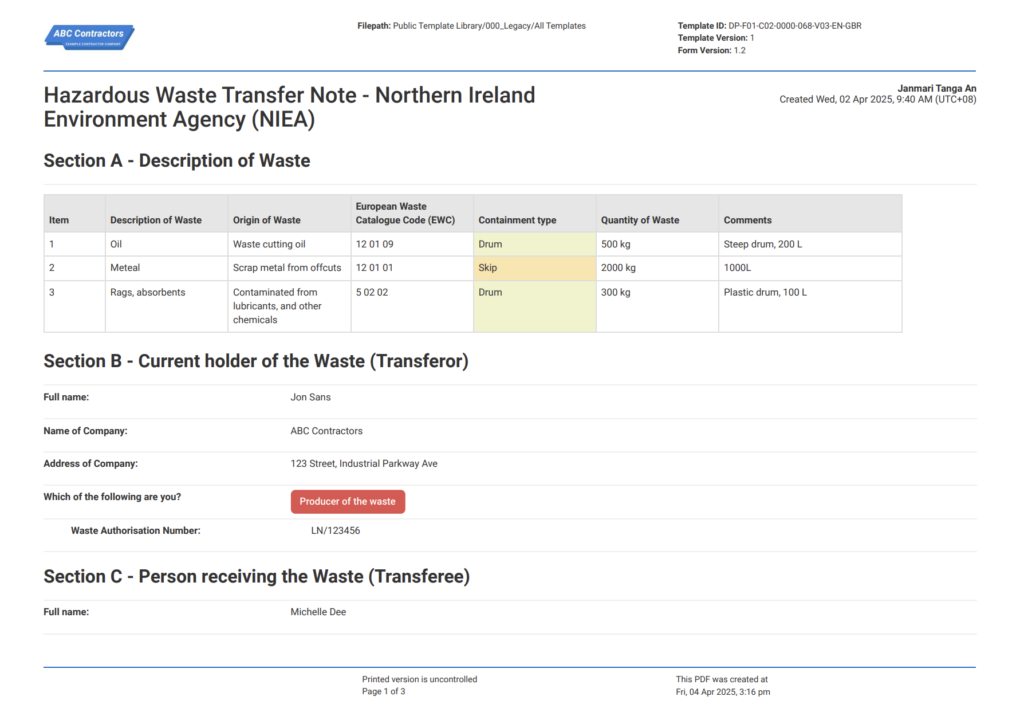
Start Faster With Built-In Daily Log App Templates
See How Sitemate Has Already Helped Companies Like Yours

"Instead of spending 5 days on data entry, it's now just ad hoc time checking the data coming in electronically."
- Rhys Thomas, CFO
95% time saved
On manual HR data entry tasks
0 lost forms
Thanks to digital submission
Deliver daily reports to clients automatically
Flowsite delivers completed daily log reports to clients through branded portals and automated distribution workflows, eliminating email attachments and manual sending so every stakeholder receives the right report sections based on their permissions.
Comparison: Paper Daily Log vs Digital Daily Log
Most project teams already know paper and spreadsheets aren't cutting it. Here's what changes when you move your method statements to a digital system.
Auto-drafted from site data
Voice note work descriptions
Timestamped photo integration
Versioning
Approvals
Audit Trail
Actions and Follow-ups
Searchability
Audit Evidence

Paper
Frequently asked questions about Daily Log App
Can multiple people access the daily logs in the app?

Yes, Sitemate’s Daily Log App allows multiple people to access daywork sheet templates at the same time, making it easy for teams to collaborate and stay updated. The app also includes access controls that let administrators determine who can view or edit specific templates, ensuring sensitive information stays protected while still enabling the right people to contribute.
Can I complete reports even when there is no internet connection?
Yes, Sitemate’s Dashpivot platform is designed to work offline, allowing you to record data, capture pictures, and log voice recordings even without an internet connection. All of this information is stored securely on your mobile device and automatically syncs to the cloud once connectivity is restored, so no data is lost in the process.
Where are completed reports stored?
Completed reports are stored securely in the cloud through the Daily Log App, giving users reliable access to their records from anywhere. Finding a specific report is simple, as users can search by keyword or use the built-in filter function to quickly locate the form they need.
How is AI used in the Daily Log App?
The Daily Log App integrates Sitemate’s AI assistant, Storm, which can scan photos, manual logs, and voice recordings to automatically draft a daily log. This significantly reduces manual data entry, allowing users to simply review the AI-generated content, make any necessary adjustments, and approve the final report.
Can I edit logs after submitting them?
Yes, the app allows users to edit a log even after sign-off has already been completed. Once changes are made, the updated version of the report is automatically synced and reflected across all teams, ensuring everyone is working from the most current information.
Can I edit the daily log template?
Yes, users can edit and update the daily log template to align with local standards or new company procedures as they evolve. This can be done using Dashpivot’s drag-and-drop form builder for full manual control or by using Sitemate’s AI assistant, Storm, to help generate a new template quickly.
Can I make fields inside the daily log mandatory?
Yes, the Daily Log App allows certain fields within the template to be marked as mandatory. This ensures that key information cannot be skipped, helping guarantee the report is complete and accurate before it can be signed off.
What is the purpose of the handover field in the daily log template?
The handover field in the daily log is designed to inform the incoming shift of the priorities they need to address next. It typically includes details such as activities still in progress, safety measures that need to be maintained, and materials currently being used for ongoing work.
 English (United States)
  English (Australia)
  English (UK)
  English (New Zealand)
  English (South Africa)
  German