













Storm

AI engineered for the front line. Not the back office

Storm is the front line AI agent for the built world. Voice briefings, site photos, and observations go in. Structured, auditable records come out. Built for the conditions where most software fails.

Trusted by companies, projects and teams of all sizes

Phoenix Offshore Solutions
Stonebond
Tesmec
Snowy Hydro
Mack Civil
JVS Industries
The APP Group
AJC
Cherrie
Burton
Great Southwestern Construction
AM1 Projects
Ward
Caras
SciDev

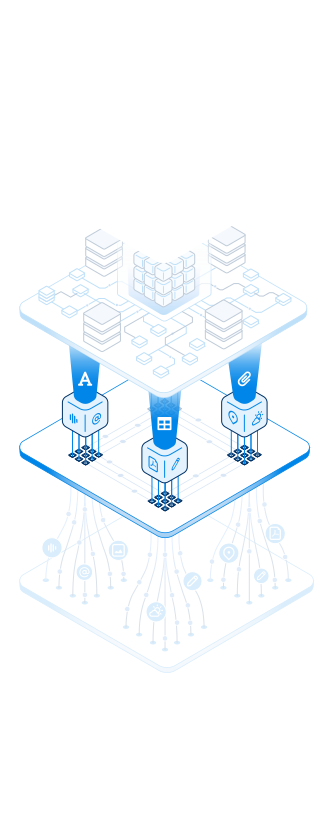
The Storm Data Capture System

How Storm turns field reality into records

Storm turns what your crew says and sends into structured, auditable records. Five purpose-built layers do the work, and your team stays in control.

01 · Environment Layer

Capture field reality as it happens

Your crew describes the work through conversations, walkthroughs, photos, and notes. Storm captures all of this unstructured data exactly as it happens on site. No forms to fill in, no interruption to the work.

  • Voice notes and hands-free dictation captured cleanly even with machinery, wind, or movement in the background
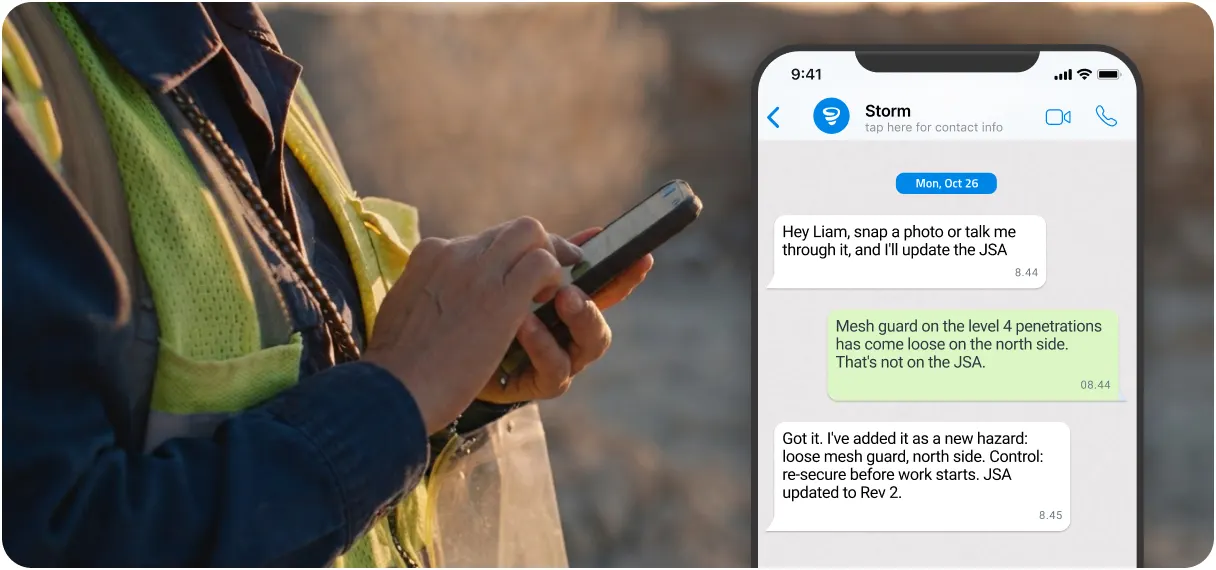
  • Replies by SMS or WhatsApp, or answers given on a phone call from Storm, for workers who don't have the app
  • Photos and video read as primary data, not attachments. Equipment, defects, conditions, and people are interpreted directly
  • Location, time, and weather pulled automatically from device metadata
  • Existing documents ingested: PDFs, Word, Excel, scanned permits, and photos of paper forms
  • Workers contribute in their own language. Spanish, Portuguese, French, German, and more, with no setup required

02 · Updraft Layer

Turn raw signals into structured understanding

Field data arrives messy: a voice note from one person, a WhatsApp reply from another. The Updraft layer pulls out what matters from every signal and maps it to your systems and use cases.

  • Multi-modal ingestion pipeline unifies voice, image, and text into one stream
  • AI extraction identifies assets, hazards, defects, plant, materials, and conditions
  • Maps to your systems: safety, quality, fleet, ops, and more
  • Maps to your use cases: inspections, incidents, SWMS, maintenance
  • Classifies and routes each input. Generate a document, fill a form, trigger a workflow, or store a record
03 · Orchestration Layer

Route to the right action, every time

Once the data is understood, Orchestration decides what to do with it. Storm picks the right product capability and runs it, so nobody has to route it by hand.

  • Generate: describe what you need and Storm builds a smart digital template from scratch
  • Convert: upload a PDF, Word doc, Excel sheet, or photo of a paper form and Storm rebuilds it as a digital template
  • Complete: voice notes, photos, and observations auto-fill the right form fields inside any open form. Workers without the app can complete one by text, WhatsApp or phone call
  • Workflow execution: approvals, assignments, and routing triggered by field events
  • Multi-step workflows chained across capabilities
04 · Intelligence Layer

The reasoning engine that does the work

This is where Storm reasons through what happened. It's purpose-trained on built-world workflows, and it checks every output against your standards before anything is saved.

  • Purpose-trained on built-world workflows, not retrofitted from a generic dataset
  • Knows the difference between documents that look similar but mean different things: a JSA is not a method statement, an ITP is not an inspection record
  • Pulls context together across voice, photo, location, metadata, and identity to enrich every record
  • Validates outputs against your compliance rules and completeness checks before presenting them
  • You stay in control. Storm drafts and a person reviews. The one exception is a phone call that captures every answer, which submits as the call ends
05 · Output Layer

Structured records, delivered where they matter

Everything Storm produces lands as a structured, auditable record in Dashpivot, ready for leadership dashboards and the tools your business already runs on.

  • Completed forms, reports, and records inside Dashpivot
  • Dashboards and aggregated insights for real-time visibility
  • Export to PDF, Word, Excel, and PowerPoint
  • Microsoft 365 integrations: SharePoint, Dataverse, Power BI, OneDrive
  • Open API access for custom pipelines and downstream systems
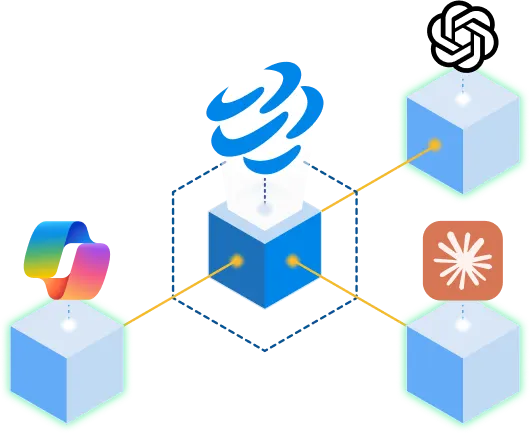
  • MCP connectors expose Storm data to AI tools like Claude, ChatGPT, and Copilot
  • Queryable, structured data that holds up under audit

Built for the way work actually happens

Most AI tools are built for someone at a desk. Storm is built for the crew on site, in the noise and the weather.

Listens to the work

Captures voice cleanly over machinery and wind, and understands accents and trade language. No headset needed.

Speaks every language

Workers contribute in their own language. Records land in your workspace's working language. Spanish, Portuguese, French, German, and more.

Sees the site

Photos read as primary data, not attachments. Equipment, defects, PPE, and conditions are all interpreted directly from what's in frame.

Reads documents

Upload existing PDFs, Word, Excel, or photos of paper forms. Storm rebuilds them as smart digital templates, structure intact.

Reads the weather

Wind, rain, temperature, and visibility logged against every record automatically. Critical for safety, quality, and dispute evidence.

Knows the context

Location, time, crew, plant, and materials pulled automatically. Critical for inspections, incidents, and time entries.

Speaks built-world

Purpose-trained on real built-world documents. Knows a JSA from a method statement, an ITP from an inspection.

Works on site

Works with gloves on and in the cab. Inputs captured offline are processed in the background, so nobody waits around on site.

You stay in control

When something's unclear, Storm asks rather than filling in a guess. You review what it drafts, and admins control what it can write to.

Where Storm Shows Up

One agent, with or without the app

Storm works inside the Sitemate products your team already uses, and reaches the people who don't by text or phone call.

In the office

Engineers and PMs have Storm build templates from a description or an existing PDF, then review the drafts that come in from site.

An engineer at an office desk working in Dashpivot
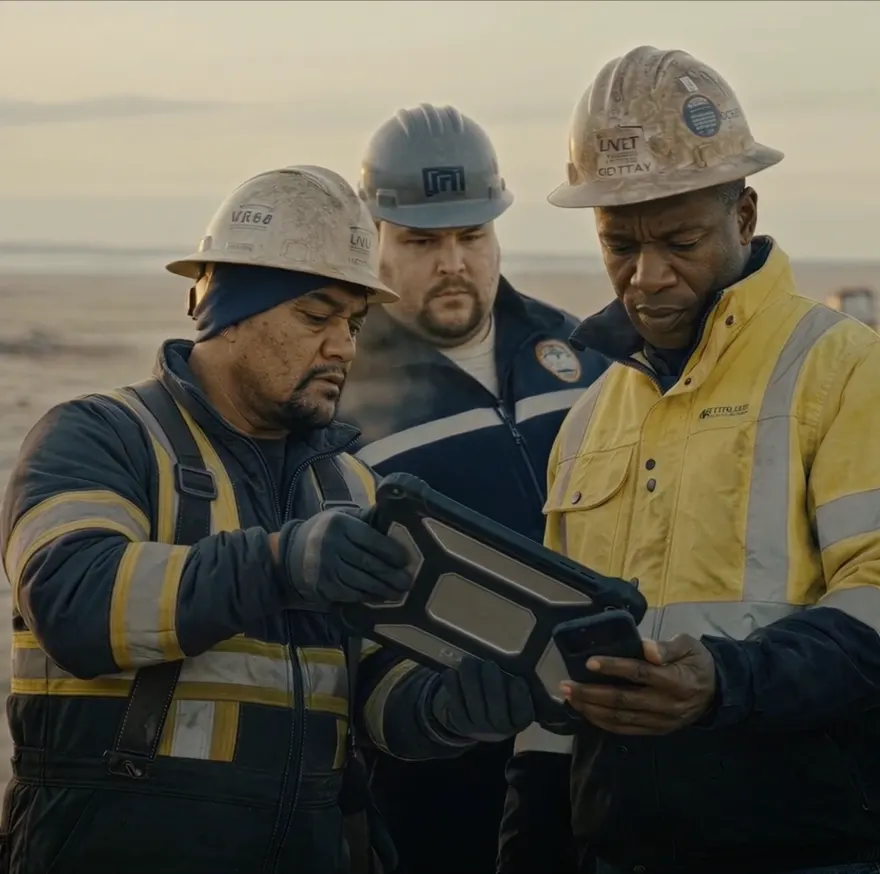
A foreman on site holding a tablet

On site

Foremen talk through the job and add photos, and Storm fills the form. If something's unclear, it asks a quick question instead of guessing. They check the draft before submitting.

In their own language

On the free Sitemate Mobile App, workers speak or type in their own language. The record comes out in your team's language, ready for review.

Three workers on site looking at a phone together

Over text or WhatsApp

Subcontractors scan a QR code on site and Storm asks the form's questions one at a time over SMS or WhatsApp, with no app or login. They review and sign from a link before it's submitted.

A worker answering Storm's questions in a WhatsApp chat
A worker on site talking to Storm on a phone call

On a phone call

Storm calls the worker and asks the questions out loud, filling the form as they talk. It suits the drive between sites. Anything missed comes back by text to finish.

Governance & Control

AI capability, without losing control

Enterprise teams are already running AI through ChatGPT, Copilot, and Claude, often with nobody governing it. Storm brings that capability to the field with admin controls and a full audit trail.

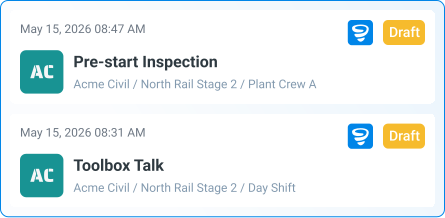
Human-in-the-loop by default

Storm's output is a draft to edit or reject before it's saved. The one exception is a phone call that captures every answer, which submits as the call ends.

Storm drafts of a Pre-start Inspection and a Toolbox Talk, each marked Draft for review
Field Settings Required Hide in Form PDF Exports Exclude in Form Cloning Exclude in AI Form Fill

Granular admin controls

Roll Storm out workflow by workflow. Admins set which workspaces, templates, and fields Storm can write to. Safety-critical fields can be locked to human-only entry.

Full audit trail

Every input, draft, edit, and approval is logged with a traceable owner. Storm-generated records hold up under audit.

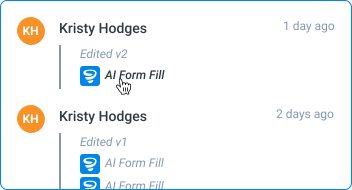
An audit trail of inputs, drafts, edits and approvals with their owners
Storm connected to Copilot, ChatGPT and Claude

LLM selection per workflow

Choose which model runs in which context. Different LLMs for different risk profiles, configured at the account level.

How to Get Started

Four steps from signup to your first AI-drafted record

Storm is built into Dashpivot, so it's ready to use as soon as you sign up, at no extra cost.

Sign up to Dashpivot

Create your Dashpivot workspace. Storm is included from day one, with nothing extra to buy or install.

Set up a template, or let Storm build one

Use one of 1,000+ pre-built templates. Or describe what you need in plain language and Storm builds it from scratch. Or upload an existing PDF, Word doc, or Excel sheet and Storm converts it.

Capture the work on site

Open the form on mobile and record a voice note, snap photos, or type observations as the work happens. Workers without the app can scan the form's QR code and answer by text, WhatsApp or phone call instead. Storm reads everything together and fills in the record.

Review, edit, approve

Open the draft when you are ready. Accept as-is, edit specific fields, or override Storm's interpretation. Once approved, the record is saved with a full audit trail and shows up across your systems.

Frequently asked questions

What does Storm cover?

Storm is the AI Data Capture Agent for the Sitemate stack. It builds forms and it fills them. With AI Templates, Storm generates a template from a description or converts one from an existing PDF, Word, Excel or photo. With AI Form Fill, it completes any open form from voice, photos, location, weather and notes. With AI Text Fill and AI Call Fill, it reaches workers over SMS, WhatsApp or a phone call, with no app and no account needed.

Is Storm standalone, or does it work alongside other Sitemate products?

Storm is not a separate product. It is an AI capability built into the Sitemate platform. It works inside Dashpivot and the Sitemate Mobile App, and since Storm 2.0 it also reaches people outside any Sitemate product, over text, WhatsApp and phone calls.

What can Storm do today?

Generate templates from a description or an uploaded document. Fill any open Dashpivot form from voice notes, photos, captured weather and location, and typed notes. Hold a conversation over SMS, WhatsApp or a phone call to fill a form end to end. Work in multiple languages, process inputs captured offline once synced, and respect existing template logic, smart fields and permissions.

Where does the human stay in control?

Every Storm output is a draft. Templates can be edited before saving. Form fills can be reviewed, edited field by field, or rejected. Admins control which workspaces, templates and fields Storm is allowed to write to. The one qualification is AI Call Fill, which submits automatically at the end of a call when it has everything it needs, and texts a draft link to finish when it does not.

Can Storm make mistakes on safety-critical records?

Storm's output stays a draft until a qualified person reviews and approves it. The one exception is AI Call Fill, which submits the form at the end of a call when it has every answer, and only runs on templates an admin has shared through a Sitemate Link. Admins can also restrict Storm from writing to specific templates and fields.

How is Storm priced?

Storm is available across all Dashpivot plans, including free trials, at no additional cost. There is no separate Storm subscription.

Are there limits on how much teams can use Storm?

No hard limits within standard usage.

How is Storm different from ChatGPT, Claude, or Copilot?

Those are built for desktop and internal use cases, not for field and front line workers inside and outside your business. Storm is designed for the chaos of the field, for the people who do not or cannot use computers, and for people who will never download your software. It is the only one of them that will ring a worker and ask them about their day.

What industries does Storm work for?

Storm works across all industries that use Sitemate: construction, mining, energy, infrastructure, manufacturing, oil and gas, and other asset-heavy operations. Storm is purpose-built for built world workflows, terminology, and documentation patterns.

Who in my team would benefit from Storm?

Your workforce, foremen, supervisors, engineers and PMs, as well as Safety and Quality teams. It fills in their paperwork for them, in any environment, online or offline, in any language. With Text Fill and Call Fill it also reaches subcontractors and labour hire who are not in your system at all. Users have cut 20 to 30 minutes of paperwork time per day on a single form type.

Does Storm work on mobile and offline?

Yes. Inputs captured on the Dashpivot Mobile App and the Sitemate Mobile App are processed through the same pipeline as web. Voice notes, photos and other inputs captured offline are processed once the device syncs, and on the Sitemate Mobile App a fill queues and sends when connectivity returns. Workers without the app can complete a form by SMS, WhatsApp or a phone call instead.

How does Storm integrate with other systems?

Storm operates inside the Dashpivot web app and Dashpivot Mobile App, so any system Dashpivot integrates with (via Flowsite or the Sitemate Open API) benefits from Storm-completed records flowing through. Storm itself is not an external API. For querying Sitemate data from external AI tools, use Sitemate MCP.

How long does it take to enable Storm?

Storm is available across all Dashpivot plans by default, including free trials. Admins can control workspace-level, template-level and field-level controls around where and how Storm is used for complete AI governance.

Can we configure how Storm behaves?

Yes. Admins choose which workspaces Storm operates in, which templates it can fill, and which fields it can write to. Storm respects all existing role and permission settings. It cannot write where the user could not.

Deploy AI to the front line. With guardrails, not guesswork