Safety Improvement Plan Template

Start with a free 30-day trial. No credit card required.
Need a structured Safety Improvement Plan you can still tailor to your sites? This template comes pre-built with sections for recording site risks, hazards, and safety initiatives, along with space for photos, attachments, supporting notes, and sign-offs. You can edit any part of it to match your company's safety program, site conditions, or internal procedures, and the plan will still hold up when it's reviewed during the safety audits you'd face.
This Safety Improvement Plan is an easy-to-use form that your workers can use to set clear safety control measures when risks are discovered on site. Engineers and site supervisors can capture safety issues, near misses, and inspection and audit findings, use them to improve existing control measures, and share updates with relevant parties by saving or exporting the plan to PDF or CSV.
 100% fully editable Safety Improvement Plan
Export your Safety Improvement Plan to PDF or CSV
Access your Safety Improvement Plan on mobile, tablet or computer
Trusted by companies, projects and teams of all sizes















What is Safety Improvement Plan?
A Safety Improvement Plan is a document project managers and site personnel use for identifying, controlling, and monitoring safety risks at the jobsite. It is typically used to record risks, hazards, losses, and near-misses to create a safety improvement initiative to enhance existing site safety measures.
A Safety Improvement Plan is highly relevant to the built-world, and construction sites in particular, where risks and hazards change depending on the work, personnel, machinery and other conditions present at site. This plan should improve controls around high-risk activities such as working at height, mobile plant movement, lifting operations, temporary works, excavation, and electrical isolation.
Compare this Safety Improvement Plan to manual Word, Excel and PDF forms
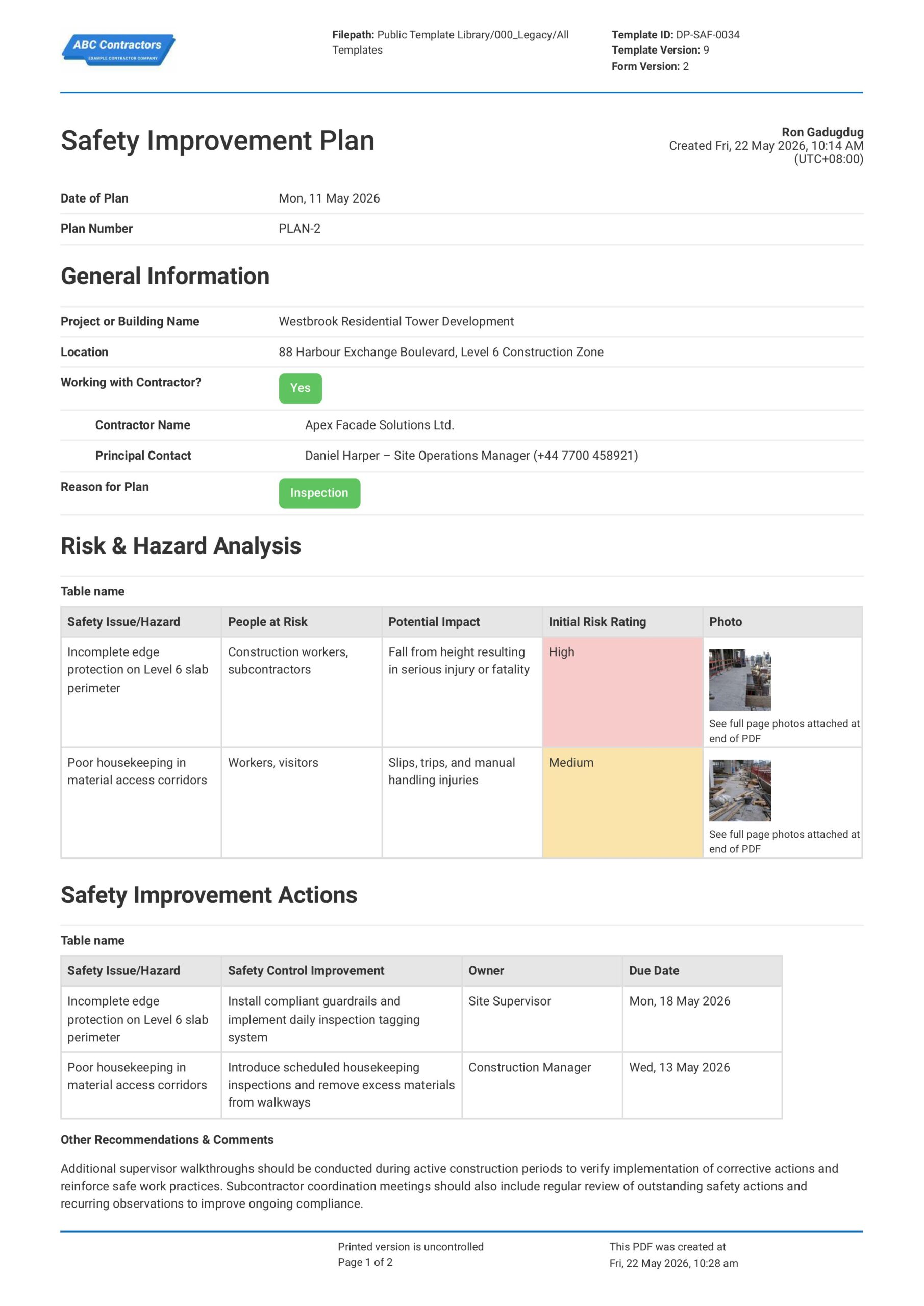
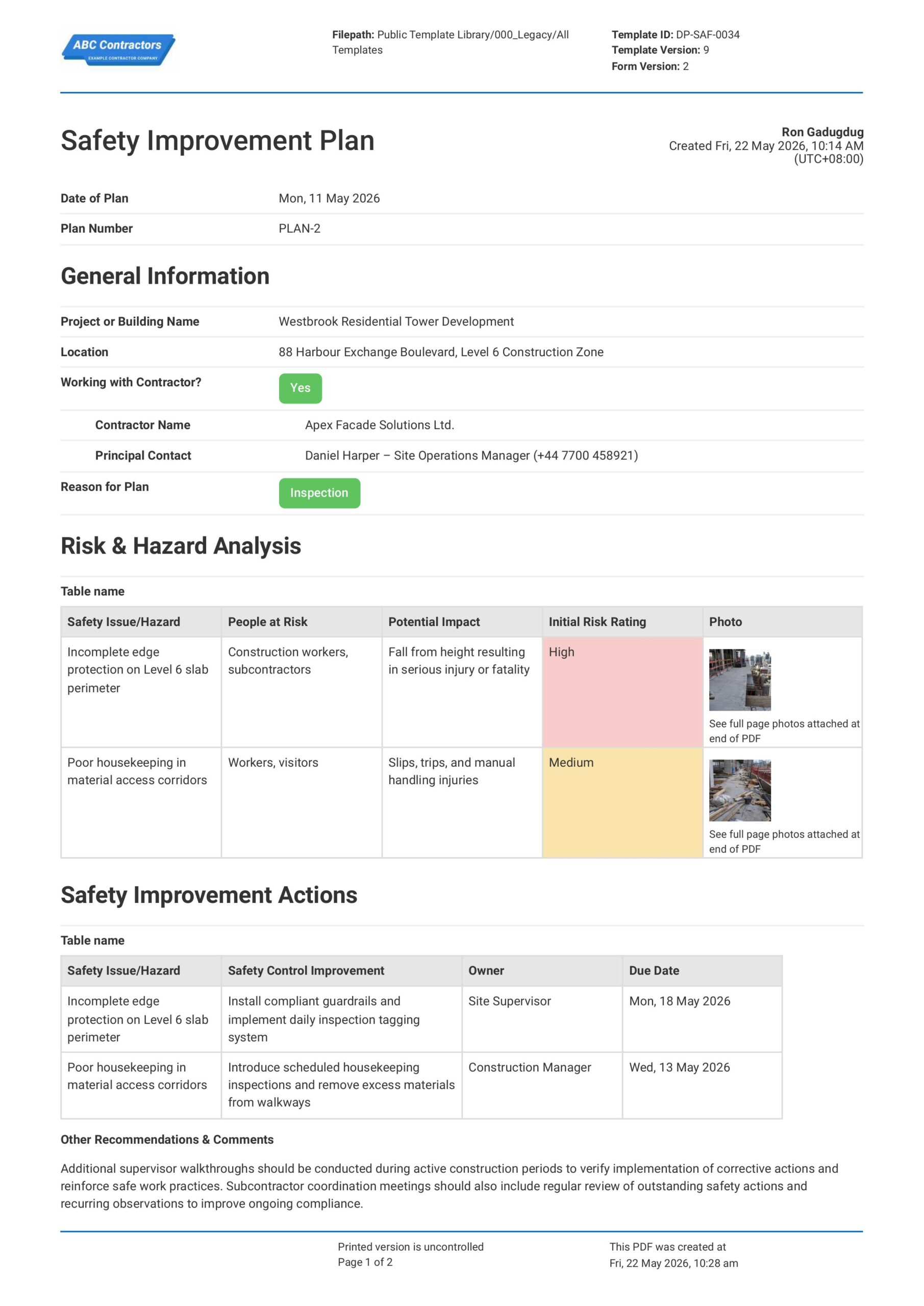
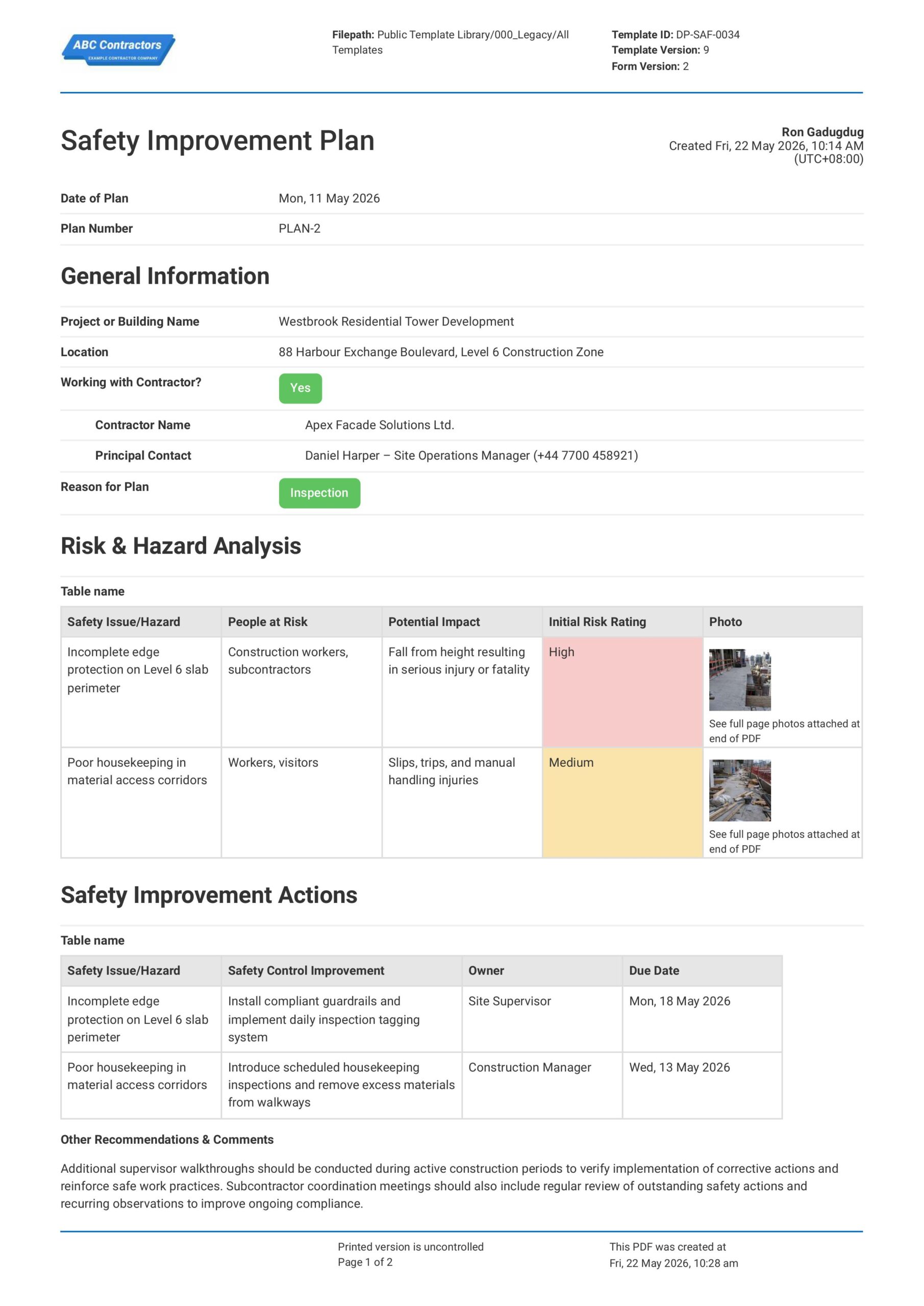
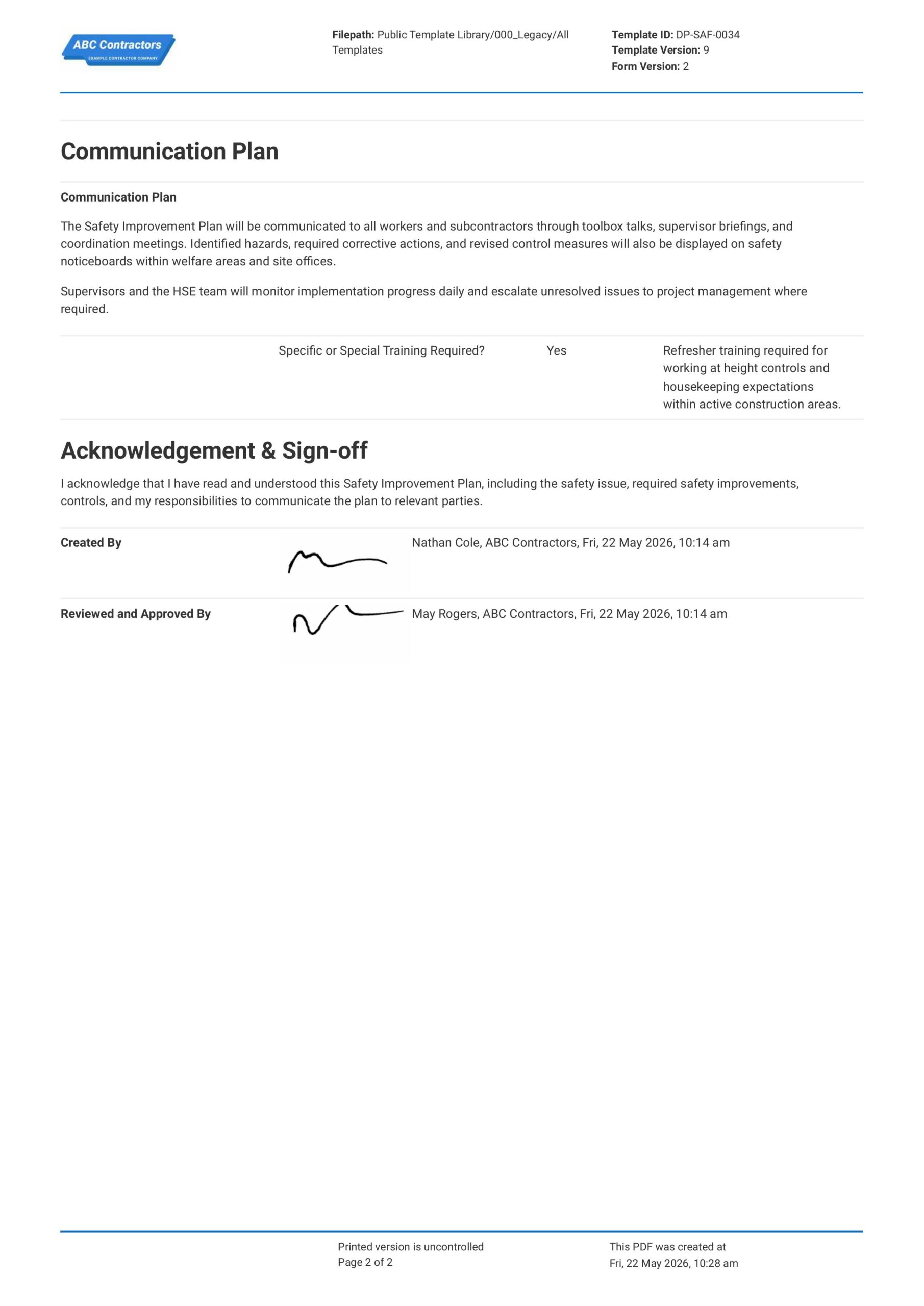
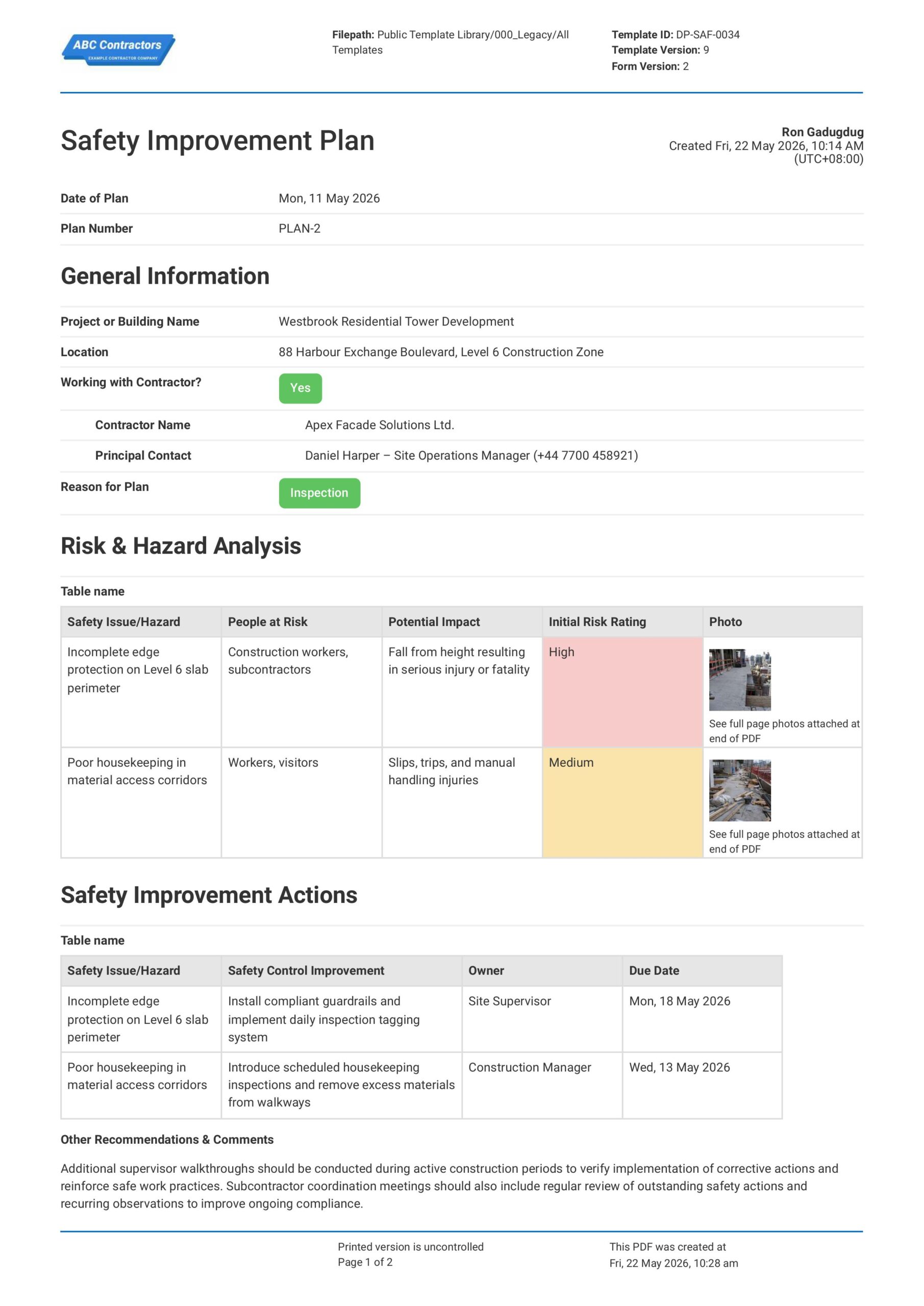
Curious how this Safety Improvement Plan works? Check out the example below to see how risks, initiatives, and control measures are laid out, so you no longer have to build a new plan manually before every audit. You can generate your own version, export it as a custom form with your company details, and fill in your site information to have a ready-to-use Safety Improvement Plan in minutes.
Use this Safety Improvement Plan template for free

Generate this template automatically with Storm
You don't have to build the Safety Improvement Plan field by field. Let Storm, the AI Data Capture Agent inside Dashpivot, build the template for you in seconds.
Describe what you need
Tell Storm the form you want in plain language and it builds a structured digital template from scratch, with fields, tables, and signatures in place.
Upload what you already use
Drop in your existing PDF, Word, Excel, or even a photo of a paper form. Storm rebuilds it as a smart digital template with the structure intact.
 Storm
Storm
Generate a Safety Improvement Plan form template that I can use for my business
Applicable Standards and Policies for Safety Improvement Plan
There are no explicit laws that require an exact format of a Safety Improvement Plan. However, safety improvement plans have core elements that are covered by industry-wide workplace health and safety laws such as:
- The Health and Safety at Work Act 1974 in the UK sets general duties for workplace safety.
- In the USA, OSHA requirements support hazard correction, worker training, and safe workplace duties.
- In Australia, WHS Acts and Regulations require PCBUs to manage risks and improve safety controls.
- ISO 45001 supports continual improvement within occupational health and safety systems and is referenced worldwide.
Staff Members and Parties that use Safety Improvement Plan
A Safety Improvement Plan is primarily used by businesses that need to address safety gaps, improve performance, and track corrective actions. Here are examples of the most common parties that use Safety Improvement Plans.
- Business owners, directors, and senior managers setting safety priorities.
- Health and safety teams preparing and tracking improvement actions.
- Site managers and supervisors carrying out workplace changes.
- Workers and contractors providing feedback on hazards and safety issues.
- Regulators, auditors, insurers, and clients reviewing safety performance.
Business Risks Reduced by Safety Improvement Plan
Using a Safety Improvement Plan helps businesses reduce incidents by assessing safety issues and implementing clear safety controls in response. It gives businesses better insight into actual site risks and ultimately:
- Reduces risk of injuries, near misses, and safety failures.
- Lowers exposure to enforcement action, fines, legal claims, and insurance issues.
- Helps avoid delays caused by unsafe work practices or unresolved hazards.
Business Opportunities Created by Safety Improvement Plan
A Safety Improvement Plan can help businesses create stronger safety systems and better workforce safety management. This opens up opportunities with clients, insurers, regulators, and project partners by:
- Improving the value of tender offers on new business where safety performance is a priority
- Building confidence with clients, insurers, workers, and regulators.
- Strengthening reputation for proactive safety leadership and responsible project delivery.
- Supporting stronger evidence during audits, inspections, and incident reviews.
What Should Safety Improvement Plans Include?
A Safety Improvement Plan should translate site safety issues into clear, trackable actions. For construction and built-world projects, it should be easy to assign, verify, and close out.
- Details on any incident or near miss
- Details on findings of a safety inspection or audit
- Information on a new hazard or risk that appears at site
- Safety improvement initiatives
- Responsible parties and due dates
When are Safety Improvement Plans Required?
Safety Improvement Plans are typically required when inspections, audits, incident investigations, or hazard observations identify gaps in site safety controls. Essentially, safety improvement plans are implemented as new risks, incidents, and near misses occur at the site, and when inspections and audits reveal these hazards before they cause losses.
On construction and other modern built-world projects, requirements can vary significantly depending on local legislation, regulations, and client or principal contractor obligations. However, it is common to see good employers perform Safety Improvement Plans when inspections or reviews of existing safety protocols reveal gaps, or when incidents, near misses, or new hazards occur at site.
Guide to Creating a Safety Improvement Plan
A Safety Improvement Plan requires careful planning and consideration of formatting in order for the safety initiatives it recommends to be effective. In this section, we go in-depth into exactly how you can create your own Safety Improvement Plan.
Prerequisites you need before creating a Safety Improvement Plan
- Site, project, or activity scope
- Inspection, audit, or incident records
- Relevant legal and client requirements
- Current risk assessments and procedures
- Input from workers and key stakeholders
- Defined owners, approvals, and reviews
- Close-out evidence requirements
-
Start with General Information
Recording general information at the beginning of the safety improvement plan helps establish the scope, objectives, and responsible parties for the initiative. This ensures actions can be tracked and reviewed effectively, so include:
- Project, Site, or Business Name
- Date of Plan Preparation and Revision Number
- Prepared By and Responsible Personnel
- Applicable UK, US, or Australian Safety Requirements
- Summary of Identified Safety Concerns
-
Identify Triggering Safety Issue
Identifying the triggering issue that necessitates an improvement to the existing safety plan is a core element to any Safety Improvement Plan. Here are examples of common events that should be a signal to improve safety plans to project management teams:
- Recurring Incidents, New Hazards, or Near Misses
- Unsafe Work Practices
- Deficiencies in Worker Training or Competency
- Equipment, Maintenance, or Housekeeping Issues
- Findings of a Previous Audit or Inspection
-
Define Improvement Actions and Control Measures
Clearly outlining improvement actions ensures identified safety concerns are addressed in a structured and measurable way. This helps assign accountability and monitor progress, so include:
- Corrective and Preventive Actions Required
- Updated Safety Procedures or Work Methods
- Safety and Awareness Training
- Engineering or Administrative Control Measures
- Responsible Persons and Completion Deadlines
-
Establish Monitoring and Review Procedures
Documenting monitoring and review arrangements helps ensure safety improvements remain effective over time. This supports accountability and ongoing compliance, so capture:
- Inspection and Audit Schedules
- Procedures for Monitoring Action Completion
- Methods for Reporting Safety Concerns
- Performance Indicators or Safety Targets
- Processes for Reviewing and Updating the Plan
-
Complete Review, Approval, and Sign-Off
Finish the safety improvement plan with review and sign-off confirms that proposed actions and responsibilities have been acknowledged by relevant personnel. Be sure to include:
- Names and Roles of Reviewers and Approvers
- Signatures of Responsible Personnel
- Date of Review and Approval
- Comments or Additional Recommendations
- Next Scheduled Review Date
Frequently asked questions
How to create your Safety Improvement Plan in an App or Software System
A well-designed Safety Improvement Plan process ensures that your team stays on top of safety issues, incidents, near-misses, and safety inspections and audits at the jobsite.
25 minutes
Easy difficulty
-
Start your Safety Improvement Plan with General Information
Begin your Safety Improvement Plan with high-level plan, project, and contractor details. This section should make the plan easy to identify and connect to the correct project, location, contractor, and reason for preparing the plan.
- Date selector field for Date of Plan
- Automatic Form Counter for Plan Number
- Text fields for Project or Building Name and Location
- Yes/No selector for to Indicate if you are Working with a Contractor, with conditional logic to show text fields for contractor information input
- Multiple-choice selector to indicate the Trigger or Reason for Plan
-
Create a Table for Risk & Hazard Analysis
Next, create a section where safety issues and hazards can be reviewed before improvement actions are assigned. Be sure to create a 5-column table for the Risk & Hazard Analysis section with the following features:
- Columns for Safety Issue/Hazard, People at Risk, Potential Impact, Initial Risk Rating, and Photo
- Text fields for Safety Issue/Hazard, People at Risk, and Potential Impact
- Drop-down selector for Initial Risk Rating (Low, Medium, High)
- Photo upload field for Photos
-
Create a Table for Safety Improvement Actions
After identifying the safety issues, create a 4-column table where corrective actions can be assigned to the hazards identified in the previous section. We recommend using the following fields for this section:
- Columns for Safety Issue/Hazard, Safety Control Improvement, Owner, and Due Date
- A separate Multi-line text field for Other Comments or Recommendations
-
Create a Communication Plan Section
Next, create a section that explains how the Safety Improvement Plan will be shared with workers, subcontractors, supervisors and the project management team. This section should also capture whether special training is required. Here are examples of fields you can add:
- Multi-line text field for the Communication Plan
- Yes/No selector to Indicate if Specific or Special Training is Required
- Add a conditional logic set-up where if Specific or Special Training is Required, it shows a Multi-line text field where training details can be input
-
End your Safety Improvement Plan with Acknowledgement and Sign-off
Finally, complete the plan with an acknowledgement statement and sign-off fields for the responsible parties. If your app or software allows, we highly recommend using automatic e-signature fields. Be sure to add the following:
- Prefilled text for acknowledgement statement
- Signature field for Plan Creator
- Signature field Reviewers and Approvers
- Company field for each sign-off
- Date and time stamp fields for each sign-off
About the author

Ron Gadugdug
Content Engineer
 LinkedIn
Education
Cebu Institute of Technology - University - Civil Engineering
Bio
Ron is a Civil Engineer with 6 years of experience in the construction industry, primarily focused on quantity surveying, cost estimation, project management, quality control, contract administration, and property & engineering insurance. At Sitemate, he writes about practical applications of evolving technologies and digital solutions that support construction professionals in improving efficiency, compliance, and project delivery across the built world.
Past Projects
Quantity Surveying & Cost EngineeringPerformed quantity take-offs of several high-rise and horizontal structures using sheets and applications like Revit and Bluebeam Revu, and spearheaded trials with Building Information Modeling (BIM) software.
Project Management & ConsultancyCoordinated with project management teams during the construction of local projects such as a 4-tower hotel & resort, a 22 storey condominium project, and a school dormitory project.
Contract AdministrationAssisted during contract biddings and negotiations with general contractors and sub-contractors, and oversaw progress reporting, billings, and payment.
Property & Engineering InsuranceDedicated non-life claims handler, overseeing property and contractor all-risk insurance claims, risk management, and bonds.
Version History:
Related apps and templates
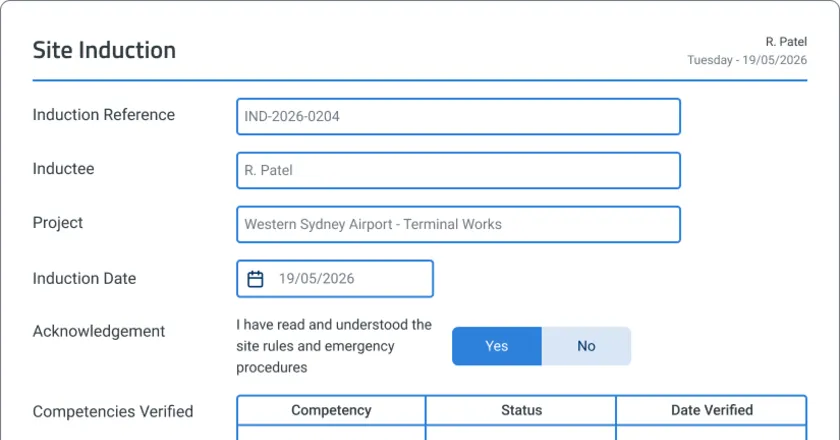
Construction Site Safety Orientation App
Use this Construction Site Safety Orientation app to manage new worker orientations for safety procedures, rules and key aspects of the
View app

Toolbox Talk Excavation Safety
This Toolbox Talk Excavation Safety template is free and easily editable to adapt to your excavation safety workflow. The template already contains examples of identified excavation hazards and the necessary safety
View template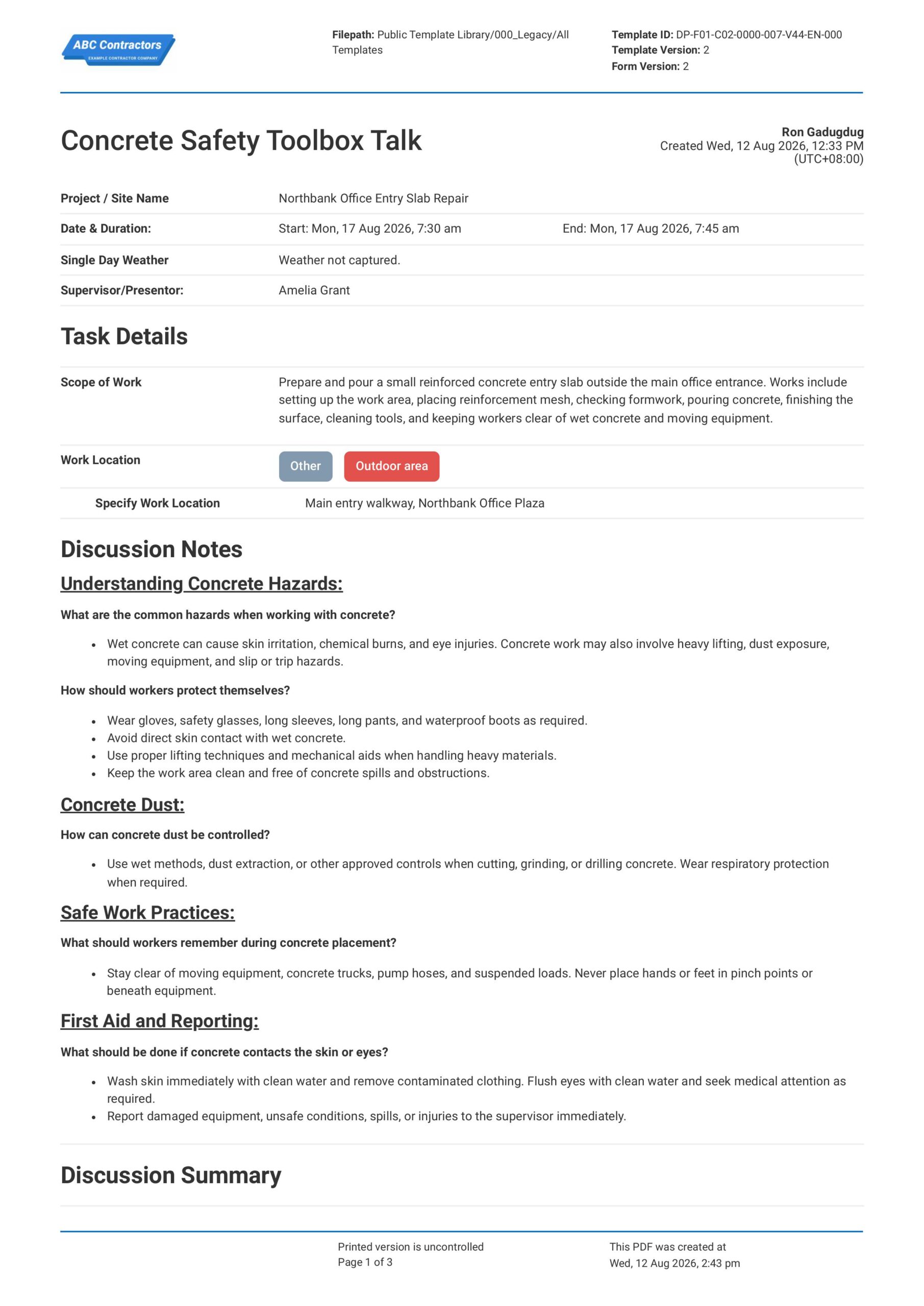
Concrete Safety Toolbox Talk
This Concrete Safety Toolbox Talk is an easy-to-use form that your workers can use to discuss concrete work hazards and safe work practices before starting concrete-related tasks. Record important toolbox talk details
View templateThis plan was generated with Dashpivot software
- Access, edit and complete your Safety Improvement Plan from any device - mobile, tablet or computer.
- Print, download or send your Safety Improvement Plan as perfectly formatted PDF documents with your company logo.
- Store your Safety Improvement Plan securely online, where they can be searched and found in seconds
- Invite internal and external parties to see, edit and sign off on Safety Improvement Plan online.
