Fire Evacuation Plan Template

Start with a free 30-day trial. No credit card required.
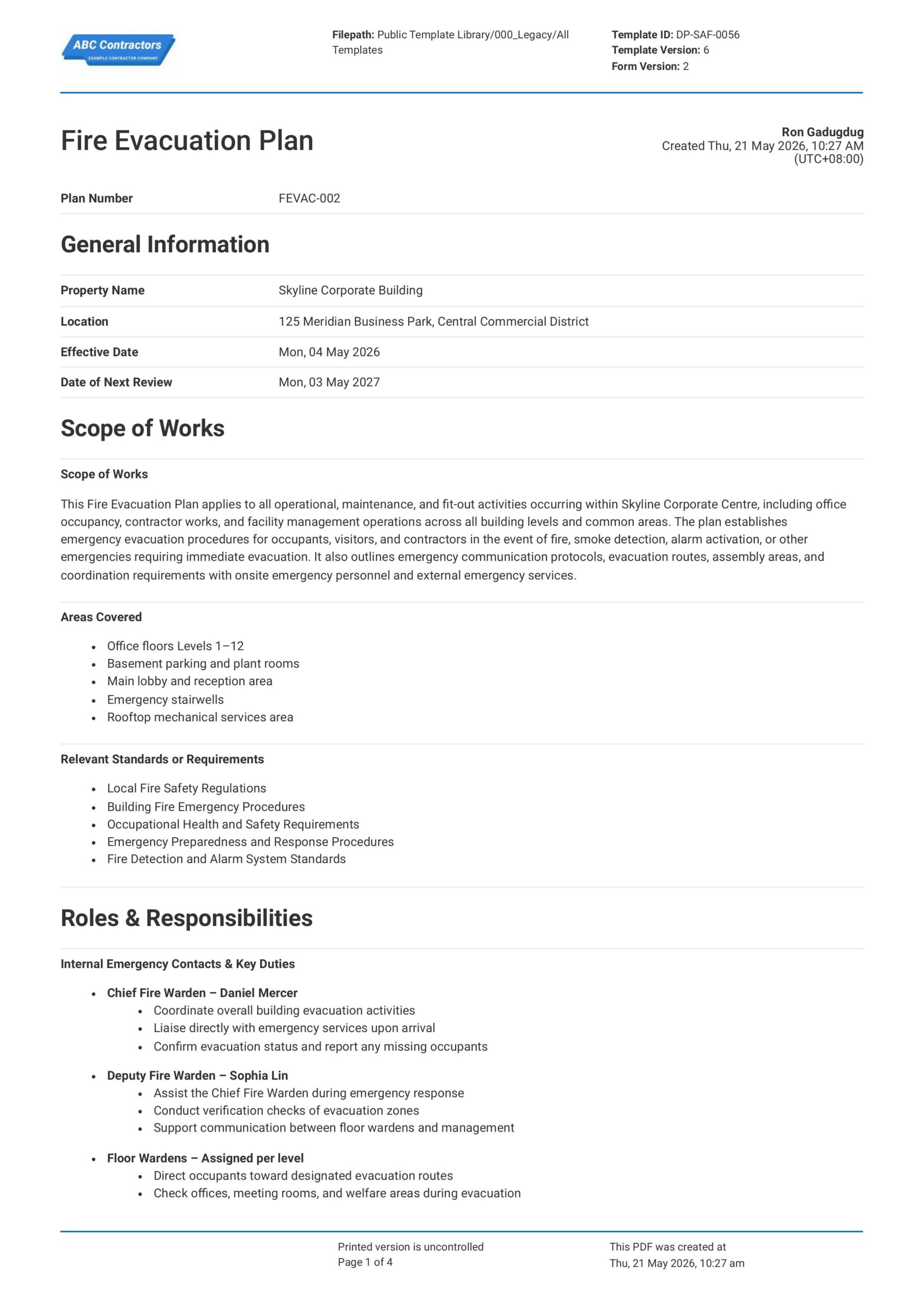
This Fire Evacuation Plan is a free and easy-to-use document designed to help businesses, site teams, and building managers set out clear procedures for safely evacuating a workplace, building, or project site during a fire emergency. Use this plan to record evacuation routes and procedures, then add supporting photos, sketch maps, attachments, and sign-offs - all on one form.
Creating a fire evacuation plan for your workplace or project? Looking for a fire evacuation plan example to help guide you? This Fire Evacuation Plan captures key emergency information in one form, which you can easily share with relevant parties and stakeholders by exporting to PDF or CSV.
 100% fully editable Fire Evacuation Plan
Export your Fire Evacuation Plan to PDF or CSV
Access emergency evacuation plan on mobile, tablet or computer


Trusted by companies, projects and teams of all sizes















What is Fire Evacuation Plan?
A Fire Evacuation Plan is a document used by project and property managers to lay out procedures on how people should safely leave a building or worksite during a fire-related emergency. It identifies evacuation routes, exits, assembly areas, alarm procedures, and the roles and responsibilities of workers and staff.
Ultimately, a Fire Emergency Evacuation Plan should help reduce confusion, prevent injuries, and make sure everyone can evacuate quickly and safely. This is critical in industries such as construction and building management, as well as for complex or high-risk buildings such as hospitals, schools, and other commercial spaces.
Compare this digital Fire Evacuation Plan Example to forms built on Word or Excel
Curious to see just how this Fire Evacuation Plan stacks up against traditional formats? Go ahead and tinker around in the free preview below.
Use this Fire Evacuation Plan template for free

Generate this template automatically with Storm
You don't have to build the Fire Evacuation Planning field by field. Let Storm, the AI Data Capture Agent inside Dashpivot, build the template for you in seconds.
Describe what you need
Tell Storm the form you want in plain language and it builds a structured digital template from scratch, with fields, tables, and signatures in place.
Upload what you already use
Drop in your existing PDF, Word, Excel, or even a photo of a paper form. Storm rebuilds it as a smart digital template with the structure intact.
 Storm
Storm
Generate a Fire Evacuation Planning form template that I can use for my business
Applicable Standards and Policies for Fire Evacuation Plan
There are no universal laws that prescribe the exact format of a Fire Evacuation Plan. However, most countries have workplace safety, fire safety, and building safety legislation that require businesses to establish proper emergency evacuation procedures that ensure occupants can safely exit a building during an emergency. Here are some examples of the most common regulations being used across industries:
- ISO 45001 supports emergency preparedness and response planning within workplace health and safety systems.
- In the UK, Regulatory Reform (Fire Safety) Order 2005 requires responsible persons to establish emergency procedures and evacuation arrangements.
- In the USA, OSHA standards and local fire codes require emergency action plans and evacuation procedures in workplaces.
- While in Australia and New Zealand, WHS laws and fire safety regulations cover requirements on emergency plans and evacuation procedures.
Staff Members and Parties that use Fire Evacuation Plan
A Fire Evacuation Plan is primarily used by businesses responsible for managing fire safety and risk in just about all modern building types and occupancy. Here are some examples of parties that primarily use Fire Evacuation Plans:
- Facilities teams, building managers, and property owners
- Fire wardens, supervisors, and health and safety teams
- Employees, contractors, visitors, and occupants
- Fire and rescue services
Business Risks Reduced by Fire Evacuation Plan
Using a Fire Evacuation Plan helps reduce confusion and delays during emergency situations by clearly documenting evacuation routes, responsibilities, and emergency procedures. This benefits businesses as well, as they mitigate potential damage and losses by:
- Reducing risk of injury, fatality, and panic during fire or emergency incidents.
- Lowering exposure to regulatory action, legal claims, and non-compliance penalties.
- Reducing disruption to operations following emergency incidents or evacuations.
Business Opportunities Created by Fire Evacuation Plan
A Fire Evacuation Plan can help businesses improve internal procedures on emergency preparedness. Ultimately, this can open new opportunities for businesses, such as:
- Builds confidence with employees, tenants, visitors, regulators, and insurers.
- Strengthens reputation for responsible building management and occupant safety.
- Supports stronger safety culture and emergency preparedness training programs.
What Should be Included in a Fire Evacuation Plan?
There are different requirements on Fire Evacuation Plan formatting across various regions and jurisdictions. However, the core of any proper Fire Evacuation Plan should clearly explain how people will be alerted, where they should go, and who is responsible for helping during an emergency. Here are some key elements that you should always include in an emergency evacuation plan:
- Procedures on what to do when a fire is discovered, raising the alarm, and contacting emergency services.
- Descriptions on evacuation routes, emergency exits, and backup escape paths.
- Designated assembly points away from the building or hazard area.
- Roles and responsibilities for fire wardens, supervisors, and first aiders.
Why are Fire Evacuation Plans Important?
Fire Evacuation Plans are important because occupied buildings and construction sites contain risks that can negatively affect how quickly people can get to safety. In existing structures, factors like occupancy levels and features like fire doors, stairwells, and alarms can delay and even endanger occupants when not managed well.
On construction sites, planning for evacuation is even more critical because layouts, access routes, temporary works, equipment, and work crews can change frequently. Workers must be trained and guided on proper evacuation procedures in order to ensure their own safety, which should be paramount at any worksite.
How to Create a Fire Evacuation Plan
Fire Evacuation Plans are critical to the safety of workers and occupants of your project site and need careful consideration for it to be effective. Below, we discuss the most effective steps and core elements you need to consider to build your own Fire Evacuation Plan.
Here are some important prerequisites you need to have ready before creating a Fire Evacuation Plan
- Up-to-date site or building plans.
- Fire risk assessment findings.
- Emergency exits and assembly points.
- Fire equipment and alarm locations.
- Assigned fire wardens or supervisors.
- Emergency contact details.
-
Start with General Information
Placing general information at the beginning of the fire evacuation plan helps establish the scope, location, and responsible personnel for the procedure. Here are some examples of the most common fields used in this section:
- Building or Site Name and Address
- Date of Plan and Revision Number
- Information on the Responsible Person
- Occupancy Type and Maximum Capacity
- Relevant Fire Safety Standards or Requirements
-
Identify Building Layout and Evacuation Routes
Clearly identifying evacuation routes and building access points helps occupants exit the premises safely and efficiently during an emergency. Examples of the some core elements are:
- Primary and Secondary Escape Routes
- Emergency Exit Locations
- Assembly areas
- Any Critical Areas that Require Assisted Evacuation
- Location of Fire Safety Equipment (extinguishers, fire hose cabinets, etc.)
-
Identify Fire Hazards and High-Risk Areas
Next, identifying fire hazards and high-risk areas ensure evacuation procedures account for locations where fires can spread rapidly. In response, proper safety control measures can be implemented and placed in these areas, such as:
- Electrical Rooms and Equipment Areas
- Storage Areas for Flammable Materials
- Kitchens and Areas with Open Flames
- Mechanical and Auxiliary Rooms
- Confined Access Spaces
-
Outline Emergency Response and Evacuation Procedures
Occupants must know and understand the actions required during a fire emergency for the plan to actually be effective. Here are some of the most critical procedures you must communicate to occupants:
- Procedures for Raising the Alarm
- Evacuation Responsibilities and Fire Warden Duties
- Procedures for Assisting Vulnerable Occupants
- Emergency Contact and Communication Procedures
- Instructions for Re-Entry and Incident Reporting
-
Complete Review, Approval, and Sign-Off
Finish the fire evacuation plan with a section for review and sign-offs, and confirms that procedures and responsibilities have been acknowledged by relevant personnel. Here are examples of the fields you will need to include:
- Names and Roles of Reviewers and Approvers
- Signatures of Responsible Personnel
- Date of Review and Approval
- Comments or Additional Instructions
Frequently asked questions
How to create Fire Evacuation Planning in an App or Software System
Streamlining Fire Evacuation Planning is a critical process that ensures the safety and well-being of workers and occupants of any modern building or structure.
40 minutes
Medium difficulty
-
Start your Fire Evacuation Plan with General Information
Begin your Fire Evacuation Plan with key property and review details so the plan can be properly identified and kept current. This section should use simple text and date fields for the core plan information:
- Text field for Plan Number
- Text field for Property Name
- Text field for Location
- Date selector fields for Effective Date and Date of Next Review
-
Create a Section for the Scope of Works
Next, create a section that defines what the Fire Evacuation Plan applies to, including the areas covered and the relevant standards or regulations. This section should use long-form text fields and list-style fields so the plan scope is clear to all users.
- Multi-line text field for Scope of Works
- Multi-line text field for Areas Covered
- Multi-line text field for Relevant Standards or Requirements
-
Add a Roles and Responsibilities Section
Next, we recommend creating a section dedicated for internal and external emergency contacts so key duties are laid-out beforehand. Be sure to use a multi-line text field for this section, so users can easily create bullet point lists for the responsibilities of each role.
- Multi-line text fields for Internal Emergency Contacts and Key Duties bullet list
- Multi-line text fields for External Emergency Contacts and Key Duties bullet list
-
Create Fields for Site Evacuation Profile and Alarm Triggers
After the responsibility section, add fields that describe the property type and the events that will trigger an evacuation. Here are some examples of the fields you can use:
- Single-choice drop-down field for Property Type
- Pre-filled text for Procedures on Raising the Alarm
- A multiple choice field for Sound of the Alarm
-
Add Sections for Evacuation Procedures and Occupant Firefighting
Next, create procedure fields that explain what users should do when smoke, fire, or an alarm is discovered. These sections should be built using multi-line text fields in a checklist-style fields so instructions can be entered in a clear sequence.
- Checklist in a multi-line text field for If Smoke or Fire is Discovered
- Checklist in a multi-line text field for If the Alarm Sounds or Evacuation Is Announced
- Text field for Procedures on Occupant Firefighting
-
Create a Table for Evacuation Routes and Assembly Areas
The Evacuation Routes and Assembly Areas section should include a route register table, an assembly area description, and a sketch field. Be sure to create a 5-column table for the Evacuation Route Register with the following features
- Columns for Area/Zone, Primary Route, Secondary Route, Assembly Area, and Notes & Restrictions, with Rows for each building area or evacuation zone covered by the plan
- A separate Multi-line text field for Assembly Area Description
- A separate Sketch field for Assembly Area drawing
-
Include a Photos and Attachments Section
It is important to include a photo section so users can attach photo evidence of the property, surrounding access roads, evacuation areas, or other relevant site conditions. Here are examples of the fields you can add:
- Photo upload fields for Photos
- Attachment upload fields for Supporting Documents
- Text fields for Description and Comments
-
End your Fire Evacuation Plan with Acknowledgements and Sign-offs
Finally, complete the plan with acknowledgement statements and sign-off fields for the responsible parties. We highly recommend using automated e-signature fields to speed this step up, if your app or software allows:
- Pre-filled text for Acknowledgement Statement
- E-Signature field for Plan Creator
- E-Signature field for Reviewers
- Signature field for Approvers
- Date and time stamp fields for each sign-off
About the author

Ron Gadugdug
Content Engineer
 LinkedIn
Education
Cebu Institute of Technology - University - Civil Engineering
Bio
Ron is a Civil Engineer with 6 years of experience in the construction industry, primarily focused on quantity surveying, cost estimation, project management, quality control, contract administration, and property & engineering insurance. At Sitemate, he writes about practical applications of evolving technologies and digital solutions that support construction professionals in improving efficiency, compliance, and project delivery across the built world.
Past Projects
Quantity Surveying & Cost EngineeringPerformed quantity take-offs of several high-rise and horizontal structures using sheets and applications like Revit and Bluebeam Revu, and spearheaded trials with Building Information Modeling (BIM) software.
Project Management & ConsultancyCoordinated with project management teams during the construction of local projects such as a 4-tower hotel & resort, a 22 storey condominium project, and a school dormitory project.
Contract AdministrationAssisted during contract biddings and negotiations with general contractors and sub-contractors, and oversaw progress reporting, billings, and payment.
Property & Engineering InsuranceDedicated non-life claims handler, overseeing property and contractor all-risk insurance claims, risk management, and bonds.
Version History:
Related apps and templates
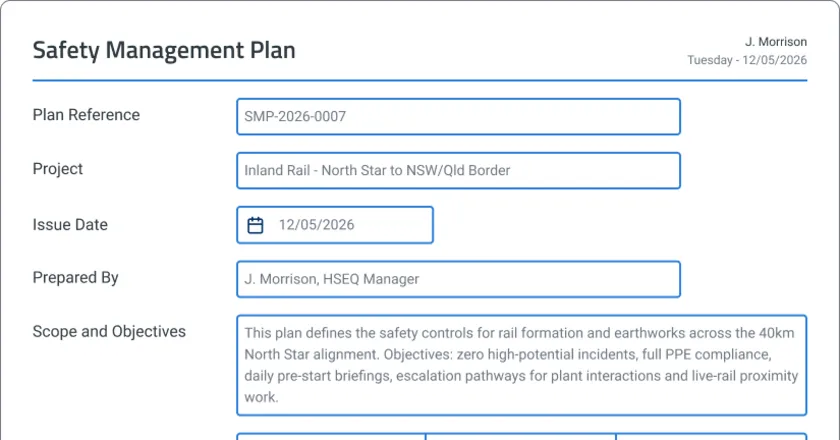
Safety Planning App
Safety planning app template that auto-generates site-specific safety management plans, hazard registers, and compliance documentation. Review,
View app
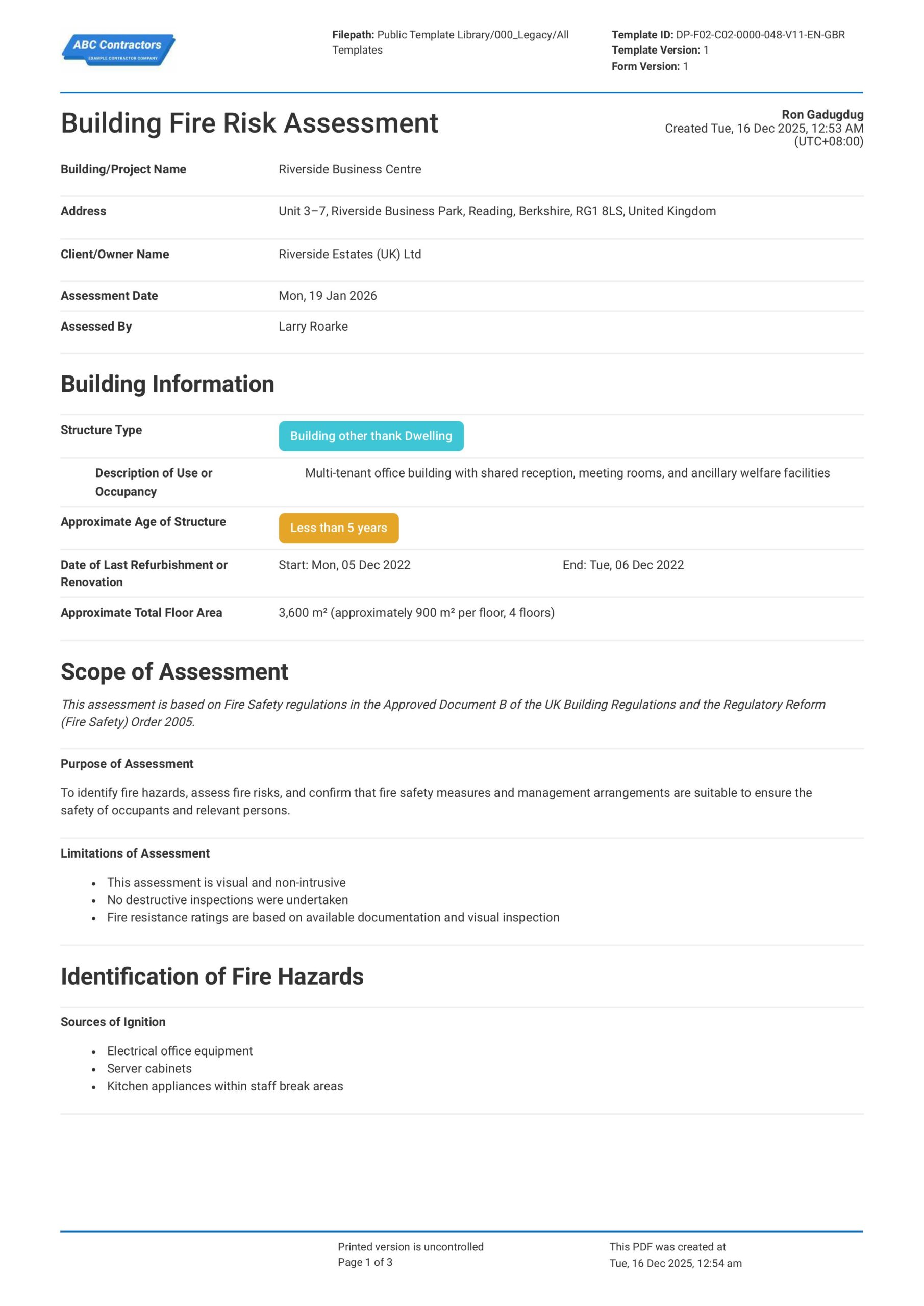
Building Fire Risk Assessment
This Building Fire Risk Assessment template enables safety professionals to conduct comprehensive fire risk evaluations for buildings and projects. The template covers essential elements including general building
View template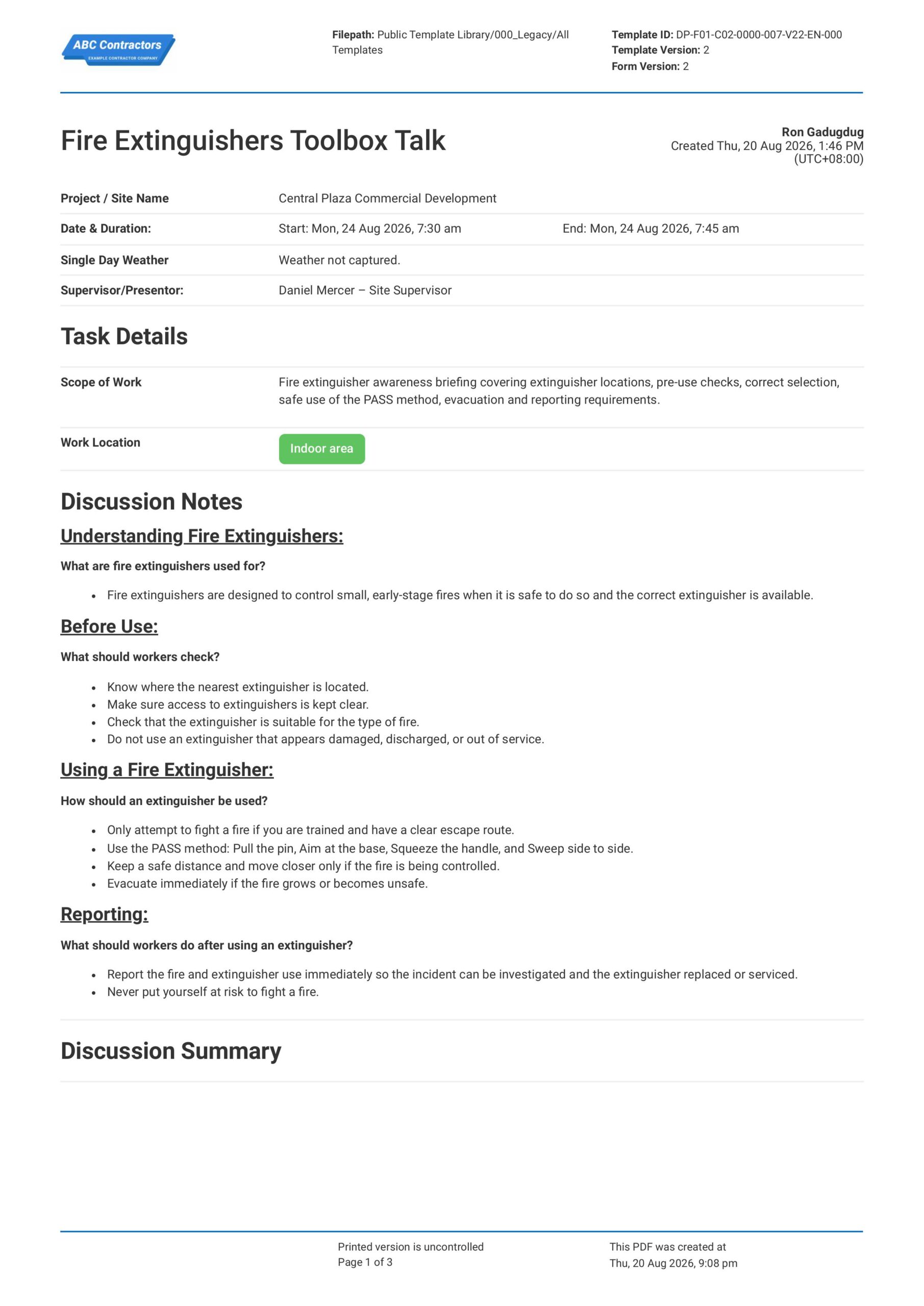
Fire Extinguishers Toolbox Talk
This Fire Extinguishers Toolbox Talk is an easy-to-use form that your workers can use to discuss fire extinguisher locations, basic use, inspection checks, and when to evacuate instead of trying to fight a fire. Record
View templateThis plan was generated with Dashpivot software
- Access, edit and complete your Fire Evacuation Planning from any device - mobile, tablet or computer.
- Print, download or send your Fire Evacuation Planning as perfectly formatted PDF documents with your company logo.
- Store your Fire Evacuation Planning securely online, where they can be searched and found in seconds
- Invite internal and external parties to see, edit and sign off on Fire Evacuation Planning online.
 English (United States)
  English (Australia)
  English (UK)
  English (New Zealand)
  English (South Africa)
  German