
Working at Heights Permit Template

Start with a free 30-day trial. No credit card required.
This free Working at Heights Permit is readily available to help streamline the permit-to-work process for activities conducted at dangerous heights. The template comes with easy-to-fill fields that reduce manual data entry and help ensure efficient completion and compliance with regulatory standards.
Do you want a better procedure for signing permits? This Working at Heights permit enables users to simply notify individuals who are required to sign the permits, allowing them to evaluate and sign them instantly. This speeds up the necessary safety measures before the start of the activity.
 100% fully editable Working at Heights Permit
Export your Working at Heights Permit to PDF or CSV
Access Heights Work Permit on mobile, tablet or computer
Trusted by companies, projects and teams of all sizes















What is Working at Heights Permit?
A Working at Heights Permit ensures that the necessary precautions are taken, including assessing the fall restraints used and other height controls. Properly managing the permit approval process ensures several certified parties and safety personnel have had the chance to assess and approve the circumstances.
Before proceeding with work at a dangerous height, ensure that all safety checks are completed, the expert has approved the precautions, and you have obtained your permit to work at height.
Preview this free Working at Heights Permit Template
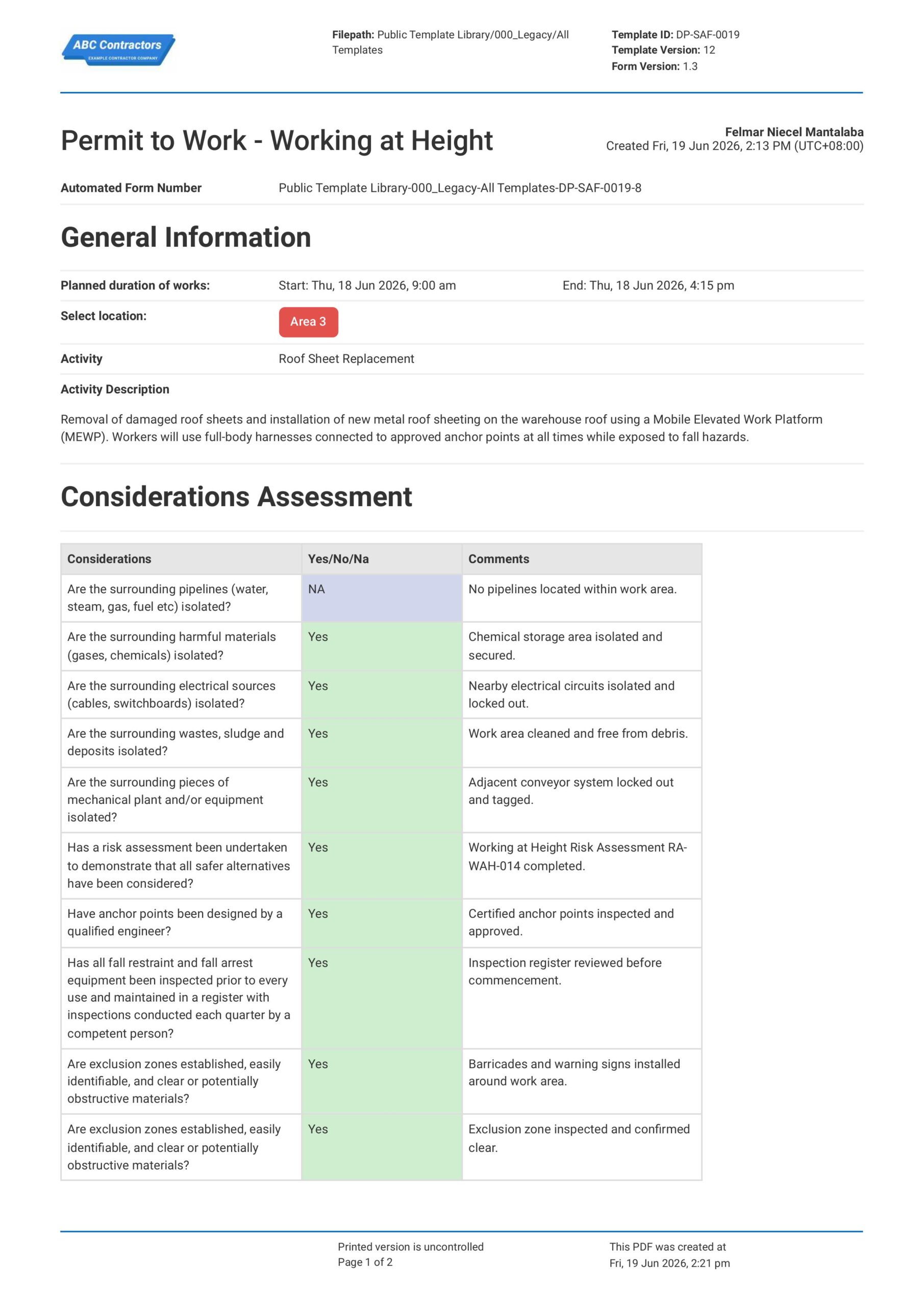
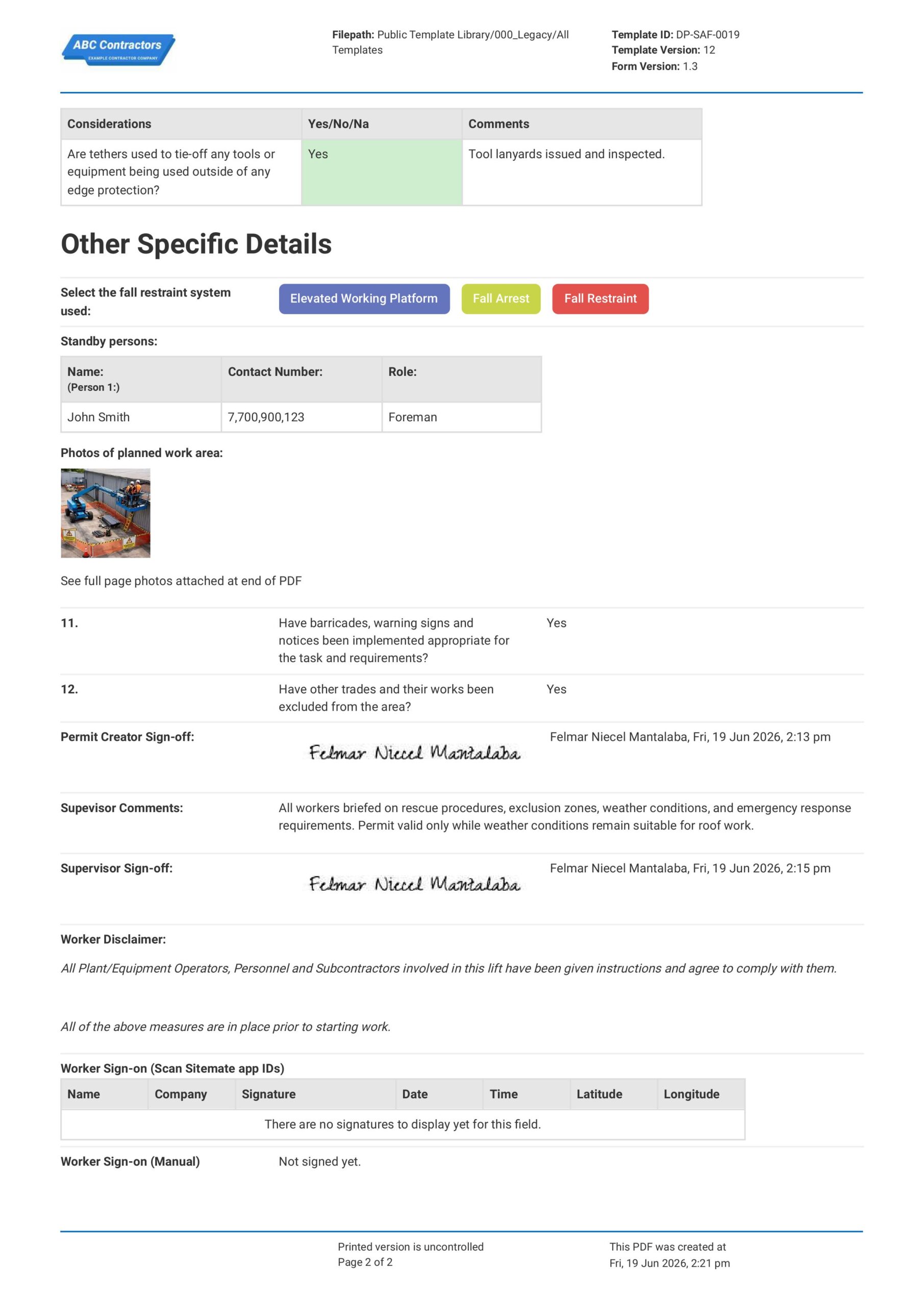
Preview this Working at Heights Permit below and see how it's so much easier to create and navigate the permit.
Preview this Working at Heights Permit below and see how having a digital template helps you and your team be mindful when working at heights. Click around and experiment with this permit now.
Use this Working at Heights Permit template for free

Generate this template automatically with Storm
You don't have to build the Working at Heights Permit process field by field. Let Storm, the AI Data Capture Agent inside Dashpivot, build the template for you in seconds.
Describe what you need
Tell Storm the form you want in plain language and it builds a structured digital template from scratch, with fields, tables, and signatures in place.
Upload what you already use
Drop in your existing PDF, Word, Excel, or even a photo of a paper form. Storm rebuilds it as a smart digital template with the structure intact.
 Storm
Storm
Generate a Working at Heights Permit process form template that I can use for my business
Applicable Standards and Policies for Working at Heights Permit
Globally, 80,000 to 110,000 people suffer fatal injuries from occupational falls each year. Regulatory bodies around the world took action to address this critical concern. They established provisions relating to a safety management system that isolates fall-related hazards. These are the standards around the world that require businesses to implement a Working at Heights Permit before conducting a highly elevated activity:
- The UK’s Work at Height Regulations 2005 and the Health and Safety at Work Act 1974 govern the proper safety measures needed when working at heights.
- In the United States, OSHA rules (29 CFR 1926 Subpart L and ANSI A92 series) govern working-at-height regulations.
- Meanwhile, in Oceania, WHS Regulations and Safe Work Australia guidance specify risk management for plants and for operating at heights in Australia. The Health and Safety at Work Act 2015 and the Best Practice Guidelines for working at heights define New Zealand’s safe-use standards.
Staff Members and Parties that use Working at Heights Permit
The Working at Heights Risk Assessment procedure does not involve a single person. It requires several inputs from various workers to ensure that they identify all threats and implement the best controls. The following individuals are required to participate in the risk assessment process:
- Field Supervisors: These personnel are responsible for managing day-to-day tasks and activities. One of their obligations as managers is to ensure that all employees are safe and healthy. Working at heights is an important activity; thus, supervisors must conduct hazard assessments and implement suitable safety controls to ensure worker safety.
- Safety officers: Their primary role is to fully implement safe work practices in the workplace. They set the standards for what is safe and what is not. They assess the control procedures for hazardous tasks, such as operating at height. To conduct their reviews, safety officers will most likely require the risk assessment to determine the current measures in place. These evaluations are crucial since they determine how effective the controls are.
- Involved personnel: Employees who are most aware of the hazards are classified as involved personnel. These individuals can provide numerous critical inputs during a risk assessment because they are directly exposed to the threats. Furthermore, they must be familiar with appropriate safety rules and measures when operating at heights.
Business Risks Reduced by Working at Heights Permit
Using a Working at Heights Permit decreases the chance of events linked to working at heights and equipment misuse, as well as the associated risk of loss. A Mobile Elevated Work Platform Risk Assessment eliminates the following key hazards and dangers.
- Reduces the likelihood of falling from a height, resulting in serious injury or death.
- Reduces occurrences of overturning, instability, and equipment failure.
- Reduces vulnerability to regulatory penalties, enforcement actions, and shutdowns.
- Reduces project delays due to dangerous circumstances or events.
Business Opportunities Created by Working at Heights Permit
Working at Heights Permit primarily helps businesses establish safe work environments and processes. As a result, these organizations exhibit effective safety management procedures, which can boost their reputation and competitiveness in regulated industries.
- Improves confidence when working at heights.
- Improves tender submissions that require safety management systems.
- Promotes the adoption of contemporary equipment and operator training programs.
- Proactive risk management helps to build trust with clients, regulators, and insurers.
What are the important sections in a Working at Heights Permit?
These are the key sections needed in a Working at Heights Permit:
- General Information
- Considerations assessment
- Specific details of the activity
- Permit creator sign-off
- Permit approver sign-off
- Involved personnel sign-off
Digital Fall Protection Documentation and Compliance Tracking
Modern working at heights permit templates must accommodate complex fall protection systems, rescue planning, and regulatory requirements that traditional paper-based systems struggle to manage effectively. Digital permit templates enable real-time documentation of equipment inspections, environmental monitoring, and safety briefings while maintaining complete audit trails for compliance purposes. The integration of photo documentation, GPS location tracking, and automated compliance reporting transforms heights work permits from simple authorization forms into comprehensive safety management tools that support continuous improvement in fall protection programs.
How to Create a Working at Heights Permit
Creating an effective Working at Heights Permit requires systematic documentation of hazards, controls, and approval processes to ensure worker safety and regulatory compliance.
Prerequisites in creating a Working at Heights Permit
- Site information and layout
- Site hazard and risk assessment
- Worker training and competency files
- Emergency procedures and contacts
- Fall protection materials and manuals
- PPE materials and manuals
Add an information section
Provide the following details in this section:
- Date and time of work
- Location of the activity
- Activity
- Activity Details
Add a section for the needed considerations
Provide the following fields needed in this section:
- List of considerations that include working conditions, risk assessments, and worker competency.
- Verification if the considerations are completed.
- Additional comments and notes for each consideration.
Add the important details
Make sure that these fields are present in this section:
- The fall protection equipment and systems needed in the activity
- Standby personnel in case of emergencies
- Work area layout and situation
- Verification if barricades and warning signs are placed
- Verification if uninvolved personnel have been evacuated from the work area
Add a sign-off section
Provide the following fields in this section:
- Acknowledgements
- Permit creator sign-off
- Supervisor sign-off
- Involved personnel sign-off
Frequently asked questions
How to create Working at Heights Permit process in an App or Software System
Digital Working at Heights Permit templates replace the traditional paper-based approval process by allowing real-time collaboration, automated compliance checking, and integrated safety management. The digital approach eliminates common bottlenecks in permit approval workflows and ensures that safety standards are consistently applied across all work activities at heights.
Advanced features like GPS tracking, weather integration, equipment databases, and mobile accessibility ensure permits remain current, accurate, and immediately available to all stakeholders. This technological enhancement significantly improves safety outcomes and reduces the administrative burden on safety teams and supervisors.
45 minutes
Medium difficulty
How to make a Working at Heights Permit in an app
Creating templates in an app can significantly streamline both the process of making and filling out the Working at Heights Risk Assessment Template. It improves the process by:
- Creating a more professional and styled template
- Reducing manual data entry
- Providing a single access point for all created forms
- Allowing easy reformatting to conform with new protocols or updated standards
- Allowing easy integration of formulas
Creating the general information section
- Add a date and time range field to enable users to input the duration of the activity.
- Provide a drop-down selection field so users can select the location of the activity.
- Provide a text field for the activity.
- Provide a multiple-text field for the activity description
Creating the considerations assessment section
- Add a prefilled table element with 3 columns. The number of rows in this table will depend on how many considerations are needed.
- Format the first column as a prefilled text field to accommodate the list of considerations. Here is a general list of required considerations:
- Pipelines that need isolation
- Harmful chemicals that need isolation
- Electrical sources that need isolation
- Waste that needs isolation
- Equipment and machinery that need isolation
- Establishing of a risk assessment
- Properly designed anchor points
- Inspection of fall arrest or prevention systems
- Establishment of exclusion zones
- Format the second column as a drop-down list field. This column should indicate whether the consideration was completed, omitted, or inapplicable. The drop-down list can be formatted with colors like this:
- Yes—Green
- No—Red
- NA—Purple
- Format the last column as a text field to allow users to input comments and notes.
Creating the other specific details section
- Add a multiple-choice section to allow users to select the type of fall arrest or protection system present on-site. Each selection can be integrated with colors to make the permit more appealing and professional. Here’s a general list of fall arrest or protection systems that you can include in your list:
- Elevated working platform
- Fall arrest
- Fall restraint
- Travel restraint
- Rope access
- Add a 3-column table element where users can freely add rows. Format each column as text fields to allow users to input the following:
- Name
- Contact number
- Role
- Add a photo field to allow users to upload photos of the site situation.
- Add a yes-or-no field to verify if barricades and warning signs have been placed around the workplace.
- Add another yes-or-no field to verify if non-involved workers have been evacuated from the work area.
Creating the sign-off section
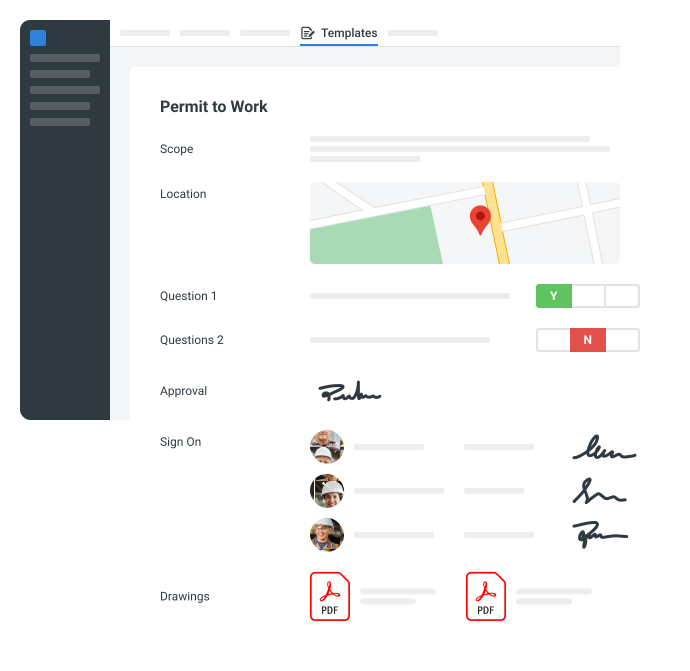
- Add signature fields for the permit creator and permit approver.
- Add a sign-on and sign-off field for the workers involved in the activity. This section should be able to scan the QR code of each employee to easily sign them on or off.
About the author

Felmar Mantalaba
Engineering Content Writer

Education:
Cebu Institute of Technology - University - Mechanical Engineering with Mechatronics
Bio:
Felmar is a mechanical engineer, whose four years of experience in the mining industry inspired him to write and share stories to progress the revolution of new technologies and create smarter, smoother ways of living.
Project Details:
Safety, Health, and Environment Management System (SHEMS) Coordination
SHEMS Coordinator at Atlas Consolidated Mining, ensuring organizational compliance with ISO 14001 and ISO 45001 standards, performing risk assessments, developing policies, and conducting audits and inspections to maintain a safe and environmentally responsible workplace.
Maintenance Management and Optimization
Senior Maintenance Manager (OIC) leading equipment maintenance and operational efficiency initiatives, reducing downtime by 10%, improving Mean Time Between Failure (MTBF) and Mean Time To Repair (MTTR) for major equipment, and managing maintenance schedules, manpower, and materials, while overseeing capital project optimization.
Inspection Engineering and Equipment Reliability
Inspection Engineer responsible for technical blueprint interpretation, vendor collaboration, preventive maintenance scheduling, and data collection for vibration and temperature readings, delivering actionable recommendations and comprehensive reports to improve equipment reliability and operational performance.
End-to-End Operational Oversight in Mining Engineering
Contributed to multiple facets of operational management, including SHEMS compliance, maintenance optimization, inspections, and capital project evaluation, integrating safety, reliability, and efficiency improvements across all stages of copper production operations.
Version History:
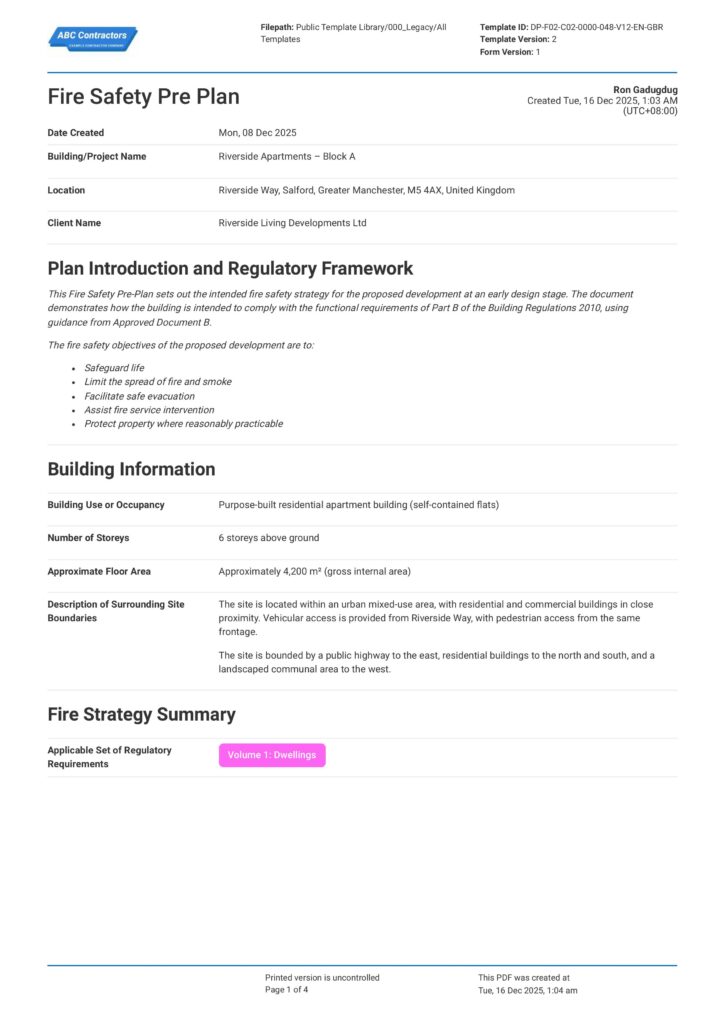
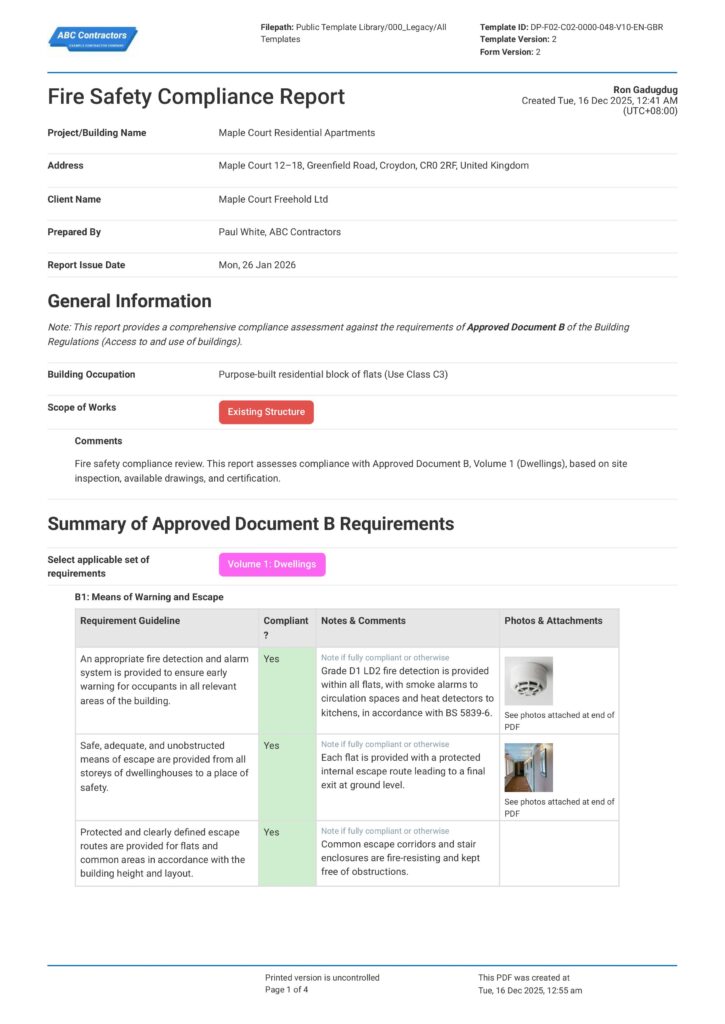
Other popular templates you can use and edit for free
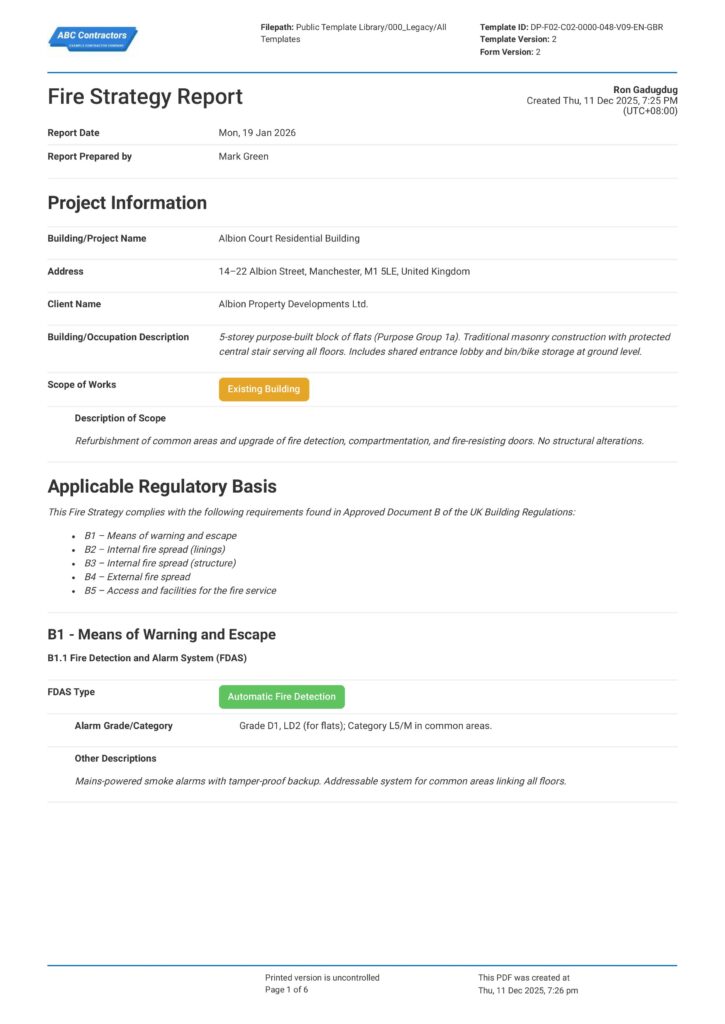
This permit was generated with Dashpivot software
- Access, edit and complete your Working at Heights Permit process from any device - mobile, tablet or computer.
- Print, download or send your Working at Heights Permit process as perfectly formatted PDF documents with your company logo.
- Store your Working at Heights Permit process securely online, where they can be searched and found in seconds
- Invite internal and external parties to see, edit and sign off on Working at Heights Permit process online.
 English (United States)
  English (Australia)
  English (UK)
  English (New Zealand)
  English (South Africa)
  German