
The Job Hazard Analysis App Built for Construction Teams
Stop rushing through generic safety checklists. Sitemate’s AI drafts complete job hazard analyses from work orders, site conditions, and weather data, so safety officers can focus on validating real risks instead of filling blank forms.

Trusted by companies, projects and teams of all sizes















Why Job Hazard Analysis management Is Harder than It Should Be

Generic checklists miss site-specific hazards
Standard JHA forms don’t capture actual conditions like standing water, overhead lines, or confined space atmospheres that create real safety risks.

Morning paperwork delays crew rollout
Supervisors spend 1-1.5 hours completing JHAs manually before work can start, rushing through assessments under time pressure.

Incomplete assessments create compliance risks
Missing hazards or incorrect risk ratings in safety documentation can result in $300,000+ legal claims during incident investigations.

Safety officers waste time on forms
Experienced safety professionals spend valuable time filling blank templates instead of validating controls and coaching crews on real hazards.
A Smarter Way to Manage Job Hazard Analysis

AI drafts JHAs from work context
Import work orders or describe the job, and AI builds structured JHA templates with hazard categories, risk matrices, and control hierarchies matched to the work type.

Voice walkthrough populates hazard assessments
Supervisors record site conditions via voice notes and photos, and AI extracts observations to populate hazard descriptions, locations, and risk ratings automatically.

Safety officers validate and approve
Review generated assessments, adjust risk ratings based on actual conditions, add site-specific controls, and sign off digitally before work commences.

Safety officers waste time on forms
JHAs link directly to work orders, crew inductions, and daily safety records, creating auditable documentation from hazard identification through job completion.


Understanding Job Hazard Analysis Software
What is Job Hazard Analysis?
Job Hazard Analysis (JHA), also known as Job Safety Analysis (JSA) or Task Risk Assessment, is a systematic process of identifying potential hazards associated with specific work tasks and determining appropriate control measures. JHAs are completed before work begins to ensure crews understand risks and have proper safety controls in place. Effective JHAs examine each step of a job, identify what could go wrong, assess the likelihood and severity of potential incidents, and specify control measures following the hierarchy of controls (elimination, substitution, engineering controls, administrative controls, PPE).
Key components of comprehensive JHA documentation:
- Work scope and location details with environmental conditions
- Step-by-step task breakdown with associated hazards
- Risk assessment using probability and severity matrices
- Control measures following hierarchy of controls
- Required PPE and safety equipment specifications
- Emergency response procedures and contact information
- Sign-off requirements for supervisors and safety officers
Regulatory requirements and industry standards
JHAs are required by OSHA standards and equivalent regulations globally for high-risk activities including confined space entry, hot work, excavation, and work at height. Industry standards like ANSI Z244.1 and sector-specific guidelines provide frameworks for hazard identification and risk assessment methodologies that inform JHA development and approval processes.
How To Set Up a Digital Job Hazard Analysis Using Sitemate
Step 1:
Step 2:
Set up user roles and approval workflows. Define who can draft JHAs, which roles can approve different risk levels, and establish escalation paths for high-risk activities. Configure automatic notifications to ensure safety officers receive assessments for review before work authorization.
Step 3:
Train supervisors on voice capture and photo documentation. Show field teams how to record site walkthroughs, capture relevant hazard photos, and use mobile forms to document actual conditions. Training covers voice note best practices and photo requirements for different hazard types.
Step 4:
Integrate with existing work order and scheduling systems. Connect JHA workflows to your project management, scheduling, and crew dispatch systems so hazard assessments automatically link to work orders and crew assignments.
Step 5:
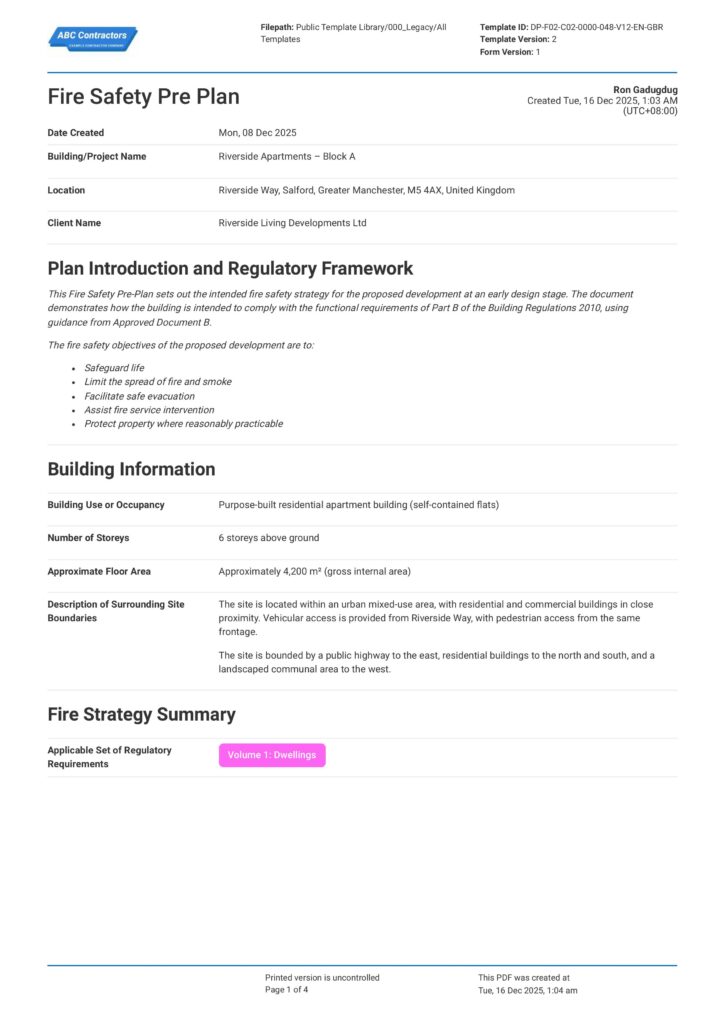
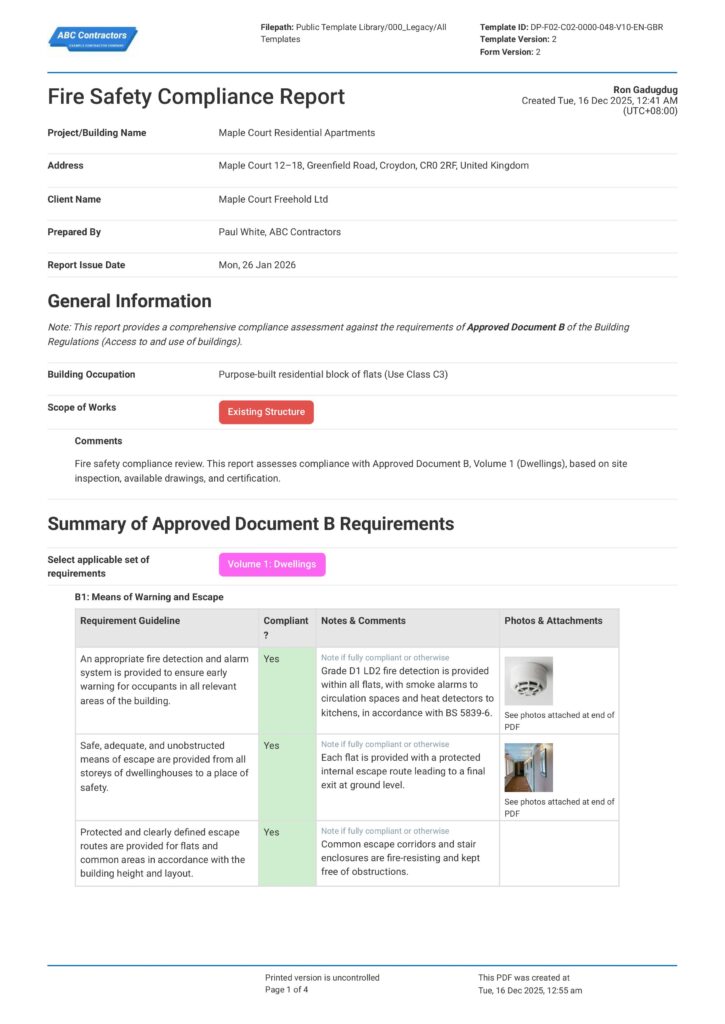
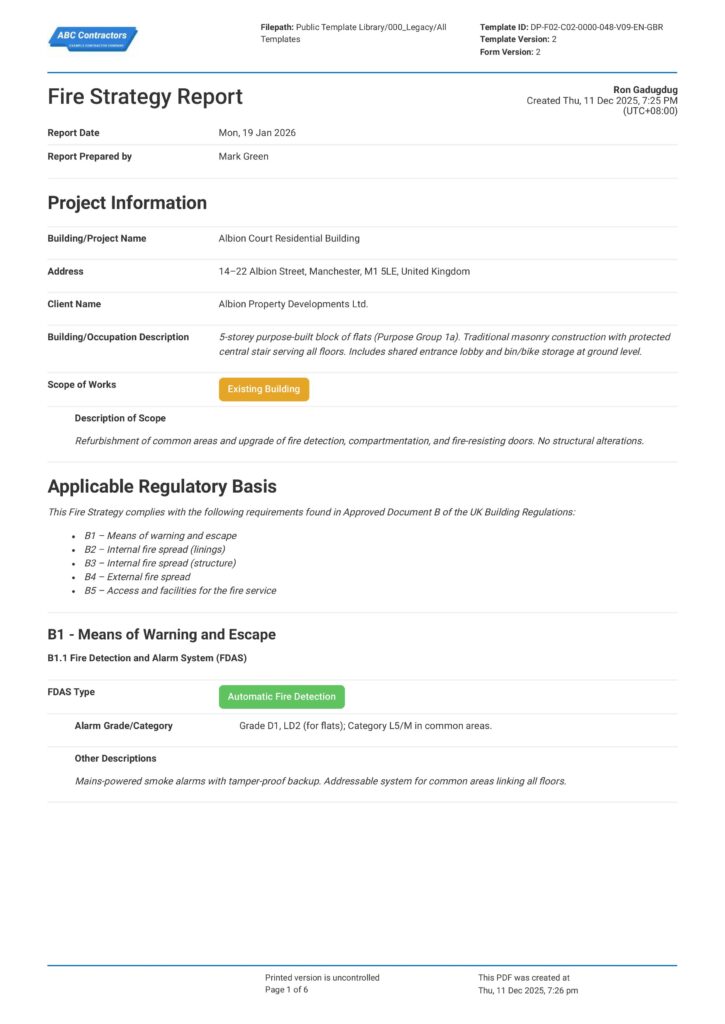
Start Faster With Built-In Job Hazard Analysis Templates
See How Sitemate Has Already Helped Companies Like Yours
"Our process now is so much quicker, easier, and more efficient. It's improved tenfold."
- Shane Russo, Site Manager
500+ employees
Zero paperwork
6 regions
Site data unified across 6 regions
Extend JHAs across project safety management
Flowsite connects individual JHAs to project-wide safety management, tracking hazard trends across work packages and maintaining master hazard registers that inform future planning and risk assessment processes.
Comparison: Paper Job Hazard Analysis vs Digital Job Hazard Analysis
Most project teams already know paper and spreadsheets aren't cutting it. Here's what changes when you move your method statements to a digital system.
Auto-draft from work scope and conditions
Voice capture of site conditions
Real-time review and approval
Versioning
Searchable audit trail
Actions and follow-ups
Integration with safety records
Offline access
Reporting and analytics

Paper
Frequently asked questions about Job Hazard Analysis
Will AI miss hazards specific to our work type?

AI drafts JHAs from your work scope, site conditions, weather data, and historical hazard information, but safety officers review every line and can add any site-specific risks before approval. The AI handles template generation while experienced safety professionals maintain control over risk validation and final decisions.
How do crews access JHAs in the field?
Approved JHAs are available on mobile devices and can be printed if required. Crews can reference hazard controls, emergency procedures, and required PPE throughout the work day, and supervisors can update conditions or add new hazards as work progresses.
Can we tailor JHA templates for different work types?
Yes, templates can be tailored for confined space entry, excavation, hot work, electrical work, work at height, and other specific activities. Risk matrices, control hierarchies, and approval workflows can all be configured to match your safety management system requirements.
How do JHAs integrate with our existing safety management system?
JHAs link directly to work orders, crew inductions, daily safety records, and incident reporting. This creates a complete safety trail from hazard identification through work completion and connects to broader safety performance tracking and regulatory compliance reporting.
What happens if conditions change during the work?
Supervisors can update JHAs in real-time when site conditions change, weather deteriorates, or new hazards are identified. Changes trigger notifications to safety officers for review and re-approval if required, ensuring crews always have current hazard assessments.
How long does it take to complete a JHA?
AI drafts complete JHAs in minutes from work scope and site walkthrough data. Safety officers typically need 10-15 minutes to review, validate, and approve assessments instead of 1-1.5 hours for manual completion, allowing crews to start work faster while maintaining thorough hazard identification.
Do we need special training to use the system?
Field supervisors need brief training on voice capture and photo documentation techniques. Safety officers learn the review and approval interface quickly since it follows familiar JHA workflows. Most teams are productive within their first week of use.
 English (United States)
  English (Australia)
  English (UK)
  English (New Zealand)
  English (South Africa)
  German