













Dashpivot Quality

Quality records that finish when the inspection finishes

Quality managers and inspectors walk the site, take photos, and voice their findings like they always have. Now the ITRs, defect reports, and inspection records draft themselves, ready for review and sign-off.

Powered by Storm

Storm drafts quality records from voice notes, photos, and measurements. Your team reviews and signs.

Built in Dashpivot

One platform for quality, safety, site diaries, inductions, and timesheets.

Works offline

Capture quality data on-site with the mobile app, even without internet.

Audit-ready

Every record is timestamped, signed, and exportable for ISO 9001 audits.

Trusted by companies, projects and teams of all sizes

Phoenix Offshore Solutions
Stonebond
Tesmec
Snowy Hydro
Mack Civil
JVS Industries
The APP Group
AJC
Cherrie
Burton
Great Southwestern Construction
AM1 Projects
Ward
Caras
SciDev

What is a Quality Management System?

How a company defines, inspects, and proves the quality of its work, all in one place.

Why use a Quality Management System?

Catch defects at hold points instead of at handover, and keep the audit trail without the paperwork.

Book a quick call

Every quality workflow, drafted by Storm, controlled by your team

From inspections and ITRs to defect management and handover, here's how teams use Dashpivot to run their quality workflows. Storm handles the documentation. Your team stays in control.

Quality inspection

Quality inspectors capture findings through photos, voice notes, and measurements as they walk the site. Storm drafts the inspection report, linking photos to specific checkpoints and non-conformances. The inspector reviews and signs off before leaving.

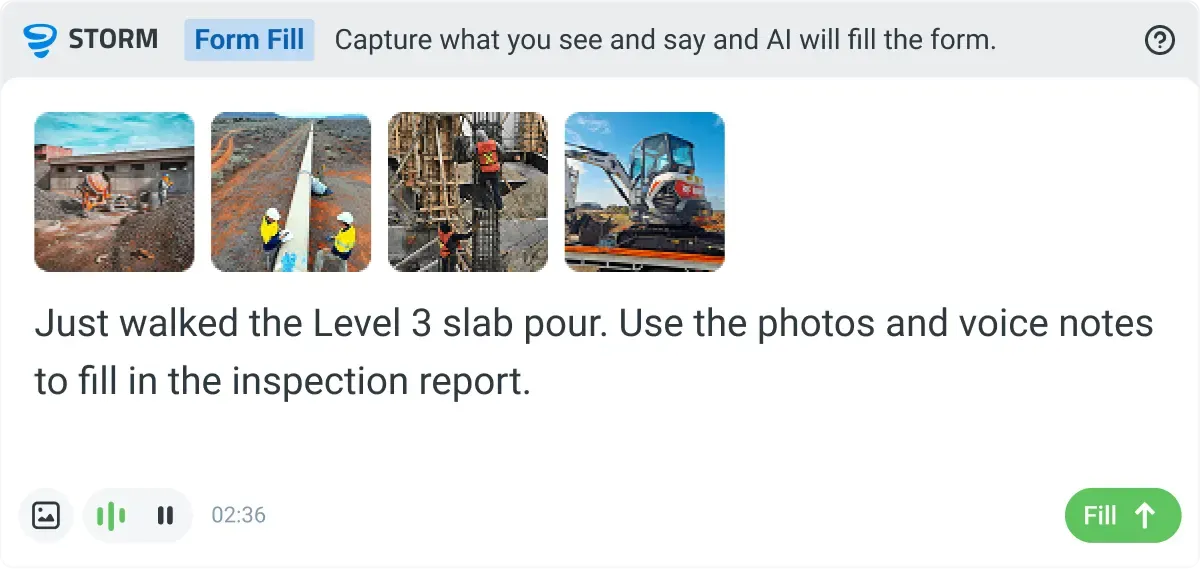
Storm Form Fill drafting a quality inspection from photos and a voice note

Identified from photos captured on-site

The inspector takes photos on the walk. Storm picks out non-conformances and suggests a severity from what's in each image.

Transcribed from voice observations

Storm turns voice notes into written findings, with measurements and corrective actions in the right fields.

Date and location captured automatically

The device adds the date and GPS location, so the record is ready for the quality manager to review.

View use case

Storm drafted this from site photos and a voice note. Sign-off stays with your team.

Quality Inspection

R. PatelCreated Tue - 14/04/2026

Inspector R. Patel
Project Harbourside Apartments, Level 4
Inspection Date 14/04/2026
Inspection Area
Element Inspected Columns B5 to B8, north face
Findings
FindingSpecificationSeverity
Honeycombing, approx. 200 x 150 mm, column B7Class 2 off-form finishMajor
Cover to reinforcement 30 mm, column B640 mm minimum coverMajor
Finding Photos Concrete works on site Formwork beside a trench Site works in progress
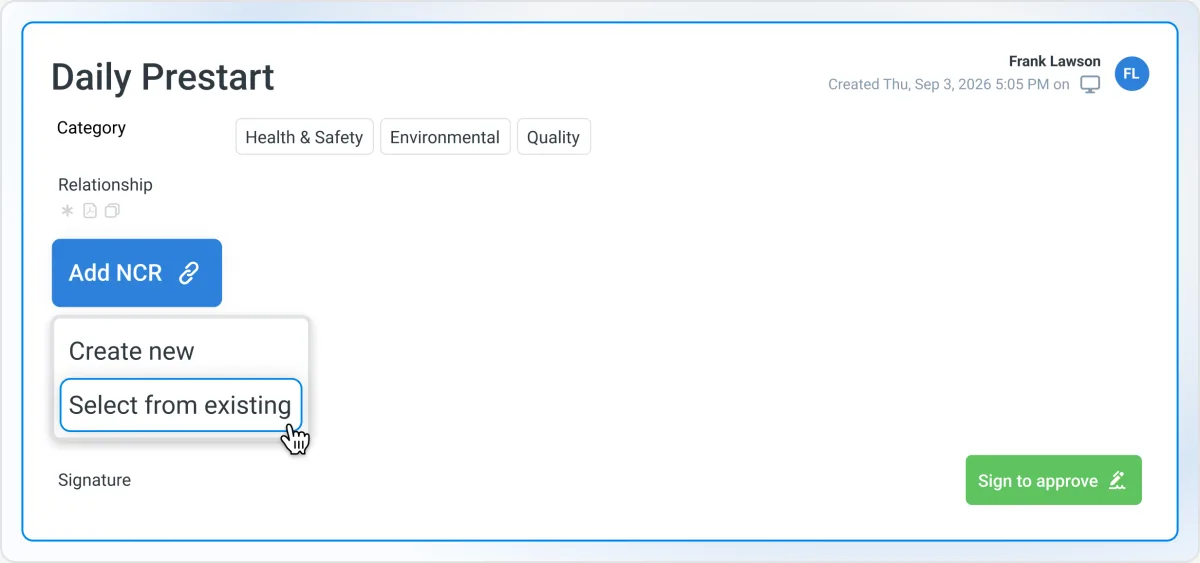
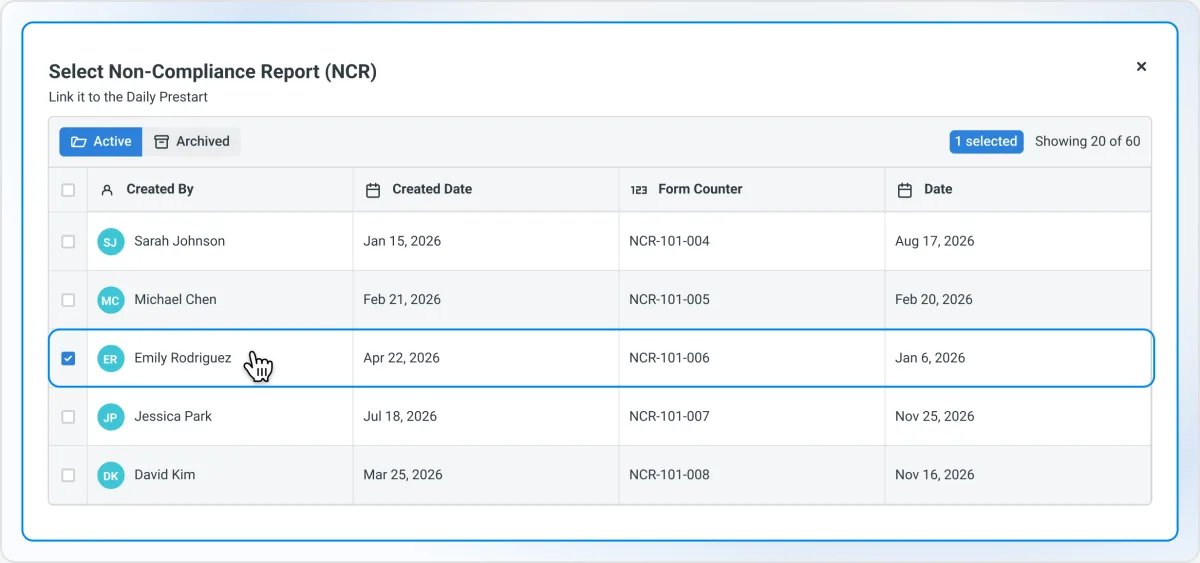
Non-conformance Is a non-conformance report required?
Inspector Sign-Off
Quality Manager Sign-Off
Review & Approval
ReviewerDateSignature
Awaiting review

Inspection and test plan (ITP)

Storm builds the ITP from your project specs and scope of works, with hold points, witness points, and inspection checkpoints for the work. The quality manager reviews and approves before any phase begins.

Built from a description or existing document

Describe the work scope or upload an existing ITP, and Storm builds the template with hold points, witness points, and acceptance criteria.

Filled from on-site inspection

Inspectors record results at each checkpoint, and Storm maps each observation to the right row with its pass or fail status.

Signed off before the phase starts

The quality manager checks the hold point results against the acceptance criteria and approves before the next phase begins.

View use case

Storm drafted the results from a voice note at each checkpoint. Hold points stay with your team.

Inspection and Test Plan

M. OkaforCreated Wed - 15/04/2026

Work Package Structural steelwork, Level 3
Inspector M. Okafor
Inspection Date 15/04/2026
Checkpoints
CheckpointPointResult
Bolt torqueHold190 Nm, pass
Visual weld inspectionWitnessPass
Column alignmentHoldWithin 2 mm, pass
Inspection Notes All connections on grid lines C to E checked. No rework needed before the deck goes in.
Hold Point Are all hold point criteria met?
Inspector Sign-Off
Hold Point Release
Next Phase Approval
ApproverDateSignature
Awaiting approval

Defect management

Storm captures defects as they're spotted on site, turning photos and voice notes into structured defect records with location data. The quality manager assigns responsibility and tracks each fix through to close-out.

Captured the moment it's found

Photos of the defect and the area around it go straight onto the record.

Transcribed from voice description

Storm turns the spoken description into a structured defect record, with the trade and project phase filled in.

Tagged with location, ready for severity

The device adds the GPS location, so the record is ready to rate and assign.

View use case

Storm drafted this from photos and a voice description. Assignment stays with your team.

Defect Report

L. ChenCreated Thu - 16/04/2026

Defect Cracked render, east stairwell
Location
Date Found 16/04/2026
Time Found 10:15
Trade Plastering
Project Phase Fit-out
Severity How severe is the defect?
Description Hairline crack about 600 mm long, running from the window head up to the ceiling line. Render is sound either side.
Defect Photos Close-up of the damage Damage from a wider angle Surrounding area
Reported By
Assignment
Assigned ToDueStatus
Awaiting assignment

Inspection and test record (ITR)

Storm fills in test results, measurements, and observations as the inspection happens, in the right record format. The inspector reviews everything, adds notes, and signs off.

Storm drafting an inspection and test record from voice measurements

Captured during the test

Photos of the test set-up and results are linked to the matching test entries.

Transcribed from voice measurements

Storm maps spoken measurements and observations to the test method, value, and equipment fields.

Checked against acceptance criteria

Storm marks each result as a pass or fail against its tolerance, ready for the inspector to confirm.

View use case

Storm drafted this from voice measurements and test photos. Sign-off stays with your team.

Inspection and Test Record

A. NovakCreated Fri - 17/04/2026

Element Slab pour 3, Level 2
Tested By A. Novak
Test Date 17/04/2026
Test Location
Results
TestMeasured (tolerance)Result
Slump85 mm (80 ± 15 mm)Pass
Concrete temperature24 °C (10 to 32 °C)Pass
Air content4.5% (3 to 6%)Pass
Equipment Slump cone SC-04, probe thermometer T-11
Test Photos Test set-up on site Pour in progress
Tester Sign-Off
Review & Approval
ReviewerDateSignature
Awaiting review

Enterprise quality management, governed from day one

Set the rules once at head office, and every site captures quality records inside them, with a full trail behind each one.

Control where Storm works

Control where Storm drafts, where people review, and where sign-off is required. Set guardrails at the workspace, template, field, and cell level.

Full audit trail

Every record shows what Storm drafted, what was entered by hand, and who approved it. It's ready to export when an ISO 9001 auditor asks.

Central oversight, local execution

Align quality processes across projects while site teams adapt to local conditions. Regional dashboards roll up to an enterprise-wide view.

Integration into existing systems

Quality data flows into SharePoint, Power BI, and your own systems through Flowsite. Nobody re-types the same data twice.

Access controls and permissions

Control who can create, edit, approve, and export quality records. Each person only sees the records their role allows.

Scalable rollout

Start with one site or roll out across hundreds. The system scales without adding admin overhead or requiring IT support.

AJC Trailers Dashpivot
“Dashpivot is now a vital tool in our commitment to quality, efficiency, and continuous improvement.”

Simon Fletcher, Operations and Technical Director at AJC Trailers

View customer story

Streamline your quality operations

Quality teams shouldn't have to choose between inspecting the work and documenting it. The Quality Management System captures records as the inspection happens, so your team stays focused on finding issues while handover documentation stays ready.

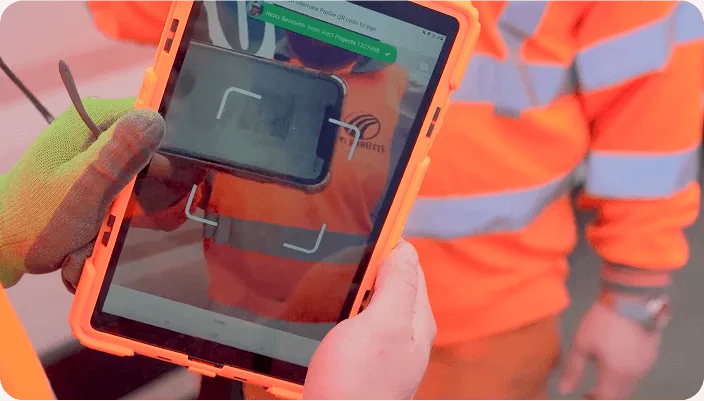
Fill in a form by text or phone call

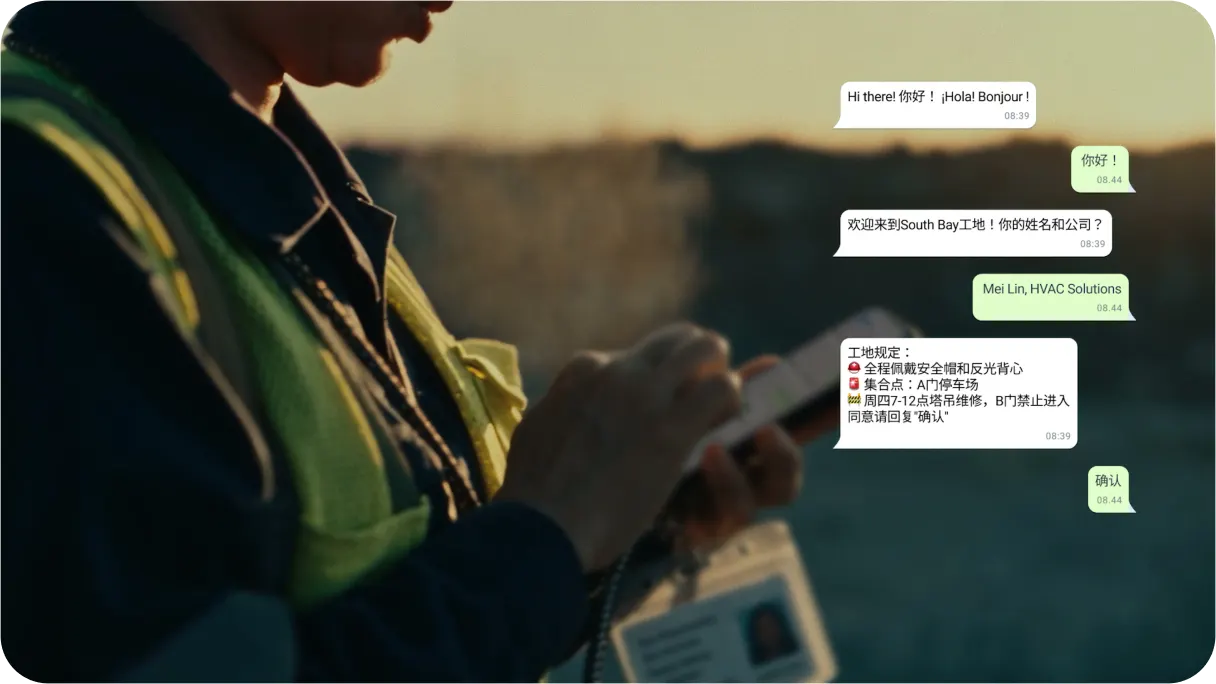
Subcontractors scan a QR code, and Storm asks the form's questions by text, WhatsApp or call. No app or login needed.

A worker on site answering Storm's questions in a WhatsApp chat, in Chinese

Photos

Unlimited storage with auto-stamping, markup, and GPS. Every photo lives inside the form it was captured for.

A geo-tagged site photo with an auto-stamped date, location and project

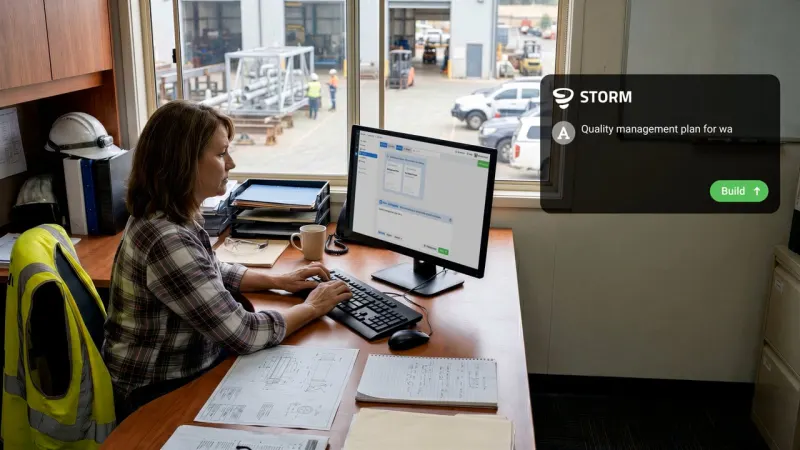
Build with Storm

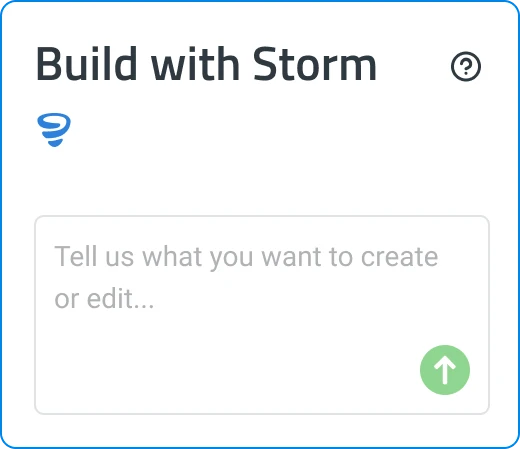
Ask Storm to add a section, reorder fields or clone a table, and the edits apply directly. Undo any change you don't want.
The Build with Storm panel in the Dashpivot template editor

Digital signatures

Capture approvals on the spot with digital signatures, without waiting for paperwork to be passed around.

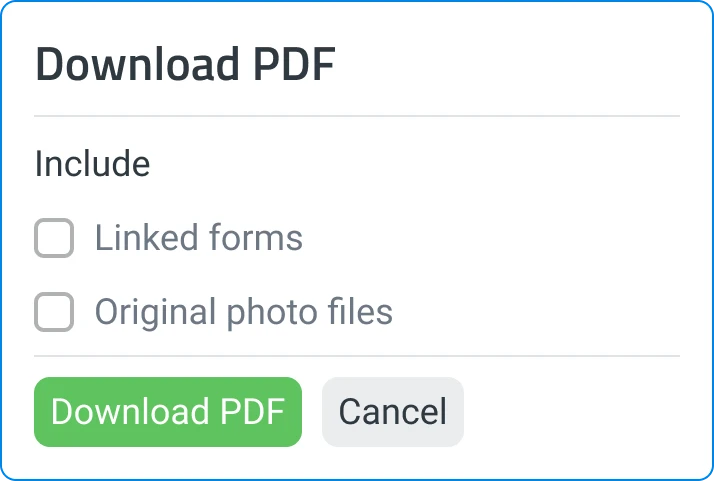
Audit-ready exports

Generate clean PDF reports or registers instantly for compliance checks and external audits.

The Download PDF dialog, with options to include linked forms and original photo files

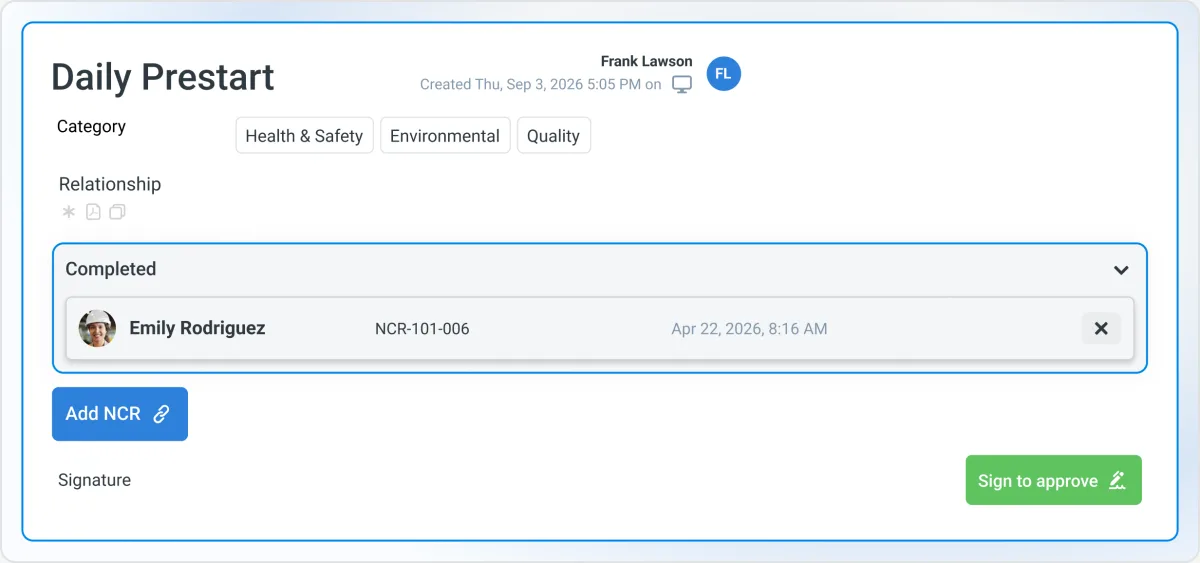
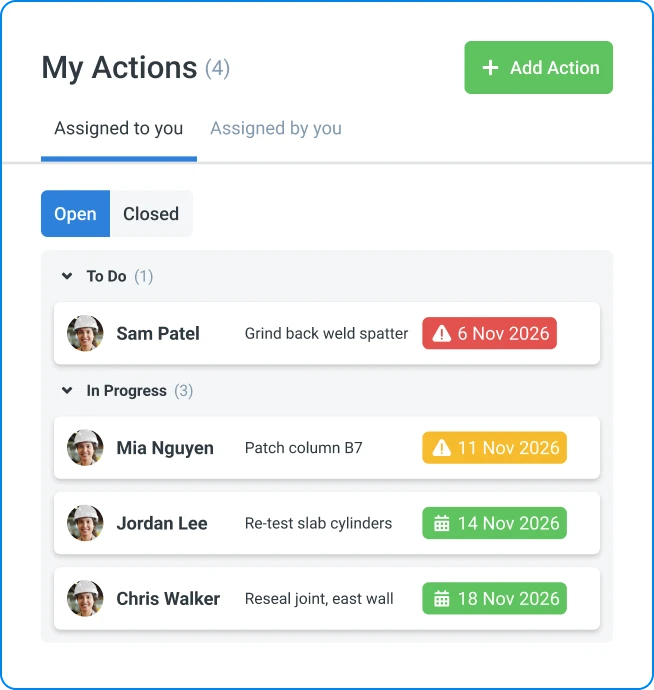
Create, assign, and track actions

Raise corrective actions from any inspection and assign them to the right person. Set due dates and track each one to close-out.

A My Actions list with corrective actions assigned to the team and their due dates
ISO 9001, ISO 14001 and AS/NZS 4801 compliance badges

Automated quality compliance

Sitemate supports companies working to ISO 9001 and industry-specific quality standards. Every inspection, test result, and defect is timestamped, signed, and exportable.

Your audit evidence and handover documentation are ready before anyone requests them.

Connect your quality data to the rest of your business

Quality records shouldn't live in a silo. Flowsite allows you to connect your quality data to the tools your business already runs on, from plug-and-play integrations to full programmatic access.

Flowsite integrations

Push quality data from Dashpivot into your other business tools with no-code integrations. Connect in minutes with drag-and-drop configuration, no developers required.

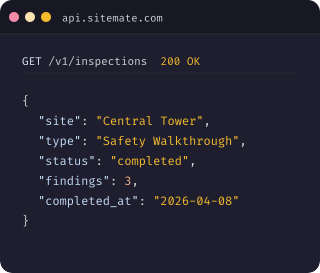
Open API

Build custom integrations and pull quality data directly into your own systems. Full programmatic access for teams that want complete control over how data moves.

Example Open API response for an inspection
Sitemate MCP connecting Dashpivot data to AI tools

Sitemate MCP (Model Context Protocol)

Connect your quality data to AI tools like ChatGPT, Claude, and Copilot. MCP gives external systems structured read access to your Dashpivot data with proper authentication and permissions.

How to set up a quality system using Dashpivot

Get your team from sign-up to capturing quality records in a few steps. You won't need IT to set it up.

  1. Start with Dashpivot

    Choose Dashpivot as your quality platform. The Quality Management System sits inside Dashpivot alongside Safety, Field Reporting, Time and Materials, and Custom, so quality records share approvals, data, and governance with the rest of your operation.

    • Workspace setup
    • User invites
    • Project structure
    • Role-based access
  2. Generate templates with AI Templates

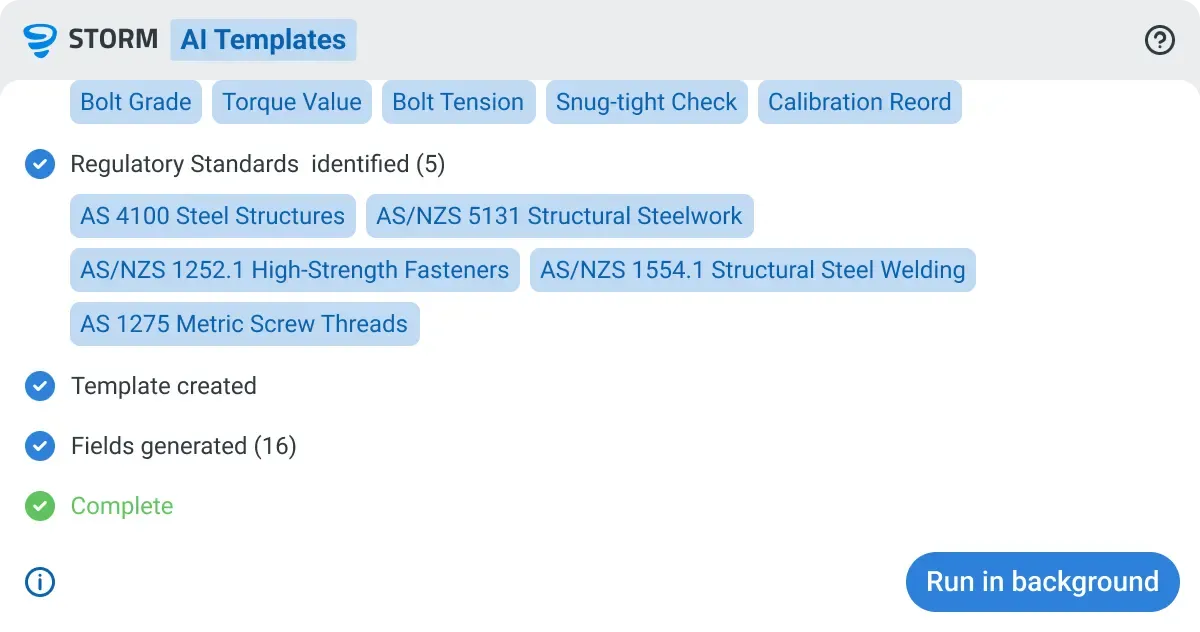
    Describe the quality document you need (ITP, ITR, inspection checklist, defect report, commissioning sheet, audit checklist) and Storm builds the structured digital template with AI Templates, with hold points, witness points, and acceptance criteria mapped in.

    • Prompt examples
    • Hold and witness points
    • Acceptance criteria
    • Approval chain
  3. Import existing documents

    Already have your own ITPs, ITRs, or inspection forms? Upload your Word, Excel, or PDF and Storm converts them into smart digital templates with AI Templates, keeping your fields, sections, and approval flow intact.

    • File formats (Word, Excel, PDF)
    • Field mapping review
    • Tolerances and pass/fail logic
    • Signature points
  4. Refine it with Storm

    Ask Storm to add a section, reorder fields or change a table, and it edits the template as you talk. Set tolerances, pass/fail rules, approval chains, and routing for non-conformances.

    • Tolerances
    • Pass/fail rules
    • Defect routing
    • Role-based access
  5. Storm fills records as work happens

    Inspectors record voice notes, photos, and field measurements as they walk the site. Storm transcribes, maps content to the right fields, and drafts the record. Your quality manager reviews and approves before anything is signed off.

    • Voice measurements
    • Photo prompts
    • Review workflow
    • Approval roles
  6. Storm controls and governance

    Set guardrails at the workspace, template, field, and cell level. Control where Storm operates and where humans must approve. Every record Storm drafts is clearly marked and fully traceable.

    • Workspace-level controls
    • Template permissions
    • Field-level rules
    • Audit trail

Comparison: digital system vs legacy systems

Most quality teams already know paper and spreadsheets aren't cutting it. Here's what changes when you move to a digital quality management system.

Legacy
When docs happenAs the inspection happens, on-siteAfter the inspection, often days later
How docs are createdDrafted from voice notes, photos, and measurementsTyped up from handwritten notes and memory
Quality team timeMinutes reviewing and signing offHours typing up reports
Handover readinessReady the moment the work finishesScramble to compile before client sign-off
Defect trackingStructured records from the point of discoveryScattered spreadsheets, lost photos
TraceabilityFull audit trail, searchable across all recordsFolders, filing cabinets, email chains

Frequently asked questions

What does the Quality Management System cover?

The Quality Management System covers the full quality documentation lifecycle. It includes quality management plans, inspection and test plans (ITPs), commissioning sheets, inspection and test records (ITRs), inspection and test certificates, quality audits, quality inspections, defect management, and lot management.

Is the Quality Management System standalone, or does it work alongside other Sitemate components?

The Quality Management System sits inside Dashpivot. It works alongside the Sitemate App for front line worker access and Flowsite for integrating quality data into back-office systems. Safety, Field Reporting, and Time and Materials systems can run on the same Dashpivot platform if you need them.

What does a typical quality workflow look like?

A typical quality workflow starts with a quality management plan and ITP at project planning, runs inspections and tests against hold and witness points during work, logs any defects as they're found, and compiles certificates for handover. Each record links to the next, creating a traceable quality chain from plan to proof.

Are there regional variations of common quality documents?

Yes. ITPs are also called inspection and test plans, quality plans, or hold point registers. Quality audits map to ISO 9001 or other industry-specific standards. The platform supports all variants, and you set your terminology in the template.

What does Storm do in the Quality Management System?

Storm generates structured digital templates for quality documents (QMPs, ITPs, commissioning sheets, audit checklists, inspection certificates) when you describe what you need or upload an existing document. It also fills out quality forms by reading voice notes, photos, and field measurements captured on site, and maps them to the right form fields.

Where does the human stay in control?

All Storm-generated templates and form fills are drafts until a qualified person reviews and saves them. Quality managers and inspectors approve every record before it's committed. Admins control which workspaces, templates, and fields Storm is allowed to write to.

Does the Quality Management System support ISO 9001 compliance?

Yes. Audit checklists for ISO 9001 and other relevant standards can be generated as templates. Quality records are timestamped, signed off, and linked to project specifications, and they export as audit-ready PDFs.

How does the system handle audit trails and traceability?

Every quality record is linked to the project, lot, or work package it belongs to. Hold points, witness points, and acceptance criteria are tracked through inspection records. Each change has a traceable owner, and records can be filtered, searched, and exported for client or auditor review.

How long does it take to set up the Quality Management System?

Most teams are running their first workflow within days. Pre-built templates for common quality documents are ready out of the box, and AI Templates can build custom templates from a description or by importing your existing documents.

Can we tailor the system to match our existing quality processes?

Yes. Ask Storm for the change in plain words, or edit the template yourself. Forms support conditional logic, smart fields, and role-based sign-offs.

Quality records that finish when the inspection finishes

Watch demo