AI Tool for Creating Job Hazard Analysis
A job hazard analysis is only worth the time it takes if it describes the job actually in front of the crew. Most are copied from the last one. Describe the work, or walk the site and talk through what you see, and the JHA comes back drafted, with the hazards, risk ratings and controls already in place, for you to check and sign off before anyone starts.

Trusted by companies, projects and teams of all sizes















The short answer
An AI job hazard analysis tool writes the first draft. Describe the job, or walk the site and talk through what you see, and it breaks the work into steps, flags what could cause harm at each one, rates the risk and proposes controls. Your safety officer checks it, adjusts anything specific to the site, and signs it off before the crew starts.
What is an AI job hazard analysis tool
An AI job hazard analysis tool produces the first draft of the assessment. It breaks the task into its steps, identifies what could cause harm at each one, rates the risk, and proposes the controls that bring it down. A person reviews it, adjusts it, and signs it off before anyone starts work.
The document underneath is the same one your crews already use. You'll see it under several names depending on the client, the region, or the standard being worked to.
- JSA, or Job Safety Analysis
- JHA, or Job Hazard Assessment
- Risk Assessment
- Task Risk Assessment
- Safe Work Analysis
Why use an AI job hazard analysis tool
Supervisors and safety officers write these manually before work starts, usually under time pressure with a crew already on site. So the fastest path is to open the last one for a similar job and change the date. The result is a generic checklist that doesn't reflect the conditions in front of anyone, and the missing hazards only surface after something has gone wrong.
A tool that drafts the assessment removes the reason to copy. The specific version becomes the fast one, so time pressure stops deciding what the crew gets handed.
The crew is waiting, the job isn't quite the same as last time, and the quickest thing available is last week's assessment with today's date on it.
How to write a job hazard analysis with AI
Three steps, from describing the job to a signed assessment in the crew's hands. The judgement stays with the person signing it.
-
Step 1
Describe the job, or bring your own format
Type what the work involves, for example a confined space entry in an underground stormwater pipe. Or upload the JHA format you already use and keep your hazard categories, risk matrix and sign-off fields.
-
Step 2
Walk the site and talk through what you see
Record a voice walkthrough of the actual conditions and add photos. Each observation is mapped to the right row of the assessment.
- Hazard description
- Where on site it is
- Risk rating
- The control that brings it down
-
Step 3
Review every hazard, then sign off
The safety officer checks each identified hazard, adds anything specific to the site, adjusts the controls, and approves before the crew starts. The draft saves the typing, not the decision.
The person who sees the hazard is the person who reports it
Workers describe hazards in their own language and the assessment is produced in your workspace's working language. Hazard reporting stops depending on who can write it up in English, which on most sites isn't the person standing closest to the risk.
What a good job hazard analysis contains
The test isn't whether the document exists. It's whether the crew knows the job in front of them when they read it.
- The actual steps of this job, in the order they happen on site
- Hazards named against each step, rather than a general list for the trade
- A risk rating that changes once the controls are applied
- Controls that follow the hierarchy of control instead of defaulting to PPE
- Conditions that were true on the day, not the last time this job ran
- The names of the people who did the work and signed it off
What people actually need a JHA for
These are the jobs people described when they asked for a job hazard analysis. Heights and machinery lead, but nothing dominates: the long tail is most of the demand, which is why a generator has to handle the job you describe rather than the job a template author guessed at.
| The job being assessed | Share of requests |
|---|---|
| Working at heights | 12% |
| Plant and machinery | 11% |
| Electrical | 9% |
| Maintenance and cleaning | 8% |
| Excavation and groundworks | 5% |
| Concrete and formwork | 5% |
| Hot works and welding | 4% |
What to look for in an AI job hazard analysis tool
A safety document has a higher bar than a note. It's read by people about to do dangerous work, and it's read again by a regulator if that work goes wrong. The things that matter are the ones that keep it specific and keep a person accountable.
- Output that follows your own hazard categories and risk matrix, not a generic one
- A mandatory human review and sign-off before the document can be issued
- Capture of real site conditions, not just the job description
- Controls tied to the hierarchy of control, rather than free text
- A full record of who reviewed and approved it, and when
- Support for the languages your crew speaks
- Capture that works offline, because the site walk is where the detail is
What to avoid
The risk with automating a safety document isn't a wrong word. It's a plausible-looking assessment that nobody really read, issued to a crew who assume somebody did.
- Anything that issues a safety document without a person approving it
- Generic hazard libraries presented as if they were site-specific
- General business AI with no understanding of built-world safety documents
- Tools that can't take your existing format, forcing a parallel process
- Output with no audit trail of who approved what
- Anything that needs a desk to review, when the assessment happens on site
Nothing reaches the crew unchecked
Nothing is issued automatically. Every draft is for human review, and admins control what can be written to.
On a safety document that isn't a nice-to-have. The value isn't a faster JHA, it's a safety officer spending their time validating real risks on a real site instead of filling in a blank form under time pressure.

Build job hazard analyses with AI in Dashpivot
The AI behind your JHAs is Storm, Sitemate's data capture agent for the front line of the built world. It is purpose-trained on real built-world documents, so it knows a JHA from a method statement and a hazard from a control.

AI Form Generation
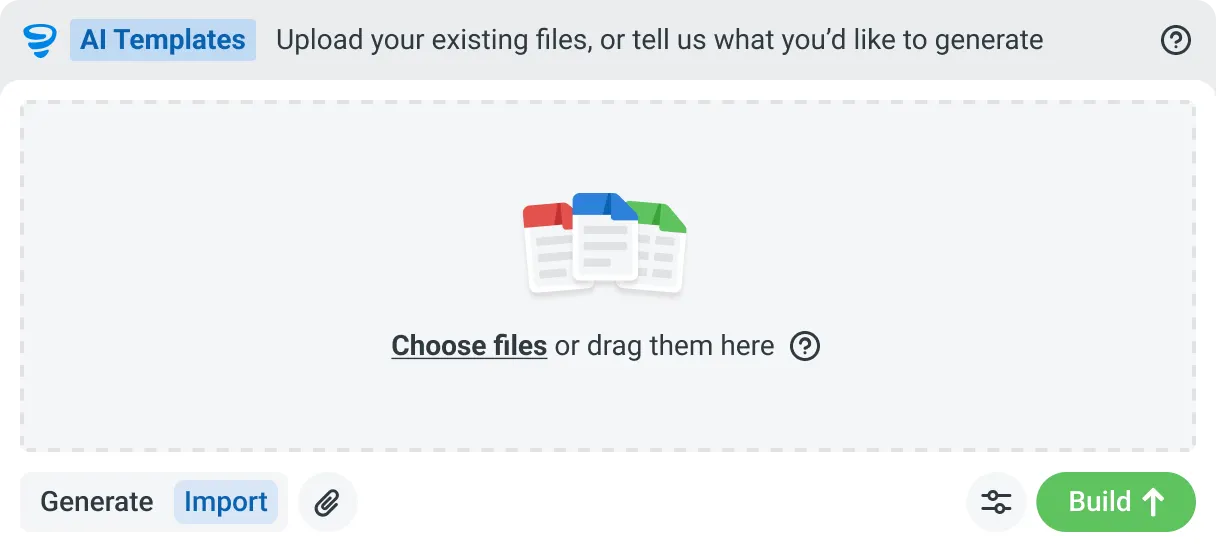
Describe the form you need in plain language, or upload an existing PDF, Word or Excel document. Dashpivot builds it as a structured digital template with the right fields, sections and workflow attached, and you edit it before you publish.


Speaks built-world
Purpose-trained on real built-world documents. Knows a JSA from a method statement, an ITP from an inspection.

Reads documents
Upload existing PDFs, Word, Excel, or photos of paper forms. Storm rebuilds them as smart digital templates, structure intact.

Works on site
Built for gloves, cabs, and screen protectors. Captures inputs offline and processes in the background. No waiting on the field.
Frequently Asked Questions
What is a job hazard analysis?

A job hazard analysis breaks a task into steps, identifies what could cause harm at each step, rates the risk, and sets the controls that bring it down. It’s completed before work starts and signed off by the people doing it, which is what separates it from a generic safety policy.
What is the difference between a JHA and a JSA?
In practice, nothing. Job Hazard Analysis, Job Safety Analysis, Safe Work Analysis, Task Risk Assessment and Risk Assessment all describe the same exercise: break the job down, find the hazards, control them, and agree it before starting. The name usually depends on the client, the region or the standard being worked to.
Can AI write the whole JHA?
It writes the draft, not the final document. Describe the job, or walk the site and talk through the conditions, and the hazards, risk ratings and controls are populated for you. A person then reviews every hazard, adds what is specific to the site, and approves. Nothing reaches the crew unchecked.
Will it reflect the actual site, or just produce a generic template?
That depends on what you give it. Describing the work produces a solid starting structure. Walking the site and describing the real conditions, with photos, is what makes it specific: limited ventilation, standing water at the entry point, overhead power lines nearby.
Can we use our existing JHA format?
Yes. Upload the document you already use, including a PDF, a spreadsheet or a photo of a paper form, and it’s rebuilt as a digital template with your hazard categories, risk matrix and sign-off fields intact.
What about crews who don't speak English?
Workers can describe hazards in their own language and the record is produced in your workspace’s working language. The person who can see the hazard is the person who reports it, rather than whoever can write it up.
 English (United States)
  English (Australia)
  English (UK)
  English (New Zealand)
  English (South Africa)
  German