Equipment Utilization Report Template

Start with a free 30-day trial. No credit card required.
Not sure how to put together an Equipment Utilization Report that suits your operations? This template comes pre-built with sections for your equipment inventory, utilization rates, maintenance history, and actionable recommendations, so you can document and track how equipment is used across projects and operations. You can edit any part of it to match how your company manages its fleet, and the document will still hold up against the audits and reviews you would face.
This Equipment Utilization Report is an easy-to-use form that your workers can use to record equipment usage, compare it with availability, compute downtime, and document maintenance. This helps your team streamline the creation of equipment and machinery utilization reports and spend less time on repetitive paperwork.
 100% fully editable Equipment Utilization Report
Export your Equipment Utilization Report to PDF or CSV
Access your Equipment Utilization Report on mobile, tablet or computer
Trusted by companies, projects and teams of all sizes















What is Equipment Utilization Report?
An Equipment Utilization Report, also known as an equipment utilization record or a machinery utilization report, is a tool that monitors equipment usage. Equipment utilization is a key parameter of LEM (Labor, Equipment, Materials) works that engineers try to streamline for efficiency. Further, it is critical in cost management and operational efficiency in industries such as construction, mining, and manufacturing.
Usually, engineers and site personnel record data into equipment utilization spreadsheets to evaluate productivity, control costs, and improve equipment allocation. Specifically, these spreadsheets would include key metrics such as equipment available hours, operating hours, idle time, and downtime.
Compare this Equipment Utilization Report with Excel, PDF, or Email-Based Tracking
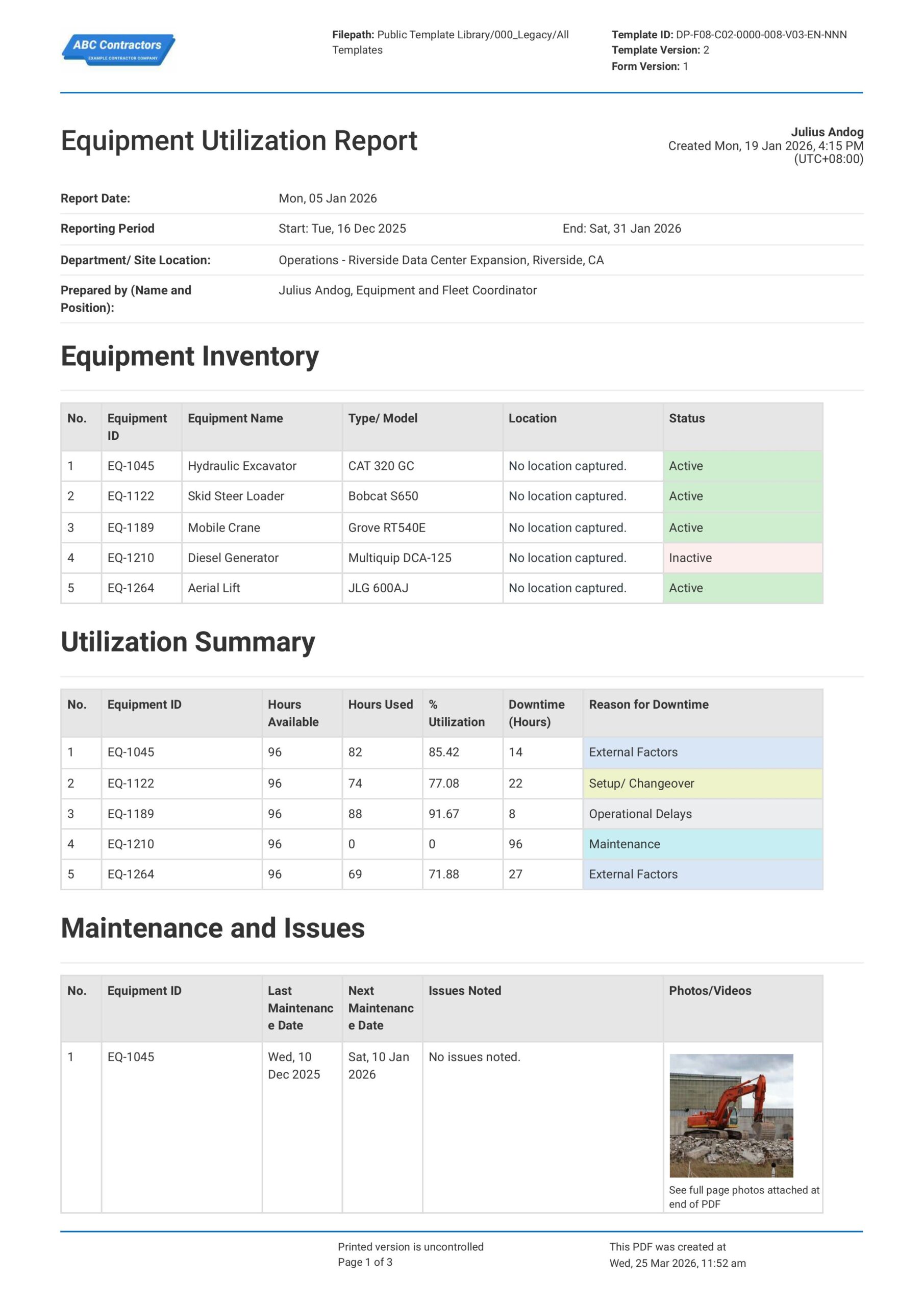
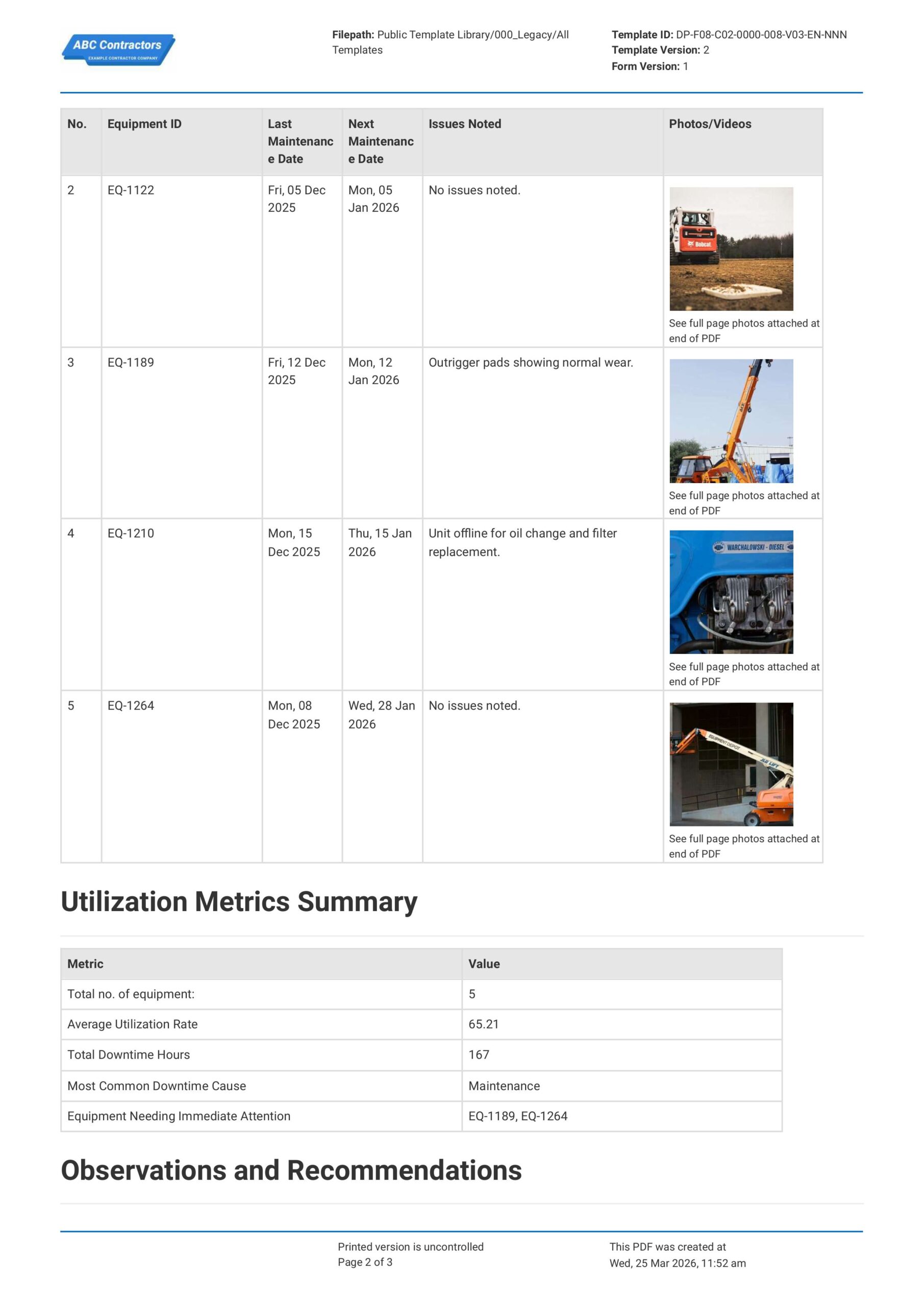
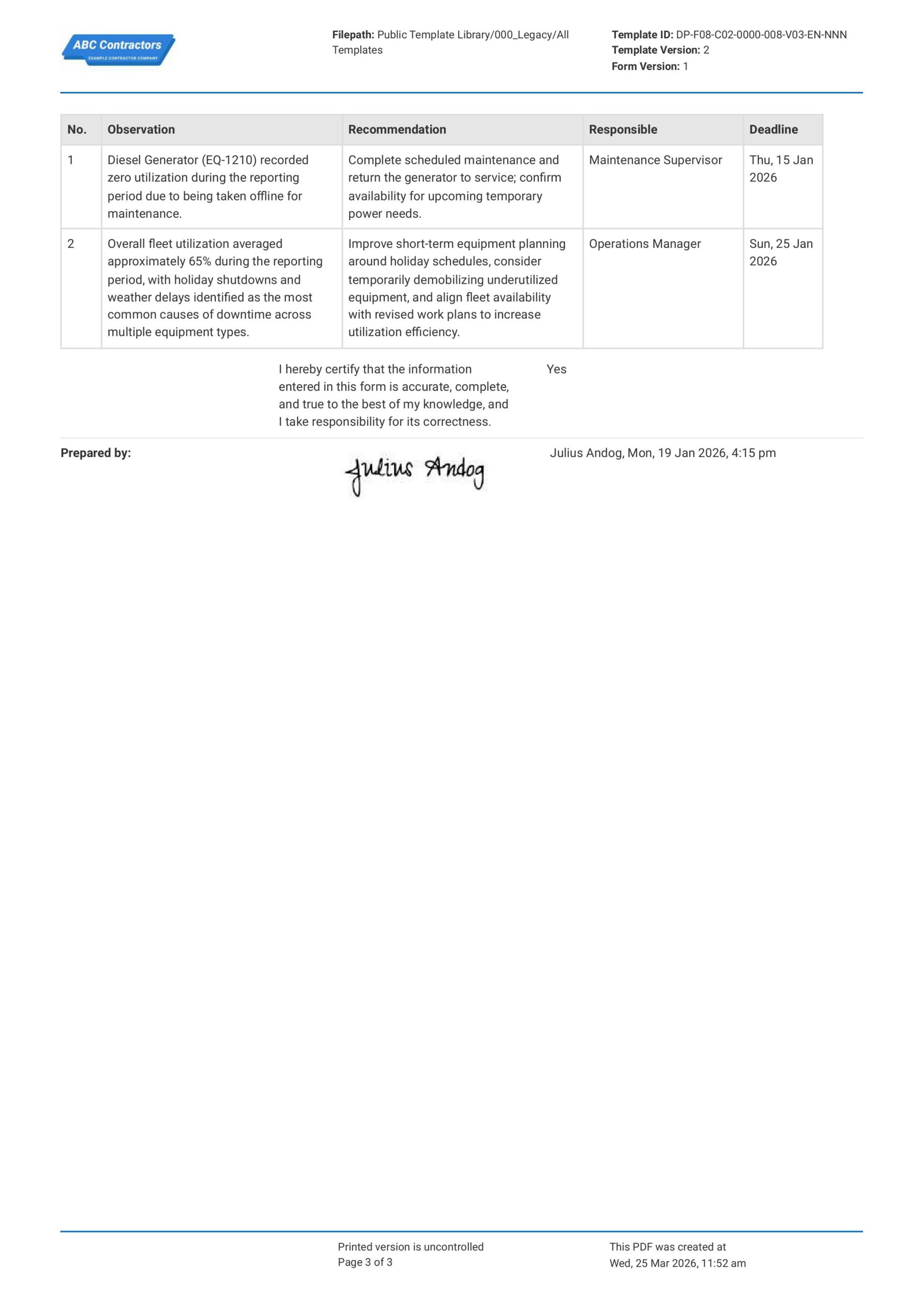
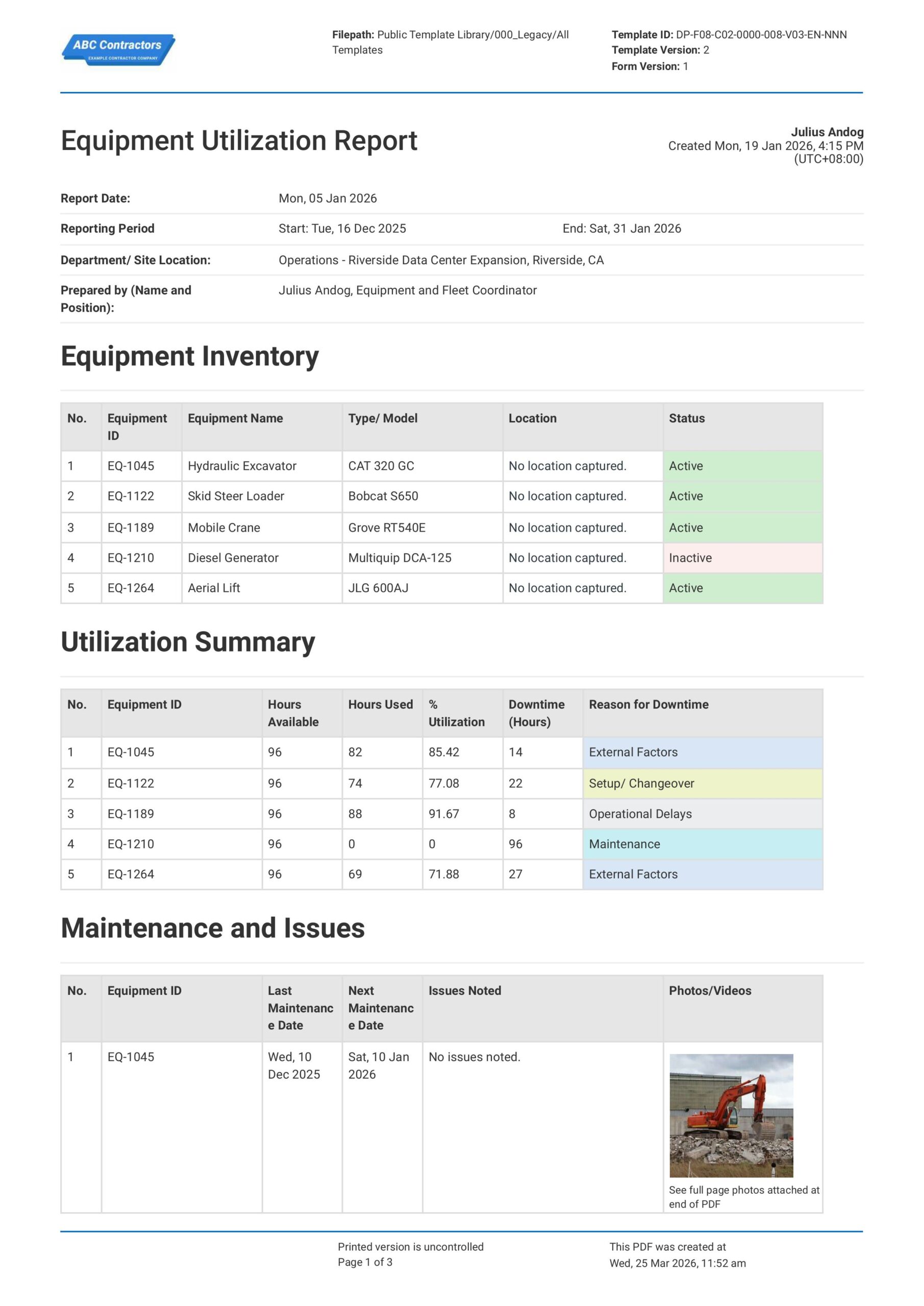
Curious how this Equipment Utilization Report works? Check out the example below to see what a completed report looks like, from equipment inventory through to utilization rates and downtime. You can generate your own version, export it as a custom form with your company details, and fill in your information to have a ready-to-use Equipment Utilization Report in minutes.
Use this Equipment Utilization Report template for free

Generate this template automatically with Storm
You don't have to build the Equipment Utilization Report field by field. Let Storm, the AI Data Capture Agent inside Dashpivot, build the template for you in seconds.
Describe what you need
Tell Storm the form you want in plain language and it builds a structured digital template from scratch, with fields, tables, and signatures in place.
Upload what you already use
Drop in your existing PDF, Word, Excel, or even a photo of a paper form. Storm rebuilds it as a smart digital template with the structure intact.
 Storm
Storm
Generate a Equipment Utilization Report form template that I can use for my business
Applicable Standards and Policies for Equipment Utilization Report
In the USA, there is no single regulation or law that explicitly covers creating or formatting Equipment Utilization Reports. However, there is some guidance that industry regulators provide for cost-control procedures, asset management, and contract reporting policies:
- ISO 55001 / ISO 55000 (Asset Management)
- OSHA Recordkeeping & Equipment Safety Standards (29 CFR 1910 / 1926)
- ANSI/ASSE Safety Standards for Construction & Equipment Operations
- AEMP (Association of Equipment Management Professionals) Telematics & Utilization Reporting Standards
Staff Members and Parties that use Equipment Utilization Report
Equipment Utilization Reports allow construction teams to assess how their machinery is being deployed, identify inefficiencies such as long idle times, and support decision making with regards to scheduling and maintenance. Here is a list of stakeholders that make use of Equipment Utilization Reports:
- Site and maintenance engineers – They rely on the reports to track how equipment is performing by reviewing the usage patterns and runtime data.
- Site supervisors and project managers – They keep an eye on how equipment is being used day to day and they use the data from the forms to make scheduling decisions and appropriately reallocate resources.
- Equipment managers and operators – They oversee machinery and equipment movement so the report gives them a clear idea where each piece of machinery is located, how it’s being used, and if it is being used correctly.
Additionally, business owners who rent out their machinery also make use of equipment usage reports. This is particularly common when dealing with heavy machinery such as mobile cranes, backhoes, loaders, pavers, dump trucks, etc.
Business Risks Reduced by Equipment Utilization Report
Equipment Utilization Reports help equipment owners and managers ensure that operating equipment effectiveness is streamlined across the board. Storm, Sitemate’s AI agent, can also help by generating accurate standards and data points in the form itself. Clear Equipment Utilization Reports help reduce:
- Equipment downtime and project delays
- Excess rental and ownership costs
- Asset misallocation across projects
- Maintenance failures and unexpected breakdowns
Business Opportunities Created by Equipment Utilization Report
Well-designed Equipment Utilization Reports enable the analysis of equipment usage and can allow organizations to make better, data-driven decisions regarding asset management. This effect can also be compounded with the help of Storm, as it generates accurate data and standards for your reports. Specifically, proper Equipment Utilization Reports help foster:
- Improved resource allocation across projects
- Cost optimization through reduced idle equipment
- Increased equipment lifespan through proactive maintenance planning
- Enhanced project planning and scheduling accuracy
Storm can also improve the accuracy and quality of your Equipment Utilization Reports, all while improving productivity as site personnel need only to review and approve the AI-assisted report.
How Should a Proper Equipment Utilization Report be Formatted?
- Company and Project Details
- Reporting Period
- Equipment Identification
- Utilization Metrics (available, operating, idle hours)
- Utilization Percentage
- Reasons for Downtime or Variance
- Approval or Sign-Off Section
Why Are Equipment Utilization Reports Important?
Equipment Utilization Reports are important because they ensure equipment costs align with actual usage. Essentially, the creation and analysis of these reports make sure that your machine and equipment usage is optimal. When utilization is not monitored and streamlined, overhead and maintenance costs on idle equipment can silently erode profitability.
For example, a heavy equipment utilization report is critical to industries or businesses that make use of cranes, backhoes, or tractors. The overhead and maintenance costs on this equipment alone often make up a significant chunk of a project’s budget. Further, over time, small inefficiencies that are not corrected can accumulate into unplanned cost overruns and increased expenditure. In this example, it is common practice for engineers to make use of machine utilization report Excel files to track utilization.
How to Create an Equipment Utilization Report
Below, we discuss how you can create your own equipment utilization report to suit the needs of your company.
Before you start creating your own Equipment Utilization Reports, make sure to have these ready:
- Project or site details
- Reporting period dates
- Equipment inventory and identification details
- Available hours per equipment
- Operating hours and downtime records
- Supporting documents (maintenance logs or service records)
-
Capture Project and Equipment Information
This includes general information essential for identifying and reviewing the report, such as:
- Company name
- Project or site name
- Reporting period
- Equipment name, type, or asset number
-
Record Equipment Utilization Details
Make sure to clearly document the following information for each piece of equipment:
- Available hours
- Actual operating hours
- Idle or downtime hours
- Utilization percentage
-
Identify Variances
Add sections where you can analyze differences between available and operating hours, including:
- Extent of idle time or downtime
- Reasons for underutilization or overuse
-
Explain and Support the Report
Provide context to support utilization findings:
- Explanation for downtime or variance
- Maintenance or operational notes
- Supporting records, if applicable
-
Review and Approve the Report
Ensure your report includes clear review and approval sections, such as:
- Supervisor or site management review
- Equipment or asset management sign-off
Frequently asked questions
How to create your Equipment Utilization Report in an App or Software System
Proper Equipment Utilization Report is critical to an efficient and safe workplace. It ensures the right equipment is ready and available when it is needed, properly maintained, and used optimally across different project sites and tasks.
25 minutes
Easy difficulty
-
Start your template with General Information
Begin your form with text fields for high-level project and contract information, such as the examples below, so your report can easily be tracked and identified.
- Project name and job number
- Reporting period
- Company, contractor, and subcontractor details
- Contract reference, cost codes, or billing identifiers
-
Next, create a section to track Equipment Information
This section should contain all the necessary information to identify the equipment in question. Alternatively, you can also design this section as an equipment “inventory”, when dealing with multiple units of equipment. If you are using a table, format the columns as follows:
- First three columns for Equipment Name, make and model
- A fourth column for Equipment Product ID
- A fifth column for Current Status (active/inactive) and Location
-
Provide a section to document specific equipment utilization data
Make sure to add a table to track and document the information below:
- Hours in Active Use
- Hours idle
- Comments or notes on usage (performance, downtime, etc.)
-
Automate calculation of equipment utilization formulas
Take advantage of your app or software to automate the calculation of equipment utilization rates. Below, we show exactly how to calculate equipment utilization rate:
- Equipment Utilization (%) = (Operating Hours ÷ Available Hours) × 100
-
Add sections to document equipment maintenance history
It might be important to add your equipment’s maintenance history to your report, especially when dealing with heavy machinery or manufacturing equipment. Make sure to document the following in a table as follows:
- First column in the table for the Last maintenance date
- A second column for Next maintenance date
- A third column for Issues or defects noted during use
- Optional column for photos, attachments, comments, etc.
-
Finally, create a section where your team can sign off on the report
End your report by providing sections where your team can add general comments, recommendations, and sign-offs to your report. If your app allows, you can even make use of automatic e-signature fields to help streamline your workflow.
- Observations and recommendations
- List actionable tasks and responsible parties
- Sign off fields
About the author

Ron Gadugdug
Content Engineer
 LinkedIn
Education
Cebu Institute of Technology - University - Civil Engineering
Bio
Ron is a Civil Engineer with 6 years of experience in the construction industry, primarily focused on quantity surveying, cost estimation, project management, quality control, contract administration, and property & engineering insurance. At Sitemate, he writes about practical applications of evolving technologies and digital solutions that support construction professionals in improving efficiency, compliance, and project delivery across the built world.
Past Projects
Quantity Surveying & Cost EngineeringPerformed quantity take-offs of several high-rise and horizontal structures using sheets and applications like Revit and Bluebeam Revu, and spearheaded trials with Building Information Modeling (BIM) software.
Project Management & ConsultancyCoordinated with project management teams during the construction of local projects such as a 4-tower hotel & resort, a 22 storey condominium project, and a school dormitory project.
Contract AdministrationAssisted during contract biddings and negotiations with general contractors and sub-contractors, and oversaw progress reporting, billings, and payment.
Property & Engineering InsuranceDedicated non-life claims handler, overseeing property and contractor all-risk insurance claims, risk management, and bonds.
Version History:
Related apps and templates
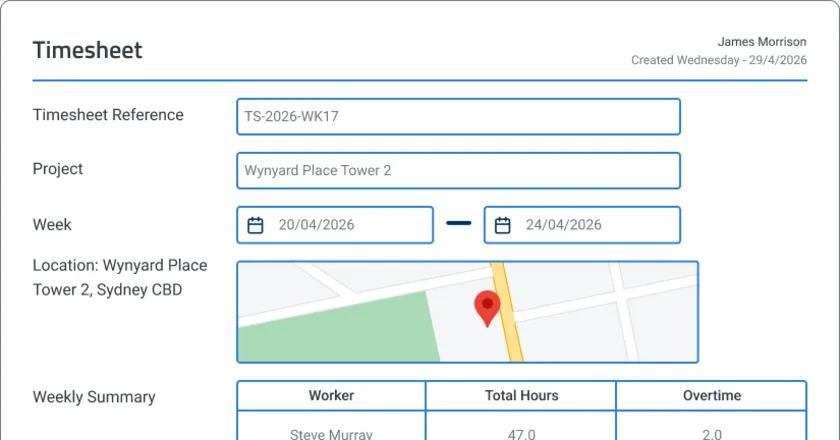
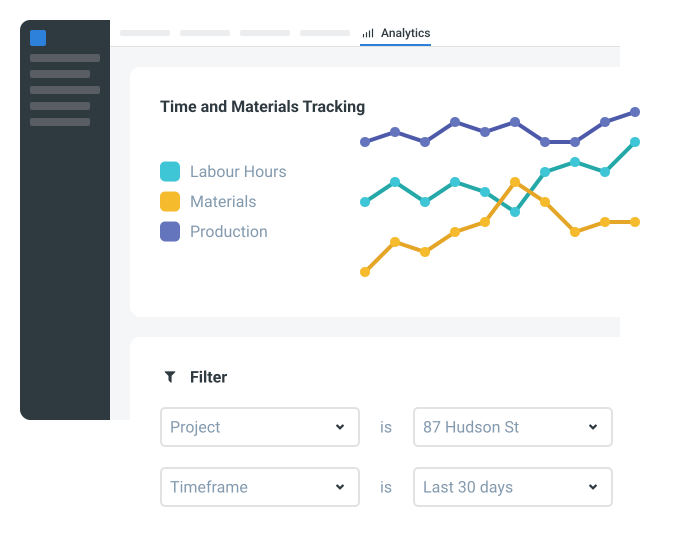
Time and Materials Tracking App
Quick, easy & powerful time and materials reports to capture & record details of work completed and the labour and materials that were
View app

Risk Assessment for Plant and Equipment
This Plant and Equipment Risk Assessment is freely available to help streamline your safety management plan. This document includes all the essential elements needed for a compliant risk assessment form that effectively
View template
Labor Equipment Material Form
This Labor Equipment Material (LEM) form is free and readily available to record the daily labor, equipment, and materials cost in a project. It features easy-to-fill tables that users can effortlessly use to provide
View templateThis report was generated with Dashpivot software
- Access, edit and complete your Equipment Utilization Report from any device - mobile, tablet or computer.
- Print, download or send your Equipment Utilization Report as perfectly formatted PDF documents with your company logo.
- Store your Equipment Utilization Report securely online, where they can be searched and found in seconds
- Invite internal and external parties to see, edit and sign off on Equipment Utilization Report online.