Building Safety Case Report Template

Start with a free 30-day trial. No credit card required.
Need a Building Safety Case Report that's ready to go but still yours to shape? This template comes pre-built with the elements required under the Building Safety Act 2022, a default table for recording multiple identified hazards, and space to add photos and related attachments as evidence that each requirement has been met. You can edit any part of it to match your company's processes, building types, or internal procedures, and the report will still hold up against the Building Safety Act requirements you'd be assessed on.
This Building Safety Case Report is an easy-to-use form that your workers can use to manage building safety risk and stay compliant. They can record each identified hazard, document how it is being addressed, attach supporting evidence, and convert the finished report to a PDF, with multiple reports able to be run from a single master document.
 100% fully editable Building Safety Case Report
Export your Building Safety Case Report to PDF or CSV
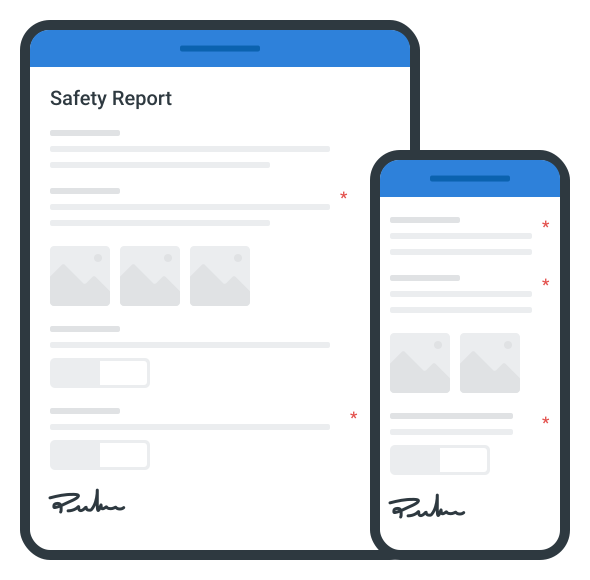
Access your Building Safety Case Report on mobile, tablet or computer

Trusted by companies, projects and teams of all sizes















What is Building Safety Case Report?
A Building Safety Case Report (BSCR) is a thorough document that outlines a Building Safety Case Report, identifies the risks to building safety, and shows how those risks are being handled in relation to structural failure and the propagation of fire. The report integrates the procedures of the Building Safety Case Report guidance and contains essential elements of the Building Safety Case Report, such as risk assessments, maintenance plans, and safety measures. This ensures that all the Building Safety Case Report information is thoroughly documented, which greatly helps with compliance.
This report reflects how legislation in the United Kingdom region ensures the protection of the residents of high-risk buildings and promotes transparent and consistent safety standards across the UK, all in the Building Safety Case Report contents.
Evaluate this Building Safety Case Report example PDF and compare to paper-based forms created from Word or Excel
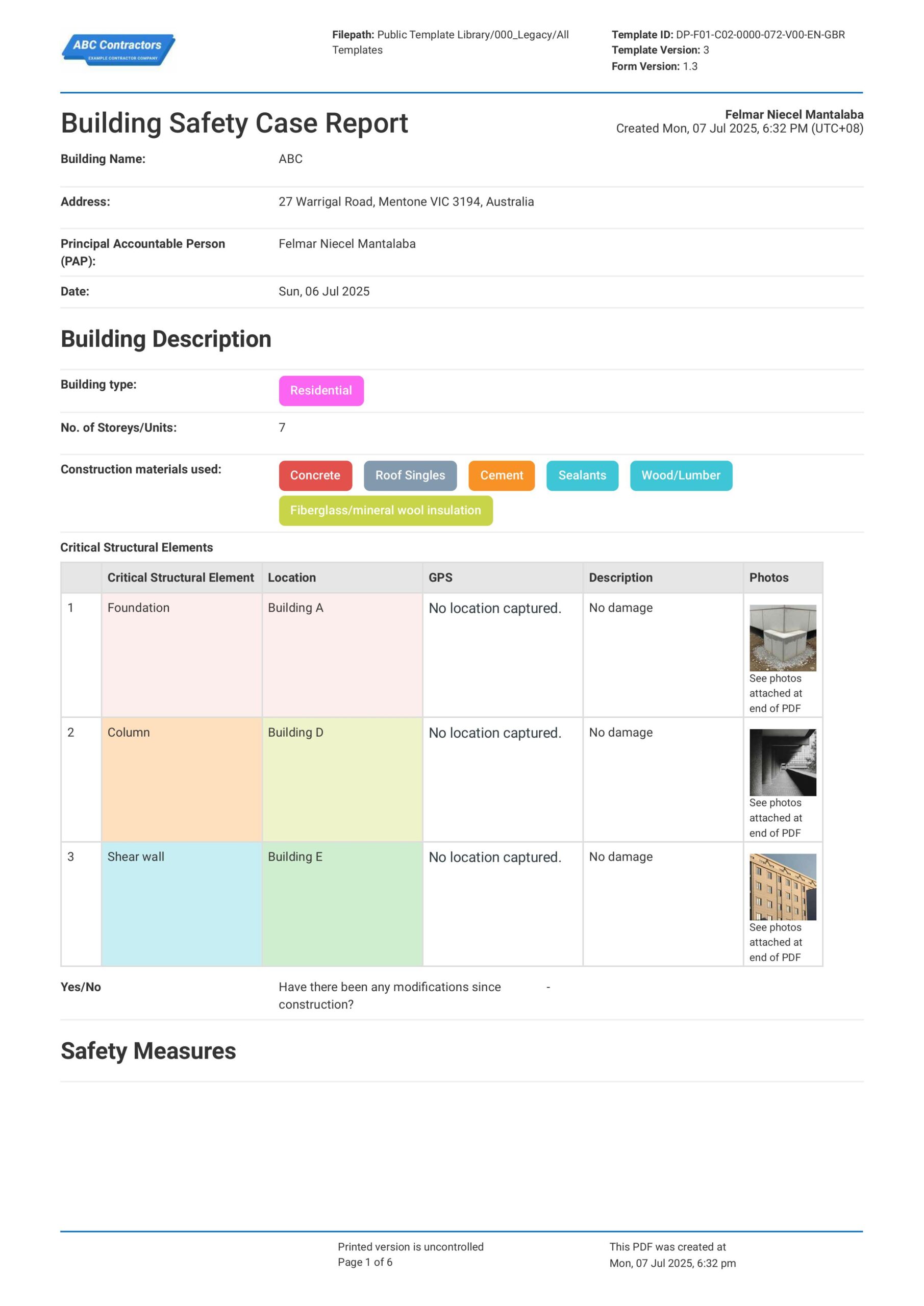
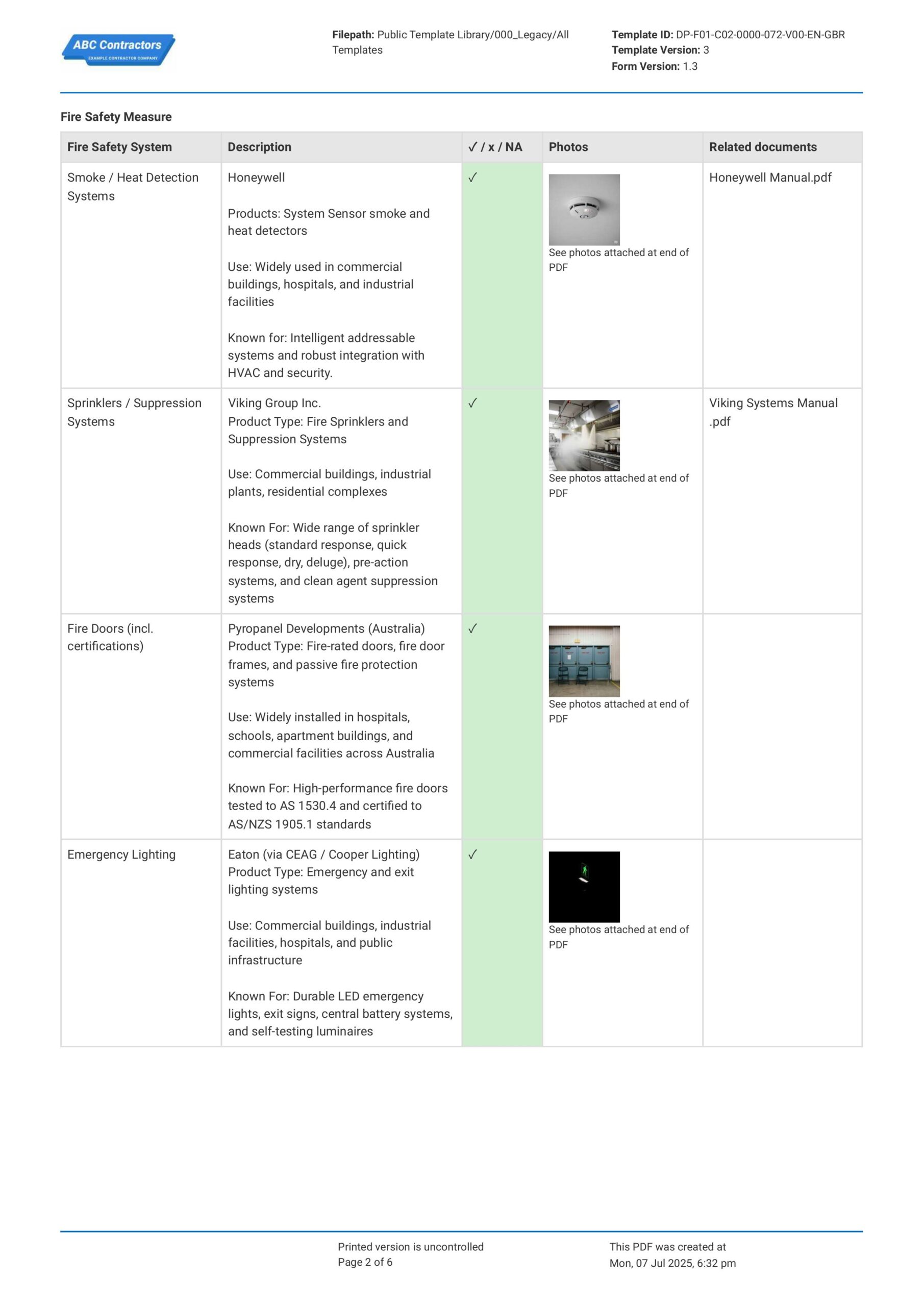
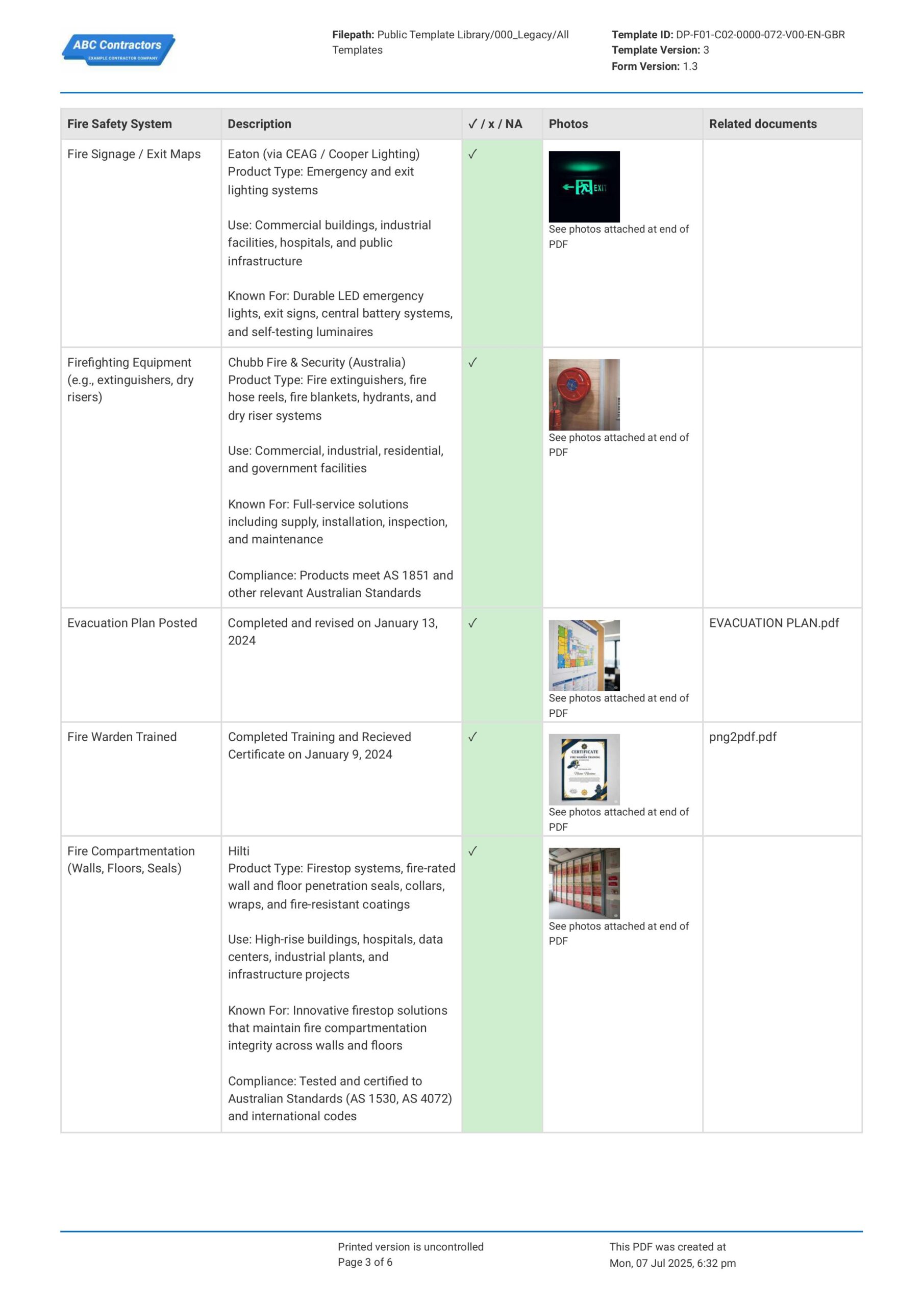
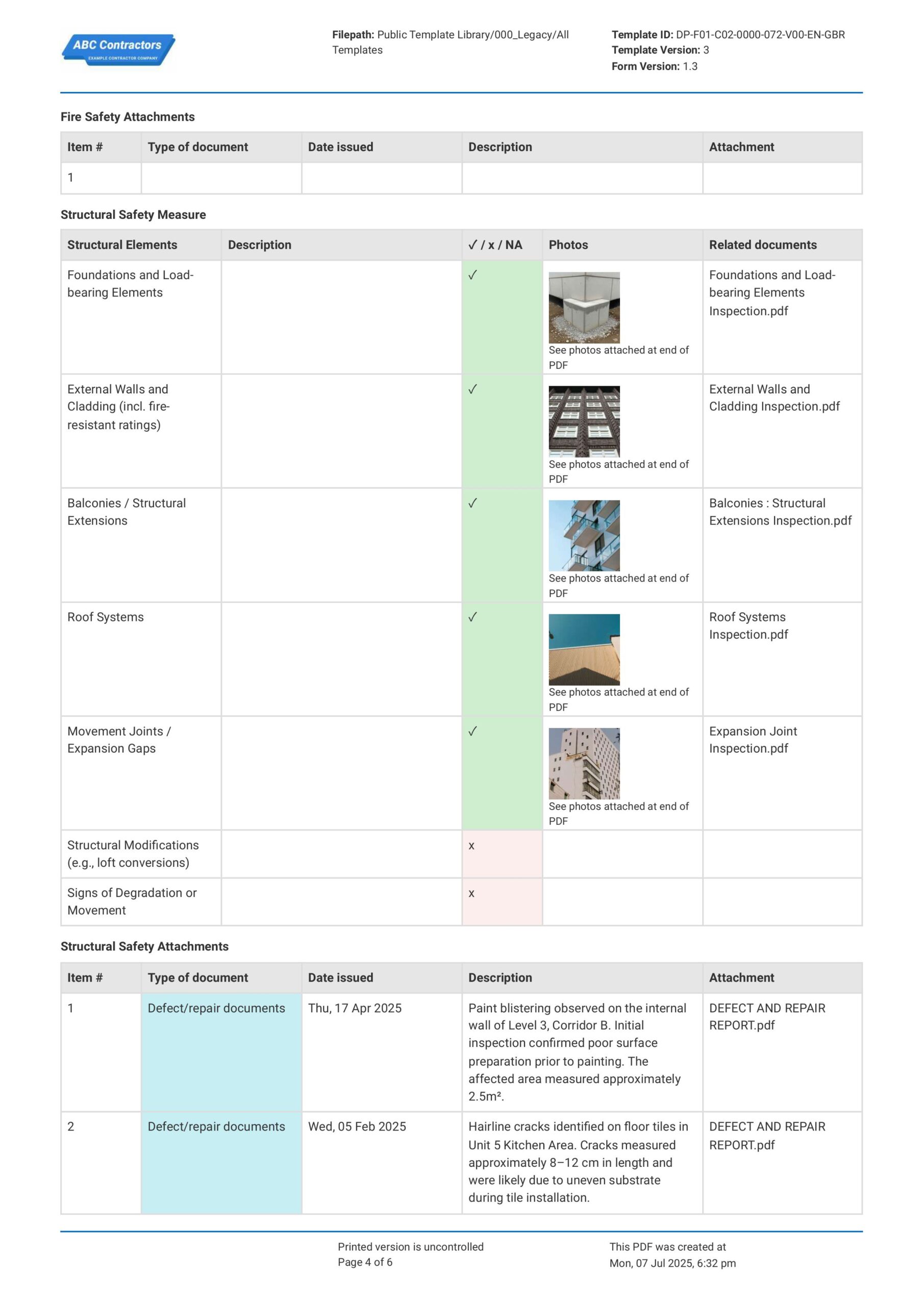
Curious how this Building Safety Case Report works? Check out the example below to see how hazards are recorded and addressed in the default table, with supporting evidence attached alongside. You can generate your own version, export it as a custom form with your company details, and fill in your building information to have a ready-to-use Building Safety Case Report in minutes.
Use this Building Safety Case Report template for free

Generate this template automatically with Storm
You don't have to build the Building Safety Case Report field by field. Let Storm, the AI Data Capture Agent inside Dashpivot, build the template for you in seconds.
Describe what you need
Tell Storm the form you want in plain language and it builds a structured digital template from scratch, with fields, tables, and signatures in place.
Upload what you already use
Drop in your existing PDF, Word, Excel, or even a photo of a paper form. Storm rebuilds it as a smart digital template with the structure intact.
 Storm
Storm
Generate a Building Safety Case Report form template that I can use for my business
Applicable Standards and Policies for Building Safety Case Report
There are no explicit laws or requirements that govern how Building Safety Case Reports should be formatted. However, there are some legislation that cover core elements of a safety case report, such as building safety, fire safety, structural safety, and workplace safety requirements. For example, in the UK, the following legislation is enforced:
- Building Safety Act 2022 and Building Safety Regulator guidance require safety case reports for higher-risk residential buildings in England.
- Fire Safety Order duties and wider building safety rules support documented control of fire and structural risks.
Staff Members and Parties that use Building Safety Case Report
A Building Safety Case Report is primarily used by businesses responsible for managing complex, high-risk, or occupied buildings. Here are more exmples of parties that make use of a Building Safety Case Report.
- Facilities teams, property managers, and building management companies.
- Fire engineers, structural engineers, building surveyors, and safety consultants.
- Regulators, building control bodies, fire authorities, and local government teams.
- Residents, tenants, insurers, and investors.
Business Risks Reduced by Building Safety Case Report
Using a Building Safety Case Report helps businesses reduce the chance of major building failures by keeping safety risks, controls, and responsibilities clearly documented. It gives businesses insight into the risk levels on their property and helps them make data-driven decisions to ultimately:
- Reduce risk of fire, structural failure, unsafe evacuation, and safety-critical system failure.
- Lower exposure to enforcement action, penalties, legal claims, and loss of building approval.
- Help avoid business disruption caused by emergency works, building restrictions, or unsafe conditions.
Business Opportunities Created by Building Safety Case Report
A Building Safety Case Report can benefit businesses by improving asset management processes. This ultimately opens up new opportunities with stakeholders and concerned parties, as this:
- Improves handover between design, construction, operation, and maintenance teams for on-going construction works.
- Builds confidence with regulators, tenants, residents, insurers, and investors.
- Strengthens reputation for responsible ownership, safer buildings, and well-managed assets.
What is Included in a Building Safety Case Report?
A Building Safety Case Report brings together the key evidence showing how a higher-risk building’s fire and structural safety risks are identified, controlled, and managed. It should be clear enough for dutyholders, regulators, and relevant stakeholders to understand the building’s risk profile.
- Building details
- Dutyholder information
- Risk assessment findings
- Control measures
- Safety management evidence
When are Building Safety Case Reports Required?
Building Safety Case Reports are required under the Building Safety Act 2022, specifically for occupied higher-risk buildings in England. These are generally buildings that are at least 18 metres high or 7 storeys, and contain at least 2 residential units.
The main legal duty sits under Section 85 of the Building Safety Act 2022, supported by regulations including The Higher-Risk Buildings (Management of Safety Risks etc) (England) Regulations 2023. The Principal Accountable Person must prepare and maintain the report, and provide it to the Building Safety Regulator when requested, such as during a Building Assessment Certificate application.
How to Create a Building Safety Case Report
A Building Safety Case Report is a complex document that requires proper formatting for it to be effective in helping teams ensure workplace safety. In this section, we discuss the exact steps you can use to build your own Building Safety Case Report.
Before you start on your own Building Safety Case Report, be sure to have these things ready:
- Basic building information and layout plans
- Fire and structural risk assessments
- Details of safety systems and control measures
- Maintenance, inspection, and testing records
- Dutyholder and responsible person details
- Resident engagement and communication records
- Emergency plans and evacuation strategy
-
Start with General Information
Placing general information at the beginning of the safety case report establishes the context, responsible parties, and applicable regulatory framework of your report. Here are some examples of information that you should include:
- Building Name and Address
- Building Owner, Accountable Person, or Duty Holder Details
- Date of Assessment and Report Version
- Applicable Regulations and Standards
-
Describe the Building and Occupancy Profile
Provide a detailed description of the building and its occupants to provide cotext on safety risks and requirements that may be specific to your job site. Be sure to include the following Building Information:
- Building Height and Number of Storeys
- Construction Type (if on-going construction project)
- Occupancy Type and Estimated Capacity
- Access, Egress, and Evacuation Routes (if necessary)
- Location of Mechanical, Electrical and Auxiliary Rooms and Service Areas
-
Identify Building Safety Hazards and Risks
Identifying building safety hazards ensures that potential risks to building occupants, structure, and operations are taken into account during assessment. Here are examples of common risks that you can expect:
- Fire and Smoke Spread Risks
- Structural Stability Concerns
- Electrical and Mechanical System Failures
- Cladding or External Facade Hazards
- Hazardous Materials or By-products
-
Assess Existing Safety Control Measures and Emergency Procedures
Documenting current safety arrangements provides insight into the existing measures that are already set-up protect occupants and the building during emergency situations. Here are some examples of Safety Control Measures and common emergency procedures to check:
- Fire Detection, Alarm, and Suppression Systems
- Emergency Lighting, Exit Signage, and Evacuation Procedures
- Inspection, Maintenance, and Testing Procedures
- Incident Reporting and Security Procedures
- Occupant Training and Emergency Drill Procedures
-
Complete Review, Approval, and Sign-Off
Finally, complete the safety case report with review and sign-off confirms that all identified risks and control measures have been acknowledged by responsible parties. Here are some important information that you should always include:
- Names and Roles of Reviewers and Approvers
- Signatures of Responsible Personnel
- Date of Review and Approval
- Comments, Recommendations, or Required Actions
Frequently asked questions
How to create your Building Safety Case Report in an App or Software System
A well-designed Building Safety Case Report ensures that your team stays on top of the safety management and emergency procedures in your building, while building clear, efficient, and easily sharable forms.
45
Medium difficulty
-
Start your Building Safety Case Report with General Information and Building Description
Begin your Building Safety Case Report with high-level information that identifies the building being assessed and provides context about its type, size, materials, and construction history, as well as relevant information on personnel involved. Be sure to add the following fields
- Text fields for Building Name, Address, and Date
- Text fields for Principal Accountable Person (PAP)
- Drop-down Selection field for Building type & No. of Storeys
- Multiple-choice Selector for Construction materials used
- Drop-down Selection field, with a Yes/No selector for modifications since construction
-
Create a Table for Critical Structural Elements
For this section, we recommend using a 5-column table to document the building’s critical structural elements. This allows each major structural item to be recorded with its location, GPS details, condition notes, and supporting photos. Be sure to format the table as follows:
- First column for Critical Structural Element
- Second column for Location
- Third column for GPS
- Fourth column for Description
- Fifth column for Photos
-
Create a Section for Fire Safety Measures and Attachments
Next, create a section where fire safety systems, photos, and related documents can be reviewed in one place. This section should also include a separate attachments table for fire safety documents. Be sure to create a 5-column table for Fire Safety Measures with the following features:
- Columns for Fire Safety System, Description, a drop-down selector for compliance, Photo uploads, and Related documents uploads
- Rows for the specific Fire Safety System to be assessed
- A separate Fire Safety Attachments table with columns for Type of document, Date issued, Description, and Attachment
-
Create a Section for Structural Safety Measures and Attachments
After the fire safety section, create a section where structural safety measures, photos, and related documents can be reviewed in one place. This section should also include a separate attachments table for structural safety documents. Be sure to create a 5-column table for Structural Safety Measures with the following features:
- Columns for Structural Elements, Description, a drop-down selector for compliance, Photo uploads, and Related documents uploads
- Rows for the specific Structural Elements to be assessed
- A separate Structural Safety Attachments table with columns for Type of document, Date issued, Description, and Attachment
-
Add Sections for Risk Identification, Maintenance, and Resident Engagement
Next, create a section where risk records, maintenance checks, and resident feedback can be reviewed in one place. We highly recommend creating separate tables for risk identification, maintenance records, and resident engagement. Be sure to create tables for each section with the following features:
- First, add a 3-column table for Risk Identification with columns for Description of risk, Control measures implemented, and Risk Rating
- Date fields for Last fire inspection date and Last structural inspection date
- Add a second 4-column table for Maintenance Records with columns for Date of maintenance schedule, Description of maintenance, Person-in-charge, and Attachments
- Add a third 4-column table for Resident Engagement with columns for Engagement method used, Feedback from resident, Corrective action taken, and Person-in-charge
-
End your Building Safety Case Report with Sign-Offs
Finally, complete the report with sign-off fields for the key responsible parties. This section confirms that the relevant competent persons have reviewed the safety case and accepted the information recorded in the form.
- Principal Accountable Person Sign Off field
- Fire Safety Assessor/Competent Person Sign Off field
- Structural Engineer/Surveyor Sign Off field
- Automatic Date and time stamp
About the author

Ron Gadugdug
Content Engineer
 LinkedIn
Education
Cebu Institute of Technology - University - Civil Engineering
Bio
Ron is a Civil Engineer with 6 years of experience in the construction industry, primarily focused on quantity surveying, cost estimation, project management, quality control, contract administration, and property & engineering insurance. At Sitemate, he writes about practical applications of evolving technologies and digital solutions that support construction professionals in improving efficiency, compliance, and project delivery across the built world.
Past Projects
Quantity Surveying & Cost EngineeringPerformed quantity take-offs of several high-rise and horizontal structures using sheets and applications like Revit and Bluebeam Revu, and spearheaded trials with Building Information Modeling (BIM) software.
Project Management & ConsultancyCoordinated with project management teams during the construction of local projects such as a 4-tower hotel & resort, a 22 storey condominium project, and a school dormitory project.
Contract AdministrationAssisted during contract biddings and negotiations with general contractors and sub-contractors, and oversaw progress reporting, billings, and payment.
Property & Engineering InsuranceDedicated non-life claims handler, overseeing property and contractor all-risk insurance claims, risk management, and bonds.
Version History:
Related apps and templates
Health Safety Reporting App
Save time and effort with easy to create professional safety reports for submission to boards, clients and
View app
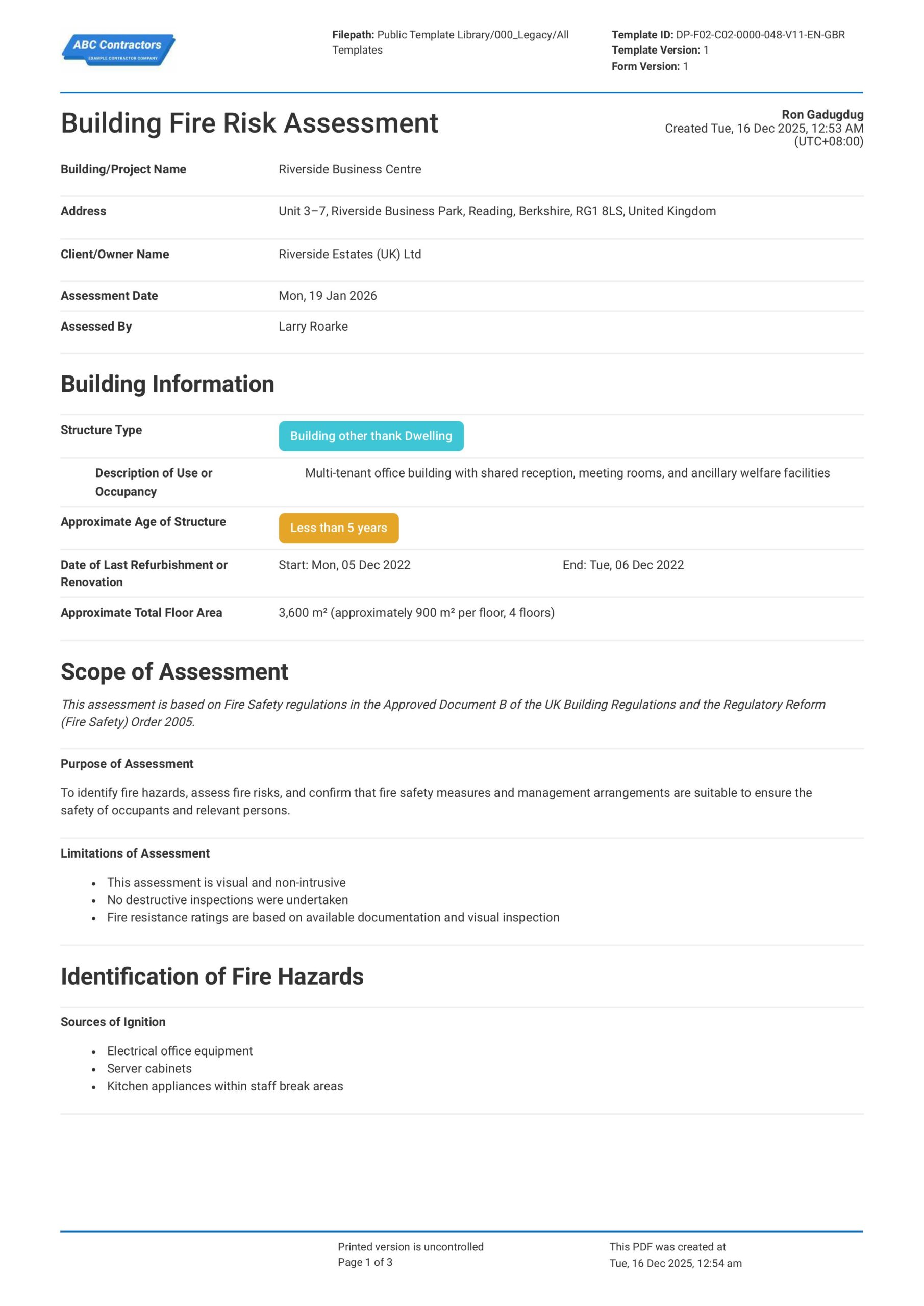
Building Fire Risk Assessment
This Building Fire Risk Assessment template enables safety professionals to conduct comprehensive fire risk evaluations for buildings and projects. The template covers essential elements including general building
View template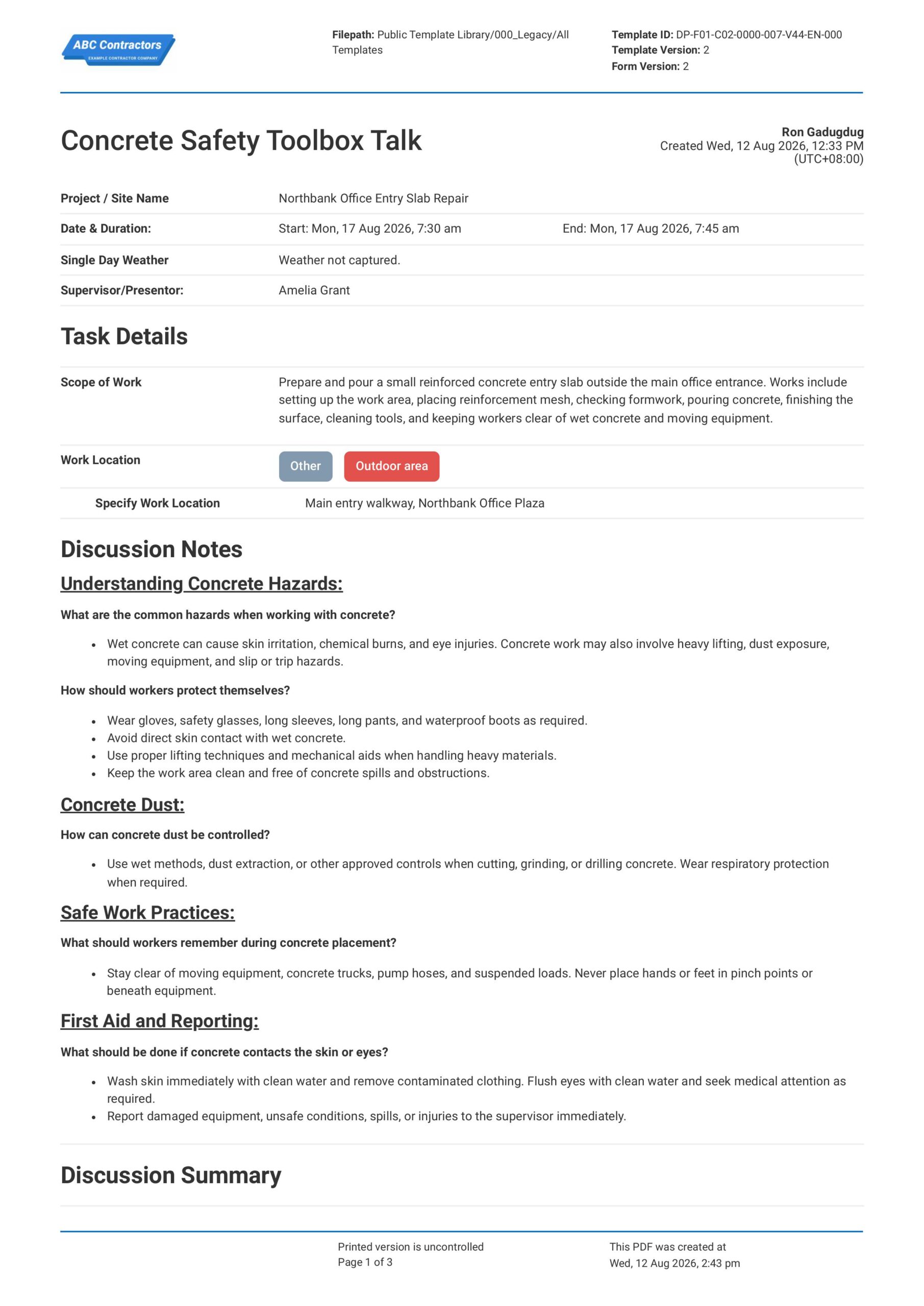
Concrete Safety Toolbox Talk
This Concrete Safety Toolbox Talk is an easy-to-use form that your workers can use to discuss concrete work hazards and safe work practices before starting concrete-related tasks. Record important toolbox talk details
View templateThis report was generated with Dashpivot software
- Access, edit and complete your Building Safety Case Report from any device - mobile, tablet or computer.
- Print, download or send your Building Safety Case Report as perfectly formatted PDF documents with your company logo.
- Store your Building Safety Case Report securely online, where they can be searched and found in seconds
- Invite internal and external parties to see, edit and sign off on Building Safety Case Report online.