Confined Space Permit Template

Start with a free 30-day trial. No credit card required.
Looking for a ready-to-use Confined Space Permit that still fits how your sites operate? This template comes pre-built with fields for the confined space details, entry purpose, hazards, atmospheric testing results, isolation requirements, PPE, rescue arrangements, worker approvals, and sign-offs, all on one form. It helps make sure key checks, controls, and approvals are completed before anyone enters. You can edit any part of it to match your company's entry procedures and site conditions, and the permit will still hold up against the regulations and audits you'd face.
This Confined Space Permit is an easy-to-use form that your workers can use to control entry into confined spaces before work begins, confirm testing, isolation, and rescue arrangements are in place, and record approvals and sign-offs. Once complete, they can save and export the permit to PDF or CSV for easy sharing with supervisors and site personnel.
 100% fully editable Confined Space Permit
Export your Confined Space Permit to PDF or CSV
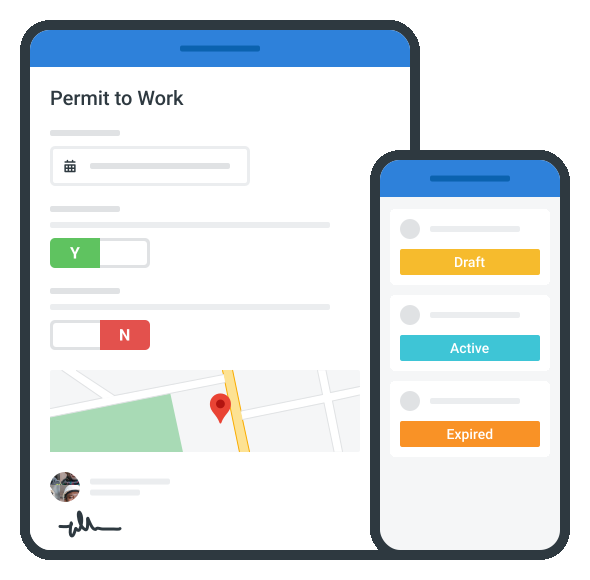
Access your Confined Space Permit on mobile, tablet or computer
Trusted by companies, projects and teams of all sizes















What is Confined Space Permit?
A Confined Space Permit is a document used by site personnel to approve and control work inside enclosed or partly enclosed spaces. This is important as these confined spaces typically present hazards such as poor ventilation, unsafe atmospheres, engulfment, or restricted access. It sets out the required checks, controls, and approvals before workers can enter the space.
Confined Space Permits are commonly used in construction, utilities, maintenance, mining, manufacturing, and industrial operations involving tanks, pits, vessels, chambers, tunnels, and similar work sites. Essentially, these permits help confirm that hazards have been reviewed, controls are in place in response, and rescue arrangements are ready before work in these confined spaces begins.
Compare this Confined Space Permit to traditional Word/Excel documents
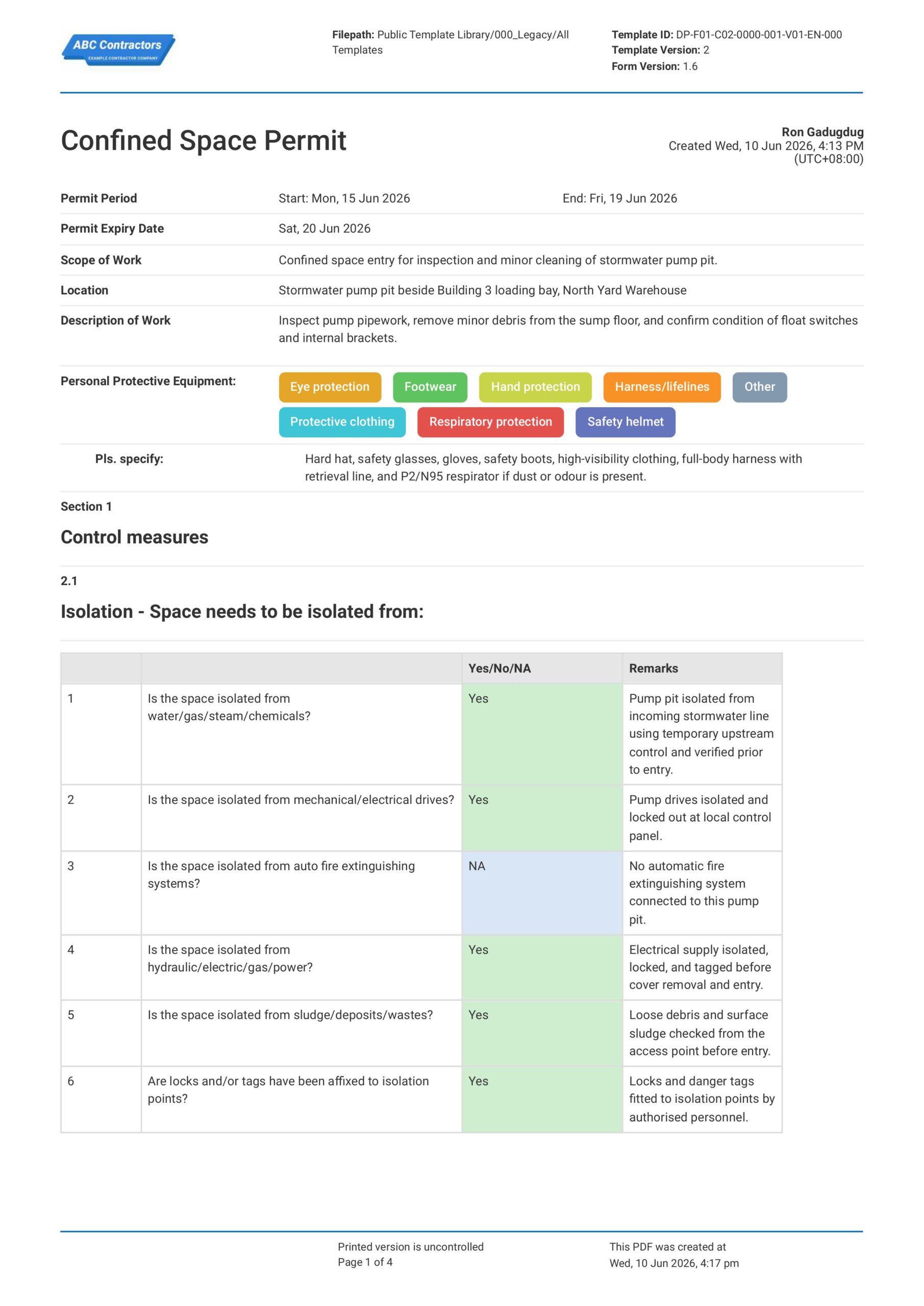
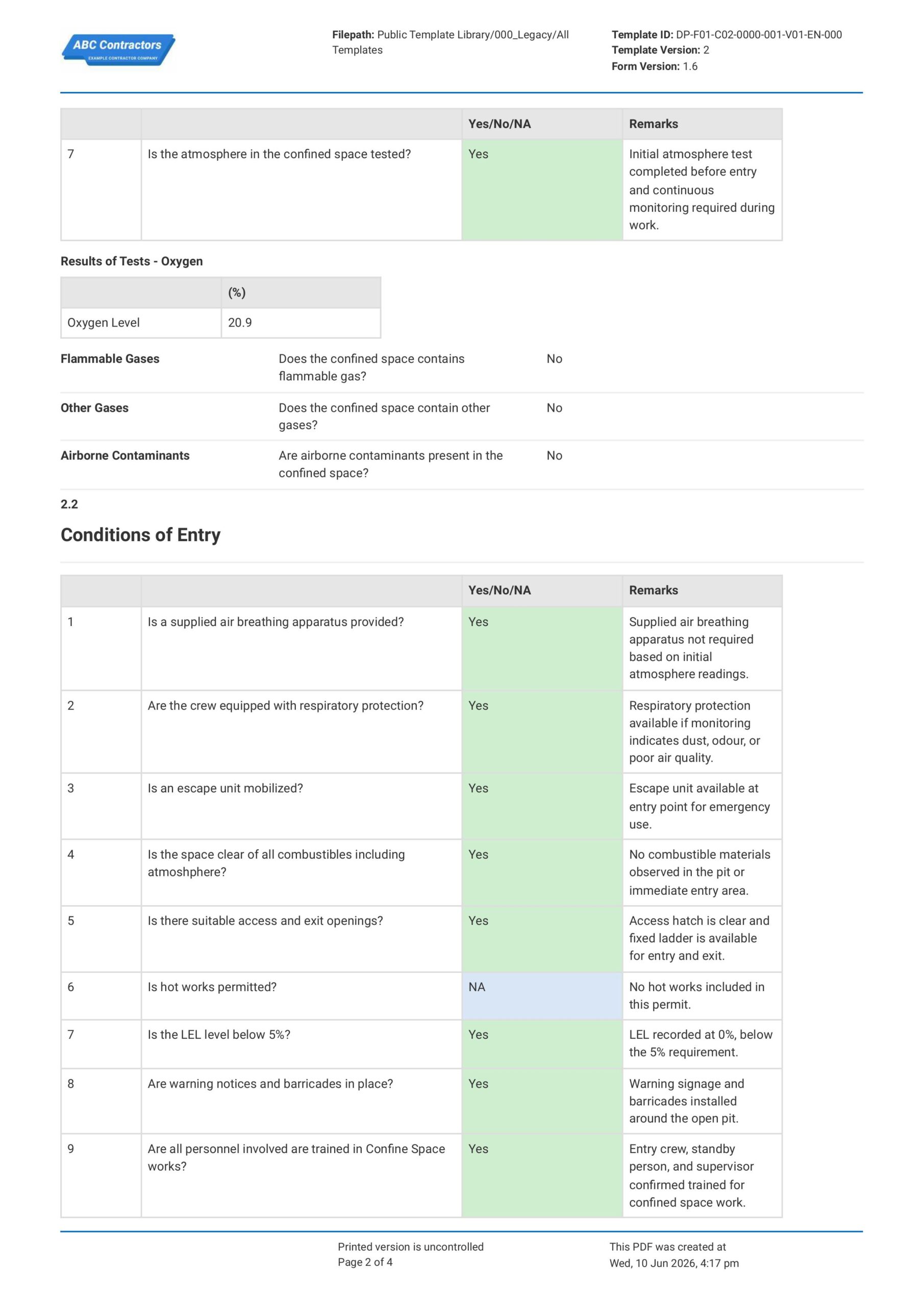
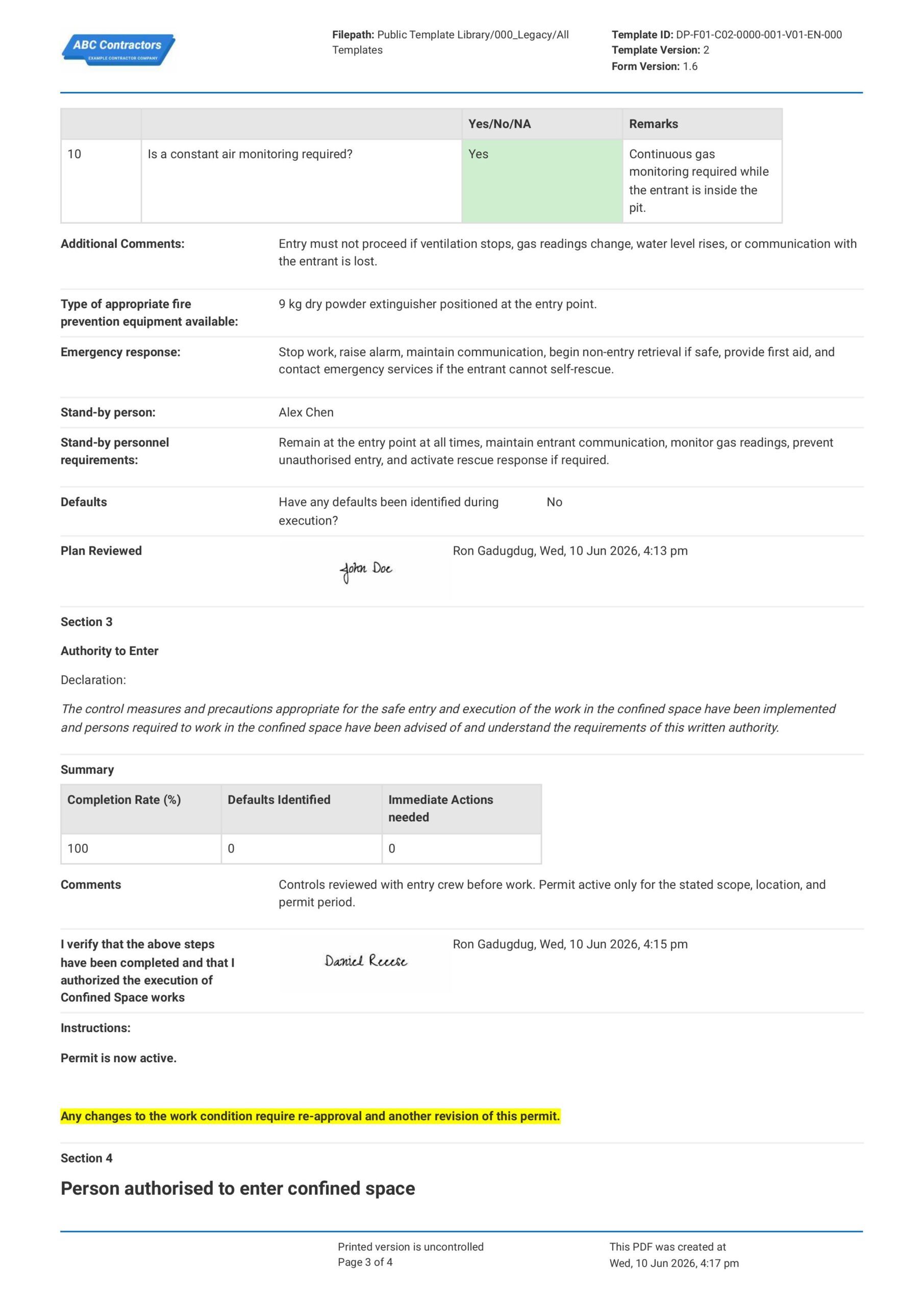
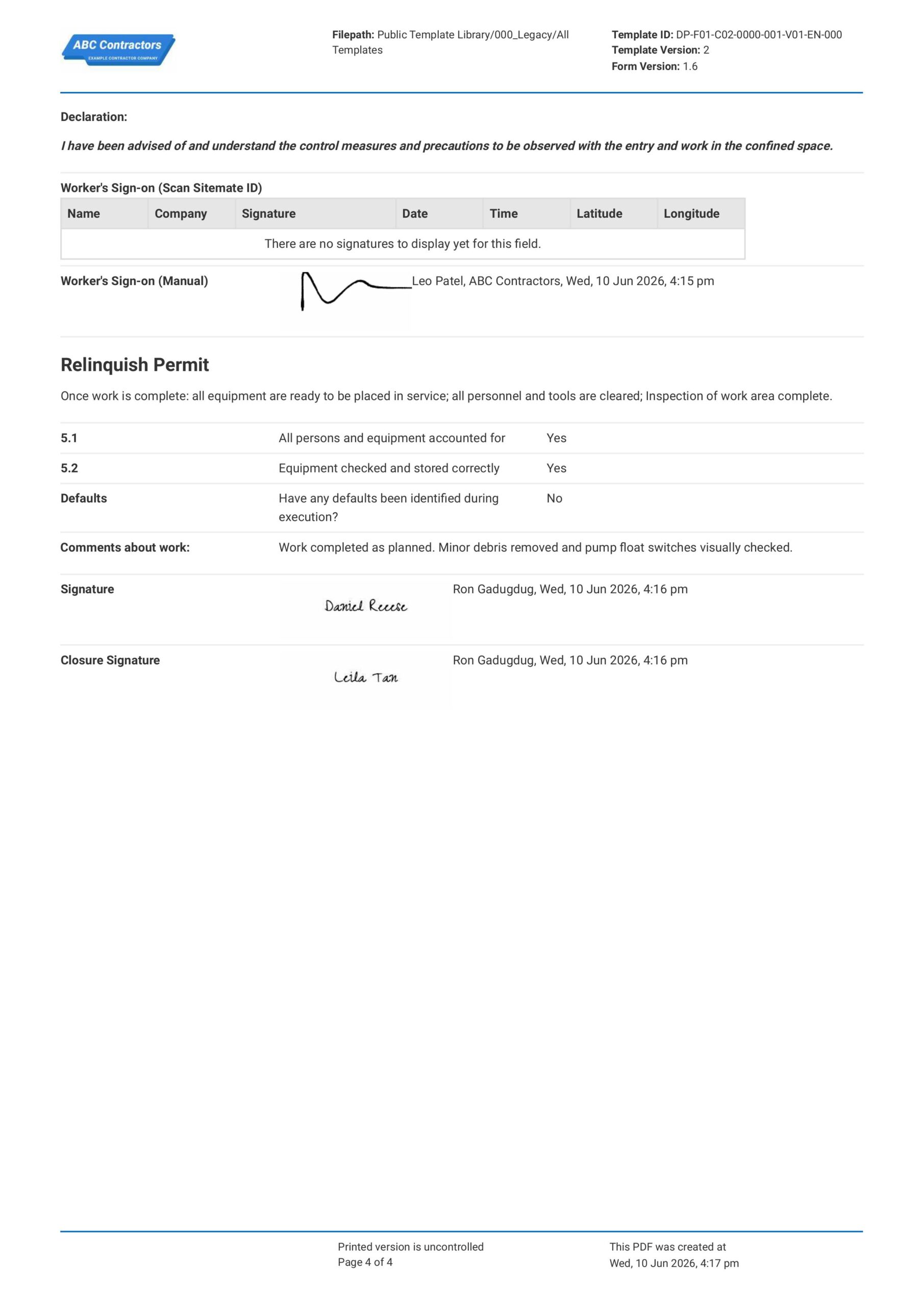
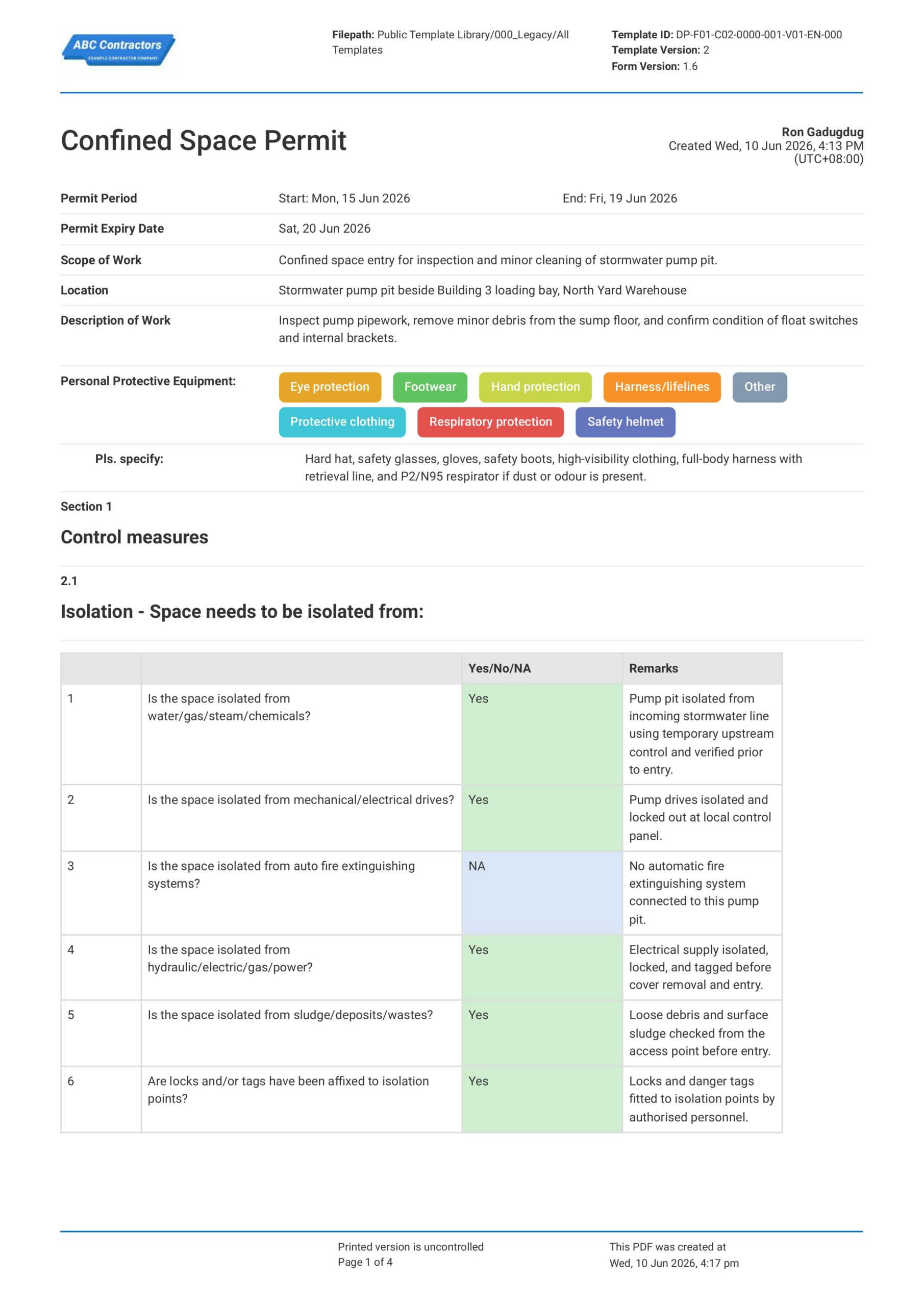
Curious how this Confined Space Permit works? Check out the example below to see exactly what a completed permit looks like, from atmospheric testing and isolation through to approvals and sign-offs. You can generate your own version in a few clicks, export it as a custom form with your company details, and fill in the relevant information to have a ready-to-use Confined Space Permit in a matter of minutes.
Use this Confined Space Permit template for free

Generate this template automatically with Storm
You don't have to build the Confined Space Permit field by field. Let Storm, the AI Data Capture Agent inside Dashpivot, build the template for you in seconds.
Describe what you need
Tell Storm the form you want in plain language and it builds a structured digital template from scratch, with fields, tables, and signatures in place.
Upload what you already use
Drop in your existing PDF, Word, Excel, or even a photo of a paper form. Storm rebuilds it as a smart digital template with the structure intact.
 Storm
Storm
Generate a Confined Space Permit form template that I can use for my business
Applicable Standards and Policies for Confined Space Permit
There are generally no specific requirements for formatting a Confined Space Permit, but most workplace safety laws require employers, contractors, or duty holders to document confined space hazards, entry controls, atmospheric testing, and emergency arrangements before workers enter the space. Here are examples of common regulations used around the world:
- OSHA confined space standards require assessment and permits for confined spaces
- UK Confined Spaces Regulations of 1997 require safe systems before entry into confined spaces
- Safe Work Australia requires confined space entry permits
- Local WHS laws commonly require confined space permits and controls
Staff Members and Parties that use Confined Space Permit
A Confined Space Permit is primarily used by project managers and businesses that deal with confined space work. Here are examples of common parties that you can expect to use a Confined Space Permit:
- Site supervisors and project managers
- Confined space entrants and standby attendants
- Permit issuers and approvers
- Health and safety teams
- Contractors and subcontractors carrying out confined space work
Business Risks Reduced by Confined Space Permit
Using a Confined Space Permit helps reduce the risk of hazards such as unsafe atmospheres, engulfment, restricted access, moving equipment, stored energy, or limited communication during confined space entry. Ultimately, this can help businesses to:
- Avoid non-compliance with confined space entry requirements
- Prevent unsafe entry or work without proper controls
- Lower exposure to legal claims, enforcement action, and incident-related costs
- Reduce project delays caused by incidents, investigations, or shutdowns
Business Opportunities Created by Confined Space Permit
A well-managed Confined Space Permit process helps businesses improve planning and control over high-risk work activities. Here are some ways a well-designed Confined Space Permit can help businesses:
- Improve worker confidence before confined space entry
- Strengthen contractor prequalification and tender competitiveness
- Build trust with clients, regulators, insurers, and project stakeholders
What Should be Included in a Confined Space Permit?
A Confined Space Permit should confirm that the space, task, hazards, controls, and rescue arrangements have been checked before entry work begins. While permit requirements can vary across regions, the permit should clearly show that the space is safe to enter and that responsible persons have approved the work.
- Confined space location, description, and permit validity period
- Purpose of entry and details of the work being carried out
- Any hazards present within the enclosed space
- Safety control measures, safety requirements, and PPE needed for the task
- Names of workers & attendants, including sign-ons and sign-offs
When is a Confined Space Permit Required?
A Confined Space Permit is required when workers need to enter an enclosed or partially-enclosed space that may contain serious hazards, such as unsafe air, restricted entry/exit, engulfment, or hazardous substances. It is commonly used before work begins in tanks, pits, manholes, silos, ducts, vaults, trenches, and other enclosed or partly enclosed spaces where normal access and rescue may be difficult.
Further, a Confined Space Permit should also only stay valid for the specific task duration and time period approved on the permit. It is important that if the job changes, the atmosphere changes, the permit expires, the work stops for a long period, or a new crew takes over, the permit should be reviewed and reissued before any more work continues.
How to Create a Confined Space Permit
Creating an effective confined space permit requires systematic evaluation of hazards, implementation of control measures, and proper authorization before entry begins.
Here are some important prerequisites before you start creating a Confined Space Permit
- Confined space location and entry purpose are required.
- Work scope and permit validity must be stated.
- Entry supervisor, entrants, and attendants must be listed.
- Atmospheric testing and gas readings must be recorded.
- Isolation, ventilation, and access controls must be in place.
- Required PPE, communication, and rescue equipment must be available.
- Permit approval, handover, and close-out rules must be defined.
-
Start with Site and Permit Information
Placing high-level general information at the beginning of the Confined Space Permit helps establish where the entry will take place, who is involved, and what work is being approved. Here are some examples of core elements that you can use:
- Project name and site location
- Confined space name, ID, or description
- Permit number and permit validity period
- Description of work to be performed
- Names and roles of entrants, attendants, supervisors, and approvers
-
Assess the Confined Space Hazards
It is important that hazards and potential risks are identified before the work starts so the appropriate safety control measures can be implemented and, ultimately, so it can be determined if work can even proceed with existing risk levels. Common hazards that should be checked and recorded include:
- Oxygen deficiency or oxygen enrichment
- Toxic gases, vapours, fumes, or dust
- Fire, explosion, or engulfment hazards
- Restricted access, poor visibility, or difficult movement
- Mechanical, electrical, hydraulic, or stored energy hazards
-
Record Isolation, Ventilation, and Safety Controls
After the hazards are identified, you will want to determine the appropriate safety controls to implement to reduce any risks for your workers. For example, you will want to list the following information in your Confined Space Permit:
- Lockout, tagout, and isolation points (where required)
- Blinding, blanking, draining, or purging requirements
- Supplementary ventilation methods for areas with low ventilation
- Access and egress points
-
Complete Atmospheric Testing and PPE Checks
Atmospheric testing and PPE checks help confirm that workers have suitable protection before and during confined space entry. Here are examples of information that should be recorded in your permit:
- Oxygen level readings
- Flammable gas or vapour readings
- Toxic gas readings
- Testing time, frequency, and tester details
- Required respiratory, hand, eye, head, and body protection
-
Confirm Communication, Standby, and Rescue Arrangements
Confirming communication methodology and rescue arrangements helps make sure workers can be monitored and supported throughout the work duration. Be sure to document the following information in your permit:
- Communication method between entrants and attendants
- Emergency contact information
- A reference to the confined space rescue plan or emergency response procedures
-
Complete Approval, Entry Log, and Permit Close-Out
Complete the permit with approval to proceed, entry tracking, and a permit close out section to confirm that the confined space entry was controlled from start to finish. This also helps show who entered the space, when the work was completed, and whether the area was left in a safe condition. Here are some examples of fields that you will want to include:
- Permit issuer and approver signatures
- Entrant entry and exit times
- Supervisor checks during the work
- Permit suspension or extension details, if applicable
- Final close-out signature and completion time
Frequently asked questions
How to create your Confined Space Permit in an App or Software System
A well-defined Confined Space Permit can help your team capture important details regarding the work task, environment, and the personnel working to ensure a safe working environment before the work starts.
45 minutes
Medium difficulty
-
Start your Confined Space Permit with Text Fields for General Information
It is important to begin your Confined Space Permit with the key permit, location, and work activity details so the permit can be traced to the correct confined space entry task. This section should use simple text, date, and PPE selection fields for fields such as:
- Date selector fields for Permit Period Start, Permit Period End, and Permit Expiry Date
- Text fields for Scope of Work, Location, and Description of Work
- Multiple-choice selector field for Personal Protective Equipment
- Conditional text field to specify when Other PPE is selected
-
Create a Table for Isolation and Control Measure Checklist
Next, create a section where users can confirm that the confined space has been isolated before entry. We highly recommend using a table for this checklist section, with the following formatting for the columns:
- First column for the Checklist Item
- Second column for Yes/No/NA
- Third column for Remarks
- Rows for isolation from water, gas, steam, chemicals, drives, fire systems, energy sources, sludge, deposits, wastes, locks, and tags
-
Create a Section for Atmosphere Testing
Users will next need to input atmosphere testing details to confirm that the confined space is safe for entry. Be sure to add fields where users can record the test status, oxygen result, and other gas or contaminant checks, such as:
- Yes/No/NA selector field for Is the atmosphere in the confined space tested?
- Number field for Oxygen Level
- Yes/No selector fields for Flammable Gases, Other Gases, and Airborne Contaminants
- Multi-line text field for Remarks
-
Create a 3-Column Table for Conditions of Entry
Next, create a section where users can confirm the entry conditions and site controls required before the permit becomes active. We highly recommend using a table for this checklist section as well, so each entry condition can be checked and supported with remarks.
- First column for Entry Condition Checklist
- Second column for Yes/No/NA
- Third column for Remarks
- Rows for breathing apparatus, respiratory protection, escape unit, combustible materials, access and exit openings, hot works, Lower Exposure Limit, warning notices, barricades, personnel training, and constant air monitoring
-
Add Text Fields for Emergency Response and Stand-by Personnel Procedures
After the entry conditions are confirmed, add fields for emergency response, fire prevention, and stand-by person requirements. These sections should be formatted in sequence for ease of use, with fields such as:
- Multi-line text field for Additional Comments
- Text field for Type of appropriate fire prevention equipment available
- Multi-line text field for Emergency response
- Multi-line text field for Stand-by personnel requirements
- Text field for Stand-by person
-
End your Confined Space Permit with Sign-offs and Approvals
Finally, complete the Confined Space Permit with review, entry approval, worker sign-on, work comments, and closure fields. If your app or software allows, use automatic e-signature fields to quicken this process for your users. We recommend adding the following elements for this section to your Confined Space Permit:
- Summary fields for Completion Rate, Defaults Identified, and Immediate Actions needed
- Table for Worker details and sign-on, with columns for Name, Company, Signature, Date, Time
- A final checklist for permit close-out, with Yes/No fields for all persons and equipment accounted for, equipment checked and stored correctly, defaults identified
- E-signature fields for Approving personnel for Approval and Closeout
About the author

Ron Gadugdug
Content Engineer
 LinkedIn
Education
Cebu Institute of Technology - University - Civil Engineering
Bio
Ron is a Civil Engineer with 6 years of experience in the construction industry, primarily focused on quantity surveying, cost estimation, project management, quality control, contract administration, and property & engineering insurance. At Sitemate, he writes about practical applications of evolving technologies and digital solutions that support construction professionals in improving efficiency, compliance, and project delivery across the built world.
Past Projects
Quantity Surveying & Cost EngineeringPerformed quantity take-offs of several high-rise and horizontal structures using sheets and applications like Revit and Bluebeam Revu, and spearheaded trials with Building Information Modeling (BIM) software.
Project Management & ConsultancyCoordinated with project management teams during the construction of local projects such as a 4-tower hotel & resort, a 22 storey condominium project, and a school dormitory project.
Contract AdministrationAssisted during contract biddings and negotiations with general contractors and sub-contractors, and oversaw progress reporting, billings, and payment.
Property & Engineering InsuranceDedicated non-life claims handler, overseeing property and contractor all-risk insurance claims, risk management, and bonds.
Version History:
Related apps and templates
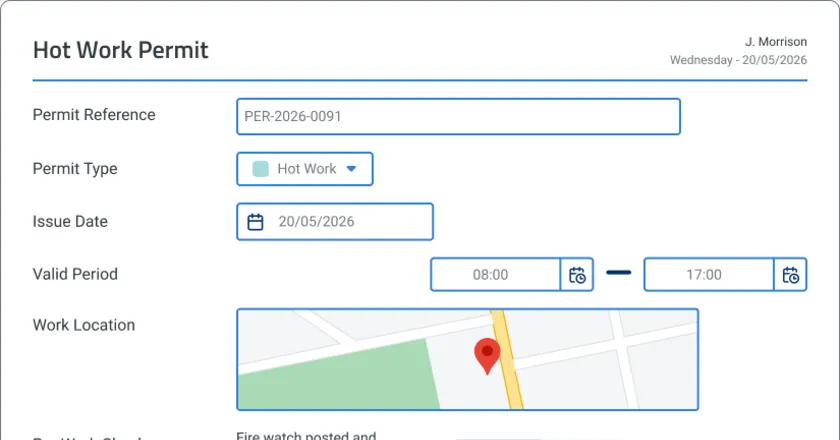
Permit to Work App
Permit to work app template that auto-drafts permits from work scope, maps site conditions to checklists, and routes approvals digitally. Built for
View app
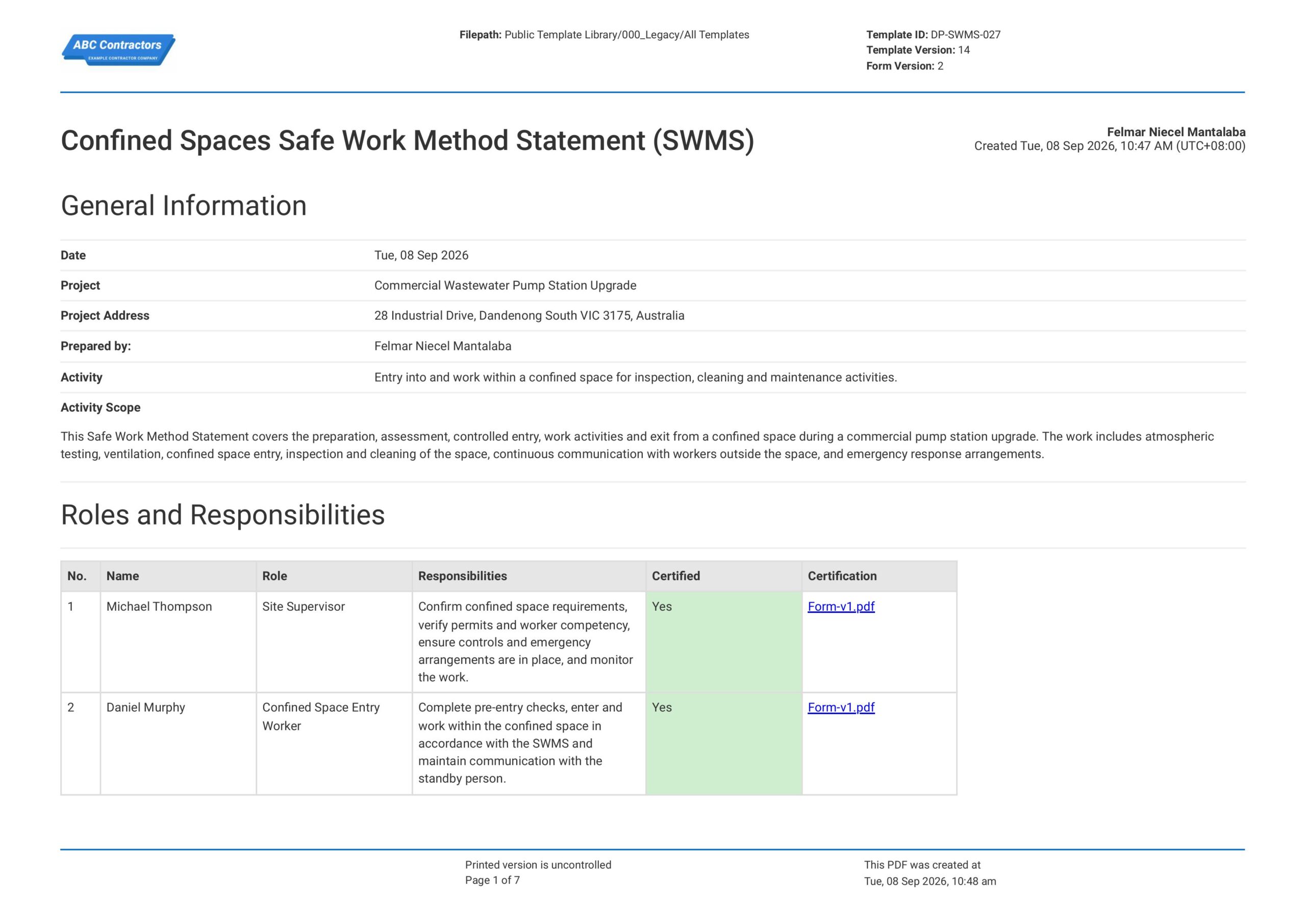
Safe Work Method Statement for Confined Space
This Safe Work Method Statement for Confined Space is free and readily available to record identified hazards, control measures, and safe procedures for all your confined space activities. The template already contains
View template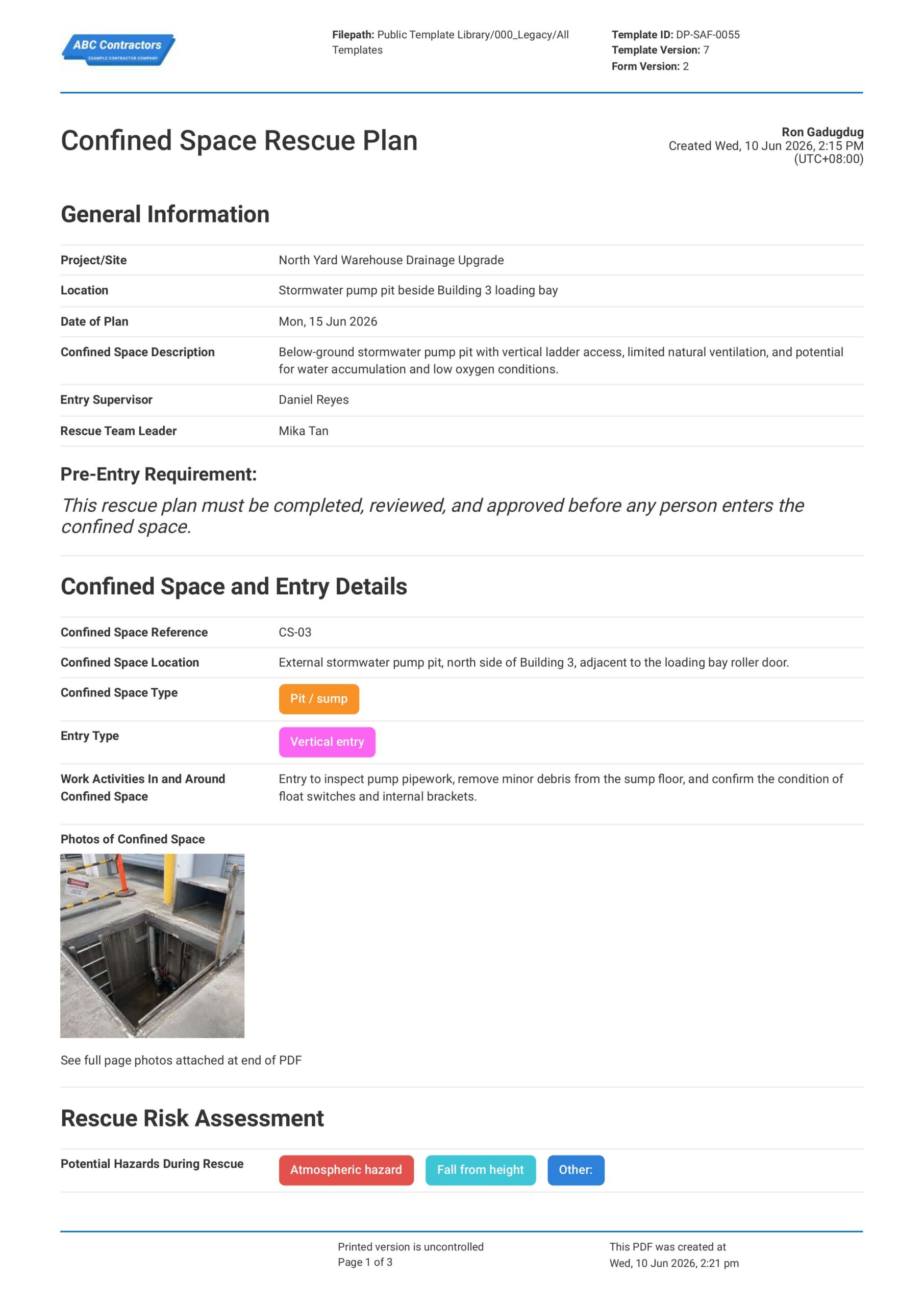
Confined Space Rescue Plan
This Confined Space Rescue Plan is a document you can use for free to help your site teams, supervisors, and rescue personnel set out clear procedures before entering a confined space for rescue operations. Use this
View templateThis permit was generated with Dashpivot software
- Access, edit and complete your Confined Space Permit from any device - mobile, tablet or computer.
- Print, download or send your Confined Space Permit as perfectly formatted PDF documents with your company logo.
- Store your Confined Space Permit securely online, where they can be searched and found in seconds
- Invite internal and external parties to see, edit and sign off on Confined Space Permit online.